Self Hosted Crypto Payment Gateway - Coldtill
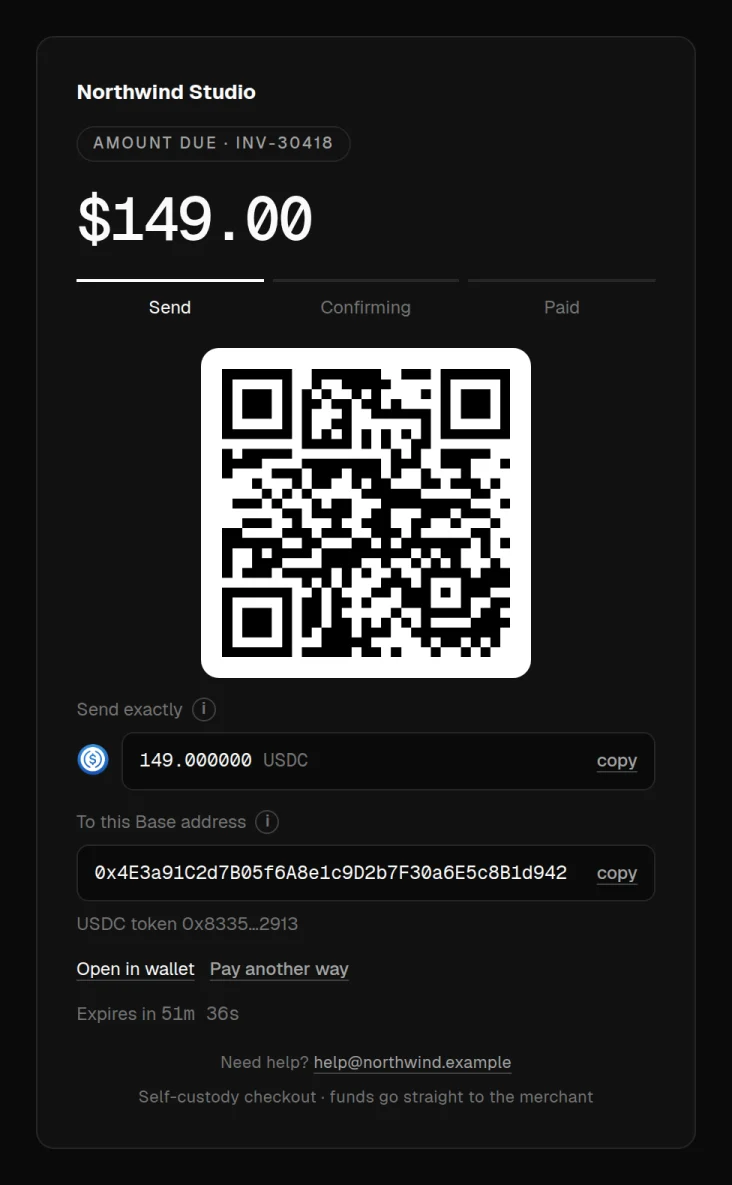
WooCommerce crypto payment gateway plugin. Accept USDT, USDC, BTC, ETH, SOL, TRX and 200+ coins straight to your own wallets. No KYB, no custody.
Install
This is the repository archive. It installs, but the folder name will carry the branch suffix and updates will not flow.
Install straight from GitHub with WP-CLI:
wp plugin install https://github.com/coldtill/woocommerce-crypto-payment-gateway/archive/refs/heads/main.zipWooCommerce crypto payment gateway: Coldtill for WooCommerce
Accept USDT, USDC, Bitcoin, Ethereum, Solana, Tron and 200+ coins in WooCommerce, straight to your own wallets. No sign-up, no KYB, no custody and no processor that can freeze your money.
This plugin connects your WooCommerce store to Coldtill, a self-hosted crypto payment gateway that runs on your own server.
Download the plugin · Coldtill · Docs · Live demo dashboard
Features
- 200+ coins on 35+ chains. BTC, ETH, SOL, TRX, BNB, POL, USDT and USDC directly, and XRP, TON, Sui, Cardano, Dogecoin and more through auto-convert, settled to you as USDC or USDT.
- Self-custody. On Ethereum, Base, Polygon, BNB Chain, Tron and Solana each customer pays into a deposit contract that can only send to your cold wallet. Bitcoin goes to your own wallet's addresses.
- No account to freeze. No sign-up, no KYC or KYB, no reserves and no payout schedule.
- Classic and block checkout, plus WooCommerce high-performance order storage (HPOS).
- Signed webhooks (HMAC-SHA256 with a timestamp and replay window). Orders update automatically and are re-checked when the customer returns to your store if a webhook is missed.
- Safe by default. The order only changes when the reference and amount match; overpayments and partial payments are noted on the order.
Requirements
- WordPress 6.4+, WooCommerce 8.0+, PHP 8.1+
- Store currency: USD
- A running Coldtill server. The Free edition installs with one command:
curl -fsSL https://coldtill.com/install.sh | sudo bash -s -- --edition freeInstall
- Download
coldtill-woocommerce.zip. - In WordPress, go to Plugins → Add New → Upload Plugin, choose the zip and activate it.
- In Coldtill, create a project API key (API keys) and copy it.
- In WooCommerce → Settings → Payments → Coldtill, enter your Coldtill URL and API key.
- In Coldtill → Webhooks, set the URL shown under "Webhook secret" (it ends in
/wc-api/coldtill/) and paste the signing secret into the plugin settings.
Order statuses
| Coldtill payment | WooCommerce order |
|---|---|
| Filled or overpaid | Processing (payment complete) |
| Partially paid | On hold |
| Cancelled or replaced | Cancelled |
Security
Report vulnerabilities to security@coldtill.com. See coldtill.com/security.
Licence
MIT. See LICENSE.