Travel Newsletter
Travel Newsletter is a WordPress plugin that lets users subscribe through a custom registration form by providing their name, email, and travel date. Once registered, the plugin automatically schedules and sends email templates based on how many days remain before the subscriber’s travel date.
Install
This is the repository archive. It installs, but the folder name will carry the branch suffix and updates will not flow.
Install straight from GitHub with WP-CLI:
wp plugin install https://github.com/codesproutx/travel-newsletter/archive/refs/heads/main.zipA WordPress plugin that sends automated, travel date–based newsletter emails to subscribers. Subscribers sign up with their name, email, and travel date; the plugin queues and sends a sequence of emails at set intervals before that date (e.g. 30, 25, 20, 15, 10, 5, and 2 days before).
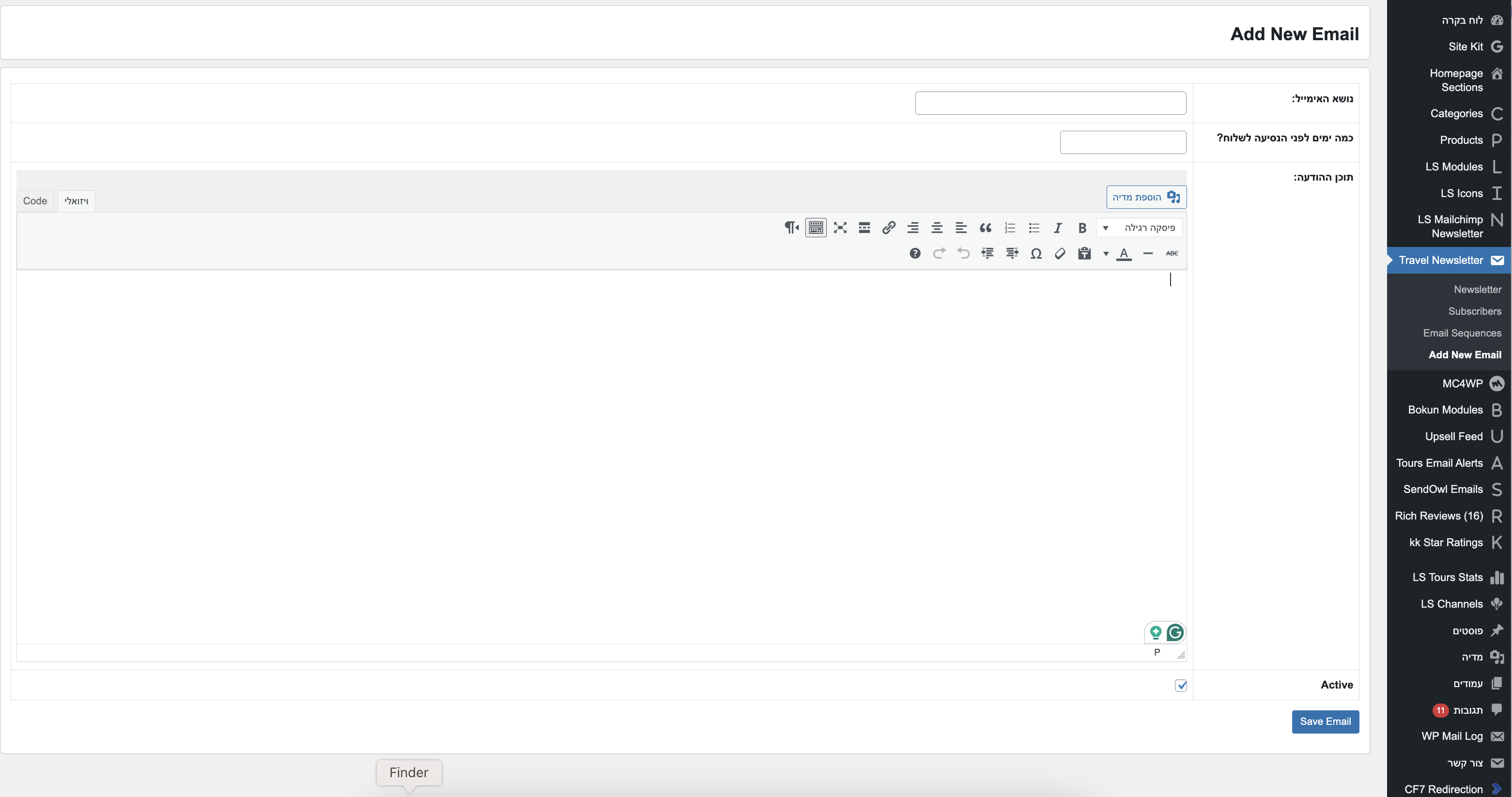
Screen view:
Features
- Subscriber signup – Frontend form (shortcode) to collect name, email, and travel date
- Email sequences – One template per “days before travel” (30, 25, 20, 15, 10, 5, 2). You define subject and HTML content per step
- Automated sending – WordPress cron runs daily and sends queued emails on the correct date
- Admin dashboard – Manage subscribers (view, delete) and email templates (add, edit, preview, send test, delete)
- Placeholders – Use
{name}and{travel_date}in subject and body; they are replaced per subscriber - Test emails – Send a test email for any template from the admin
- Admin notification – Optional email to the site admin when a new subscriber signs up
- Translation-ready – Text domain
travel-newsletter; strings prepared for translation
Requirements
- WordPress 5.0 or later
- PHP 7.4 or later
Installation
- Download or clone this repository into
wp-content/plugins/travel-newsletter/. - In WordPress Admin → Plugins, activate Travel Newsletter.
- On activation, the plugin creates its database tables and schedules the daily cron event.
Usage
Add the signup form
Use the shortcode on any page or post:
[travel_newsletter_form]Visitors can enter name, email, and travel date. Submissions are validated (including duplicate email check) and emails are queued automatically.
Manage email sequences
- Go to LS Newsletter → Email Sequences to see all templates.
- Go to LS Newsletter → Add New Email to create or edit a template.
- For each template set:
- Subject – Can include
{name}and{travel_date}. - Content – HTML body; same placeholders.
- Days before – One of: 30, 25, 20, 15, 10, 5, 2 (when this email is sent relative to travel date).
- Active – Only active templates are used when queuing/sending.
- Subject – Can include
You can Preview and Send Test Email from the Email Sequences list.
Manage subscribers
- LS Newsletter → Subscribers – List of all subscribers; you can delete from here.
How it works
- Signup – Subscriber submits the form; record is saved and emails are queued for the configured “days before” steps that are still in the future.
- Queue – Each (subscriber, template) pair has one queue row with a
send_date. Past dates are never queued. - Cron – A daily cron job runs; it sends all queued emails whose
send_dateis today or in the past, then marks them as sent.
Database tables
The plugin uses three tables (with your WordPress table prefix):
{prefix}travel_newsletter_subscribers– Subscriber name, email, travel date{prefix}travel_newsletter_templates– Subject, content, days_before, is_active{prefix}travel_newsletter_queue– subscriber_id, template_id, send_date, status (pending/sent)
File structure
travel-newsletter/
├── travel-newsletter.php          # Main plugin file
├── README.md
├── template-editor.css            # Styles used in email body
├── admin/
│   ├── subscribers-admin-page.php
│   ├── templates-admin-list-pages.php
│   ├── templates-admin-page.php
│   └── templates-main-page.php
├── includes/
│   ├── database-setup-module.php
│   ├── email-handler-module.php
│   ├── email-scheduler-module.php
│   ├── subscriber-module.php
│   └── template-module.php
├── lang/
│   └── newsletter-message.php     # Translatable strings
└── public/
    └── subscriber-signup-form.php # Form markup + script for shortcode
Customization
- Form text/labels – Edit
public/subscriber-signup-form.phpand the strings inlang/newsletter-message.php(or translate via .po/.mo). - Email styling – Edit
template-editor.css; its contents are inlined into sent emails.