Install
This is the repository archive. It installs, but the folder name will carry the branch suffix and updates will not flow.
Install straight from GitHub with WP-CLI:
wp plugin install https://github.com/code-minion/wp-ai-chat/archive/refs/heads/main.zip🤖 WP AI Chat: Theme-agnostic AI Chat for WordPress
WP AI Chat is a powerful, highly-configurable chat widget for WordPress that connects directly to state-of-the-art AI models including xAI (Grok), Google Gemini, OpenAI (GPT-4o), and Anthropic (Claude).
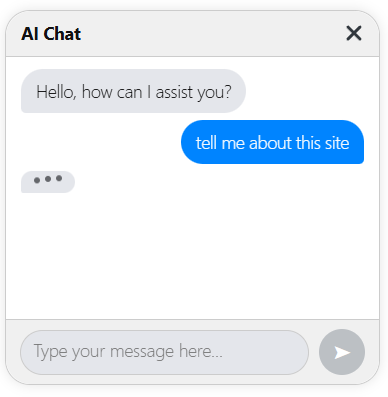
Unlike many "SaaS" chat plugins, WP AI Chat is fully open-source and runs entirely on your own server. Your API keys are kept secure and are never exposed to the frontend.
✨ Features
- Multi-Bot Support: Create different bots for different areas of your site.
- Provider Support: Out-of-the-box support for Google Gemini, OpenAI, Anthropic, and xAI (Grok).
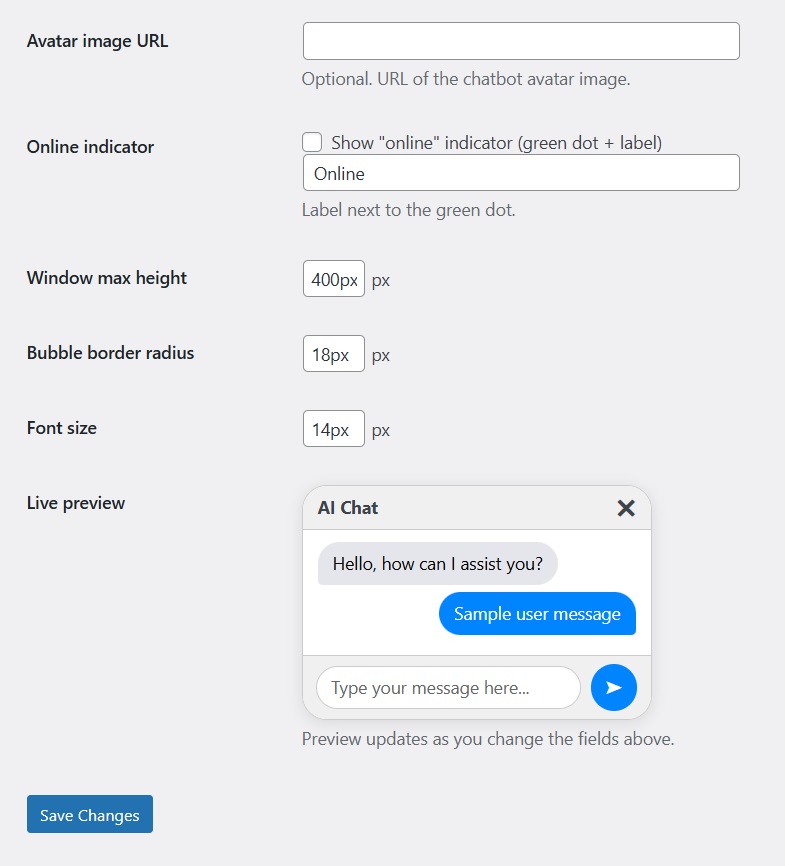
- Live Admin Preview: See your changes in real-time as you configure your bot.
- Customizable UI: Adjust colors, avatars, window titles, welcome messages, and border radius.
- Flexible Launcher Styles: Choose between a classic Floating Bubble or a modern Docked Launcher Bar.
- Adaptive Visibility: Precisely control which pages, post types, or URLs show each bot.
- Theme-Agnostic: Works with any WordPress theme out of the box.
📸 Screenshots
| Admin Interface & Preview | Launcher Styles |
|---|---|
 |
 |
🚀 Getting Started
- Install: Upload the
wp-ai-chatfolder to your/wp-content/plugins/directory. - Activate: Enable the plugin through the 'Plugins' menu in WordPress.
- Configure: Navigate to AI Chat in your admin sidebar.
- Add API Key: Choose your provider (e.g., Gemini) and paste your API key.
- Customize: Tailor the appearance and system prompt to your liking.
☕ Support
If you find this plugin useful, consider supporting the development!
👤 Author
Developed and maintained by Bradley Chan. GitHub: https://github.com/code-minion
⚖️ License
This project is licensed under the GPL v2 or later. You are free to use, modify, and distribute it as you see fit.
Open Sourced in April 2026.