Install
This is the repository archive. It installs, but the folder name will carry the branch suffix and updates will not flow.
Install straight from GitHub with WP-CLI:
wp plugin install https://github.com/cochrand84/health-library-connector/archive/refs/heads/main.zipHealth Library Connector — WordPress plugin
Display the Mayo Clinic Health Information Library on any WordPress site, inside your own theme, using your organization's licensed Mayo Clinic Realtime (Content Delivery) API credentials. Visitors search and read articles without leaving your site.
You need your own content license and API key from Mayo Clinic. This repository contains no Mayo Clinic content. It ships with a demo mode using original placeholder articles so you can try it first.
This is an independent project. It is not affiliated with, endorsed by, or sponsored by Mayo Clinic. "Mayo Clinic" is a trademark of Mayo Foundation for Medical Education and Research.
Live demo: https://mayoplugin.davidcochran.us (demo mode)
Features
[health_library]— landing page with featured topics, search with paging, and article pages, all from one shortcode on any page[health_library_search]— a search box for your header, sidebar or home page[health_library_topics]— a row of buttons for common topics (each opens a search or a specific article), edited in Settings- Server-side requests only; the API key never reaches the browser and can live in
wp-config.php - Article images proxied and cached server-side (the image endpoint needs authentication)
- License-friendly by default: cache capped at 48 hours, canonical tag to Mayo's
originalUrl(also passed to Yoast / Rank Math), "Last reviewed" date, © MFMER notice and Terms of Use link - Optional sidebar: a call to action, or links to your own provider and service pages matched to the article's topic, edited in a table or imported from a spreadsheet
- Matches your theme: fonts, text and links come from the theme, and the accent color can be linked to one of the theme's palette colors; every view can be overridden from your theme
- Demo mode, WP-CLI commands, clean uninstall
Screenshots
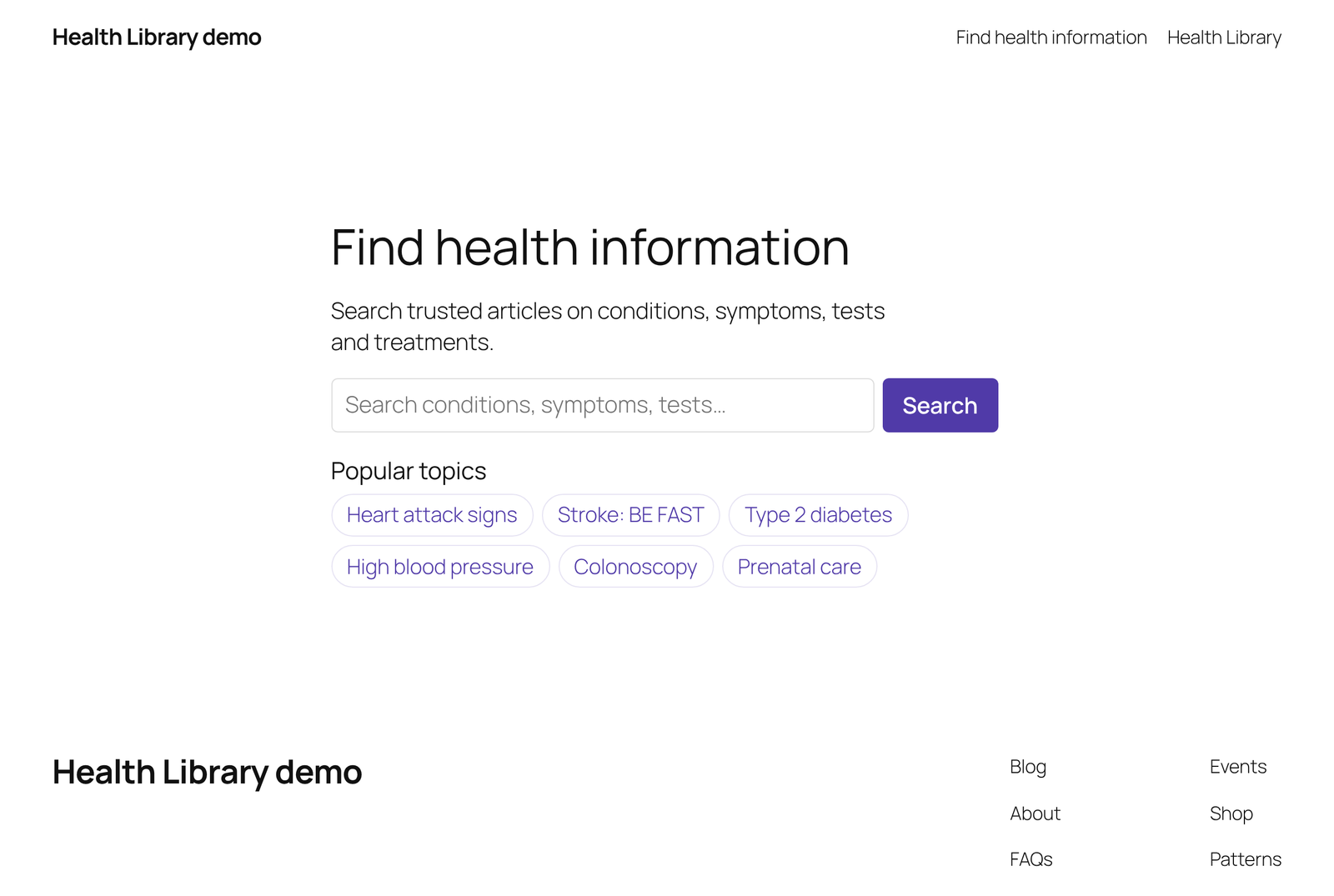 [health_library_search] and [health_library_topics] on a home page |
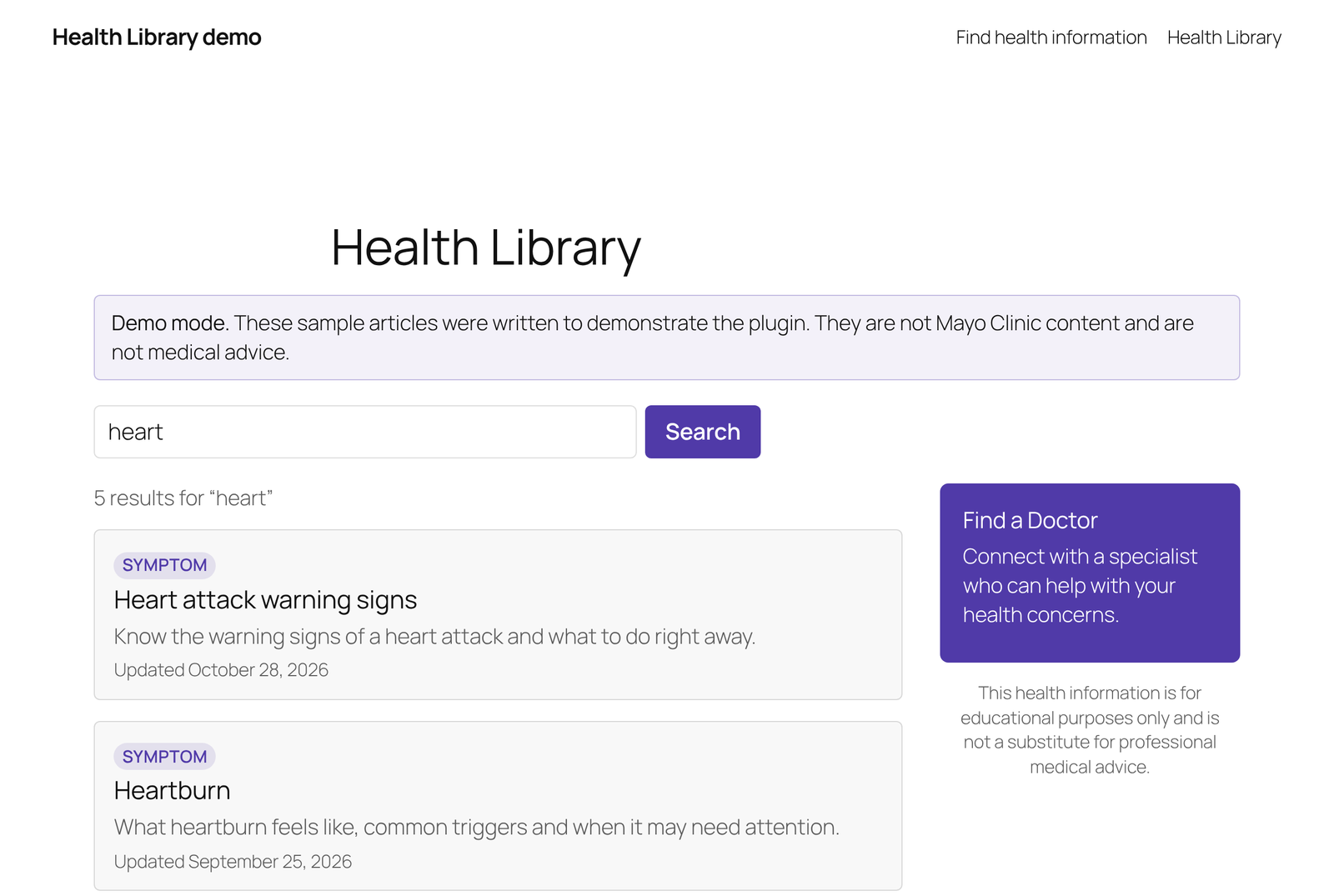 Search results with the call-to-action sidebar |
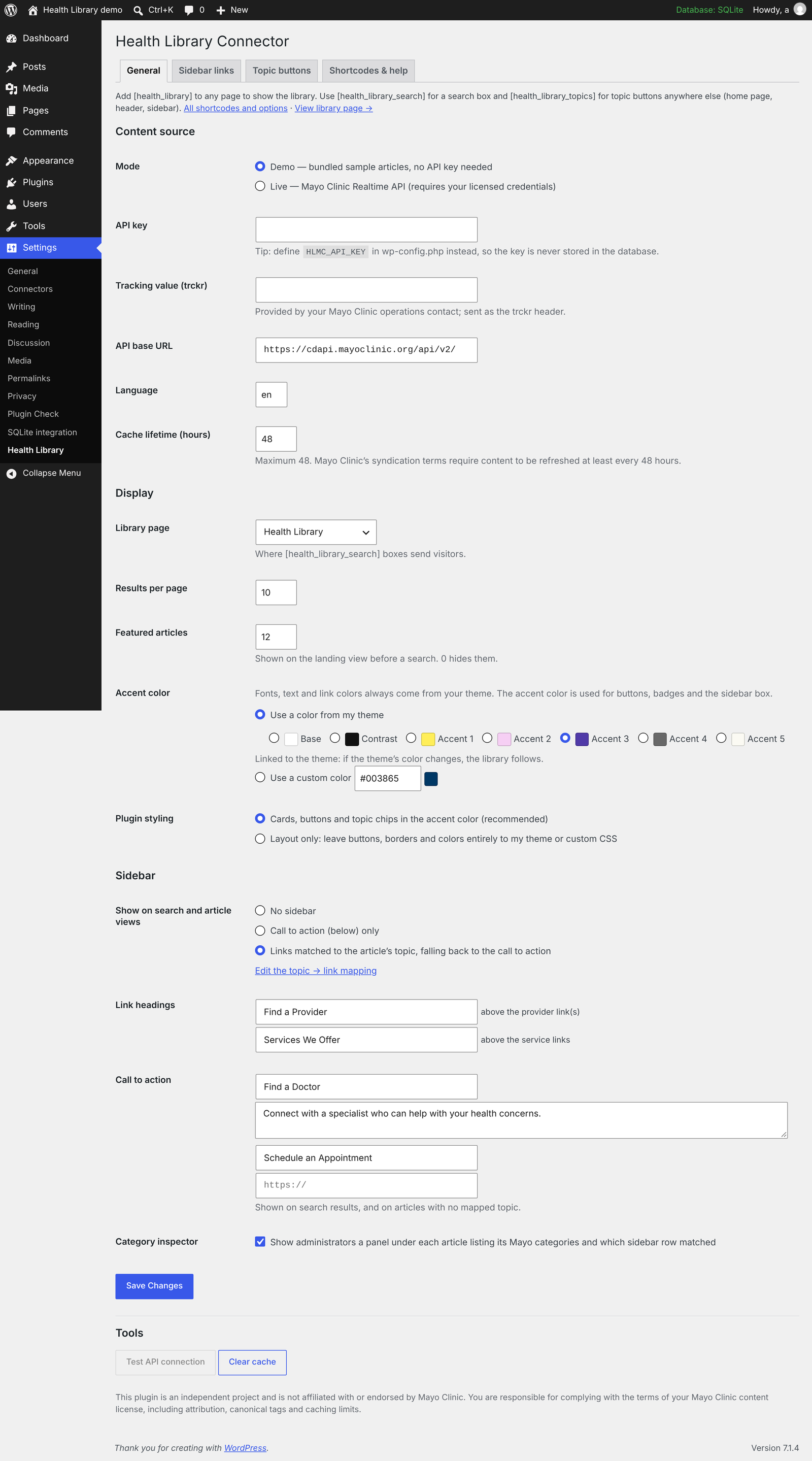 Settings: content source, display and theme colors |
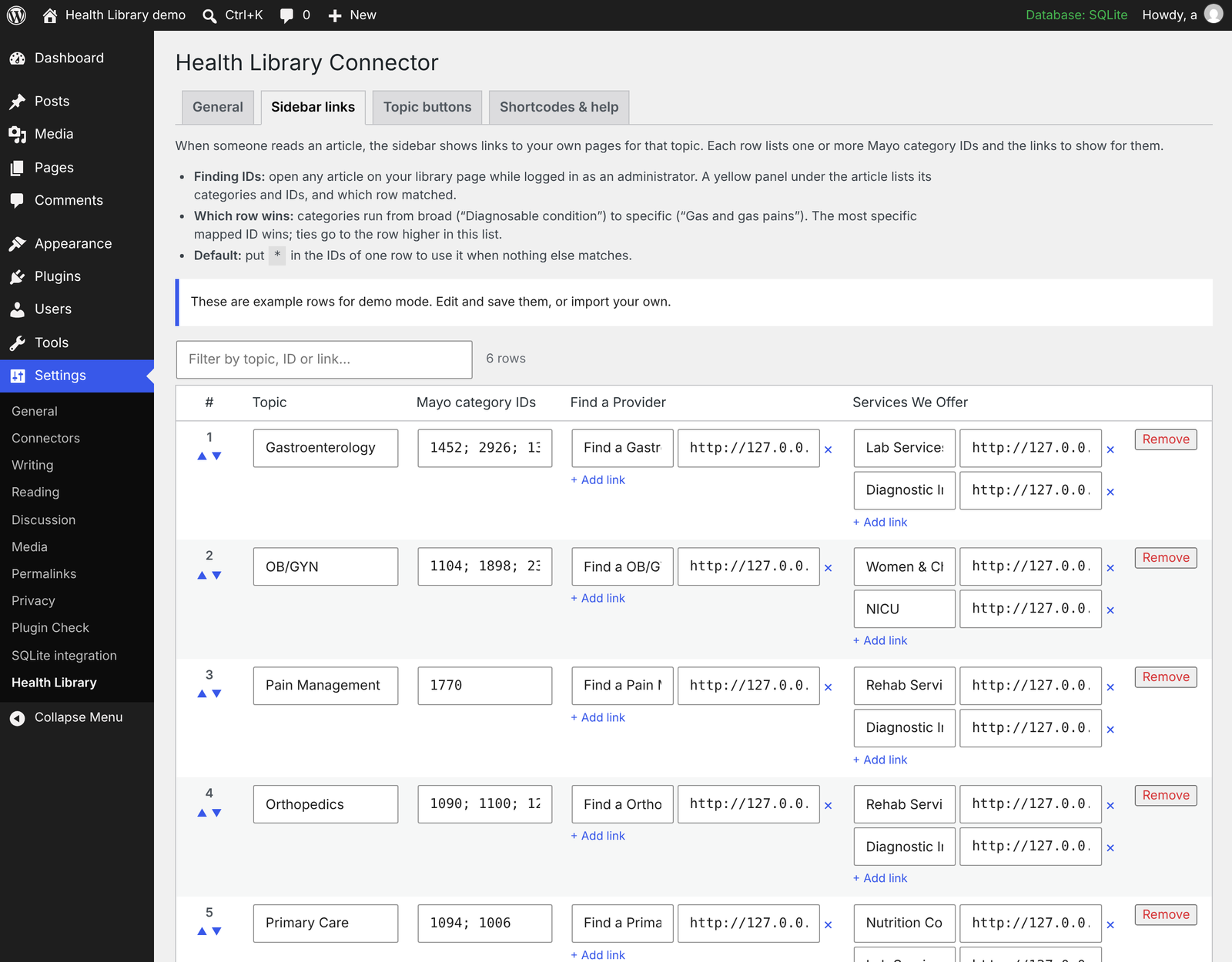 Sidebar links: map topics to your own pages, or import a CSV |
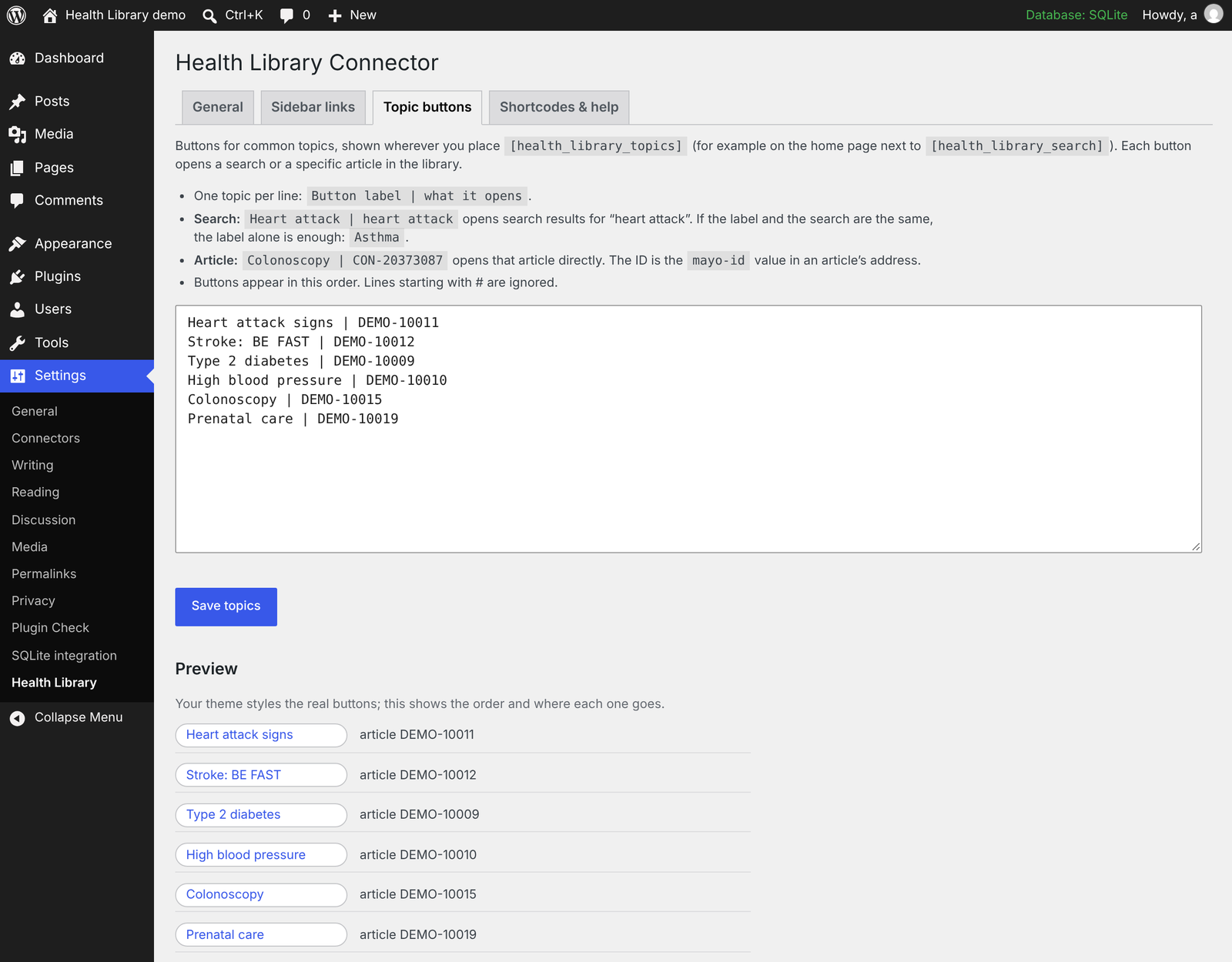 Topic buttons |
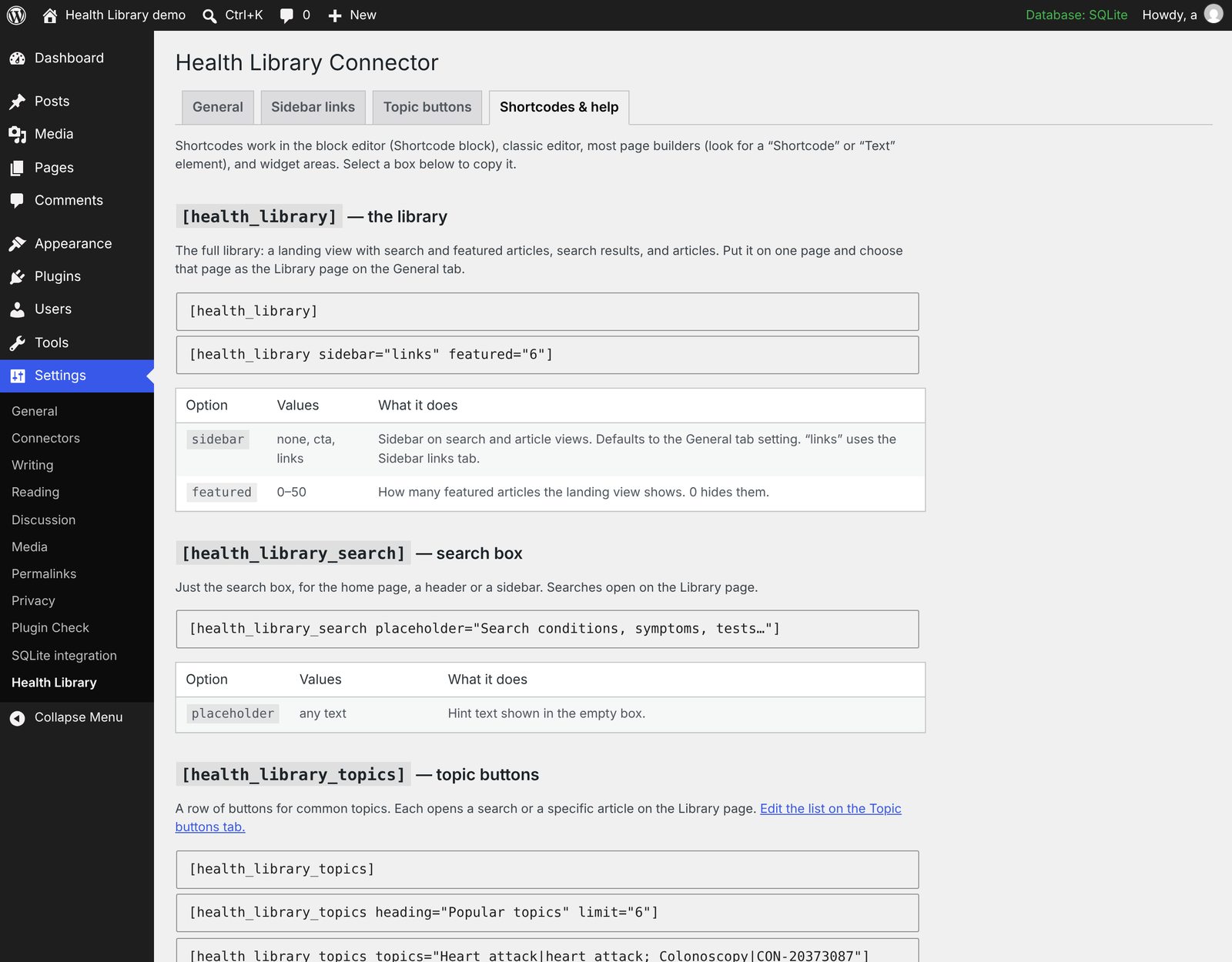 Built-in shortcode reference |
Screenshots use the plugin's demo mode, whose sample articles are original placeholder text, not Mayo Clinic content.
See CHANGELOG.md for what changed in each version.
Install
- Download
health-library-connector.zipfrom Releases and upload it under Plugins → Add New → Upload Plugin. (GitHub's green Code → Download ZIP also installs, but the folder will be namedhealth-library-connector-main; the release zip keeps the correct folder name for updates.) - Activate it, then go to Settings → Health Library and click Create library page.
- You'll see demo content. To go live, choose Live, add your credentials, save, and click Test API connection.
Prefer keeping secrets out of the database:
// wp-config.php
define( 'HLMC_API_KEY', 'your-api-key' );
define( 'HLMC_TRCKR',   'your-trckr-value' );
URLs
| URL | View |
|---|---|
/health-library/ |
Landing page with featured topics |
/health-library/?mayo-q=diabetes |
Search results (&mayo-page=2 for paging) |
/health-library/?mayo-id=CON-20372695 |
Article |
Shortcode options
[health_library sidebar="none|cta|links" featured="12"]
[health_library_search placeholder="Search health topics…"]
[health_library_topics heading="Popular topics" limit="6"]
[health_library_topics topics="Heart attack|heart attack; Colonoscopy|CON-20373087"]
Edit the saved topic list under Settings → Health Library → Topic buttons, one per line as Label | search terms or Label | CONTENT-ID. The Shortcodes & help tab in the same screen documents every option.
Sidebar links
On article pages the sidebar can link readers to your own pages for that topic: a Find a Provider link and a list of Services We Offer.
Mayo tags every article with category codes (mcvIds) that run from broad to
specific, e.g. Condition › Diagnosable condition 1092 › Pain NOS 1770 ›
Gas and gas pains 2926. You map codes to links under Settings → Health
Library → Sidebar links:
- Edit rows in the table (topic, one or more codes, provider and service links), reorder them, filter them
- Import / export CSV — download the template, fill it in a spreadsheet, save as CSV UTF-8, import (merge or replace)
- The most specific mapped code on an article wins, so generic codes like
1092act as a catch-all; ties go to the higher row - A row with
*as its code is the default when nothing matches - Administrators see a category inspector under each article listing its codes and which row matched — the easy way to find codes to map
CSV columns: mcv_ids, topic, provider_label, provider_url, service1_label, service1_url, …
(several codes in one cell separated by ;; add service4_*, provider2_* … as needed).
Rows can also be supplied from code with the hlmc_care_links filter.
Protecting your API quota
Every uncached search, results page or article costs a live API call. The
plugin limits uncached calls to 20 pages per visitor and 120 site-wide per
minute, with a separate 100-per-visitor budget for images (administrators and
WP-CLI are exempt). Adjust with the hlmc_rate_limits
filter; behind a CDN or proxy, use hlmc_client_ip to read the real visitor
IP from a header you trust (e.g. CF-Connecting-IP).
Cached images are stored in wp-content/uploads/hlmc-cache/ under
unguessable names. Apache is also blocked by an .htaccess file there; on
nginx you can add location ^~ /wp-content/uploads/hlmc-cache/ { deny all; }.
Matching your theme
The library is built to look like part of your site, not a widget dropped into it:
- Fonts, text and link colors always come from your theme. The plugin's stylesheet never sets them.
- Accent color from the theme. Buttons, badges and the sidebar box use
one of your theme's own palette colors (Settings → Health Library), output
as
var(--wp--preset--color--<slug>), so if the theme's color changes the library follows. Works with block themes and with classic themes that register an editor color palette. A custom hex color is also available. - Layout only. Turn off the plugin's cards, buttons and chips entirely
and keep just the columns and spacing; buttons carry the theme's
wp-element-buttonclass so block themes style them.
The same article in two different themes, with no plugin settings changed:
| Twenty Twenty-Five | A hospital theme |
|---|---|
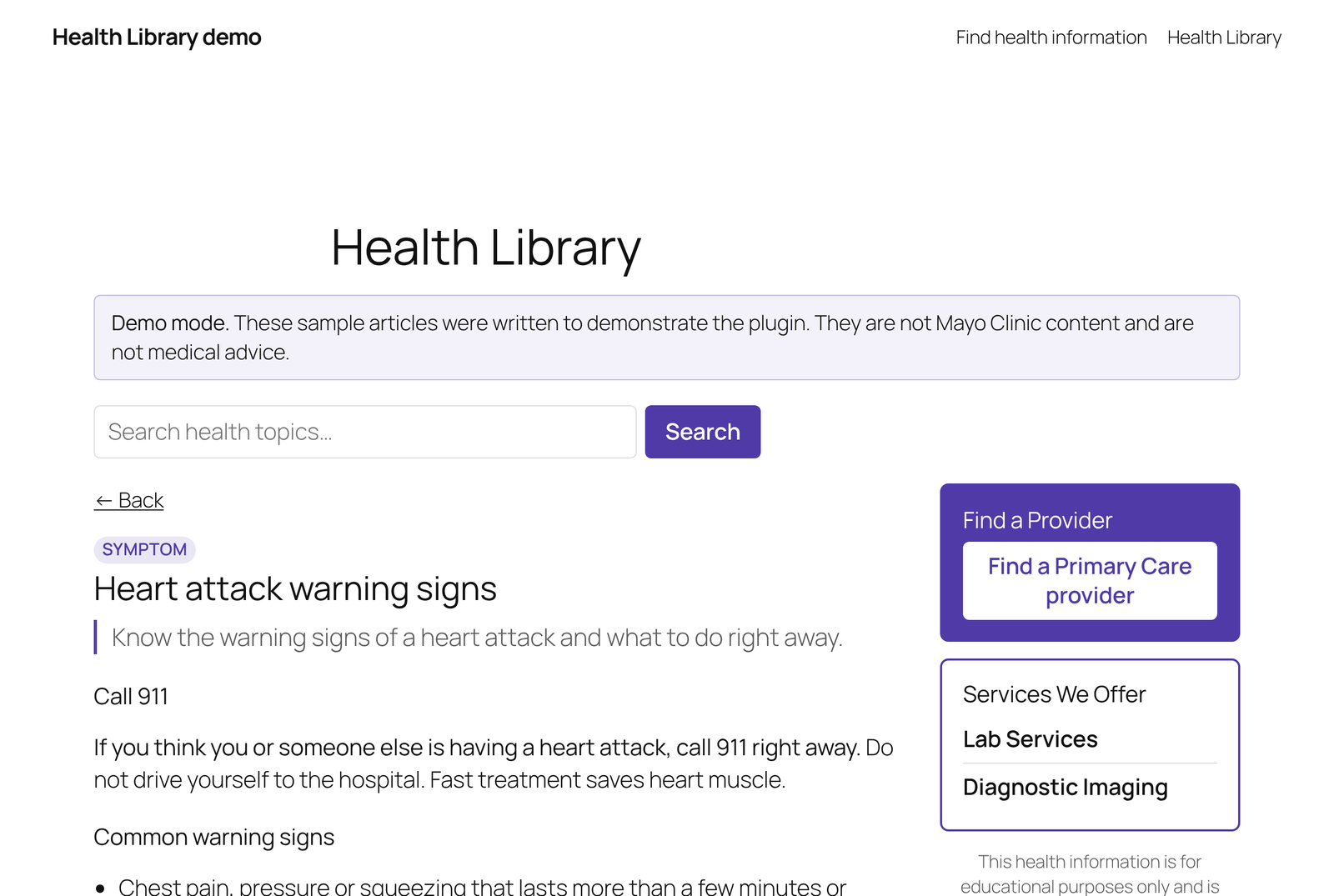 |
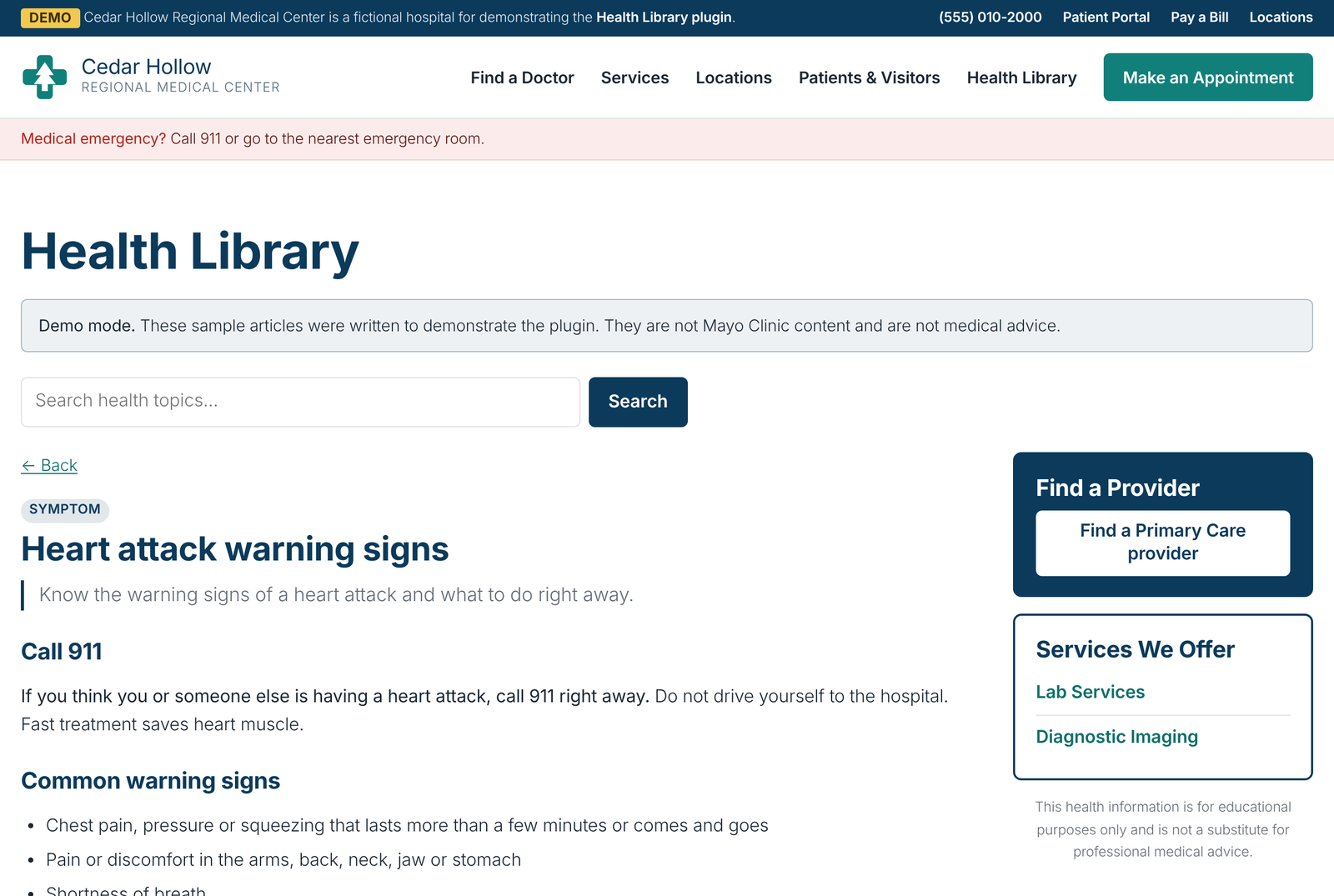 |
Customizing
Copy any file from the plugin's templates/ to
your-theme/health-library/ and edit it. Spacing and colors use CSS custom
properties (--hlmc-accent, --hlmc-border, --hlmc-gap, …) scoped to
.hlmc. health-library-layout.css is always loaded;
health-library.css (the look) only when Plugin styling is on.
Filters: hlmc_source, hlmc_template, hlmc_allowed_html,
hlmc_care_links, hlmc_care_links_match, hlmc_is_library_page,
hlmc_rate_limits, hlmc_client_ip.
Actions: hlmc_cache_cleared, hlmc_rate_limited.
WP-CLI
wp health-library status
wp health-library test
wp health-library cache clear
Your license obligations
The plugin builds in the display and caching requirements we know of from
Mayo's syndication terms, but your license agreement is what counts.
Check the required attribution wording and override
templates/attribution.php if yours differs.
Repository layout
| Path | What it is |
|---|---|
| repo root | The plugin itself — the root is the plugin folder, so GitHub's zips install directly |
docs/ |
Screenshots for this README (left out of downloads) |
prototype/ |
The original standalone PHP prototype the plugin grew out of — reference only, not for deployment; left out of downloads |
The early commits are the prototype's development history, reconstructed from the working sessions it was built in (timestamps are approximate).
License
GPL-3.0-or-later. See LICENSE.