Install
This is the repository archive. It installs, but the folder name will carry the branch suffix and updates will not flow.
Install straight from GitHub with WP-CLI:
wp plugin install https://github.com/cmbibby/mapbox-track-block/archive/refs/heads/master.zipNo built-in updater. New versions won't appear under Dashboard → Updates. Install new releases yourself, or let Git Updater track the repository.
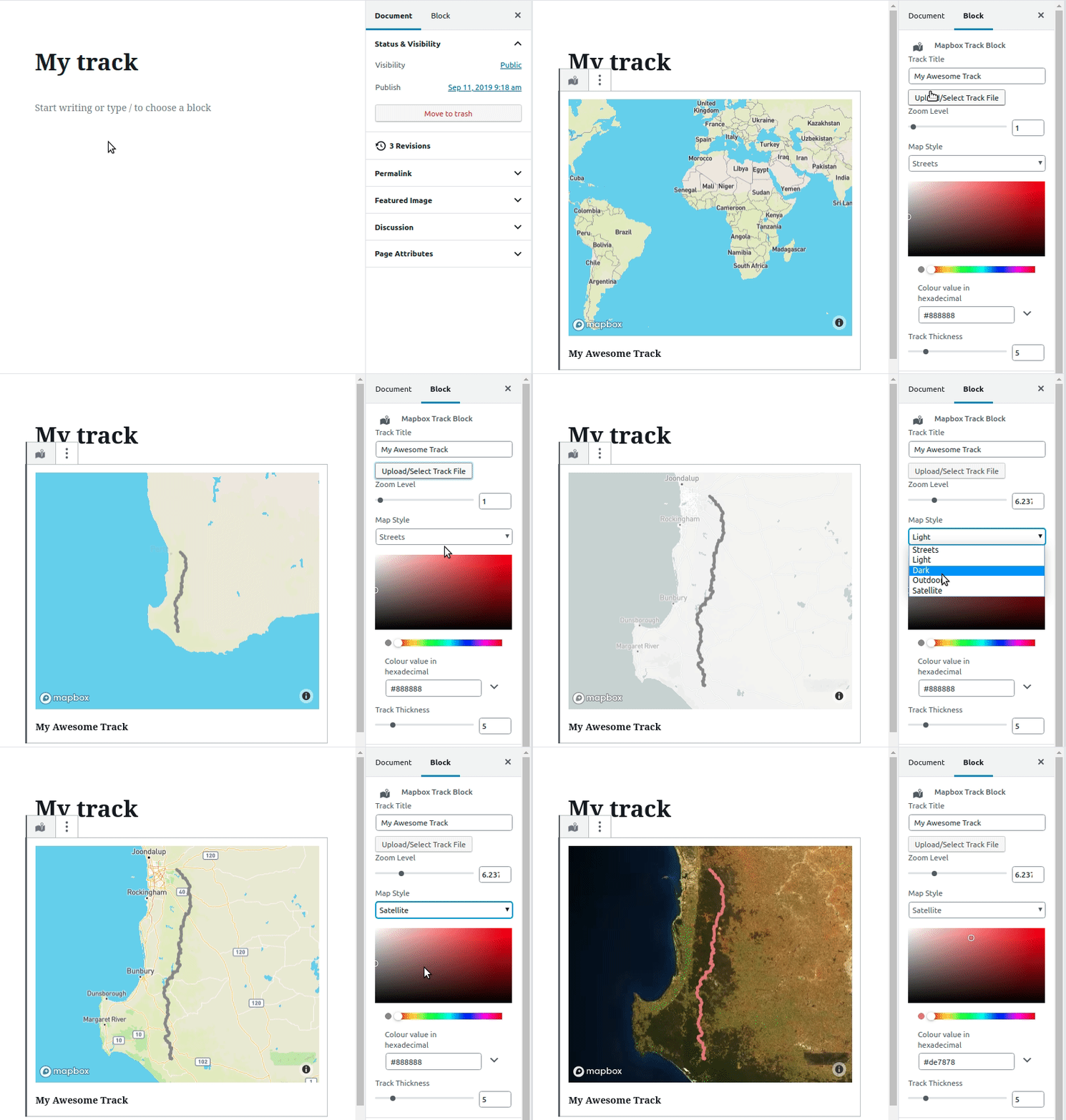
About
Add maps from your GPX files to your posts and pages.
This block allows you to upload a GPX file to the media library and display it on a Mapbox map. You can change the map style, track thickness, colour and zoom.
Usage
- You need a Mapbox account and access token which you can get at https://mapbox.com (they have a very generous free tier)
- Download the plugin from releases and upload it to your WordPress site.
- Add your access token in the options page
- Add the block to your post or page and the rest should be pretty intuitive
Known Issues / Limitations
- This is still a work in progress
- Only one map to be displayed per page or post
- Large track files might cause some performance issues as the track data is loaded from a script in the DOM on the frontend.
- Some GPX files with multiple tracks may not render.
Releases
1 release.
Tag
Published
v1.0.1
latest
Sep 13, 2019 7 years ago
These releases are tags only. The author does not attach a packaged zip, so there are no download counts to report.