Install
This is the repository archive. It installs, but the folder name will carry the branch suffix and updates will not flow.
Install straight from GitHub with WP-CLI:
wp plugin install https://github.com/cloudsoft-ro/custom-link-display/archive/refs/heads/main.zipNo built-in updater. New versions won't appear under Dashboard → Updates. Install new releases yourself, or let Git Updater track the repository.
Custom Link Display Plugin for WordPress
Custom Link Display is a flexible and lightweight WordPress plugin that lets you selectively inject custom HTML snippets or dynamically configured links onto specific pages, precisely based on their URLs or URL query parameters.
✨ Features
- Target Specific URLs: Show custom content only on specific pages. Match URLs strictly, by keyword using "Contains", or via RegEx Patterns.
- Query Parameter Support: Powerful rule engine easily targets dynamic URLs containing specific parameters (e.g.,
example.com/page?campaign=summer). - Mutually Exclusive Content Types: Choose to either inject a raw custom HTML block or use the visual Link Configurator to build smart anchor tags without touching code.
- Flexible Placements: Automatically inject rules into the Header, Footer, Before Content, or After Content.
- Shortcode Support: Use
[cld_content id="..."]to manually output your conditional content exactly where you want it within page builders or the Block Editor. - Expiry Dates: Automatically turn off a conditional rule after a specified date.
- Visual Rule Ordering: Simple drag-and-drop rule reordering ensures the correct cascade of priority.
- Premium Admin UI: Minimalist, fast, and entirely built with a polished native look in the WordPress dashboard.
📸 Screenshots
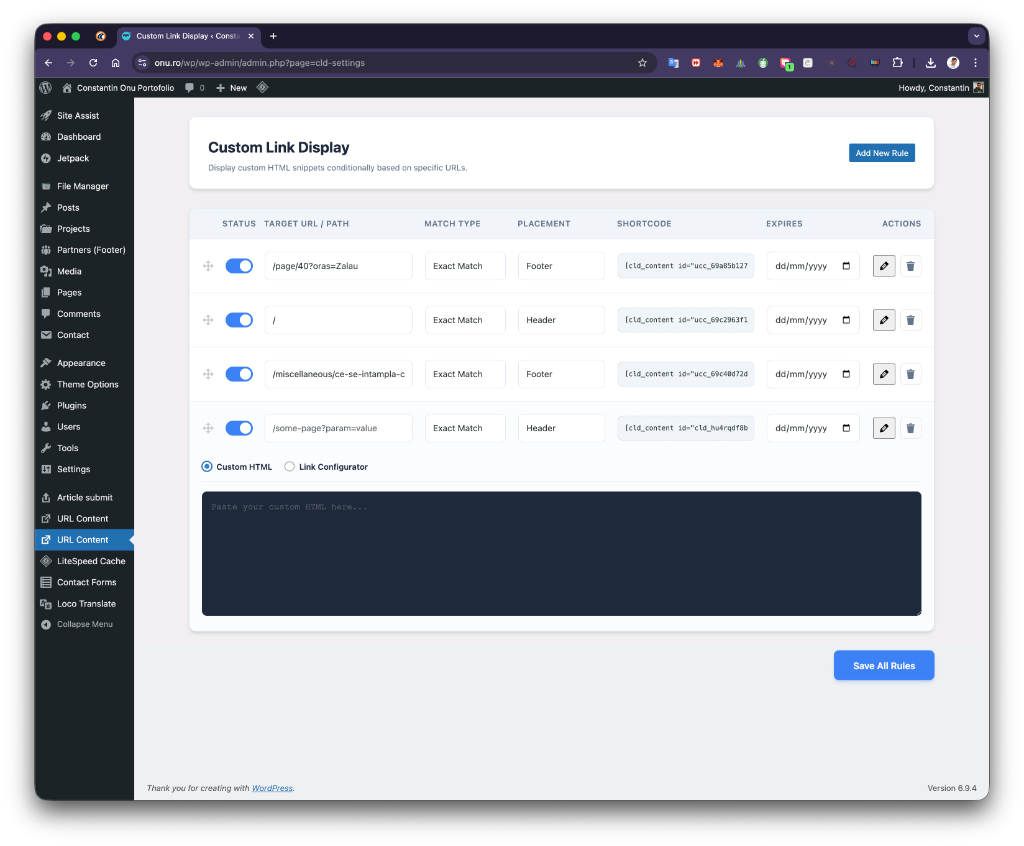
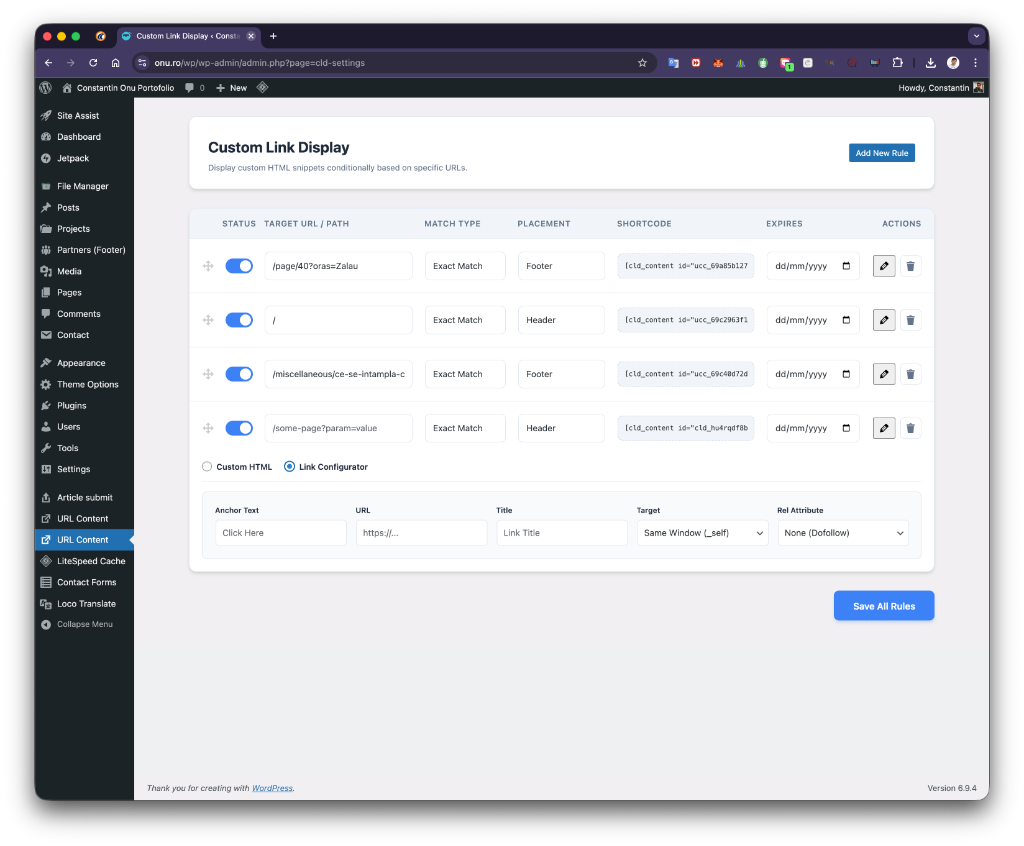
| Custom HTML Mode | Link Configurator Mode |
|---|---|
 |
 |
🚀 Installation
Option 1: WordPress Dashboard
- Go to Plugins > Add New in your WordPress admin dashboard.
- Click Upload Plugin at the top of the screen.
- Choose the
custom-link-display.zipfile and click Install Now. - Click Activate Plugin once the installation is complete.
Option 2: Manual FTP Upload
- Download and extract the
custom-link-display.ziparchive. - Upload the unzipped
custom-link-displayfolder to your website's/wp-content/plugins/directory. - Log into your WordPress dashboard, navigate to the Plugins screen, and click Activate under "Custom Link Display".
📖 Usage Guide
Once activated, you will find a new menu item called URL Content in your WordPress admin sidebar.
Creating a New Rule
- Click the "Add New Rule" button. This will append a new configuration block.
- Toggle the Status to activate the rule.
- Fill in the Target URL / Path. You can use a full URL or just a local path like
/contact-us/. - Choose the Match Type:
- Exact Match: The user's URL must perfectly match your target.
- Contains: Triggers if the target string is found anywhere in the current URL (great for query parameters).
- Regex Match: Triggers if the URL matches standard PCRE Regular Expressions.
- Select a Placement (Header, Footer, Before Content, After Content, or Shortcode Only).
- Pick an Expiry Date if the content is time-sensitive (optional).
Content Types: Custom HTML vs. Link Configurator
By clicking the Edit Content button (the pencil icon) in the Actions column, you can define exactly what gets injected. You can toggle between two modes using the radio buttons above the text area:
- Custom HTML: Provides a raw text area where you can inject fully formatted `