Install
This is the repository archive. It installs, but the folder name will carry the branch suffix and updates will not flow.
Install straight from GitHub with WP-CLI:
wp plugin install https://github.com/chipasia/chip-for-bookly/archive/refs/heads/main.zip
CHIP for Bookly
This module adds CHIP payment method option to your Bookly plugin.
Installation
- Download zip file of Bookly plugin.
- Log in to your Wordpress admin panel and go: Plugins -> Add New
- Select Upload Plugin, choose zip file you downloaded in step 1 and press Install Now
- Activate plugin
Configuration
Set the Brand ID and Secret Key in the plugins settings.
Additional configuration are required at the moment until it is included together in Bookly plugin:
-
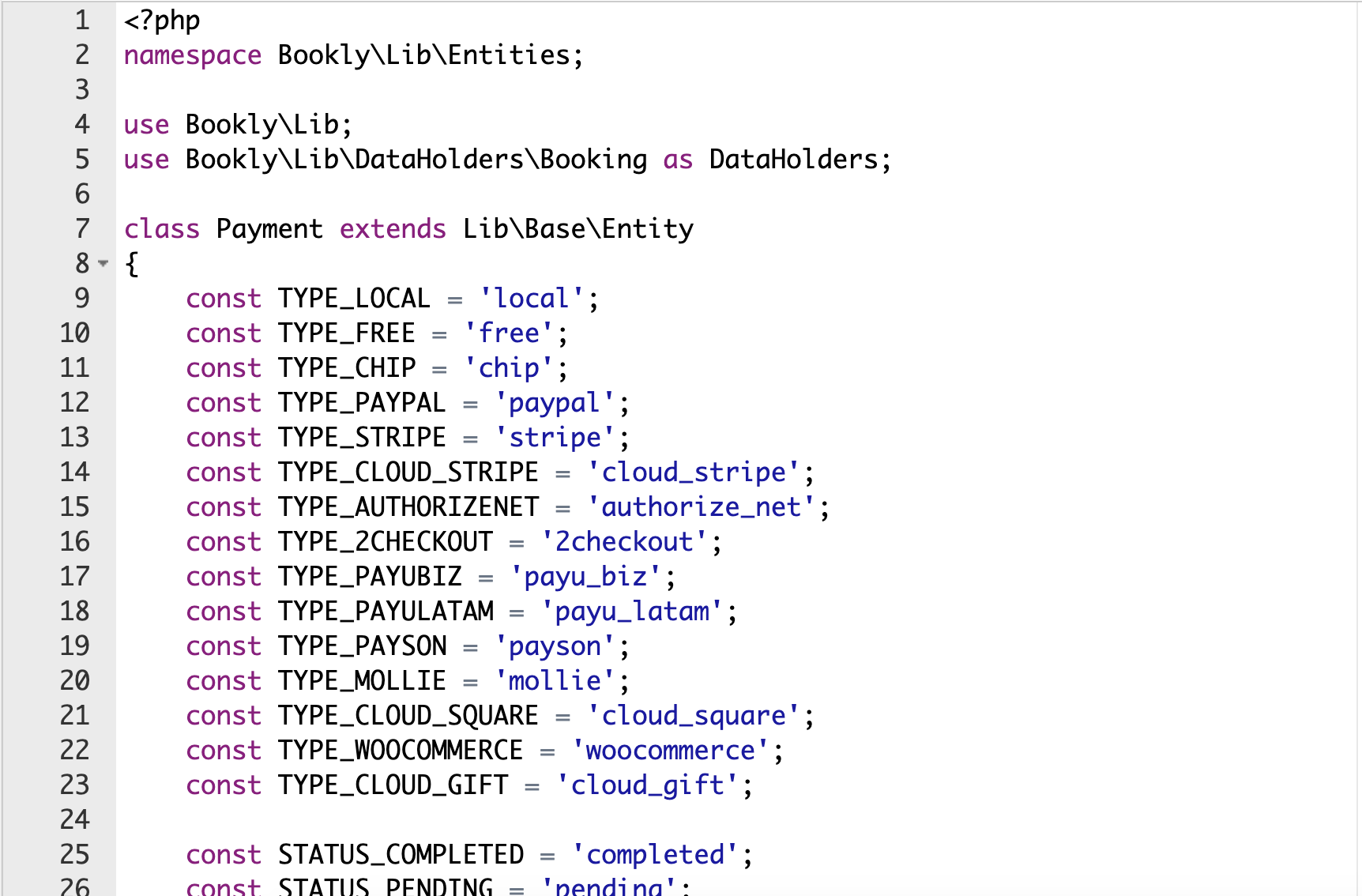
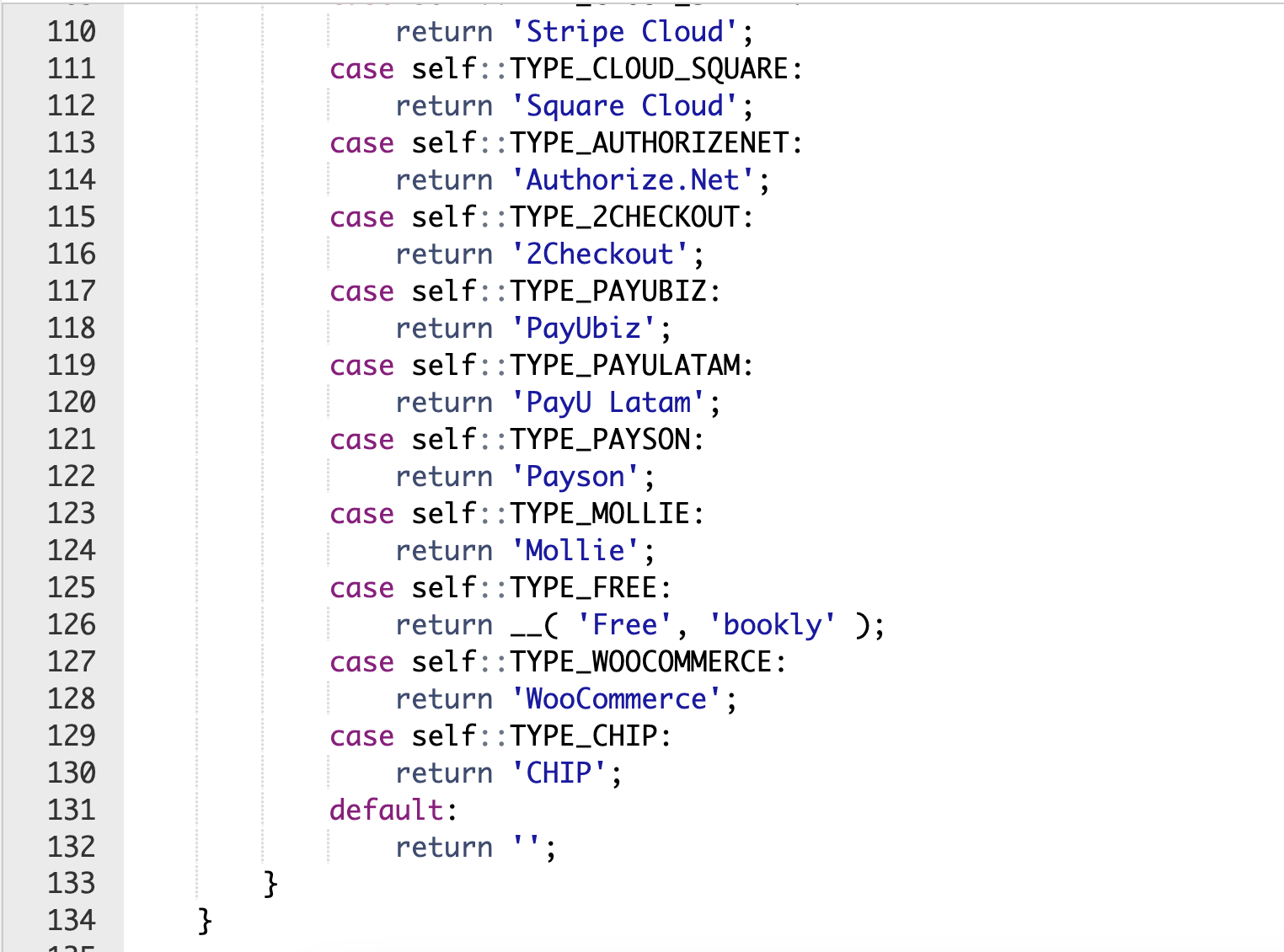
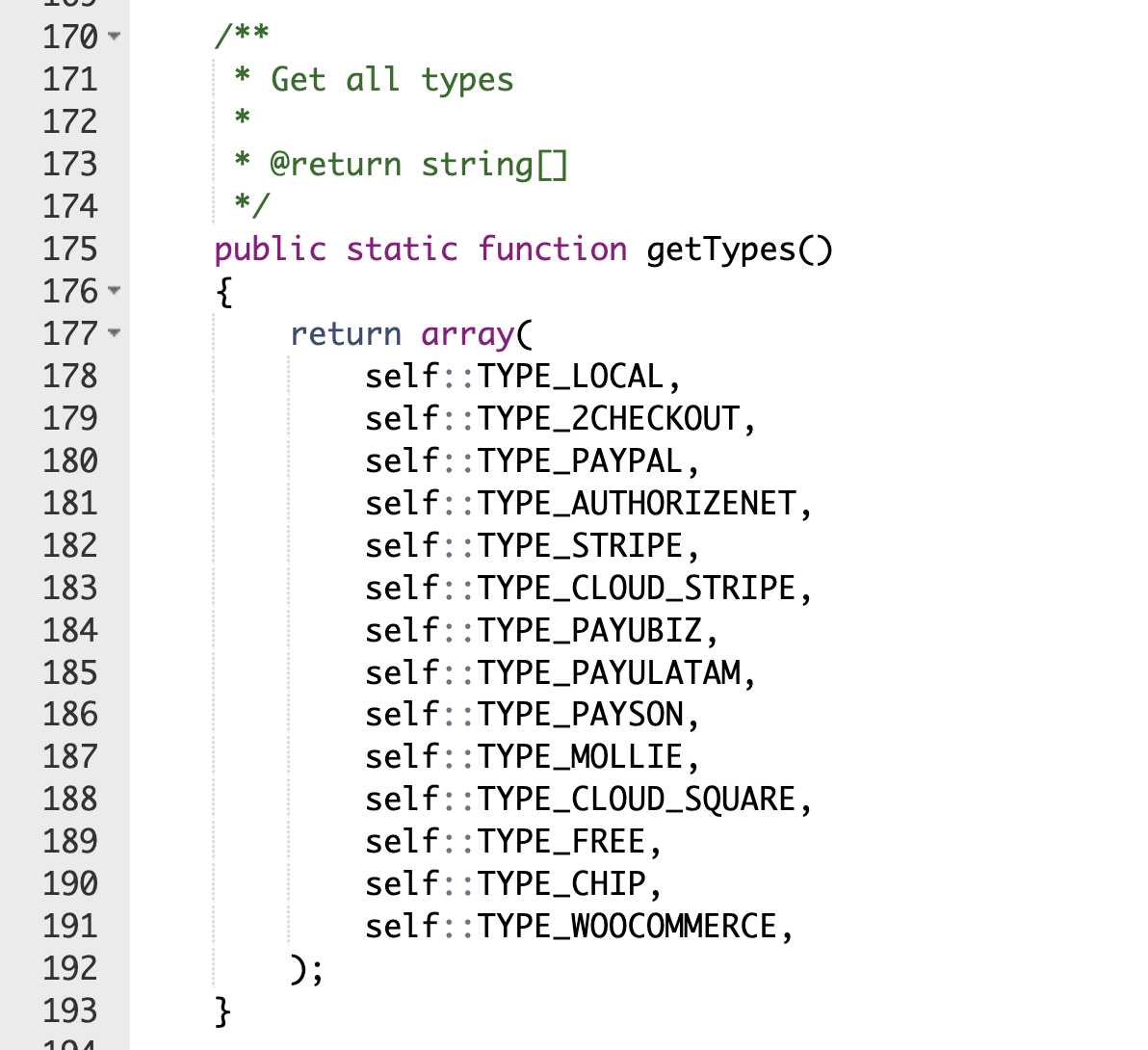
Edit file wp-content/plugins/bookly-responsive-appointment-booking-tool/lib/entities/Payment.php:
-
Add class constant
const TYPE_CHIP = 'chip'; -
Add case to switch statement in
typeToStringmethodcase self::TYPE_CHIP: return 'CHIP'; -
Add constant to
getTypesmethodself::TYPE_CHIP
-
-
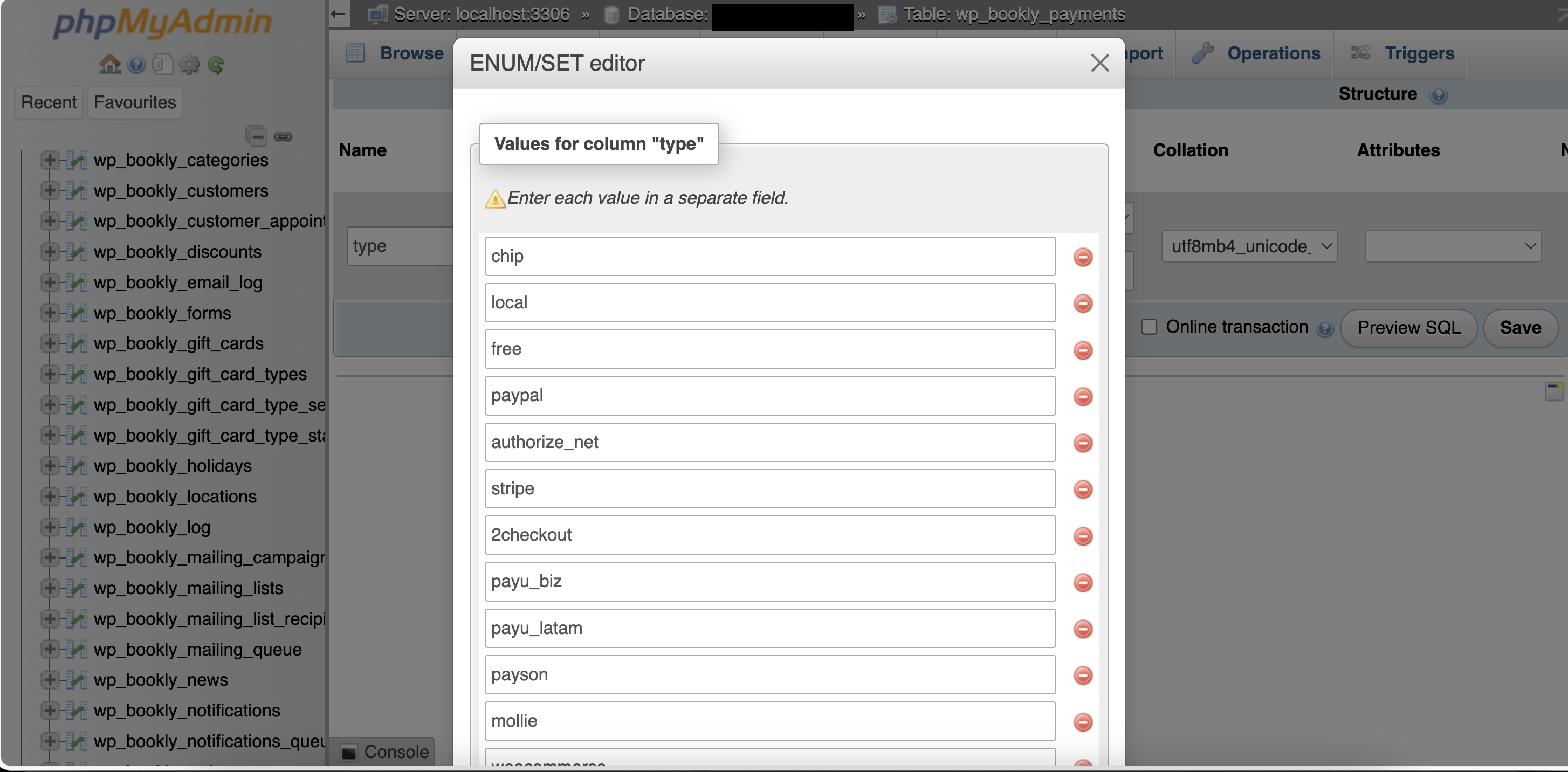
Alter table
wp_bookly_paymentsso that chip are added to enum:ALTER TABLE `wp_bookly_payments` CHANGE `type` `type` ENUM('chip','local','free','paypal','authorize_net','stripe','2checkout','payu_biz','payu_latam','payson','mollie','woocommerce','cloud_stripe','cloud_square') CHARACTER SET utf8mb4 COLLATE utf8mb4_unicode_520_ci NOT NULL DEFAULT 'local'; -
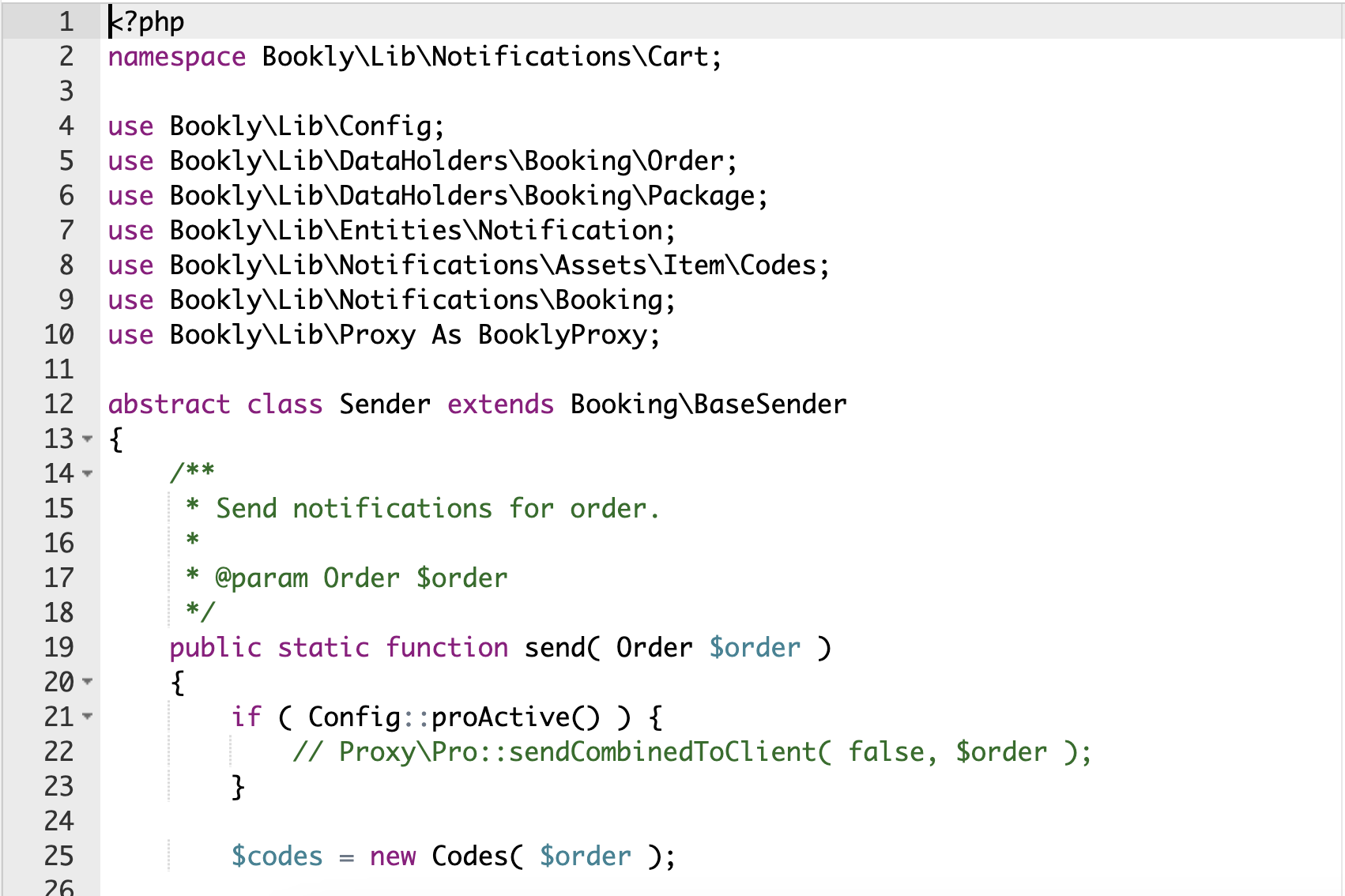
Edit file bookly-responsive-appointment-booking-tool/lib/notifications/cart/Sender.php (this is temporary until it get fixed by Bookly):
-
Comment line below by adding // in infront of the line:
//Proxy\Pro::sendCombinedToClient( false, $order );
-
Screenshot
Other
Facebook: Merchants & DEV Community
Releases
1 release.
These releases are tags only. The author does not attach a packaged zip, so there are no download counts to report.