Persian Framework WP Registry grade B. Medium-severity findings · 1 findingWP RegistryMedium-severity findings · 1 findingOpen the reportB
Advanced WordPress Options Framework with 40+ professional fields for building stunning admin panels and theme options.
Install
Upload it under Plugins → Add New Plugin → Upload Plugin, then activate.
Install straight from GitHub with WP-CLI:
wp plugin install https://github.com/chehresay/persian-framework/releases/download/v1.0.2/persian-framework.zipAdvanced WordPress Options Framework with 40+ professional fields for building stunning admin panels and theme options
📖 Table of Contents
- About
- Features
- Field Types
- Screenshots
- Requirements
- Installation
- Quick Start
- Usage Guide
- API Reference
- Project Structure
- Contributing
- Donations
- License
- Author
📱 About
Persian Framework is a powerful and flexible WordPress options framework designed for developers and theme authors. With over 40 professional field types, it allows you to create beautiful and functional admin panels, theme options, and custom settings pages with minimal effort.
Why Persian Framework?
- 🎯 No boilerplate code - Create complex admin panels with minimal code
- 🚀 Boost productivity - 40+ ready-to-use field types
- 🎨 Modern UI - Clean design with dark/light mode support
- 🔌 Extensible - Add custom fields and modify behavior with hooks
- 📱 Responsive - Works on all devices from desktop to mobile
- 🏗️ Multi-instance - Create multiple independent framework instances
✨ Features
Core Features
- ✅ 40+ Professional Fields - Text, Image, Gallery, Color, Gradient, Typography, Border, Spacing, Repeater, Map, and more!
- ✅ Multi-Instance Architecture - Create multiple independent framework instances for different sections
- ✅ Drag & Drop Interface - Easily reorder sections and fields
- ✅ AJAX Saving - Save settings without page reload
- ✅ Dark Mode - Built-in dark mode support for comfortable work
- ✅ Import/Export - JSON import and export of settings
- ✅ Backup System - Create, restore, and manage backups
- ✅ Live Preview - See changes in real-time
- ✅ Search Settings - Quickly find any setting
- ✅ Responsive Design - Works perfectly on all devices
Developer Features
- 🔧 Hooks & Filters - Extensive WordPress-style hooks for customization
- 📝 Well Documented - Clean, documented code
- 🎨 Customizable - Override templates and styles
- 🔌 Extensible - Add custom field types
- 🧪 Tested - Tested up to WordPress 7.1
🖥️ Screenshots
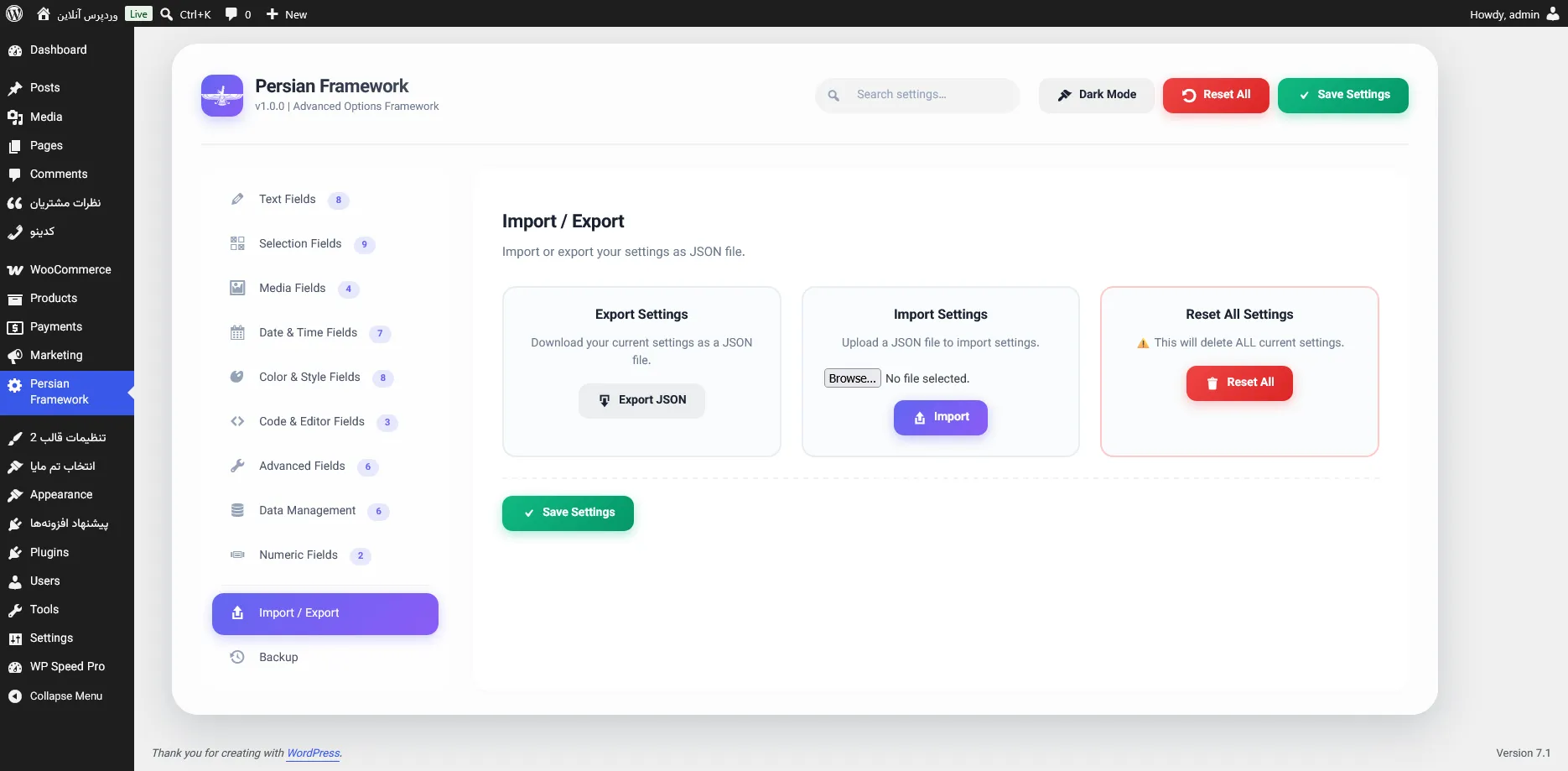
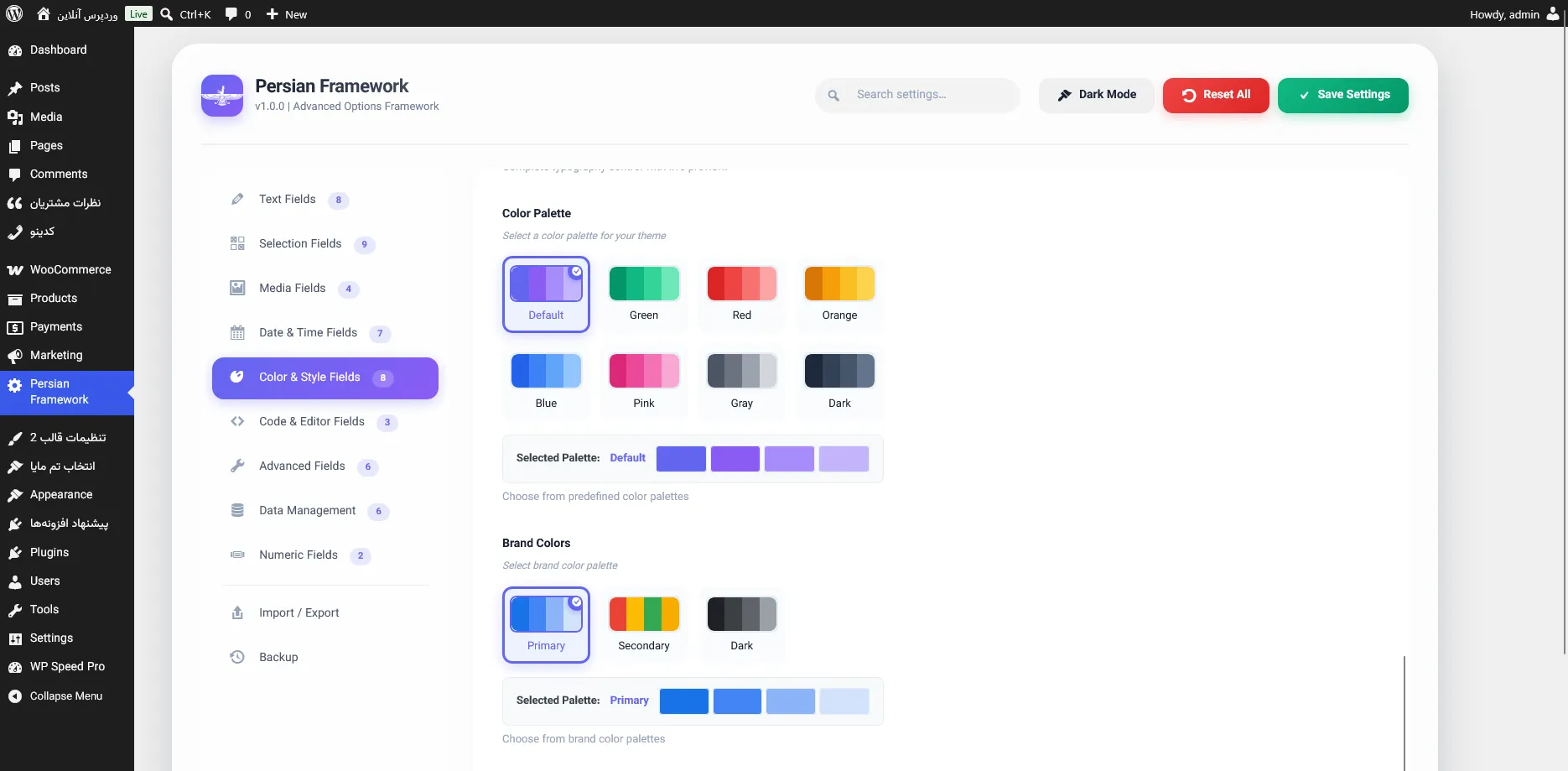
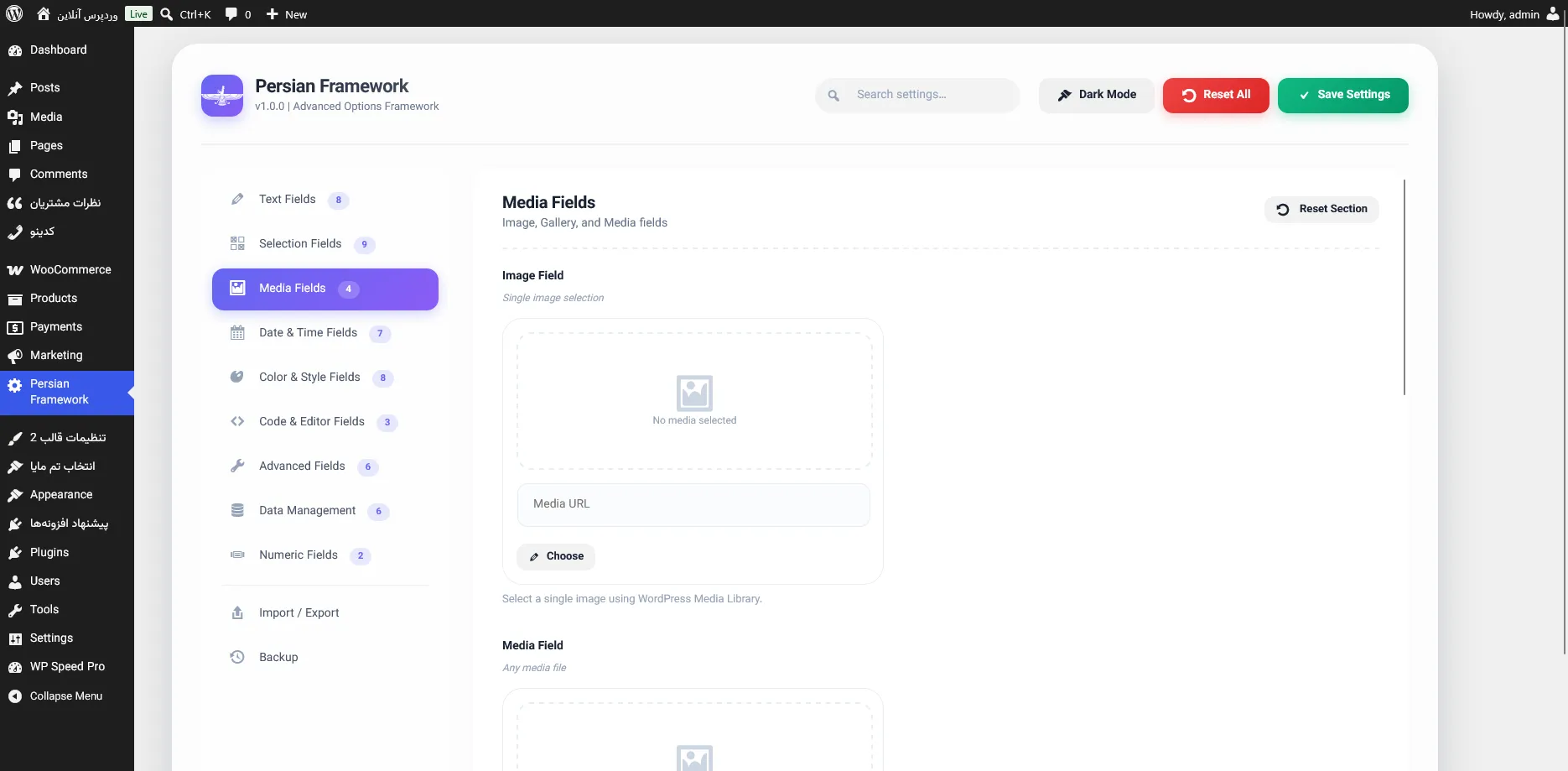
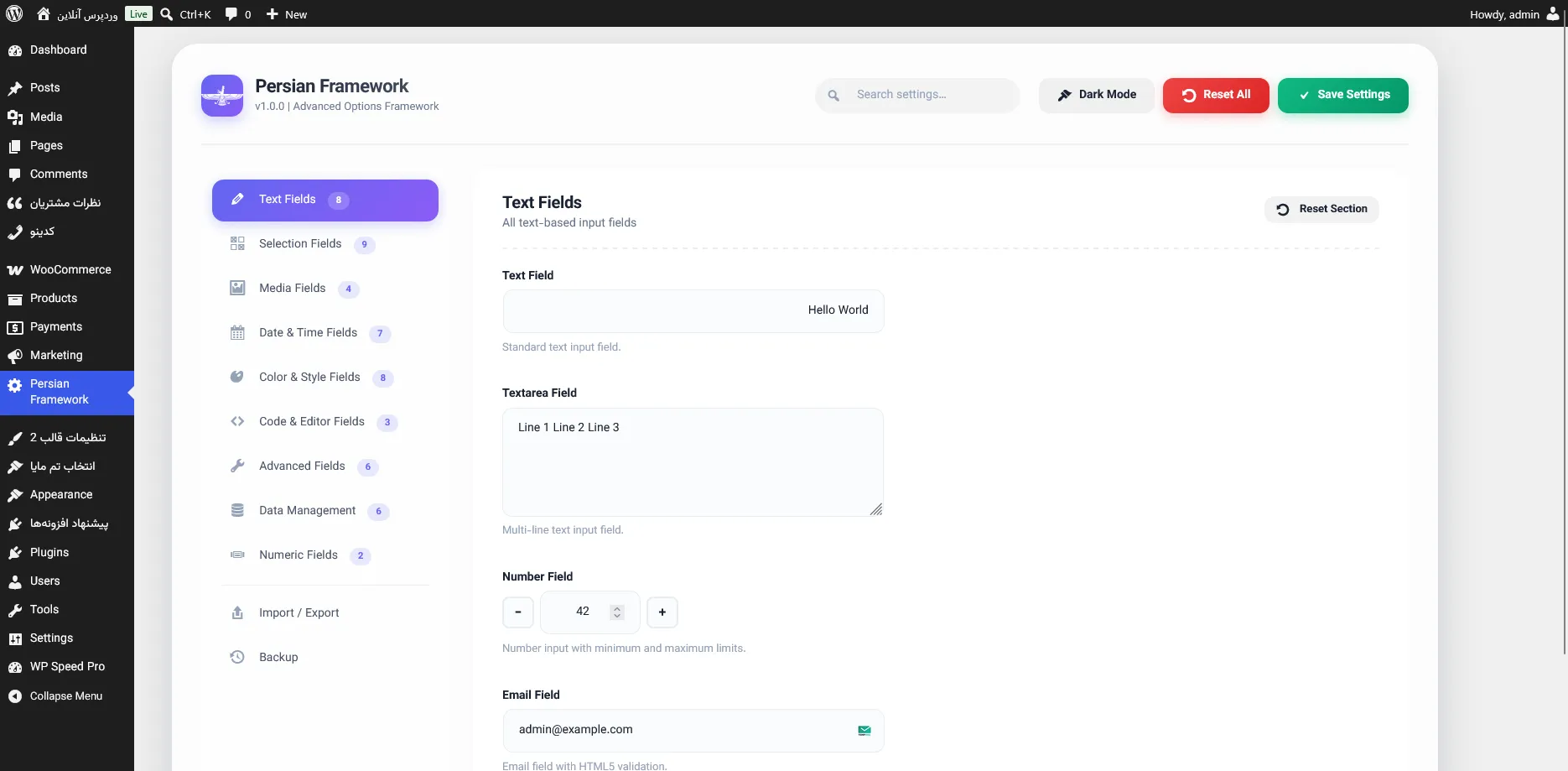
📦 Field Types
Text Fields
| Field | Description |
|---|---|
| Text | Simple text input |
| Textarea | Multi-line text input |
| Number | Numeric input with min/max limits |
| Email input with validation | |
| URL | URL input with validation |
| Password | Password input |
| Hidden | Hidden field |
Selection Fields
| Field | Description |
|---|---|
| Switch | Toggle switch with custom labels |
| Checkbox | Single and multiple checkboxes |
| Radio | Radio buttons |
| Select | Dropdown selection |
| Multi-Select | Multi-select with search and tags |
| Button Set | Visual radio buttons |
Media Fields
| Field | Description |
|---|---|
| Image | Single image selection with WordPress Media Library |
| Media | Any media file (PDF, video, audio, etc.) |
| Gallery | Multiple images gallery |
Date & Time Fields
| Field | Description |
|---|---|
| Date | Jalali (Persian) and Gregorian date pickers |
| Time | HTML5 time input |
| DateTime | HTML5 datetime-local input |
Color & Style Fields
| Field | Description |
|---|---|
| Color | Color picker with hex input |
| Gradient | Linear/Radial gradient builder with live preview |
| Border | Complete border control with width, style, color, and radius |
| Spacing | Margin/Padding control with linked values |
| Dimensions | Width/height control with advanced options |
| Typography | Complete font control with live preview |
Code & Editor Fields
| Field | Description |
|---|---|
| Code Editor | Simple code textarea |
| Ace Editor | Advanced code editor with syntax highlighting |
| WP Editor | Full WordPress WYSIWYG editor |
Advanced Fields
| Field | Description |
|---|---|
| Sorter | Drag & drop sorting between enabled/disabled columns |
| Sortable | Sortable list items |
| Repeater | Repeatable field groups |
| Icon Picker | Dashicons selector |
| Font Awesome Picker | Font Awesome 6 icons |
| Map | OpenStreetMap location picker |
Data Management
| Field | Description |
|---|---|
| Backup | Create and manage backups |
| Import/Export | JSON import and export |
| Info | Display system information and notices |
📋 Requirements
Minimum Requirements
- WordPress 5.0 or higher
- PHP 7.4 or higher
- MySQL 5.6 or higher
Recommended
- WordPress 6.0 or higher
- PHP 8.0 or higher
- SSL for secure admin access
🚀 Quick Start
Installation
From WordPress Admin
- Go to Plugins > Add New
- Search for "Persian Framework"
- Click Install Now and then Activate
Manual Installation
- Upload
persian-frameworkto/wp-content/plugins/ - Activate the plugin through the Plugins menu in WordPress
Basic Usage
// Create framework instance
$framework = PersianFramework::get_instance('my-framework');

// Set configuration
$framework->set_args([
    'opt_name' => 'my_options',
    'display_name' => 'My Theme Options',
    'menu_title' => 'Theme Options',
    'menu_slug' => 'my-theme-options',
]);

// Add a section
$framework->add_section([
    'id' => 'general',
    'title' => 'General Settings',
    'icon' => 'dashicons-admin-home',
    'fields' => [
        [
            'id' => 'site_logo',
            'type' => 'image',
            'title' => 'Site Logo',
            'desc' => 'Upload your site logo',
        ],
        [
            'id' => 'primary_color',
            'type' => 'color',
            'title' => 'Primary Color',
            'default' => '#0073aa',
        ],
    ],
]);

// Add multiple sections
$framework->add_section([
    'id' => 'styling',
    'title' => 'Styling Options',
    'icon' => 'dashicons-art',
    'fields' => [
        [
            'id' => 'typography',
            'type' => 'typography',
            'title' => 'Main Typography',
            'default' => [
                'font-family' => 'Roboto',
                'font-size' => '16px',
                'line-height' => '1.6',
                'font-weight' => '400',
            ],
        ],
        [
            'id' => 'spacing',
            'type' => 'spacing',
            'title' => 'Content Spacing',
            'mode' => 'padding',
            'units' => ['px', 'em', '%'],
            'default' => [
                'top' => '20px',
                'right' => '20px',
                'bottom' => '20px',
                'left' => '20px',
            ],
        ],
    ],
]);
🎯 Using Saved Data in Your Theme
After saving your settings, retrieve them anywhere in your theme:
// Get all options
$options = get_option('my_options');

// Get single option with fallback
$logo = $options['site_logo'] ?? '';
$primary_color = $options['primary_color'] ?? '#0073aa';

// Display safely
if (!empty($logo)) {
    echo '<img src="' . esc_url($logo) . '" alt="' . esc_attr(get_bloginfo('name')) . '">';
}

// Inline CSS
echo '<style>
    .site-header {
        background-color: ' . esc_attr($primary_color) . ';
    }
</style>';

// Repeater example
$team = $options['team_members'] ?? array();
foreach ($team as $member) {
    echo '<div class="team-member">';
    echo '<h3>' . esc_html($member['name']) . '</h3>';
    echo '<p>' . esc_html($member['position']) . '</p>';
    echo '</div>';
}
🎯 Metabox Usage
Persian Framework also supports adding custom metaboxes for posts, pages, products, and any custom post types.
Adding a Metabox for Products (WooCommerce)
// Initialize metabox class
if (class_exists('PersianFramework_Metabox')) {
    $metabox = PersianFramework_Metabox::get_instance();

    // Register metabox for products
    $metabox->register_metabox(
        'product_custom_options',
        'Product Special Settings',
        array('product'),  // Post type: product, post, page, or custom
        'normal',          // Context: normal, side, advanced
        'high',            // Priority: high, default, low
        array(
            array(
                'id' => 'product_badge',
                'type' => 'select',
                'label' => 'Product Badge',
                'options' => array(
                    'none' => 'No Badge',
                    'new' => 'New',
                    'sale' => 'Sale',
                    'best' => 'Best Seller',
                    'limited' => 'Limited Edition',
                ),
                'default' => 'none',
                'description' => 'Display a special badge on the product.',
            ),
            array(
                'id' => 'product_video',
                'type' => 'url',
                'label' => 'Product Video URL',
                'placeholder' => 'https://www.youtube.com/watch?v=...',
                'description' => 'Add a video URL for product introduction.',
            ),
            array(
                'id' => 'product_extra_desc',
                'type' => 'wp-editor',
                'label' => 'Extra Description',
                'rows' => 6,
                'description' => 'Additional description shown below the price.',
            ),
            array(
                'id' => 'product_show_slider',
                'type' => 'switch',
                'label' => 'Show in Slider',
                'default' => false,
                'on' => 'Show',
                'off' => 'Hide',
                'description' => 'Show this product in the homepage slider.',
            ),
            array(
                'id' => 'product_custom_color',
                'type' => 'color',
                'label' => 'Custom Color',
                'default' => '#6366f1',
                'description' => 'Custom color for this product.',
            ),
            array(
                'id' => 'product_gallery',
                'type' => 'gallery',
                'label' => 'Additional Gallery',
                'max' => 6,
                'description' => 'Add extra images for this product.',
            ),
        )
    );
}
💝 Donations
If you find Persian Framework useful, please consider supporting its development:
Cryptocurrency
| Currency | Address |
|---|---|
| Bitcoin (BTC) | bc1q0r3gzt5xtlglerst36vh6567023thpv5huthrl |
| Ethereum (ETH) | 0xd77935cb0f1b03054720de9cb94c3d7df12b9d0e |
Other Ways to Support
- ⭐ Star the project on GitHub
- 🐛 Report bugs and suggest features
- 📝 Write documentation or tutorials
- 🔀 Contribute code via pull requests
📄 License
Copyright (c) 2026 Morad Chehresay (Parswp.ir)
This program is free software; you can redistribute it and/or modify it under the terms of the GNU General Public License as published by the Free Software Foundation; either version 2 of the License, or (at your option) any later version.
This program is distributed in the hope that it will be useful, but WITHOUT ANY WARRANTY; without even the implied warranty of MERCHANTABILITY or FITNESS FOR A PARTICULAR PURPOSE. See the GNU General Public License for more details.
👤 Author
Morad Chehresay
- 📧 Email: chehresay@gmail.com
- 🐙 GitHub: @chehresay
- 🔗 LinkedIn: chehresay
- 📱 Telegram: @chehresay
- 💬 WhatsApp: +989117040969
🙏 Acknowledgments
- WordPress - The amazing CMS
- Font Awesome - Icons
- Ace Editor - Code editor
- OpenStreetMap - Map field
- Leaflet.js - Interactive maps
- All contributors and users of this project
⭐ Made with ❤️ by Morad Chehresay ⭐
Releases
3 releases. Each count is every asset in that release; expand a row for the breakdown.