Install
This is the repository archive. It installs, but the folder name will carry the branch suffix and updates will not flow.
Install straight from GitHub with WP-CLI:
wp plugin install https://github.com/cedaro/wp-address-block/archive/refs/heads/develop.zipNo built-in updater. New versions won't appear under Dashboard → Updates. Install new releases yourself, or let Git Updater track the repository.
A Gutenberg block for displaying an address with Schema.org markup.
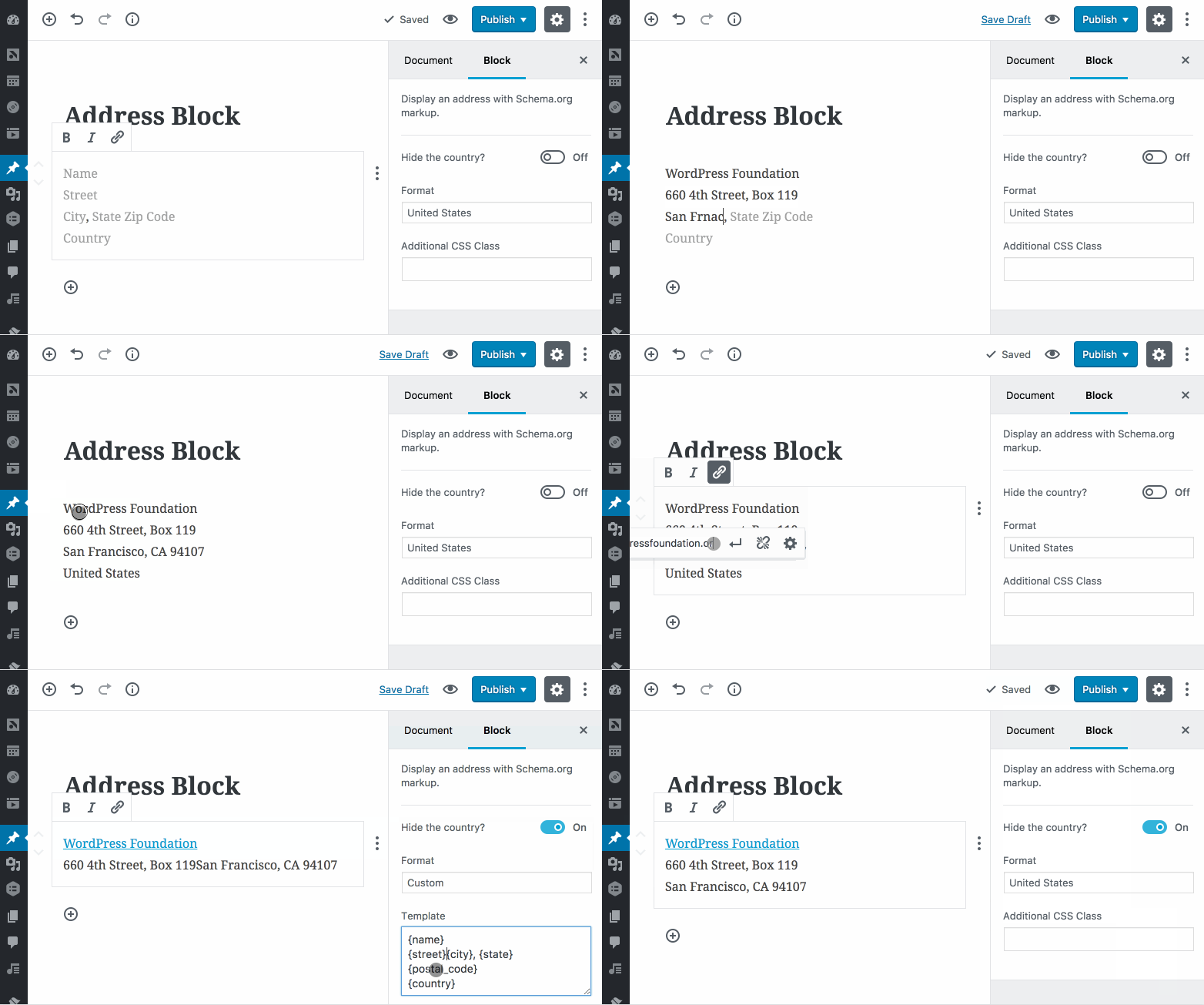
Entering the address in the image above produces the following markup:
<div class="wp-block-cedaro-address vcard" itemscope itemtype="http://schema.org/PostalAddress">
    <span class="vcard__name" itemprop="name"><a href="https://wordpressfoundation.org/">WordPress Foundation</a></span><br>
    <span class="vcard__street" itemprop="streetAddress">660 4th Street<br>Box 119</span><br>
    <span class="vcard__city" itemprop="addressLocality">San Francisco</span>, <span class="vcard__state" itemprop="addressRegion">CA</span> <span class="vcard__postal-code" itemprop="postalCode">94107</span><br>
    <span class="vcard__country screen-reader-text" itemprop="addressCountry">United States</span>
</div>
Installation
- Download the latest release from GitHub.
- Go to the Plugins → Add New screen in your WordPress admin panel.
- Click the Upload button at the top next to the "Add Plugins" title.
- Upload the zipped archive.
- Click the Activate Plugin link after installation completes.