Shiny Code WP Registry grade A. No security issues foundWP RegistryNo security issues foundOpen the reportA
A Gutenberg block for editing and displaying code with syntax highlighting.
Install
Upload it under Plugins → Add New Plugin → Upload Plugin, then activate.
Install straight from GitHub with WP-CLI:
wp plugin install https://github.com/cedaro/shiny-code/releases/download/v1.0.0/shiny-code-1.0.0.zipA Gutenberg block for editing and displaying code with syntax highlighting.
Requires: PHP 7.0 (or later)
License: GPLv2 (or later)
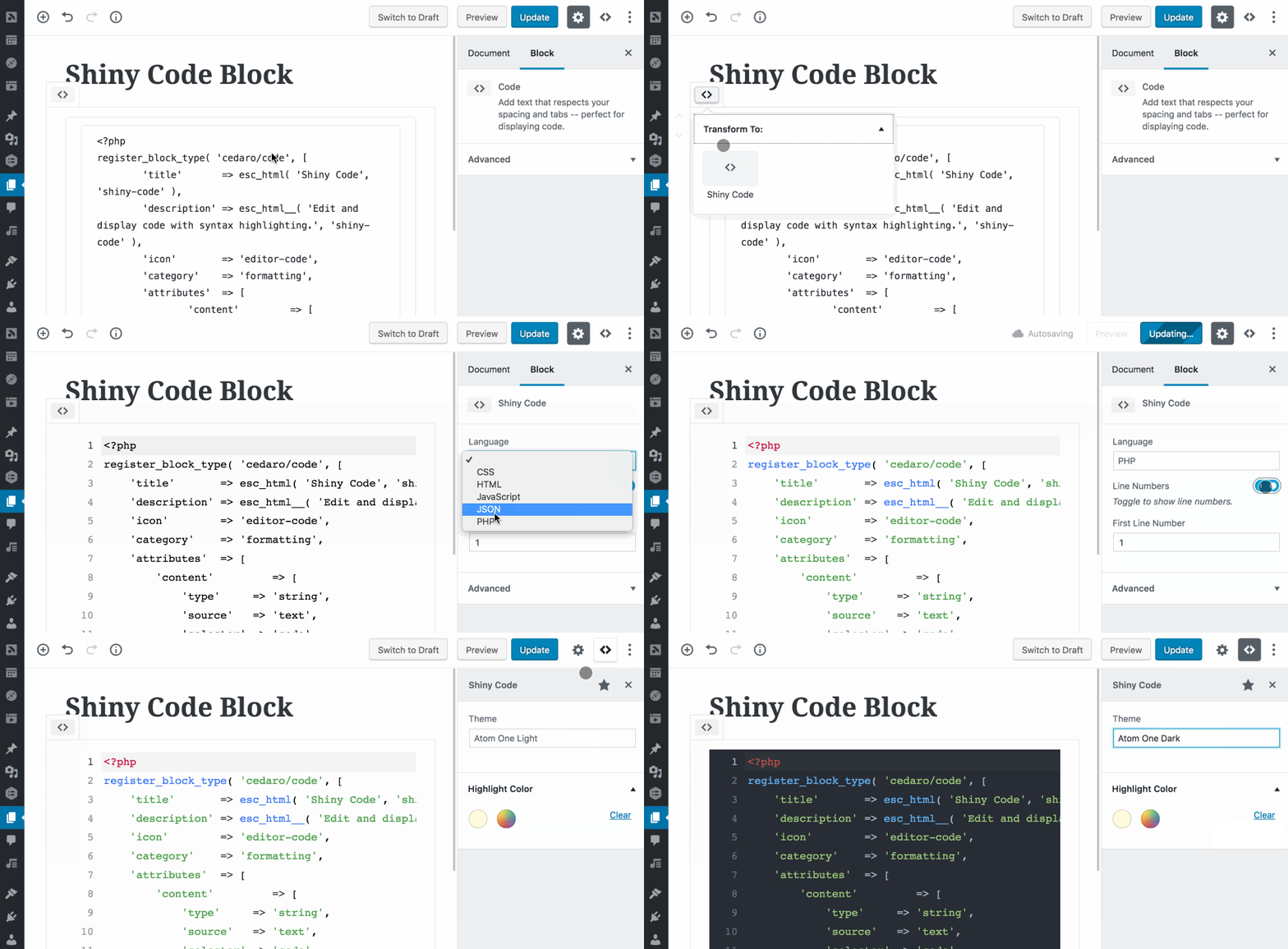
Features
- Choose a language for each code block
- Toggle whether or not line numbers should display
- Multiple syntax highlighting themes available
- Highlight specific lines to draw attention to them
- Choose a custom highlight color
- Easily transform to/from core Code blocks
- Code is saved as plain text, allowing it to be displayed in feeds and other contexts
Languages
Support for the following languages is included by default:
- CSS
- HTML
- JavaScript
- JSON
- PHP
Additional languages can be registered using the shiny_code_languages filter.
Themes
Atom One Light and Atom One Dark themes are included and additional themes can be registered using the shiny_code_themes filter.
CodeMirror and Prism.js don't tokenize code exactly the same, so there will likely be slight differences between the colors in the editor and on the frontend.
Installation
To install Shiny Code:
- Download the latest release from GitHub (the saved file should be named
shiny-code-{version}.zip). - Go to the Plugins → Add New screen in your WordPress admin panel.
- Click the Upload button at the top next to the “Add Plugins” title.
- Upload the zip file downloaded in the first step.
- Click the Activate Plugin link after installation completes.
From Source
To build Shiny Code from source, clone this repository in wp-content/plugins/, then run the build steps:
git clone https://github.com/cedaro/shiny-code.git
cd shiny-code
composer install
npm install
npm run build
After building the plugin, go to the Plugins → Installed Plugins screen in your WordPress admin panel to activate Shiny Code.
Releases
3 releases. Each count is every asset in that release; expand a row for the breakdown.
Active-site estimate ≈160 comes from the median of recent superseded releases. Method.