Install
This is the repository archive. It installs, but the folder name will carry the branch suffix and updates will not flow.
Install straight from GitHub with WP-CLI:
wp plugin install https://github.com/catcodestudio/woocommerce-ukrposhta-shipping/archive/refs/heads/main.zip
Ukrposhta (Укрпошта) shipping for WooCommerce — an in-checkout post-office picker backed by the official Ukrposhta Address Classifier, plus live domestic tariff calculation.
Scope of this release (1.0.0): checkout picker + tariff. Shipment (barcode/ТТН) creation, sticker printing and cash-on-delivery are on the roadmap for a later update once verified end-to-end against a live contract.
Features
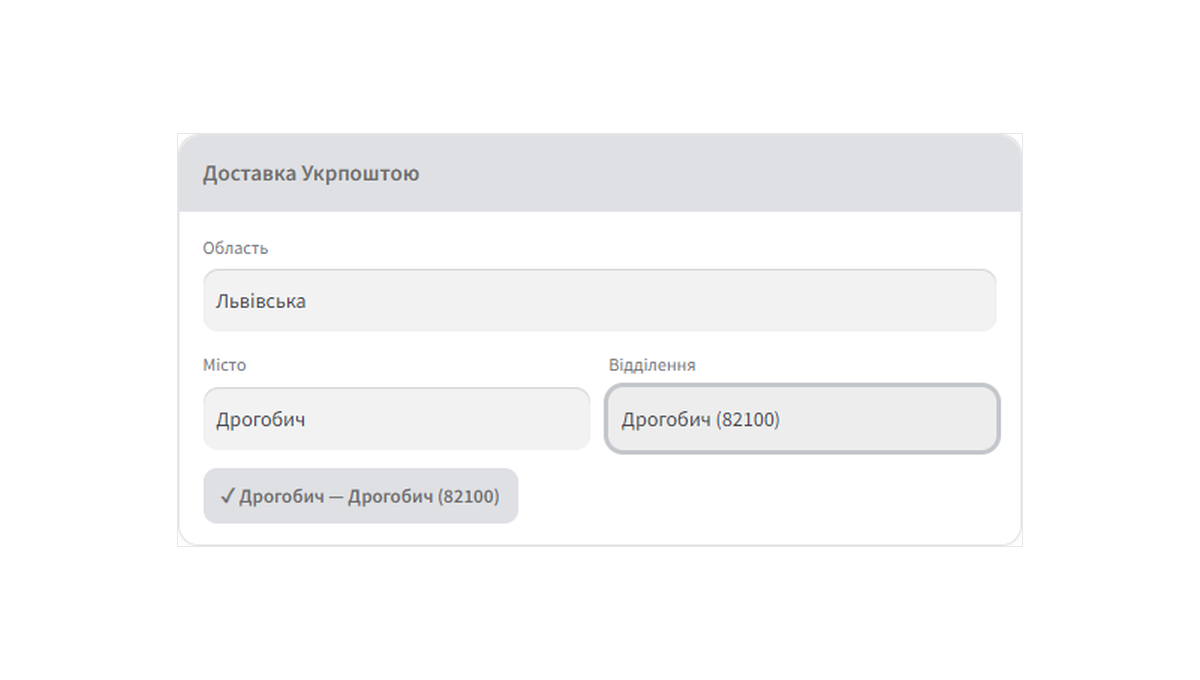
- Checkout picker — customer chooses region → city → post office, powered by the official Ukrposhta Address Classifier. The selected post index is saved to the order.
- Live tariff — domestic delivery price from the Ukrposhta eCom API (
/domestic/delivery-price); a configurable flat rate is the fallback, with optional free shipping over a threshold. - Shipping-zone method — configured like any WooCommerce shipping method; credentials are store-global.
- Encrypted credentials — the eCom Bearer is stored obfuscated at rest.
- HPOS-compatible, translation-ready (
ukrposhta-shipping-for-woocommercetext domain).
Requirements
- WordPress 6.2+, WooCommerce 7.0+
- PHP 7.4+
- A Ukrposhta eCom contract — the Address Classifier and tariff authorise with an eCom Bearer issued by Ukrposhta after signing the contract.
Installation
- Upload the plugin to
/wp-content/plugins/and activate it. - WooCommerce → Settings → Shipping — add the Ukrposhta method to a shipping zone.
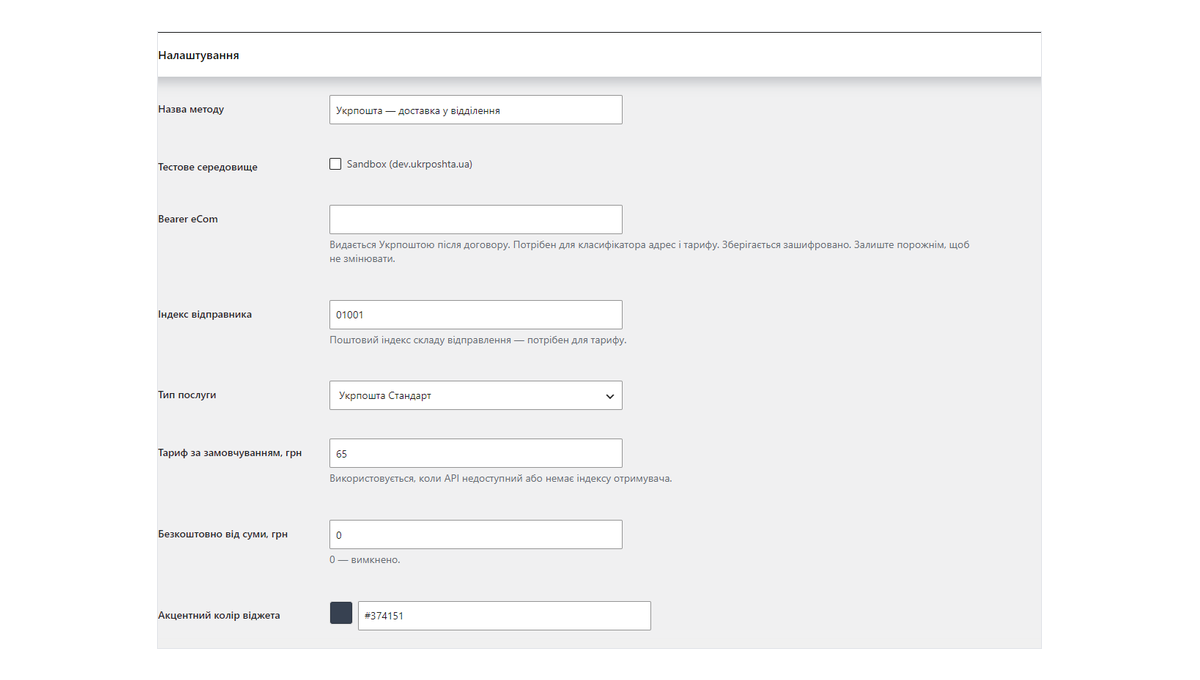
- Enter your eCom Bearer and sender postcode. Save and enable.
- The post-office picker appears on the (classic) checkout.
The picker targets the classic checkout. Order meta is also captured on the Store API (block) checkout path; a native block integration is planned.
Screenshots
Checkout — post-office picker (region → city → office)
Admin — shipping method settings
Licence
GPL-2.0-or-later.
🔗 CatCode
Модуль розробляє і підтримує студія CatCode.
- 📄 Сторінка модуля з документацією та ліцензією: https://catcode.com.ua/modules/ukrposhta-shipping-for-woocommerce/
- 🧩 Усі наші модулі для OpenCart та WooCommerce: https://catcode.com.ua/modules/
- ✉️ Підтримка: catcode.info@gmail.com