Install
Upload it under Plugins → Add New Plugin → Upload Plugin, then activate.
Install straight from GitHub with WP-CLI:
wp plugin install https://github.com/carstingaxion/gatherpress-timed-separator/releases/download/0.1.0/gatherpress-timed-separator.zipA dynamic separator block for WordPress query loops that displays date-boundary labels between posts — designed for any post type and optimized for GatherPress events.
Description
GatherPress Timed Separator is a WordPress block that inserts date-based group headings between posts inside a core/post-template. It works with any post type — standard posts, pages, custom post types — and provides first-class integration with GatherPress event datetime metadata.
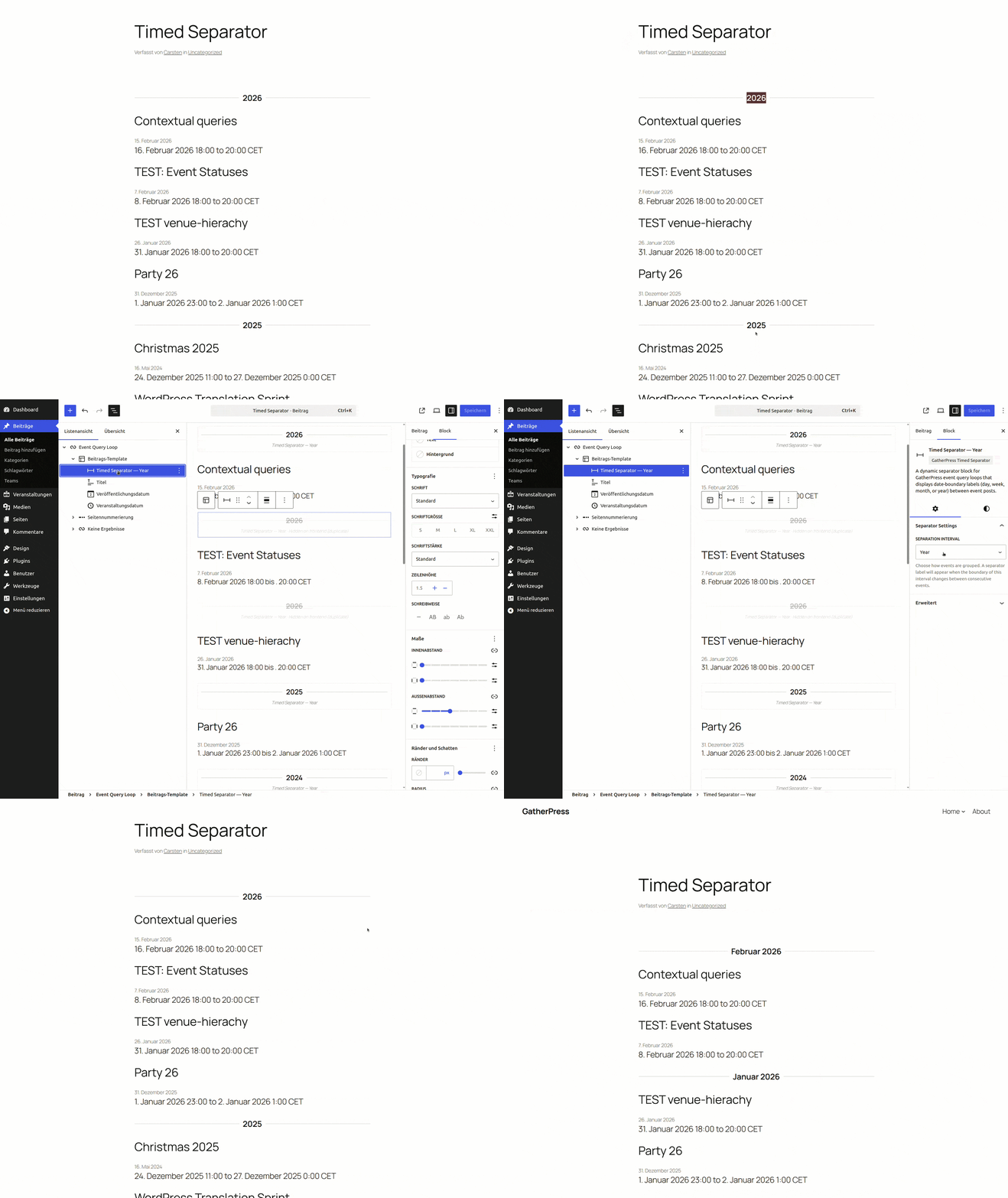
When consecutive posts belong to different date periods, a formatted separator label is rendered between them. Posts within the same period share a single label; duplicates are automatically suppressed.
Works With Any Post Type
The block reads dates in the following priority order:
- GatherPress event datetime — if the GatherPress plugin is active and the post is a
gatherpress_event, the block uses the event's start datetime for precise scheduling-aware labels. - Post published date — for all other post types, the block falls back to the standard WordPress published date, making it useful for blogs, portfolios, archives, or any chronological listing.
Interval Options
| Interval | Example Output |
|---|---|
| Day | Tuesday, April 29, 2026 |
| Week | Week of Apr 27 – May 3, 2026 |
| Month | April 2026 |
| Year | 2026 |
How It Works
- Insert a
core/queryblock configured to query any post type. - Inside the Post Template, place the GatherPress Timed Separator block.
- Choose an interval (day, week, month, or year) from the block's sidebar settings.
- On the frontend, the block examines each post's datetime and renders a formatted label only when a date boundary is crossed.
Editor Preview
The block provides a live preview in the editor that reacts to the actual queried posts — labels update instantly when the interval is changed. Separator instances that would be hidden on the frontend (duplicates) are visually dimmed in the editor.
GatherPress Integration
When used with GatherPress, the block automatically detects event start datetimes via:
- The GatherPress Core Event class API (preferred).
- Raw
gatherpress_datetimepost meta as a secondary source.
This ensures accurate grouping even when event start dates differ from the post's published date.
Requirements
- WordPress 6.4 or later
- PHP 7.4 or later
- GatherPress plugin (optional — required only for event datetime integration)
Installation
- Upload the plugin files to
/wp-content/plugins/gatherpress-timed-separator, or install through the WordPress plugin installer. - Activate the plugin via the Plugins screen.
- Add a Query Loop block querying any post type and insert the separator block within the post template.
- For GatherPress events, ensure GatherPress is installed and active to enable event datetime support.
Development
# Install dependencies
npm install

# Start development build with watch mode
npm start

# Production build
npm run build

# Lint JavaScript
npm run lint:js

# Lint CSS
npm run lint:css

# Create plugin ZIP
npm run plugin-zip
Frequently Asked Questions
Does this block work without GatherPress?
Yes. The block works with any post type. Without GatherPress, it uses the standard WordPress published date to compute separator labels. GatherPress is only needed if you want to group by event-specific start datetimes.
Can I use this with regular blog posts?
Absolutely. Insert the block inside a Query Loop that queries post (or any post type) and it will group your posts by day, week, month, or year based on their published dates.
Can I style the separator?
Yes. The block outputs BEM-classed HTML elements that you can target with custom CSS. The main wrapper uses .gatherpress-timed-separator as the root class.
The block also supports the following WordPress block editor features:
- Wide and full alignment
- Background, text, and gradient colors
- Typography (font size, line height, font family, font weight, text transform)
- Spacing (margin and padding)
- Shadows
- Borders (color, radius, style, width)
Can I use this outside a Query Loop?
No. The block is restricted to core/post-template (the ancestor constraint is enforced in block.json). It requires the post context provided by the query loop to determine dates.
Are labels translated?
Yes. All date labels are rendered using wp_date() on the frontend and dateI18n() in the editor, which respect the site's locale setting for fully translated day names, month names, and date formats.
Changelog
All notable changes to this project will be documented in the CHANGELOG.md.
License
This plugin is licensed under the GPLv2 or later.
Releases
1 release. Each count is every asset in that release; expand a row for the breakdown.