GatherPress Taxonomy Colors WP Registry grade A. No security issues foundWP RegistryNo security issues foundOpen the reportA
Assign colors to taxonomy terms and use them as native design tokens in the block editor — resolved contextually per post, per archive, and per Query Loop item.
Install
Upload it under Plugins → Add New Plugin → Upload Plugin, then activate.
Install straight from GitHub with WP-CLI:
wp plugin install https://github.com/carstingaxion/gatherpress-taxonomy-colors/releases/download/0.3.0/gatherpress-taxonomy-colors.zipAssign colors to taxonomy terms and use them as native design tokens in the block editor — resolved contextually per post, per archive, and per Query Loop item.
Description
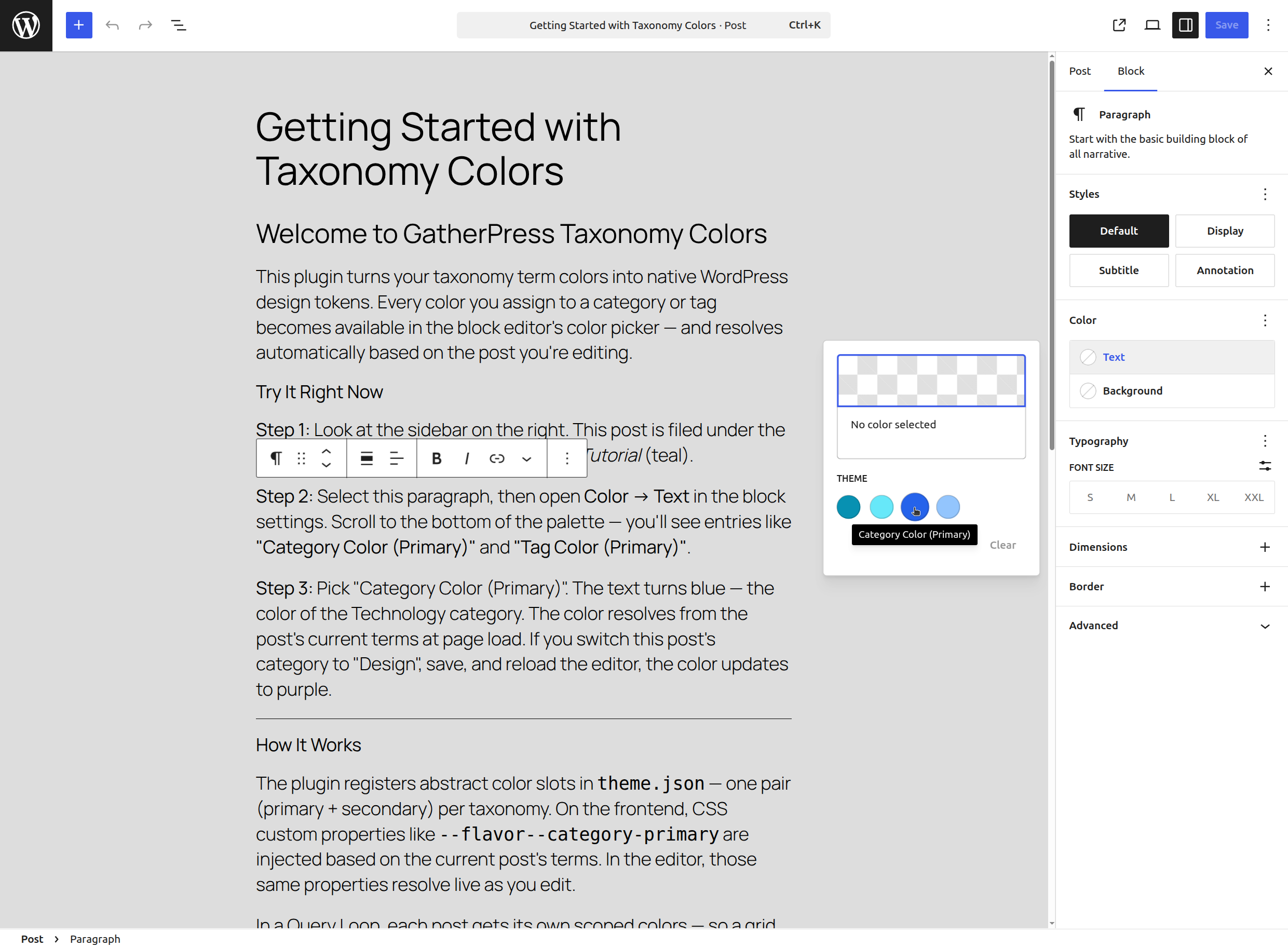
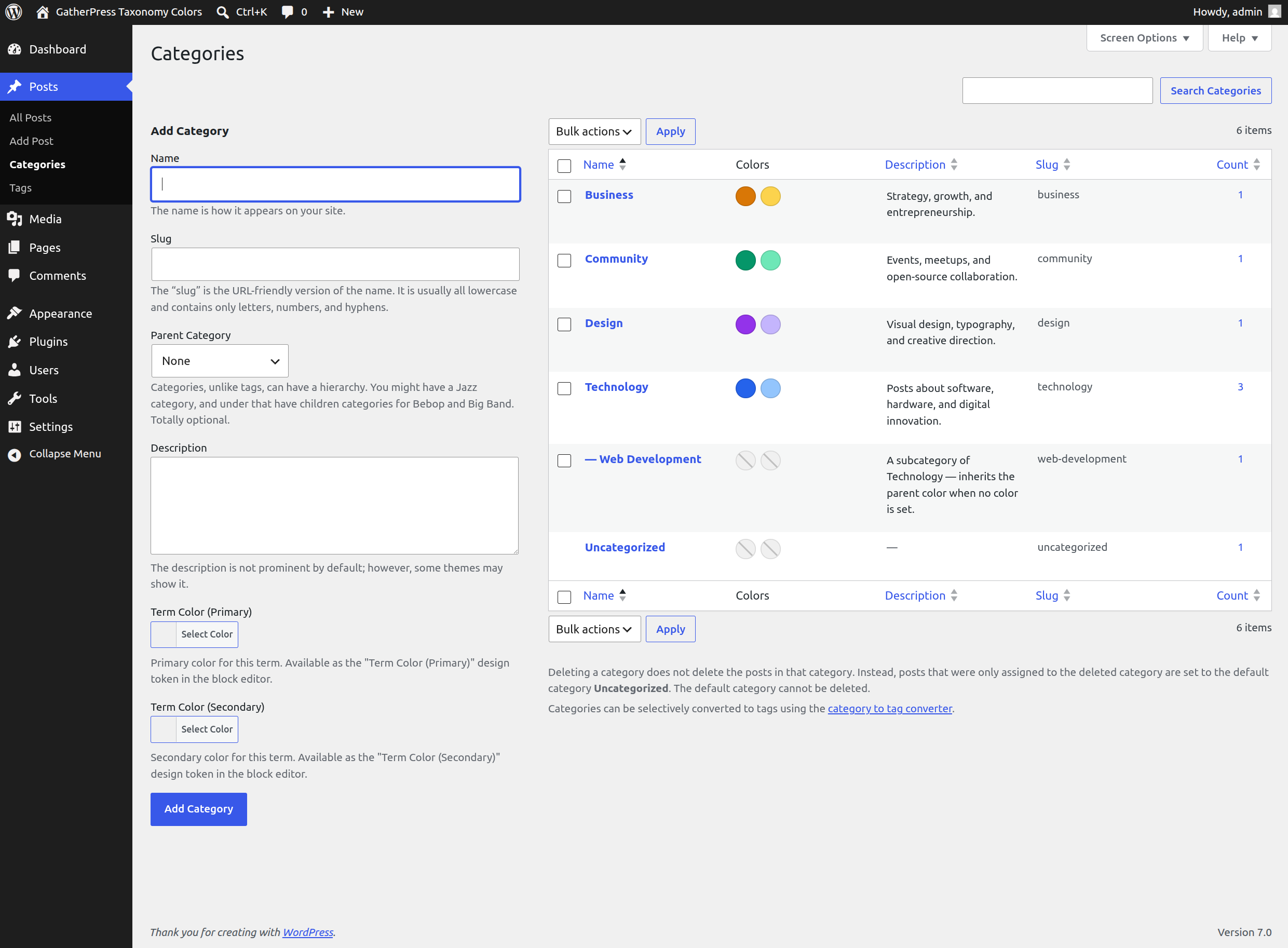
GatherPress Taxonomy Colors turns term colors into first-class WordPress design tokens. Assign a primary and secondary color to any taxonomy term, and those colors appear in the block editor's color picker alongside your theme palette — resolved dynamically based on post context.
 |
 |
|---|---|
 |
 |
How It Works
The plugin implements a 6-layer architecture that integrates with WordPress's existing design token system:
- Term Meta — Colors stored as term meta via
register_term_meta()with full REST API visibility. The number of color roles is fully flexible via thegptc_term_color_rolesfilter (defaults to primary + secondary). - Design Tokens — Abstract color slots injected into
theme.jsonper taxonomy per role, with CSS custom property indirection to work around core's palette sanitizer. - Frontend Resolution — Contextual
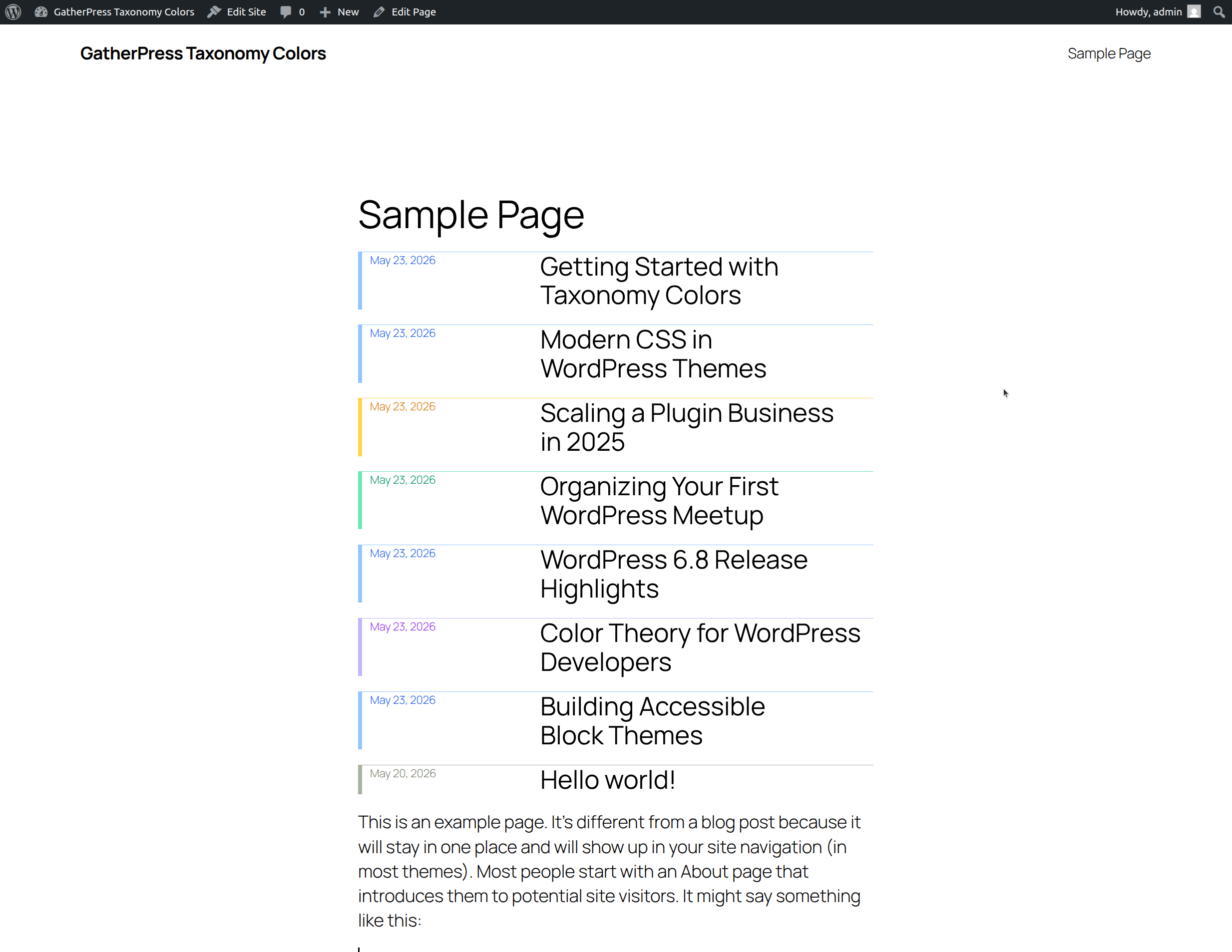
--flavor--custom properties on:rootbased on the current post's terms or the queried archive term. - Editor Resolution — The same colors resolve inside the block editor when editing a post, so color picker swatches match the frontend.
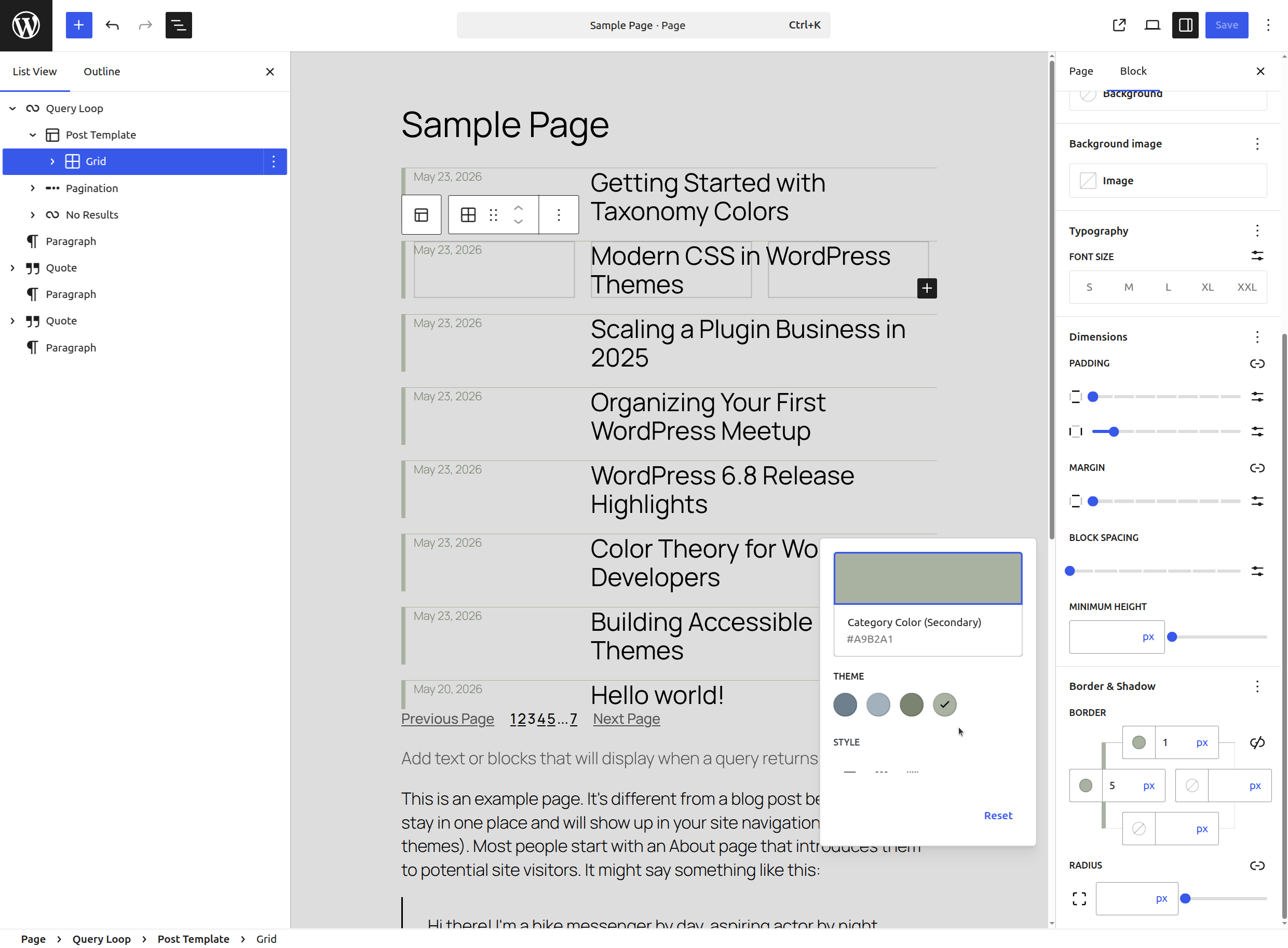
- Scoped Resolution — In Query Loop and archive contexts, per-post colors are scoped directly onto each
<li>element viaWP_HTML_Tag_Processor— no wrapper divs, no broken grid layouts. - Shadow Taxonomy Support — Post types using GatherPress's shadow taxonomy pattern (where each post is mirrored by a hidden term) get color pickers on the post editor and automatic design token generation.
Key Features
- Native integration — Colors appear in the standard block editor color picker. Any block that supports color attributes can use them.
- Per-taxonomy slots — A post in category "Technology" (blue) and tagged "Breaking" (red) resolves both colors independently.
- Query Loop aware — Each post in a Query Loop renders with its own term colors, not just the last one resolved.
- Shadow taxonomy support — Works with GatherPress's shadow taxonomy pattern for post types acting as quasi-taxonomies.
- Flexible color roles — The
gptc_term_color_rolesfilter lets theme authors define any number of color roles per term (e.g.,primary,secondary,accent,base). All layers derive from this single source of truth. - Fully filterable —
gptc_term_color_taxonomiescontrols which taxonomies participate.gptc_term_color_slotscontrols the design token definitions.gptc_term_color_rolescontrols color roles per term. - Zero configuration — Install, activate, and assign colors to your terms. The design tokens are generated automatically.
Installation
- Upload the
gatherpress-taxonomy-colorsfolder to/wp-content/plugins/. - Activate the plugin through the Plugins menu in WordPress.
- Navigate to any taxonomy term edit screen (e.g., Posts → Categories → Edit) to assign primary and secondary colors.
- In the block editor, open any block's color settings — the term color tokens appear in the palette.
Frequently Asked Questions
Which taxonomies are supported?
By default, category and post_tag. Use the gptc_term_color_taxonomies filter to add custom taxonomies:
add_filter( 'gptc_term_color_taxonomies', function ( $taxonomies ) {
    $taxonomies[] = 'genre';
    return $taxonomies;
} );
Can I add more than two colors per term?
Yes. Use the gptc_term_color_roles filter to define additional color roles:
add_filter( 'gptc_term_color_roles', function ( $roles ) {
    $roles[] = array(
        'slug'     => 'accent',
        'label'    => 'Accent',
        'meta_key' => 'term_color_accent',
    );
    $roles[] = array(
        'slug'     => 'accent-dark',
        'label'    => 'Accent Dark',
        'meta_key' => 'term_color_accent_dark',
    );
    return $roles;
} );
Each role gets its own term meta key, design token slot, and CSS custom property — all generated automatically.
How do I use term colors in my blocks?
Select any block that supports color settings (paragraph, heading, group, button, etc.). In the color picker, you'll see entries like "Category Color (Primary)" and "Tag Color (Secondary)". Select one — it resolves automatically based on context.
What happens when a term has no color assigned?
The design token falls back to a neutral muted color. Each taxonomy pair has a unique fallback so the palette swatches remain visually distinct.
Does this work with the Site Editor?
Yes. When editing a specific post, colors resolve from that post's terms. When editing a template without post context, the neutral fallback colors are shown.
What is shadow taxonomy support?
Some architectures (like GatherPress) use hidden taxonomies where each published post of a type is mirrored by a term. This plugin detects those patterns and moves the color picker to the post editor instead of the (non-existent) term edit screen. Add the shadow taxonomy slug (e.g., _venue) to the gptc_term_color_taxonomies filter to enable it.
Does this require GatherPress?
No. The core functionality (Layers 1–5) works with any WordPress installation. Layer 6 (shadow taxonomy support) enhances the system when GatherPress is active but degrades gracefully without it.
Changelog
All notable changes to this project will be documented in the CHANGELOG.md.
Developer Documentation
See docs/developer/README.md for the complete architectural reference, including all six layers, implementation checklists, and design rationale.
Releases
3 releases. Each count is every asset in that release; expand a row for the breakdown.
Active-site estimate ≈20 comes from the median of recent superseded releases. Method.