Duplicate as WP Registry grade A. No security issues foundWP RegistryNo security issues foundOpen the reportA
Duplicate or Duplicate as different post type, directly from the Editor Sidebar or the Admin List Tables.
Install
Upload it under Plugins → Add New Plugin → Upload Plugin, then activate.
Install straight from GitHub with WP-CLI:
wp plugin install https://github.com/carstingaxion/duplicate-as/releases/download/0.5.0/duplicate-as.zipDescription
Duplicate or Duplicate as different post type, directly from the Editor Sidebar or the Admin List Tables.
How It Works
- Open any post or page in the block editor
- Open the Editor Sidebar
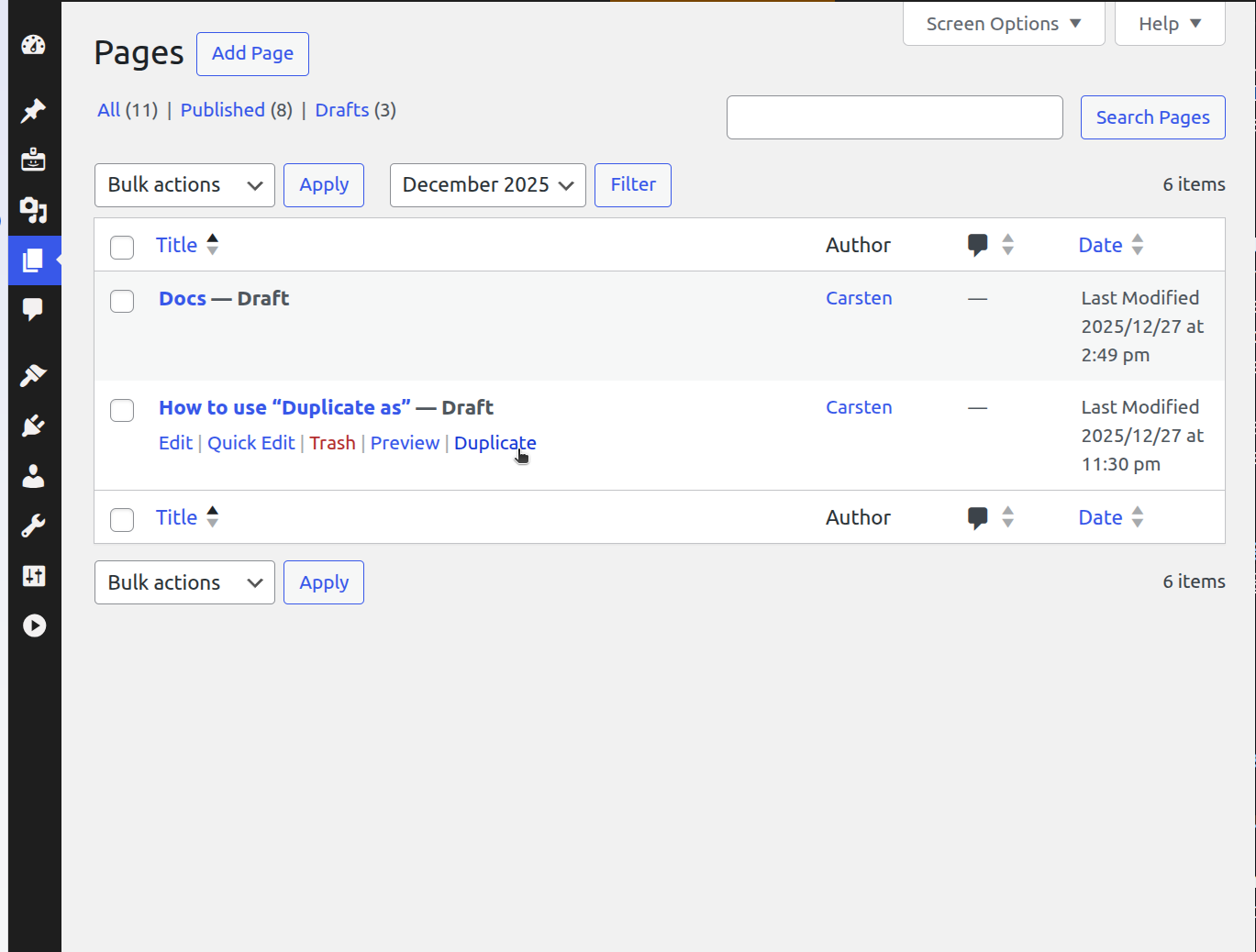
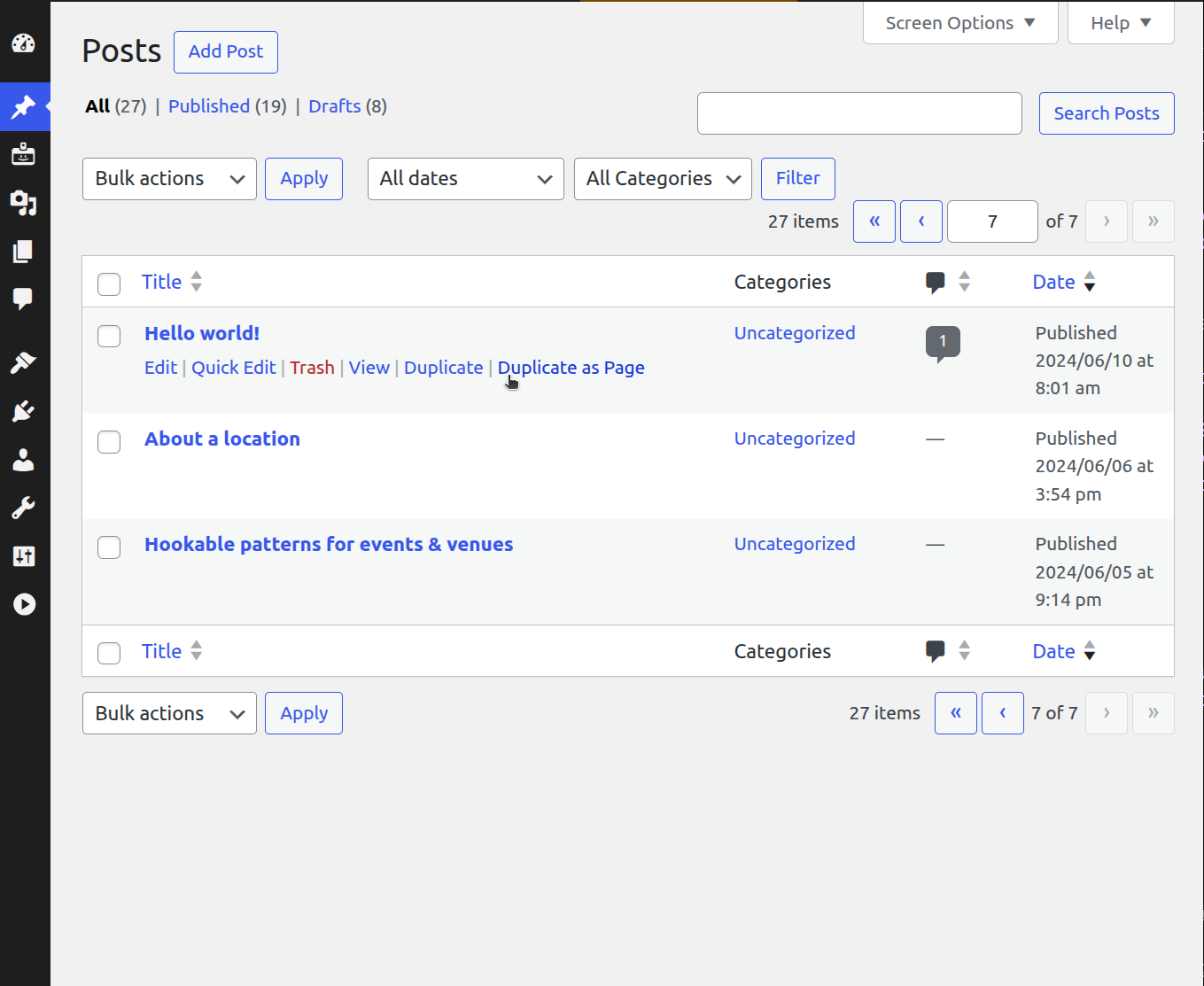
- Click Duplicate or Duplicate as (...) to create a copy
- The plugin will copy all content and metadata
- You’ll be automatically redirected to edit the new draft
The plugin works with posts and pages by default and can be extended to support custom post types through the post type supports system.
Example 1: Duplicate pages (supported by default)
add_post_type_support( 'page', 'duplicate_as' );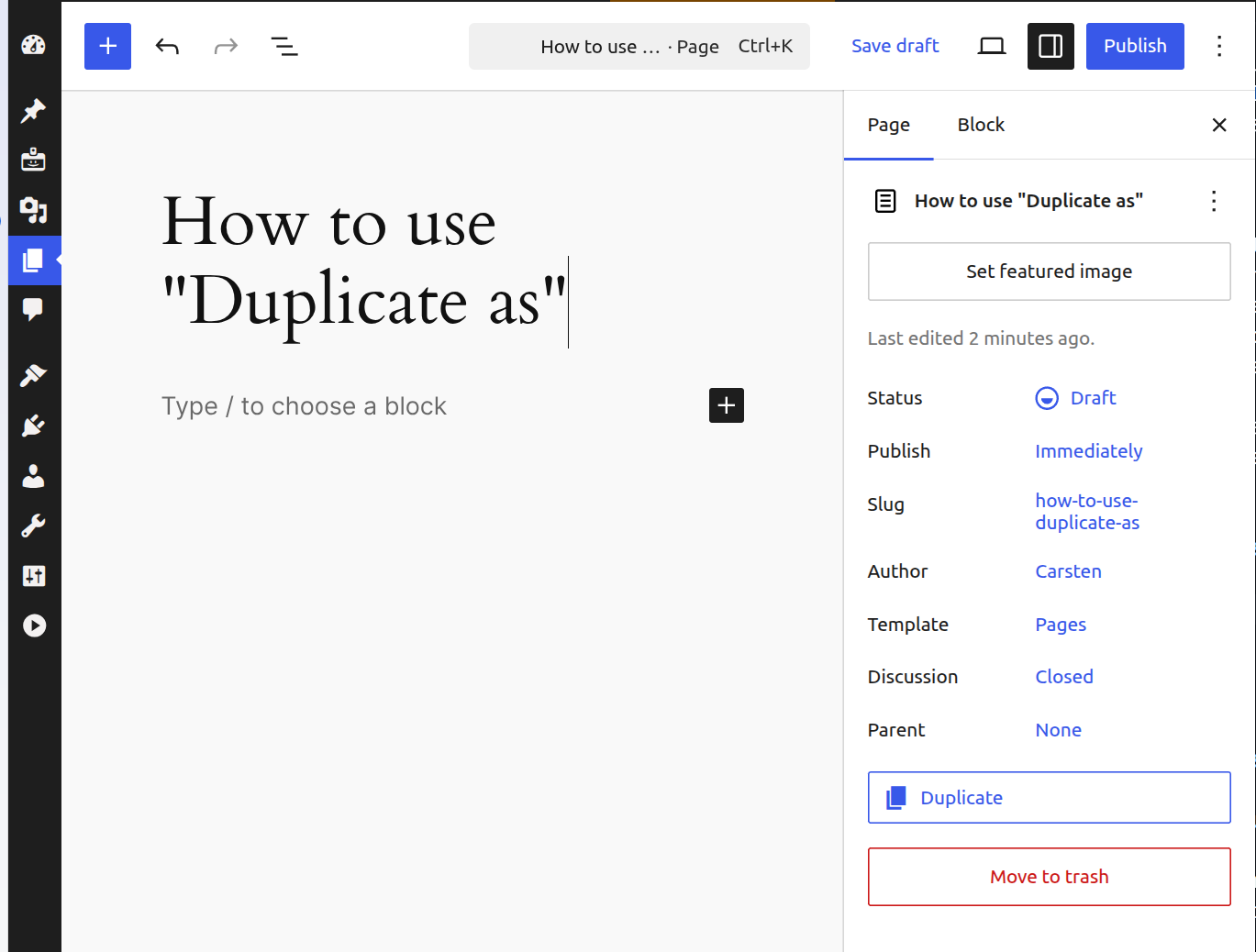 |
 |
|---|
Example 2: Duplicate and "Duplicate as" for posts (supported by default)
add_post_type_support( 'post', 'duplicate_as', array('page', 'post') );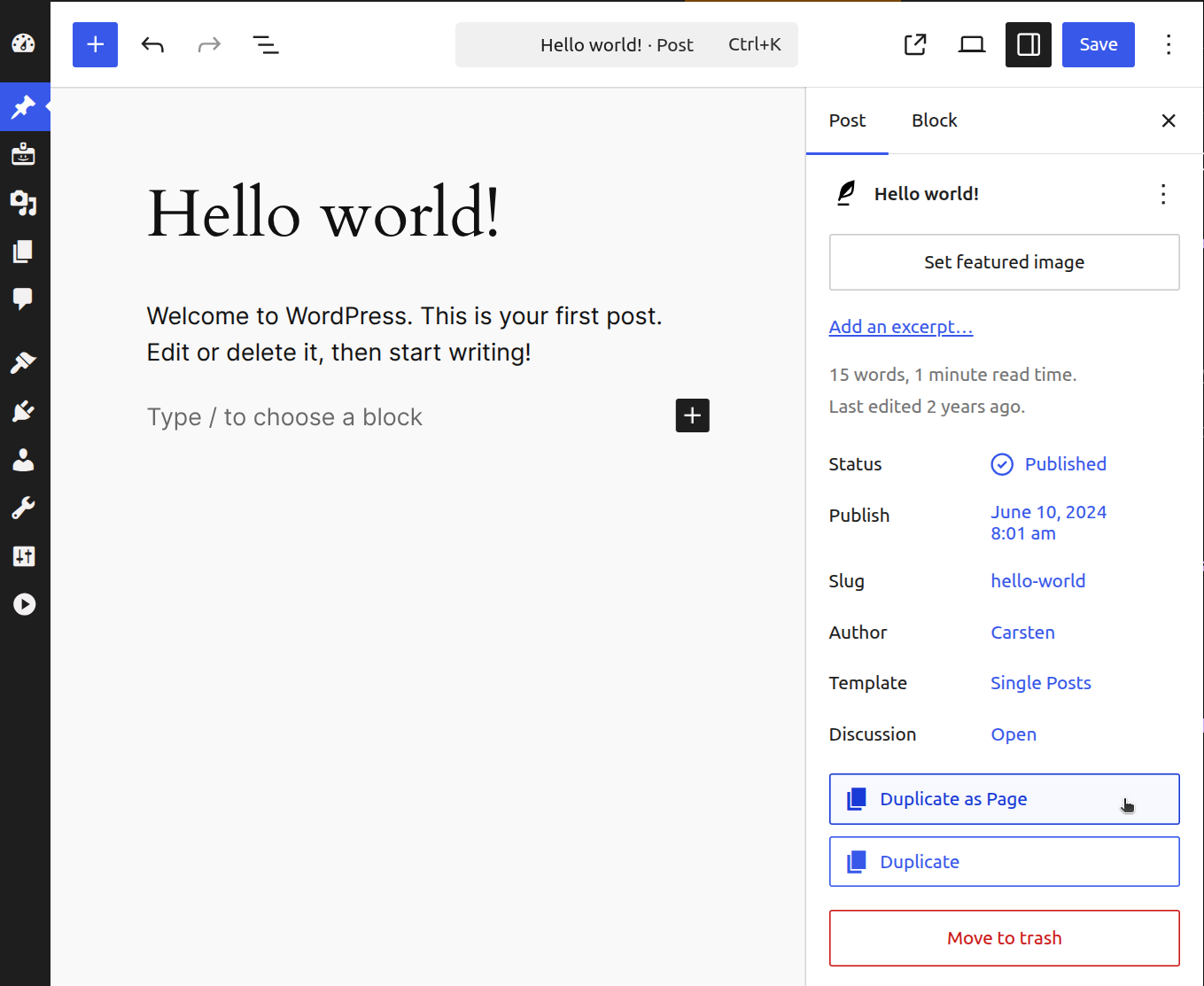 |
 |
|---|
Frequently Asked Questions
Where is the duplicate button?
Duplicate or Duplicate as different post type, directly from the Editor Sidebar or the Admin List Tables
Who can see and use the duplicate button?
Only users with the appropriate post editing capabilities can see and use the duplicate button. This typically includes Editors, Administrators, and Authors.
What content gets duplicated?
The plugin duplicates:
- Post/Page title
- Post/Page content and all blocks
- Featured image
- Categories
- Tags
- Custom fields (except internal WordPress fields like edit locks)
- Post format
- Comment and ping status
- Menu order
What happens after I click duplicate?
The plugin creates a new draft copy of your post/page and automatically redirects you to edit it. The new post will have the same title as the original.
Can I duplicate custom post types?
Yes. To enable duplication for custom post types, add post type support:
add_post_type_support( 'your_post_type', 'duplicate_as' );Can I transform posts to different post types?
Yes. Add post type support with a target post type:
add_post_type_support( 'page', 'duplicate_as', 'post' );This will change the button label to Transform and create the duplicate as the target post type.
Does it work with page builders?
Yes. Since it duplicates the raw content and all blocks, it works with any block-based page builder or the standard WordPress block editor.
Can I customize what gets duplicated?
Yes. The plugin provides several filter hooks:
duplicate_as_post_data– Filter post dataduplicate_as_taxonomies– Filter taxonomies to copyduplicate_as_taxonomy_terms– Filter terms for a specific taxonomyduplicate_as_excluded_meta_keys– Filter excluded meta keysduplicate_as_meta_value– Filter individual meta valuesduplicate_as_featured_image– Filter featured image ID
Screenshots
- The duplicate option appears in the More Actions menu (⋮) in the editor header
- Processing state shows while the post is being duplicated
- Success redirect to the newly created draft
Installation
- Upload the plugin files to the
/wp-content/plugins/duplicate-asdirectory,or install the plugin through the WordPress Plugins screen - Activate the plugin through the Plugins screen in WordPress
- Open any post or page in the block editor
- Click the More Actions menu (⋮) to see the duplicate option
Changelog
All notable changes to this project will be documented in the CHANGELOG.md.
Developer Notes
Take a look at the short Developer Documentation and the list of filter & action hooks.
Releases
7 releases. Each count is every asset in that release; expand a row for the breakdown.