Install
This is the repository archive. It installs, but the folder name will carry the branch suffix and updates will not flow.
Install straight from GitHub with WP-CLI:
wp plugin install https://github.com/canon2k5/db-prefix-change/archive/refs/heads/main.zipNo built-in updater. New versions won't appear under Dashboard → Updates. Install new releases yourself, or let Git Updater track the repository.
A WordPress plugin to rename all database table prefixes from the admin panel — no manual SQL required.
Requires: WordPress 6.0+ · PHP 8.0+ · License: GPL-2.0+
Installation
- Upload the
db-prefix-changefolder to/wp-content/plugins/. - Activate through Plugins in the WordPress admin.
- Navigate to Settings → Change DB Prefix.
Usage
- Back up your database. This operation cannot be undone automatically.
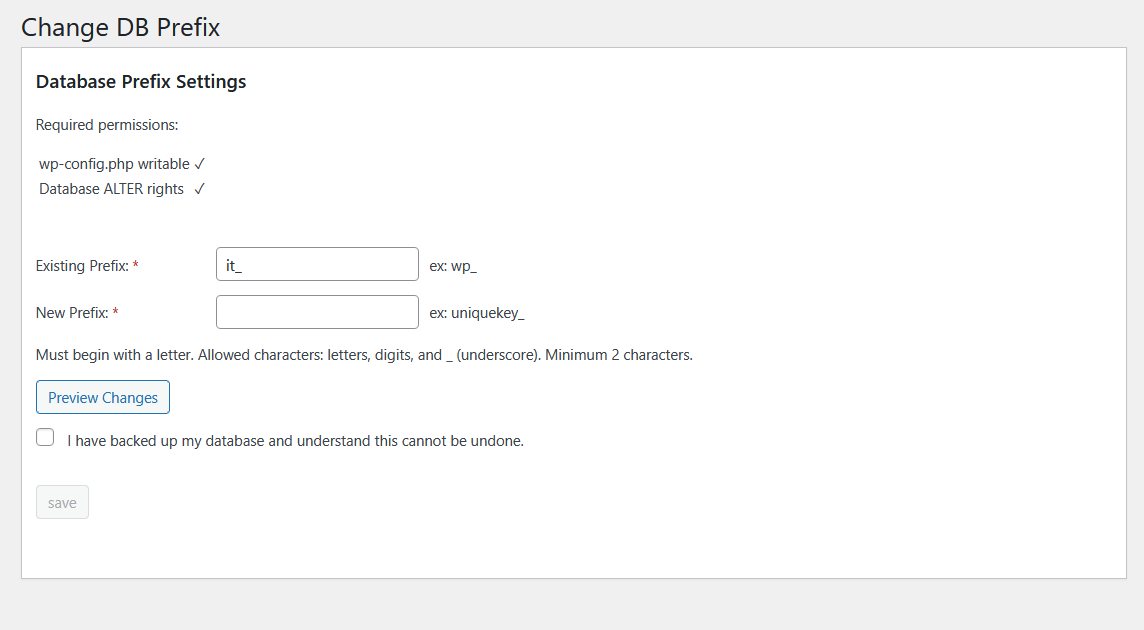
- Check the status indicators at the top of the plugin page:
- wp-config.php writable must show ✓
- Database ALTER rights must show ✓ or ? (unknown does not block)
- Confirm the existing prefix shown in the Existing Prefix field (pre-filled from your installation).
- Enter the desired new prefix in the New Prefix field.
Must begin with a letter. Allowed characters: letters, digits, and
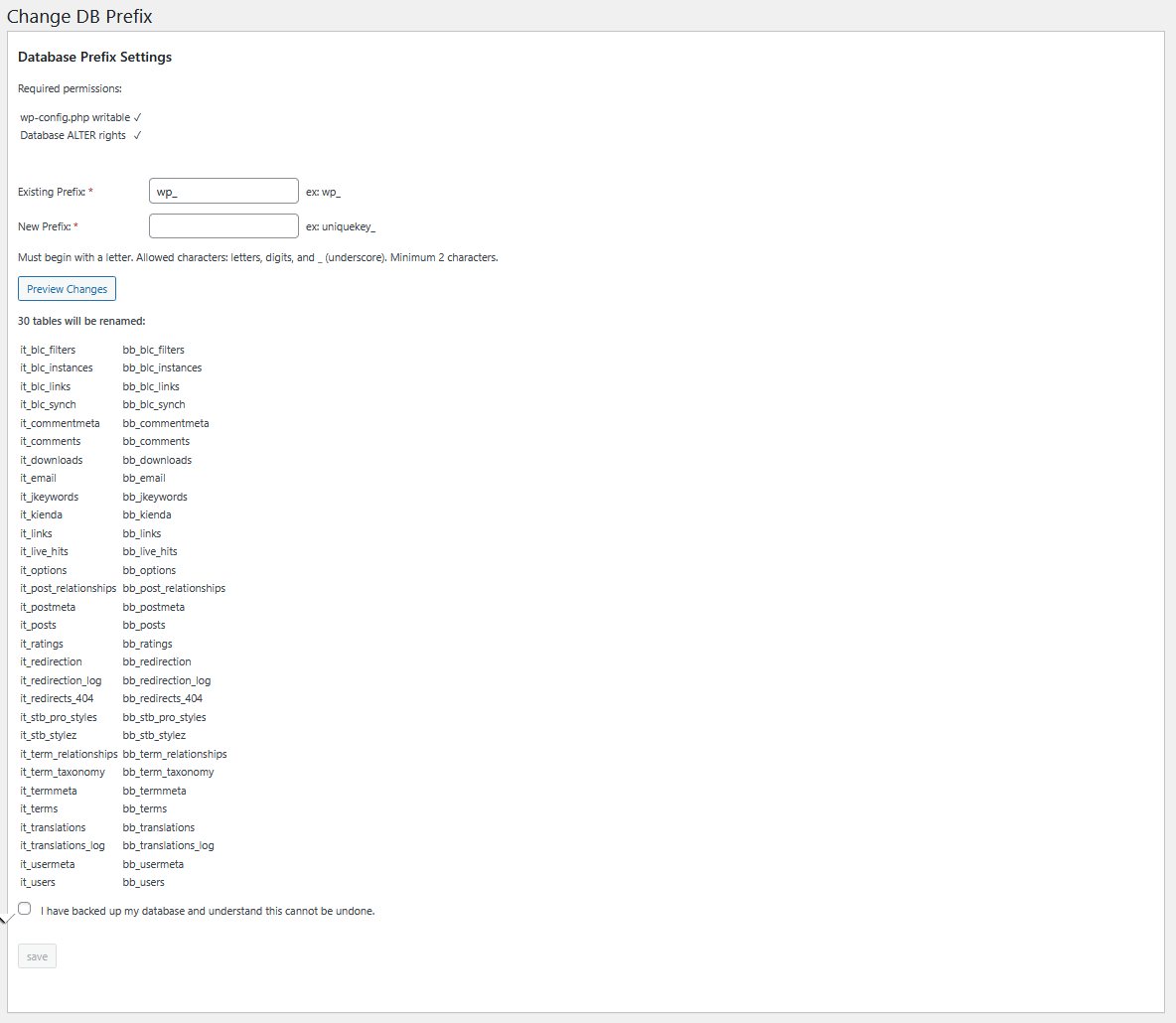
_(underscore). Minimum 2 characters. - Click Preview Changes to see the full list of tables that will be renamed.
- Tick the confirmation checkbox, then click Save Changes.
What Gets Changed
| Target | Change |
|---|---|
All {old_prefix}* database tables |
Renamed to {new_prefix}* via RENAME TABLE |
{new_prefix}options · option_name |
user_roles key updated |
{new_prefix}usermeta · meta_key |
All prefix-bearing keys updated (capabilities, session tokens, user settings, metabox orders, etc.) |
wp-config.php $table_prefix |
Updated to the new prefix (if wp-config.php is writable) |
Warning: Always back up your database before running this plugin. If
wp-config.phpis not writable, table renaming will still proceed but you must update$table_prefixinwp-config.phpmanually.
Screenshots
Limitations
- Not compatible with WordPress Multisite.
- Requires the database user to have
ALTERandRENAMEprivileges. - Requires
wp-config.phpto be writable for automatic config update.
License
Releases
1 release.
Tag
Published
v2.0.0
latest
Apr 4, 2026 7mo ago
These releases are tags only. The author does not attach a packaged zip, so there are no download counts to report.