Install
This is the repository archive. It installs, but the folder name will carry the branch suffix and updates will not flow.
Install straight from GitHub with WP-CLI:
wp plugin install https://github.com/calm-canvas/craftsman-suite/archive/refs/heads/master.zipCraftsman Suite is the ultimate developer's workbench for WordPress theme mastery. It streamlines your workflow by automating tedious tasks: auto-attaching thumbnails, bulk regenerating images, and monitoring logs in real-time.
Recently Refactored: The plugin has been completely migrated to a modern ReactJS application, providing a seamless and responsive user interface within the WordPress admin dashboard.
Features
- Modern React UI: A completely rewritten user interface using ReactJS and Tailwind CSS for a fast, modern experience.
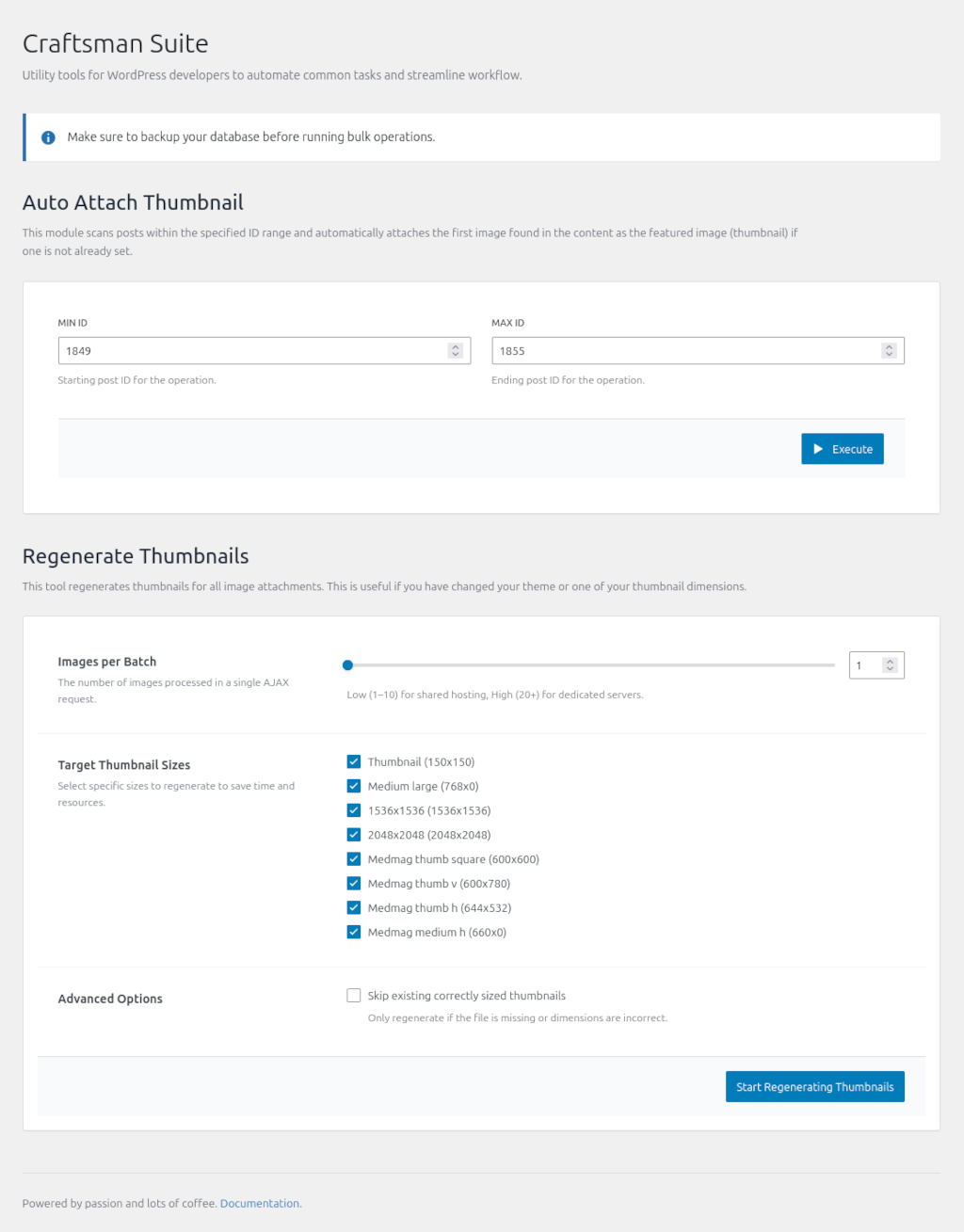
- Auto Attach Thumbnail: Automatically attach thumbnails to posts or media items within a specified ID range.
- Regenerate Thumbnails: Bulk regenerate thumbnails for your media library.
- Dark Mode Support: Automatically adapts to your system's color scheme.
- Developer Tools Dashboard: Access all tools from Tools → Dev Tools menu in WordPress admin.
Tech Stack
- Frontend: ReactJS, Tailwind CSS, WordPress Element (@wordpress/element).
- Backend: Modern PHP (OOP, PSR-4), WordPress REST API.
- Build Tools: @wordpress/scripts, PostCSS.
Requirements
- WordPress 5.0 or higher (Gutenberg support required for React components).
- PHP 7.4 or higher.
Installation
- Download the plugin.
- Extract to
/wp-content/plugins/craftsman-suite/. - Activate the plugin from the WordPress admin panel.
Development Setup
If you want to contribute or modify the plugin code, follow these steps:
Prerequisites
- Node.js & npm
- Composer
Setup
- Clone the repository.
- Install PHP dependencies:
composer install - Install JavaScript dependencies:
npm install
Build Commands
- Start Development Server:
npm run startor
npm run dev - Build for Production:
npm run build - Format Code:
npm run format
Usage
Navigate to Tools → Craftsman Suite in your WordPress admin panel to access the developer tools interface.
License
GNU General Public License v3 or later
Author
tranthethang - GitHub Profile