WP Manifestindependent plugin directory
manifest / users / disciple-tools-team-module

Disciple.Tools - Team Module WP Registry grade D+. High-severity findings · 2 findingsWP RegistryHigh-severity findings · 2 findingsOpen the reportD+

Team module that supports sharing contacts, groups, and other post types across teams.

★ 0stars
1.2krelease downloads
≈40active sites
v1.1.5latest · 8mo ago

Install

Download disciple-tools-team-module.zip From the v1.1.5 release on GitHub, Feb 18, 2026

Upload it under Plugins → Add New Plugin → Upload Plugin, then activate.

Install straight from GitHub with WP-CLI:

wp plugin install https://github.com/cairocoder01/disciple-tools-team-module/releases/download/v1.1.5/disciple-tools-team-module.zip
Updates itself. It ships its own updater (Plugin Update Checker), so new versions appear under Dashboard → Updates.

Plugin Banner

Disciple.Tools - Team Module

The team module is a way to access and share contacts and groups in a collaborative team setting, where no individual is responsible for a given contact, but the whole team oversees his or her journey.

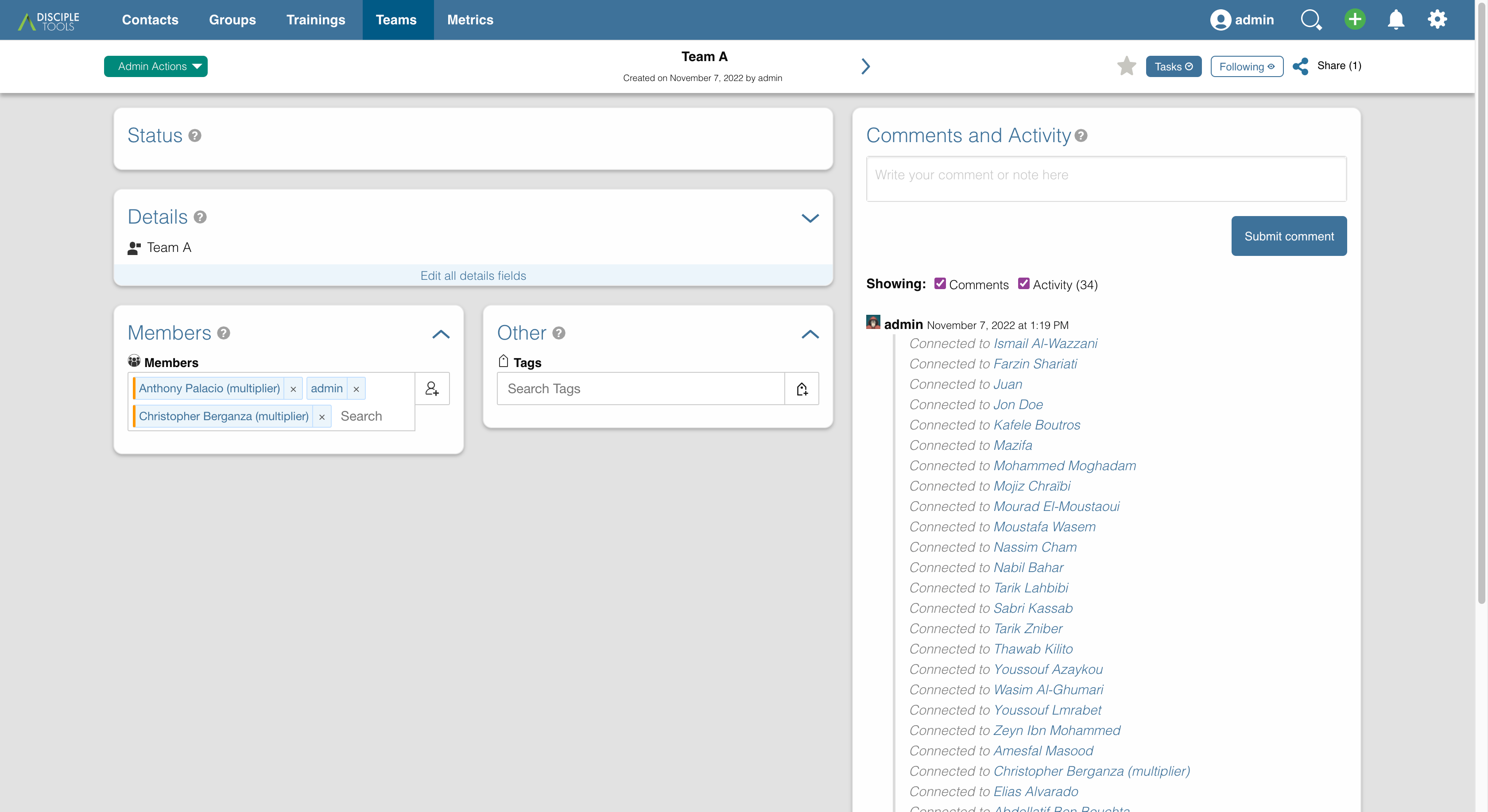
The module adds a new Team post type for you to set up and manage your teams. Just create a new team and assign any users to be members of it.

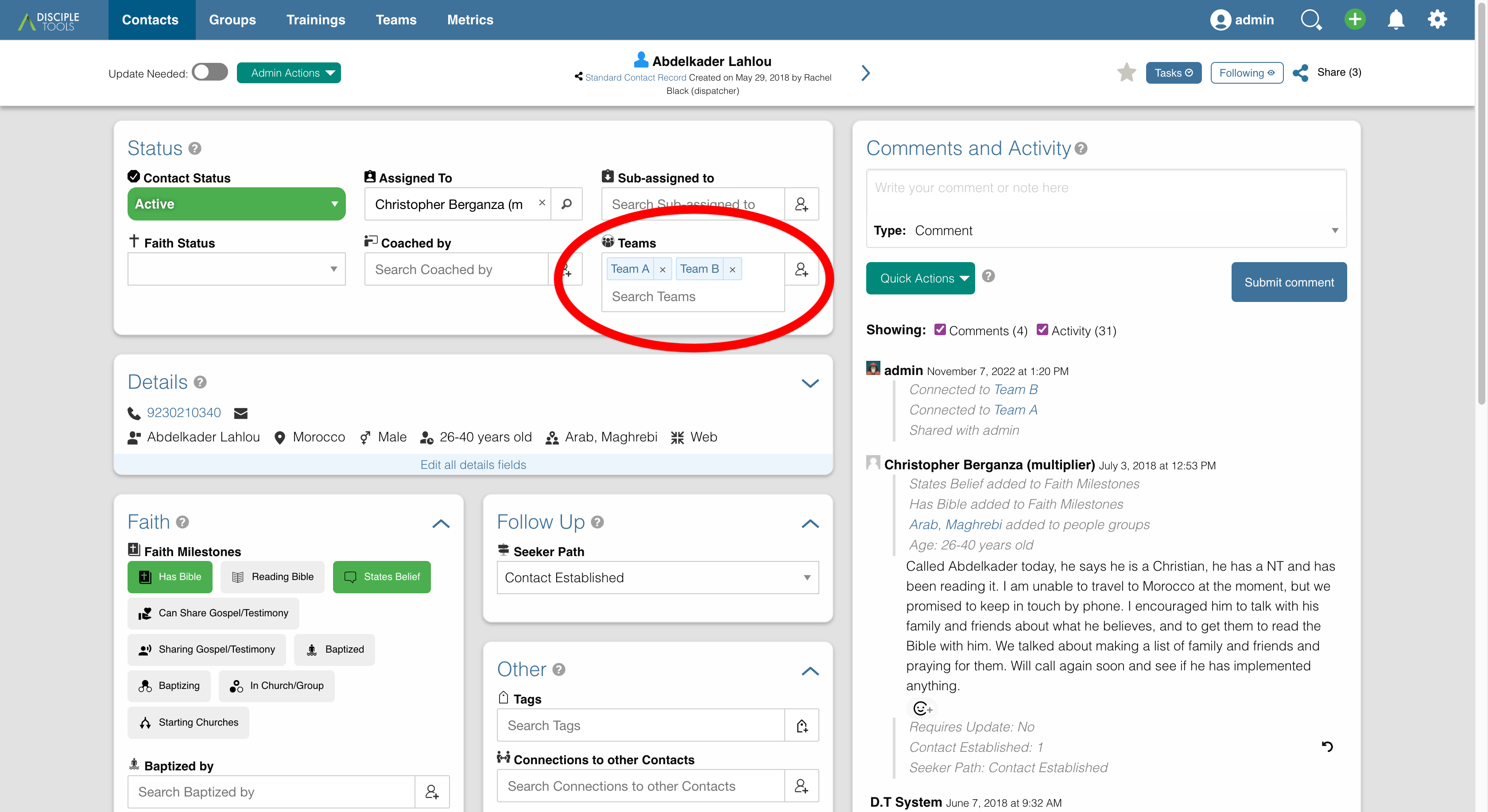
Now, on any contact, group, or other post type, you see a list of teams that you can assign it to. By assigning a contact to a team, any member of that team now has access to view and edit it.

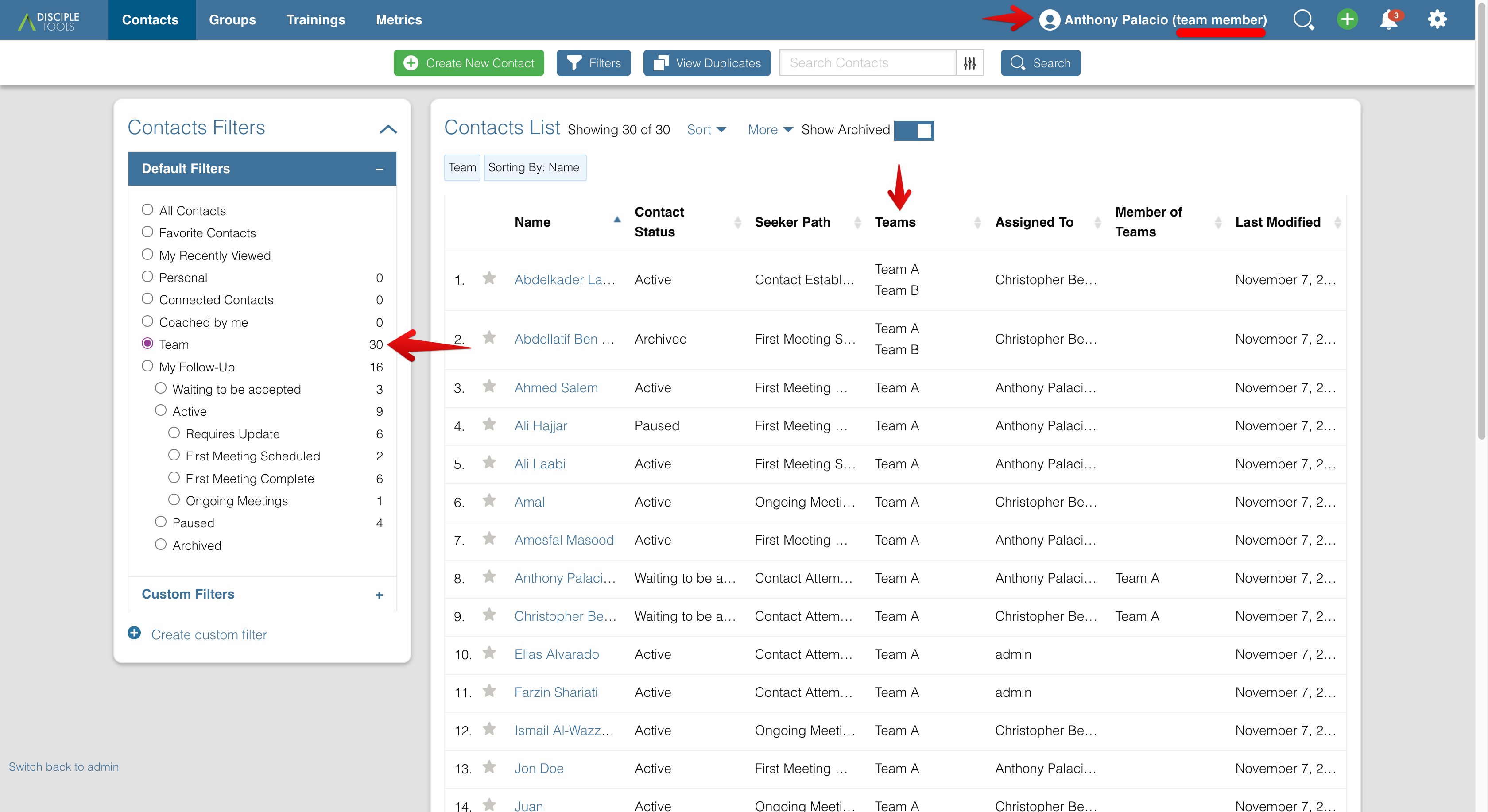
A team member user role is available to give the needed permissions to your users. A team member will see only the contacts, groups, and other posts that are either assigned to their team or directly shared with them.

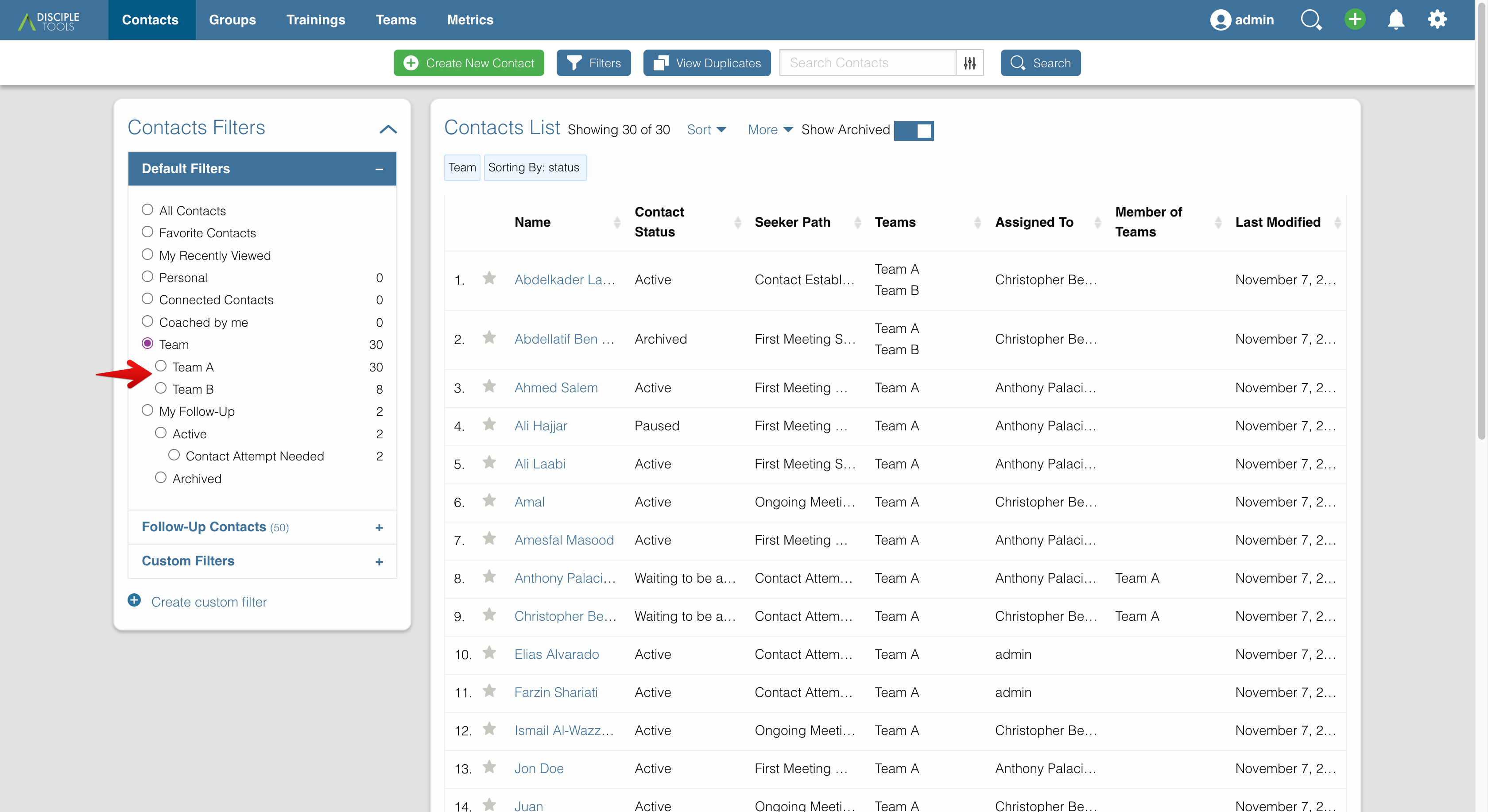
A team collaborator role allows a user to see all of the contacts, groups, and other post types in the system. This allows them to communicate between teams and assign contacts to additional teams when needed. On their list view, they have a quick filter to view just those posts that are assigned to their team or any other team.

If you use Disciple Tools in this kind of team-based workflow, give the team module a try and see how it can increase your collaborative efforts. It can be used both with and without the Access Module enabled.
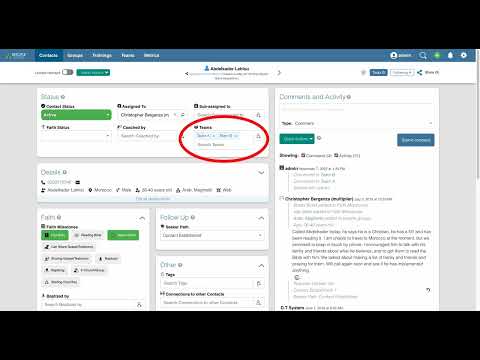
Video Overview https://youtu.be/7Ww_tTDrtio

Usage

Will Do

  • Adds Team post type with name and members
  • Adds Team Member role to give access to only those posts assigned to user's team
  • Disables Access Module's auto-assignment of new contacts to base user

Will Not Do

Roles

Team Member

User will see only the contacts, groups, and other posts that are either assigned to their team or directly shared with them.

Permissions:

  • Create/View/Update/Assign contacts assigned to team/self
  • Create/View/Update groups assigned to team/self
  • Create/View/Update trainings assigned to team/self
  • List users
  • List teams

Team Collaborator

User can see all of the contacts, groups, and other post types in the system. This allows them to communicate between teams and assign contacts to additional teams when needed. On their list view, they have a quick filter to view just those posts that are assigned to their team or any other team.

Permissions:

  • All Team Member permissions (above)
  • View/Update/Assign any access contacts
  • View/Update any groups
  • View/Update any trainings

Team Leader

User can see all of the contacts, groups, and other post types in the system. User can see all teams but can only edit their own.

Permissions:

  • All Team Collaborator permissions (above)
  • View any teams
  • Update own teams

Teams Admin

User can access and edit all post types, including creating and updating all teams.

Permissions:

  • All Team Leader permissions (above)
  • Create/View/Update any teams

Requirements

  • Disciple.Tools Theme installed on a Wordpress Server

Installing

  • Install as a standard Disciple.Tools/Wordpress plugin in the system Admin/Plugins area.
  • Requires the user role of Administrator.

Contribution

Contributions welcome. You can report issues and bugs in the Issues section of the repo. You can present ideas in the Discussions section of the repo. And code contributions are welcome using the Pull Request system for git. For a more details on contribution see the contribution guidelines.

Screenshots
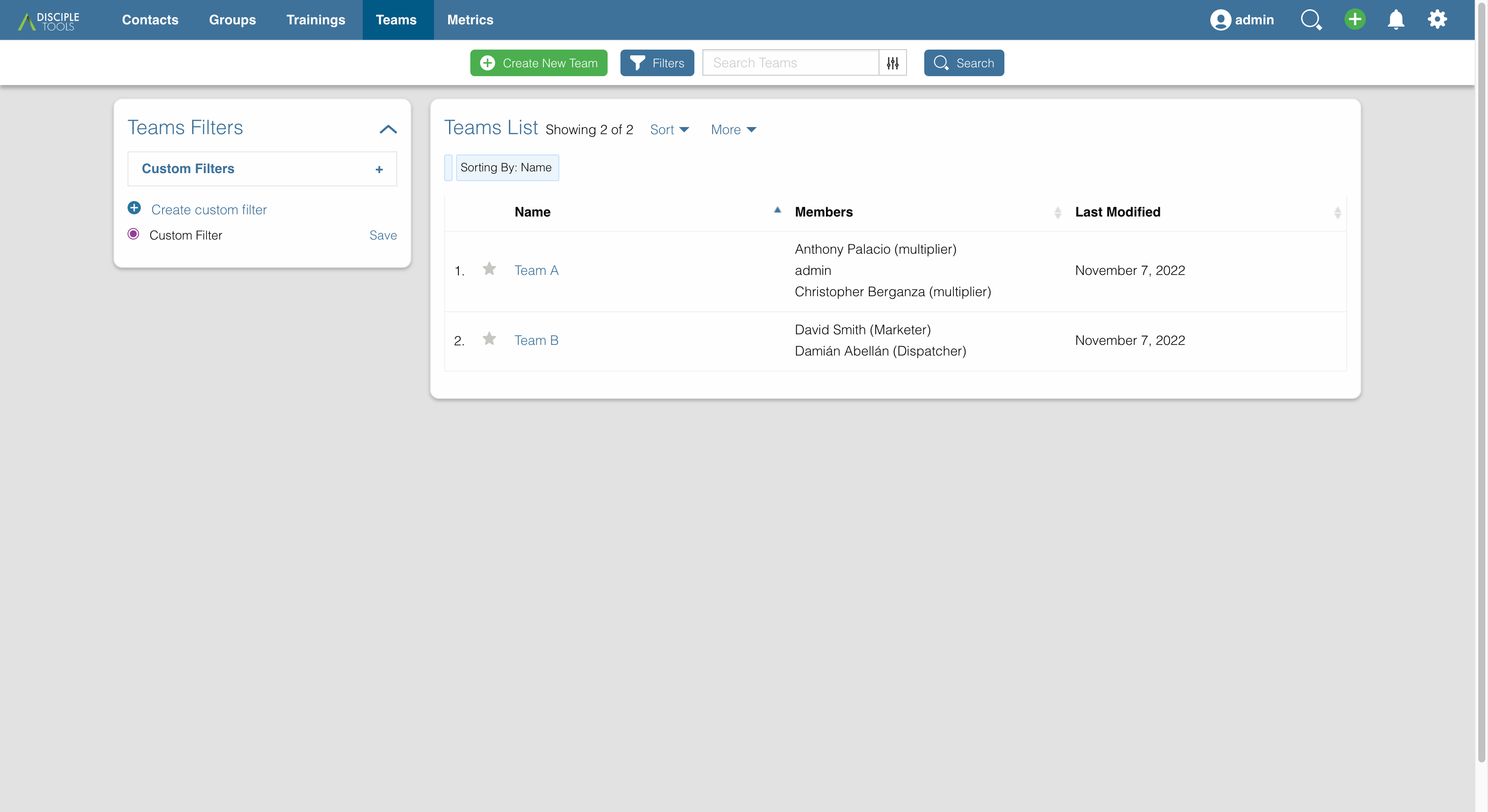
screenshot screenshot screenshot screenshot screenshot

Releases

13 releases. Each count is every asset in that release; expand a row for the breakdown.

Tag
Published
Assets
Downloads
v1.1.5 latest
Feb 18, 2026 8mo ago
disciple-tools-team-module.zip
96
Feb 18, 2026 8mo ago
disciple-tools-team-module.zip
0
Aug 14, 2025 1 year ago
disciple-tools-team-module.zip
889
Jul 30, 2025 1 year ago
disciple-tools-team-module.zip
13
Oct 23, 2024 1 year ago
disciple-tools-team-module.zip
63
Oct 9, 2024 2 years ago
disciple-tools-team-module.zip
38
Mar 3, 2023 3 years ago
disciple-tools-team-module.zip
43
Feb 13, 2023 3 years ago
disciple-tools-team-module.zip
5
Jan 26, 2023 3 years ago
disciple-tools-team-module.zip
11
Nov 18, 2022 3 years ago
disciple-tools-team-module.zip
7
Nov 10, 2022 3 years ago
disciple-tools-team-module.zip
7
Nov 9, 2022 3 years ago
disciple-tools-team-module.zip
7
Nov 3, 2022 3 years ago
disciple-tools-team-module.zip
6

Active-site estimate ≈40 comes from the median of recent superseded releases. Method.

D+ grade

Security

Disciple.Tools - Team Module 1.1.5 · audited by WP Registry

High-severity findings.

2 high
Audited release
1.1.5
Findings
2
Worst severity
high
Content hash
628824d57aac0886a8f58aca…

Findings

  • high Team Member broken access control: unscoped wp_p2p join grants view/update outside the user's teams

    auth_bypass

    DT_Posts::can_view() and can_update() apply dt_can_view_permission / dt_can_update_permission. For any post type except teams, a user with access_specific_teams (the team_member role this plugin registers; not view_any_contacts) is passed through can_view_update_post(). That helper is documented as 'posts that the user's teams are assigned to' but the SQL only constrains user_team.p2p_from = {user's corresponds_to_contact} and then joins team_posts on user_team.p2p_to = team_posts.p2p_from with no p2p_type on either hop. Any two-hop posts-2-posts path therefore grants both view and update: e.g. the member's contact --contacts_to_groups--> a group --groups_to_leaders--> other contacts, or --contacts_to_contacts--> a coachee --*--> that coachee's connections. List queries are correctly scoped via get_user_teams() (p2p_type teams_to_contacts) and dt_filter_access_permissions, so the extra records do not appear in lists — a classic IDOR. Observable on GET/POST /wp-json/dt-posts/v2/{post_type}/{id} (and the single-record UI, comments, field updates): HTTP 200 and field writes for records the user is not assigned to via a team. team_collaborator/leader/admin already have dt_all_access_contacts so they are not newly elevated. WP Subscriber never receives access_specific_teams.

    post-type/module-base.php:400-447

    Recommendation

    Restrict both hops to the team p2p types this module actually uses (user_team.p2p_type = 'teams_to_contacts' and team_posts.p2p_type IN / LIKE '%_to_teams'), or reuse get_user_teams() plus a typed p2p lookup of posts assigned to those team IDs. Keep can_view and can_update in lockstep with dt_filter_access_permissions so IDOR by numeric post ID is impossible. Add tests that a team_member in a group or coaching relationship cannot GET/PATCH a contact that is not assigned to their team.

  • high Stored XSS in List Team Contacts magic-link onclick via contact name

    xss_stored

    Team_Assigned_List::body() prints each assigned contact as a table row whose onclick handler is built with esc_html(str_replace("'", ''', $assigned['name'])). That is the wrong context: esc_html() (ENT_QUOTES, double_encode false) emits ' or leaves ' intact, and the HTML attribute decoder turns those entities back into a raw apostrophe before JavaScript runs, breaking out of the single-quoted get_assigned_details('post_type','id','NAME') string. A team_member (or anyone who can update a team-assigned contact, including a magic-link visitor if the admin enabled the DT name/text field on the template) can set post_title to e.g. x');alert(document.domain);//. The page is the unauthenticated magic-link UI (token in jsObject.parts). Observable: opening the list-team-contacts magic link executes the attacker's script in the token holder's browser; the script can read jsObject.parts and call the parent magic-link REST update endpoint against every listed contact. Cell text uses esc_html correctly; only the onclick sink is executable.

    magic-link/templates/assigned-to-team.php:277-280

    Recommendation

    Do not concatenate user-controlled strings into onclick. Pass id/post_type/name via data-* attributes (esc_attr) and bind a click listener in JS, or emit the arguments with esc_js()/wp_json_encode() so apostrophes remain JS-escaped after HTML decoding. Keep the visible name on esc_html.

WP Registry hashes the installable build and reports on that exact bytes-for-bytes copy. Embargoed findings are withheld until they are disclosed, so a clean verdict means nothing public is outstanding. WP Manifest does not audit code itself.