TreLire WP Registry grade A. No security issues foundWP RegistryNo security issues foundOpen the reportA
Ultralight email tester for WordPress.
Install
Upload it under Plugins → Add New Plugin → Upload Plugin, then activate.
Install straight from GitHub with WP-CLI:
wp plugin install https://github.com/caffeinalab/trelire/releases/download/1.0.1/trelire.zip

TreLire
Your local post office will envy this one.
Table of Contents
- Table of Contents
- About The Project
- Getting Started
- Usage
- Contributing
- License
- Copyright and license
- Contributions
About The Project
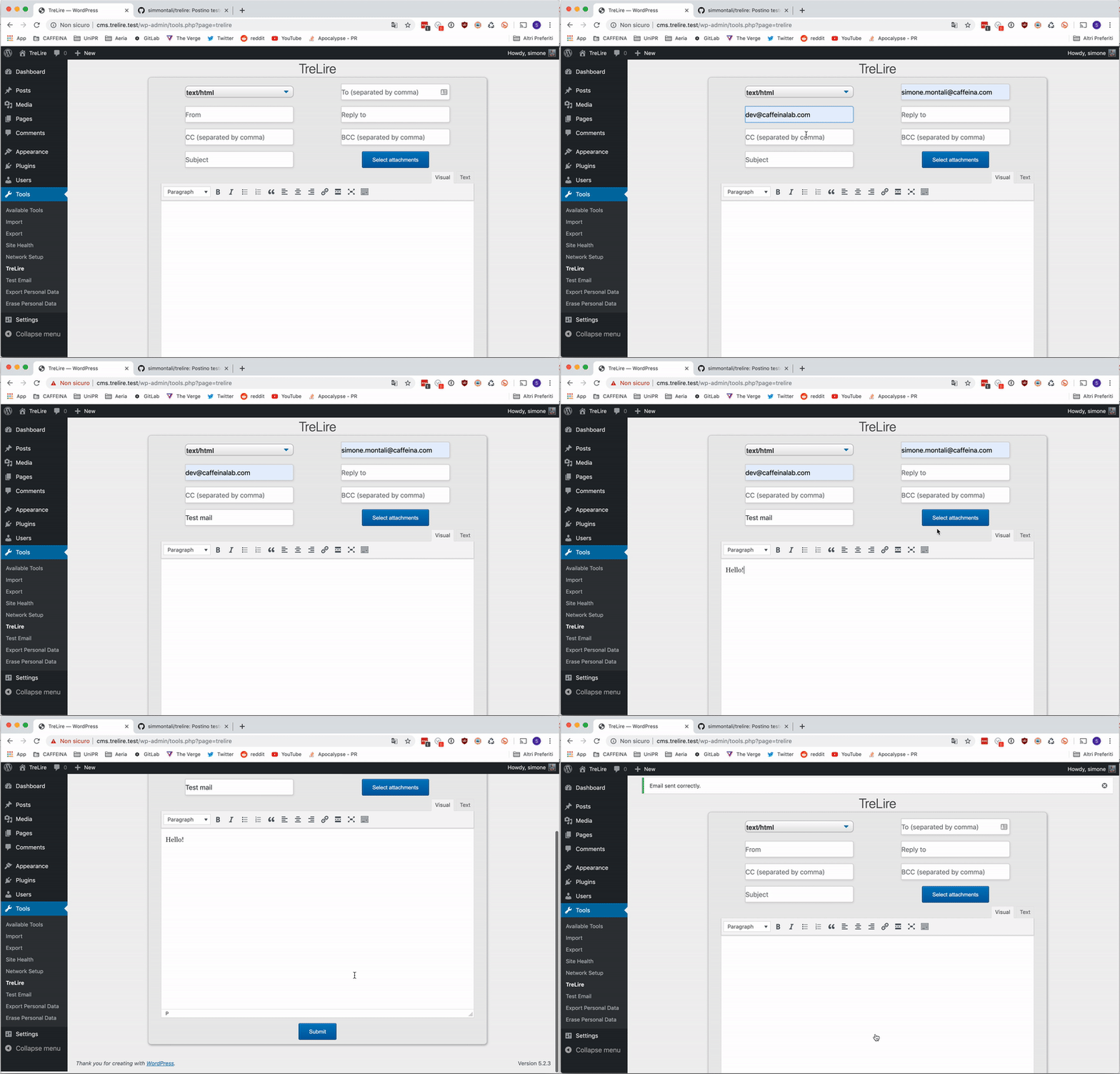
TreLire is a wp_mail tester plugin. Want to be sure WordPress is able to send what it needs, when it needs it? You're a plugin away from that.
How it works
TreLire adds a page to the WordPress' tools, and makes you able to send emails from there. You can personalize your email as you want, by adding
- Content Type
- Multiple recipients
- Sender
- Reply-to
- CC
- BCC
- Subject
- Attachments, using WP's media uploader.
- HTML body
Getting Started
You can just clone this repository inside your wp-content/plugins folder, or download the installable zip and install it via the WordPress dashboard.
Updates
Right now, you have to manually update the plugin by checking this GitHub repo.
Usage
To use TreLire, just install it to your WordPress website and click on the Tools menu. You can now send emails and test your WordPress website. Need to use SMTP instead of your provider's mail? Check Postino!
Contributing
Contributions are what make the open source community such an amazing place to be learn, inspire, and create. Any contributions you make are greatly appreciated.
- Fork the Project
- Create your Feature Branch (
git checkout -b feature/AmazingFeature) - Commit your Changes (
git commit -m 'Add some AmazingFeature') - Push to the Branch (
git push origin feature/AmazingFeature) - Open a Pull Request
License
Copyright and license
Copyright 2014-2019 Caffeina SpA under the MIT license.
Icon made by Freepik from www.flaticon.comContributions
Simone Montali started the project during his time @Caffeina
Project Link: https://github.com/caffeinalab/trelire
Releases
2 releases. Each count is every asset in that release; expand a row for the breakdown.
Active-site estimate ≈10 comes from the median of recent superseded releases. Method.