Smart Loginizer
A comprehensive WordPress plugin that provides Elementor widgets for user authentication and account management with advanced security features, OAuth social login integration, and WooCommerce compatibility.
Install
Upload it under Plugins → Add New Plugin → Upload Plugin, then activate.
Install straight from GitHub with WP-CLI:
wp plugin install https://github.com/buildbycj/smart-loginizer-free/releases/download/v1.0.1/smart-loginizer.zip
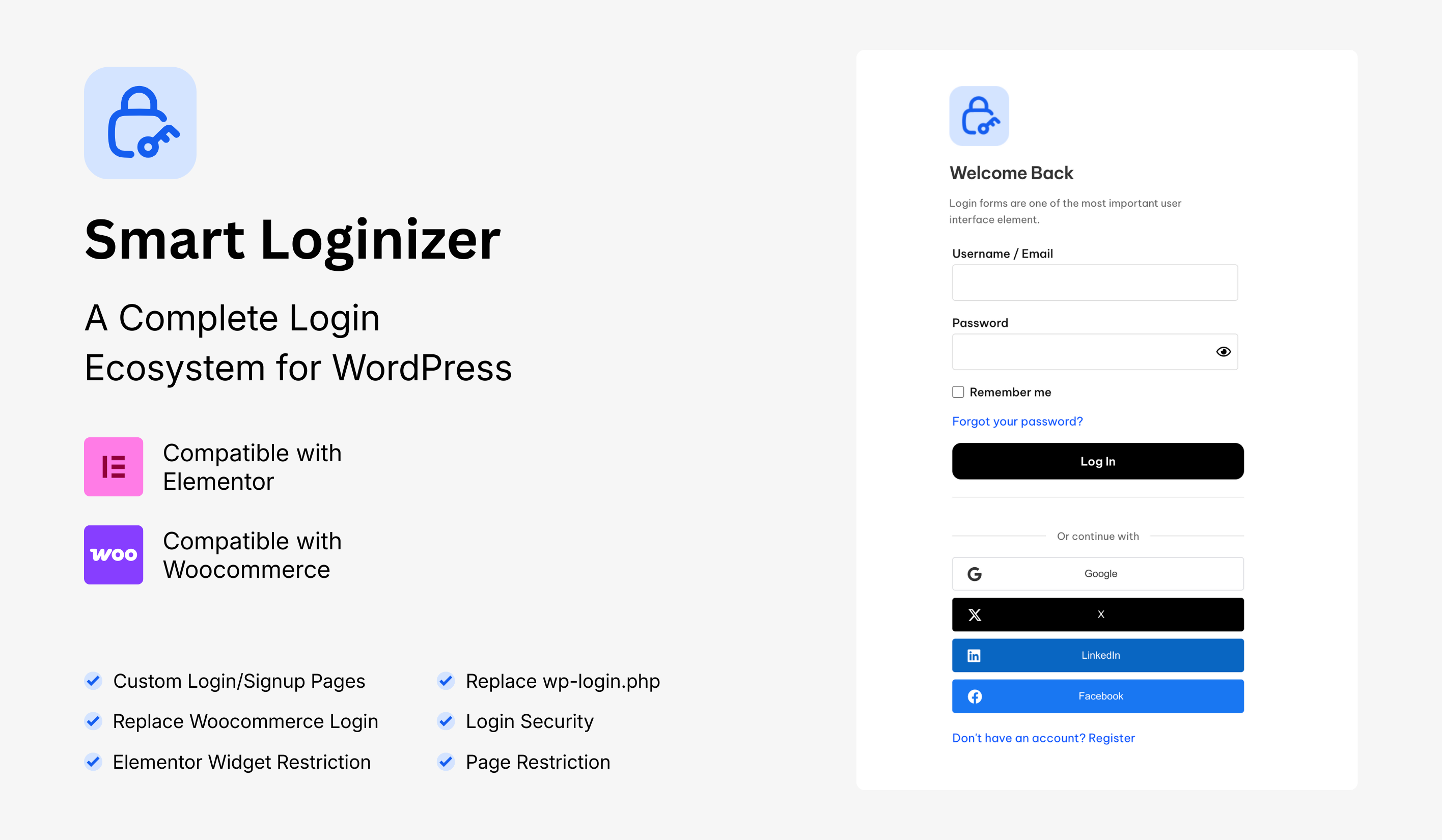
Smart Loginizer
A comprehensive WordPress plugin that provides Elementor widgets for user authentication and account management with advanced security features, OAuth social login integration, and WooCommerce compatibility.
📋 Table of Contents
- Features
- Pro Version
- Requirements
- Installation
- Screenshots
- Configuration
- Widgets
- OAuth Setup
- Security Features
- WooCommerce Integration
- Developer Documentation
- Changelog
- Support
✨ Features
This README describes the full capability of Smart Loginizer (free + Pro).
Features marked (Pro) require the Smart Loginizer Pro add‑on. See the Free vs Pro section below for a summary.
🎨 Elementor Widgets (Free + Pro)
Smart Loginizer provides powerful Elementor widgets for building custom authentication and account management interfaces:
-
Login Form Widget (Free)
- Username/Email and password fields
- AJAX form submissions
- Custom redirect after login
- reCAPTCHA integration
- Fully customizable styling
- Typography controls
- Button style customization
- Responsive settings
-
Registration Form Widget (Free)
- Username, email, password, and confirm password fields
- Password strength meter (zxcvbn.js)
- Auto-login after registration option
- Custom redirect after registration
- reCAPTCHA integration
- Email verification support
- Customizable form styling
- Responsive design
-
Lost Password Widget (Free)
- Email input field
- Password reset functionality
- Customizable success messages
- AJAX form submission
- reCAPTCHA support
- Styling controls
-
Logout Button Widget (Free)
- Custom redirect after logout
- Customizable button text
- Icon support
- Full styling controls
- Responsive settings
-
Go Home Button Widget (Free)
- Navigate to home or custom URL
- Customizable button text
- Optional icon
- Full styling controls
-
Auth Modal Widget (Pro)
- Modal popup for authentication
- Login and registration tabs
- Customizable modal styling
- Trigger button customization
- Responsive modal design
-
Auth Form Widget (Inline) (Pro)
- Inline authentication form
- Login and registration support
- Customizable layout
- Full styling controls
🔐 Social Login Integration (OAuth)
Support for multiple OAuth providers:
-
Google OAuth
- OAuth 2.0 authentication
- User profile data retrieval
- Secure token handling
-
X (Twitter) OAuth
- Twitter API v2 support
- User authentication
- Profile data sync
-
LinkedIn OAuth
- Professional network integration
- Profile information retrieval
- Secure authentication flow
-
Facebook OAuth
- Facebook Login integration
- User profile data
- Secure authentication
🛡️ Security Features (Free + Pro)
-
reCAPTCHA Support (Free)
- reCAPTCHA v2 (Checkbox)
- reCAPTCHA v2 (Invisible)
- reCAPTCHA v3
- Configurable per form
-
Password Protection (Free)
- Wrong password attempt limits
- Account lockout after failed attempts
- Configurable lockout duration
- Password strength requirements
-
Location-Based Restrictions (Pro)
- IP geolocation support
- Country-based login restrictions
- Allow/block specific countries
- IP whitelist/blacklist
-
Registration Security (Pro)
- Registration limits per IP
- Time-based rate limiting
- Banned email domain filtering
- Custom domain blacklist/whitelist
-
General Security (Free core, enhanced in Pro)
- Nonce verification on all forms
- Input sanitization and output escaping
- SQL injection prevention
- XSS protection
- CSRF protection
- Secure redirects
🎯 User Experience Features
-
AJAX Form Submissions
- No page reload on form submission
- Real-time error handling
- Loading indicators
- Success/error messages
-
Password Strength Meter
- Visual password strength indicator
- Real-time feedback
- Strength requirements
- zxcvbn.js integration
-
Custom Redirects
- Custom redirect after login
- Custom redirect after registration
- Custom redirect after logout
- Role-based redirects
-
Custom Login Page
- Replace default WordPress login
- Custom login page URL
- Elementor template support
-
Responsive Design
- Mobile-first approach
- Tablet optimization
- Desktop layouts
- Elementor responsive controls
-
Accessibility
- WCAG 2.1 AA compliance
- Keyboard navigation support
- Screen reader compatibility
- ARIA labels and roles
- Focus management
🛒 WooCommerce Integration (Pro)
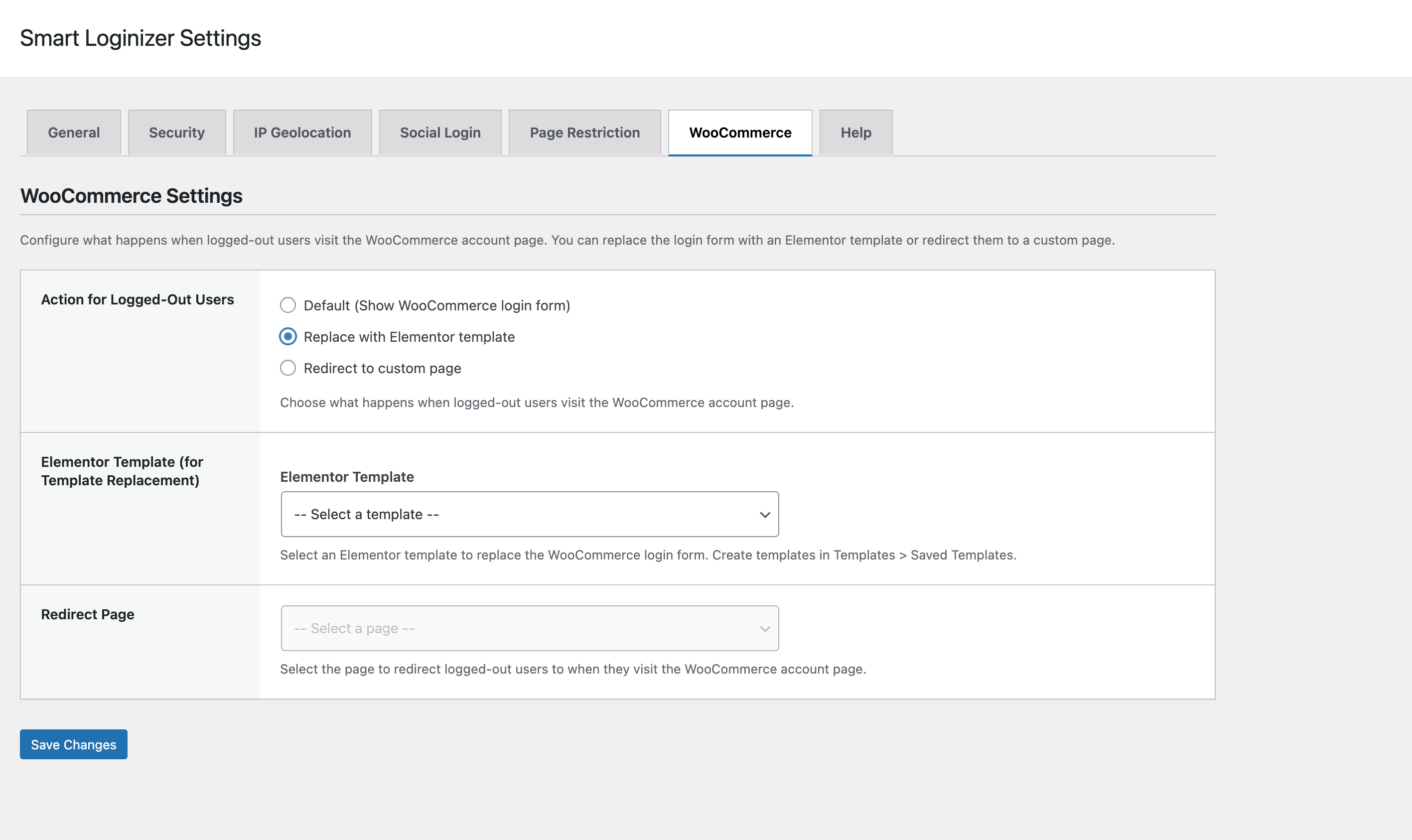
- Login Form Replacement (Pro)
- Replace WooCommerce login form
- Custom Elementor templates
- Redirect options for logged-out users
- Seamless integration
⚙️ Additional Features
-
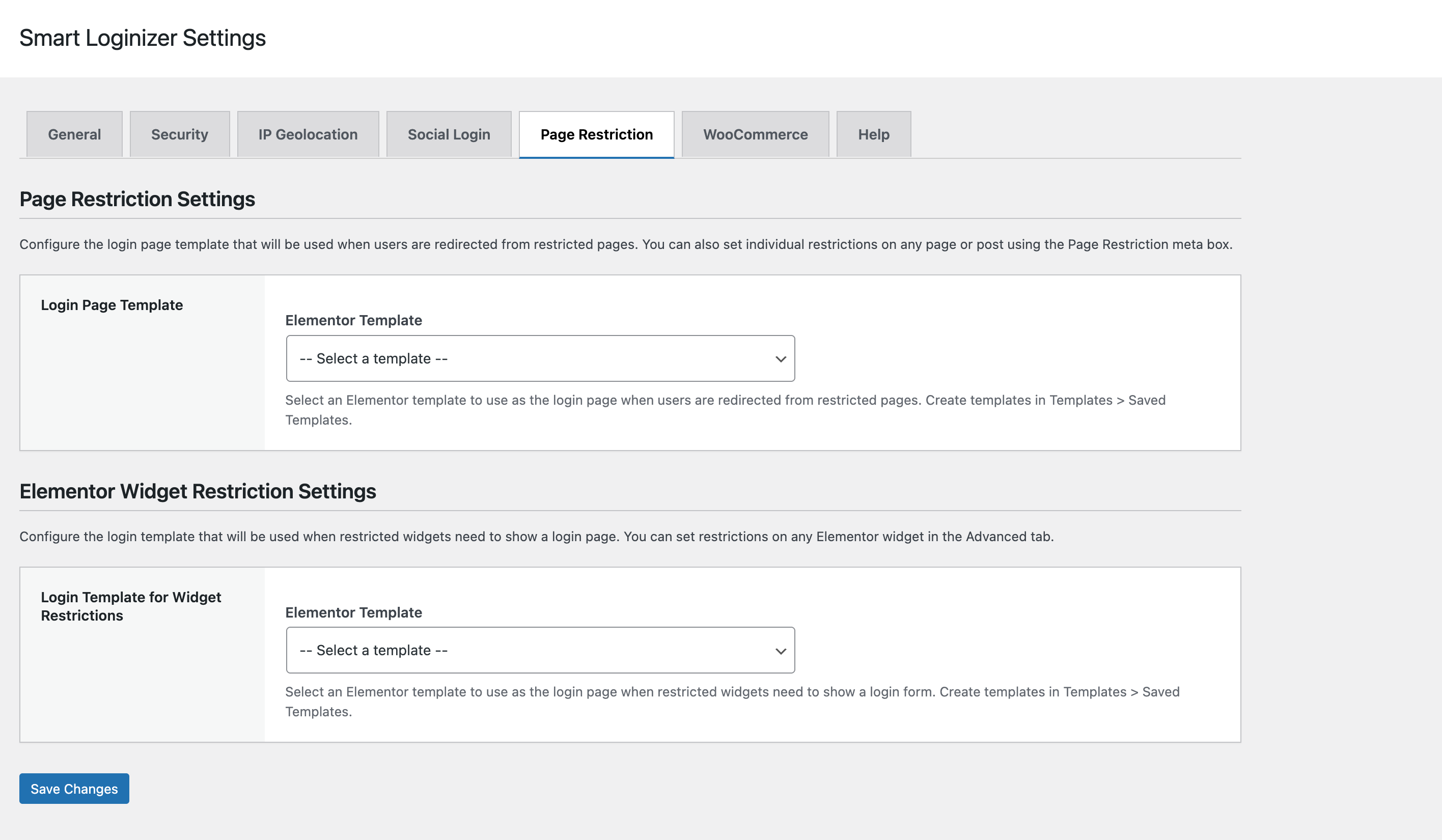
Page Restrictions (Free core, advanced options Pro)
- Restrict pages to logged-in users (Free)
- Custom redirect for unauthorized access (Free)
- Elementor template-based login pages and advanced templates (Pro)
- Advanced role- and widget-based access control (Pro)
-
Admin Settings Panel
- Comprehensive settings page
- Tabbed interface
- Help documentation
- Settings import/export
-
Multilingual Support
- Translation-ready (.pot file)
- WPML compatible
- Polylang compatible
- RTL support
-
Performance Optimized
- Conditional asset loading
- Transient caching
- Optimized database queries
- Core Web Vitals optimized
-
Developer Friendly
- PSR-4 autoloading
- Namespace-based architecture
- Hooks and filters
- Extensible widget system
🆓 Free vs 💼 Pro
Free Version (This Plugin)
- Elementor Widgets
- Login Form
- Registration Form
- Lost Password
- Logout Button
- Go Home Button
- Authentication Core
- AJAX login, registration, and lost password
- Custom redirects after login/registration/logout
- Custom Login Page (replace
wp-login.phpwith a selected page)
- reCAPTCHA
- reCAPTCHA v3
- reCAPTCHA v2 (Checkbox)
- reCAPTCHA v2 (Invisible)
- Social Login (OAuth)
- Google, X (Twitter), LinkedIn, Facebook
- Page Restriction
- “Page Restriction” meta box on posts and pages
- Restrict to logged-in, logged-out, or specific roles
- Show message / redirect to page / redirect to custom URL
- Core Security
- Nonce verification
- Input sanitization and output escaping
- Secure redirects
- General
- Multilingual-ready
- Performance-optimized asset loading
Pro Version (Add-On Plugin)
- Extra Elementor Widgets
- Auth Modal (popup login/register)
- Auth Form (Inline, extended options)
- WooCommerce Enhancements
- Replace WooCommerce login with Elementor templates
- Advanced “Action for Logged-Out Users” (redirect or template replacement)
- Elementor Widget Restriction
- Control widget visibility per login state / restriction rules
- Advanced Security
- Location-based login restrictions (country/IP)
- Registration limits (rate limiting per IP)
- Banned email domains (blacklist/whitelist)
- IP Geolocation Integration
- Provider selection and configuration
- Page Restriction Enhancements
- Global Elementor login template for restricted content
- Deeper integration with Pro widgets
Free always shows Pro options in the settings UI (marked as Pro), but only the Pro add-on unlocks saving and using those advanced features.
💼 Pro Version
If you need advanced features like Elementor widget restriction, WooCommerce login replacement, Auth Modal and Auth Form (Inline) widgets, IP geolocation, and extended security controls (location-based restrictions, registration limits, banned domains), you can upgrade to the Pro version.
- Get Smart Loginizer Pro: https://smart-loginizer.buildbycj.com/pro
📦 Requirements
- WordPress: 6.4 or higher
- PHP: 8.1 or higher
- Elementor: 4.0 or higher
- WooCommerce: 9.0 or higher (optional, for WooCommerce features)
🚀 Installation
Method 1: WordPress Admin
- Download the plugin ZIP file
- Go to Plugins → Add New → Upload Plugin
- Choose the ZIP file and click Install Now
- Click Activate Plugin
Method 2: Manual Installation
- Upload the
smart-loginizerfolder to/wp-content/plugins/ - Activate the plugin through the Plugins menu in WordPress
- Ensure Elementor is installed and activated
Post-Installation
- Go to Smart Loginizer → Settings in WordPress admin
- Configure your settings:
- General settings (reCAPTCHA, etc.)
- Social Login (OAuth providers)
- Security settings
- WooCommerce integration
- Add widgets to your pages using Elementor
📸 Screenshots
Plugin Settings Pages
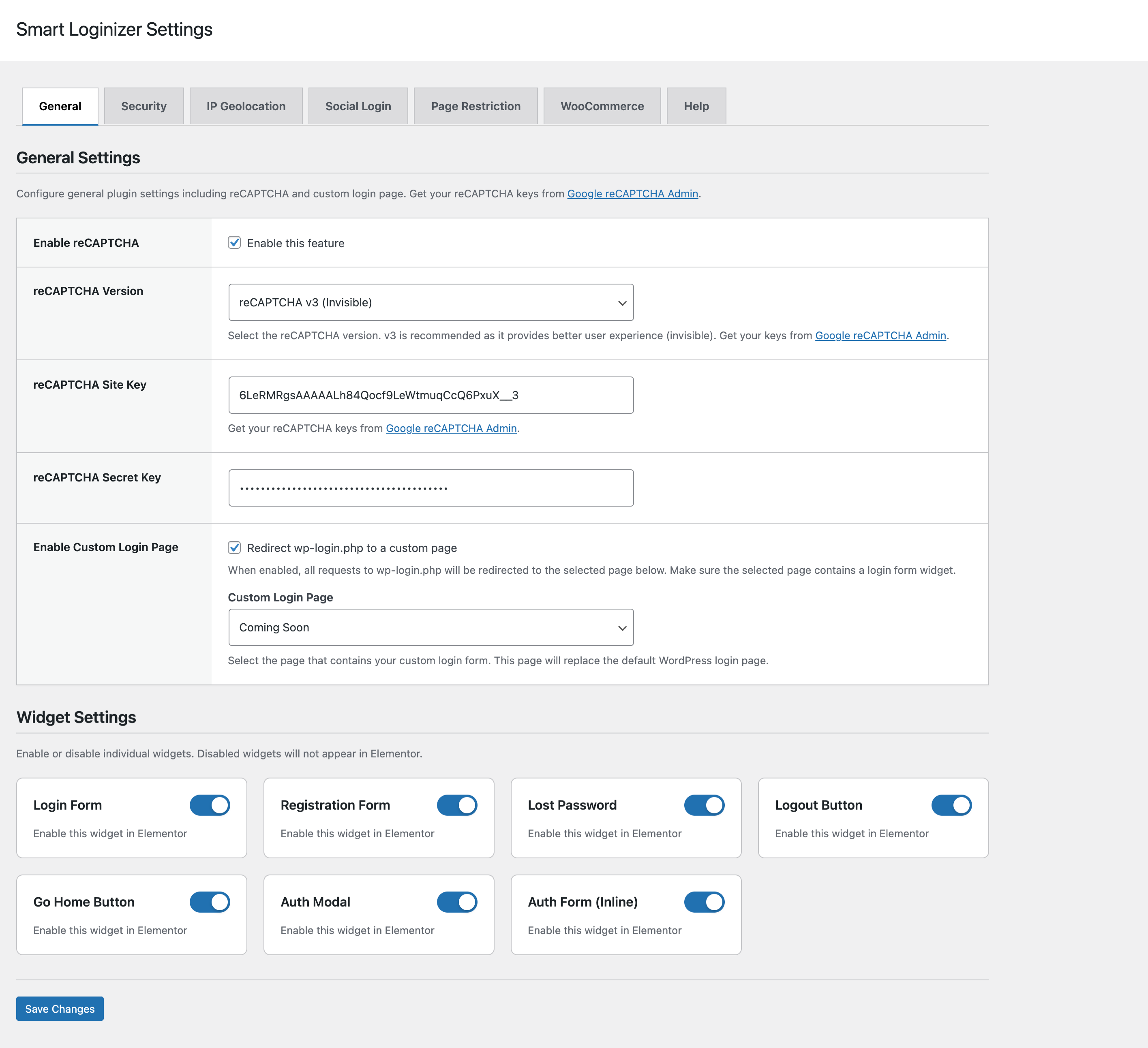
General Settings Tab
Security Settings Tab
Social Login Settings Tab
⚙️ Configuration
General Settings
-
reCAPTCHA Setup
- Visit Google reCAPTCHA Admin Console
- Create a new site (v2 or v3)
- Copy Site Key and Secret Key
- Paste in Smart Loginizer → Settings → General
-
Security Settings
- Configure password attempt limits
- Set up location restrictions
- Configure registration limits
- Add banned email domains
Widget Usage
- Edit any page with Elementor
- Look for Smart Loginizer category in the widget panel
- Drag and drop widgets to your page
- Customize using Elementor controls
- Publish your page
🔑 OAuth Setup
Google OAuth
- Go to Google Cloud Console
- Create a new project or select existing
- Enable Google+ API
- Go to Credentials → Create Credentials → OAuth 2.0 Client ID
- Add authorized redirect URI:
your-site.com/wp-admin/admin-ajax.php?action=smart_loginizer_oauth_callback&provider=google - Copy Client ID and Client Secret
- Paste in Smart Loginizer → Settings → Social Login → Google
X (Twitter) OAuth
- Go to Twitter Developer Portal
- Create a new app
- Set callback URL:
your-site.com/wp-admin/admin-ajax.php?action=smart_loginizer_oauth_callback&provider=x - Copy API Key and API Secret
- Paste in Smart Loginizer → Settings → Social Login → X (Twitter)
LinkedIn OAuth
- Go to LinkedIn Developers
- Create a new app
- Add redirect URL:
your-site.com/wp-admin/admin-ajax.php?action=smart_loginizer_oauth_callback&provider=linkedin - Copy Client ID and Client Secret
- Paste in Smart Loginizer → Settings → Social Login → LinkedIn
Facebook OAuth
- Go to Facebook Developers
- Create a new app
- Add Facebook Login product
- Set redirect URI:
your-site.com/wp-admin/admin-ajax.php?action=smart_loginizer_oauth_callback&provider=facebook - Copy App ID and App Secret
- Paste in Smart Loginizer → Settings → Social Login → Facebook
🛡️ Security Features Details
reCAPTCHA Configuration
- v2 Checkbox: User clicks checkbox to verify
- v2 Invisible: Automatic verification in background
- v3: Score-based verification (0.0 to 1.0)
Password Protection
- Configurable failed login attempt limits
- Temporary account lockout
- Email notifications for suspicious activity
- Password strength requirements
Location Restrictions
- IP geolocation using MaxMind GeoIP or similar
- Country allow/block lists
- IP whitelist/blacklist
- Custom redirect for blocked locations
Registration Security
- Rate limiting per IP address
- Time-based restrictions (e.g., 5 registrations per hour)
- Banned email domain filtering
- Custom domain lists
🛒 WooCommerce Integration Details
My Account Page
- Replace default WooCommerce My Account page
- Use Elementor templates for customization
- Custom navigation with My Account Nav Widget
- Display endpoints with My Account Content Widget
Login Form Replacement
- Replace WooCommerce login form on checkout
- Custom Elementor templates
- Maintain WooCommerce functionality
- Custom redirects for logged-out users
Endpoint Support
- Orders
- Downloads
- Addresses
- Account Details
- Payment Methods
- Custom endpoints
👨💻 Developer Documentation
Architecture
- Namespace:
SmartLoginizer\ - Autoloading: PSR-4 via Composer
- Structure: Modular classes (Core, Admin, Frontend, Widgets, Security, Helpers)
Hooks and Filters
Actions
smart_loginizer_before_login_formsmart_loginizer_after_login_formsmart_loginizer_before_registration_formsmart_loginizer_after_registration_formsmart_loginizer_oauth_before_callbacksmart_loginizer_oauth_after_callback
Filters
smart_loginizer_login_redirect_urlsmart_loginizer_registration_redirect_urlsmart_loginizer_logout_redirect_urlsmart_loginizer_recaptcha_site_keysmart_loginizer_recaptcha_secret_keysmart_loginizer_allowed_countriessmart_loginizer_banned_domains
Widget Development
All widgets extend \Elementor\Widget_Base and are located in src/Widgets/. Each widget includes:
- Elementor Controls API
- Responsive settings
- WCAG accessibility compliance
- Output escaping
- Nonce verification
Code Standards
- PHP: 8.1+ with type hints
- WordPress: Coding standards compliant
- PSR: PSR-12 formatting
- Security: All inputs sanitized, outputs escaped
- Performance: Conditional loading, caching
📝 Changelog
Version 1.0.1
- Bug fixes and improvements
- Enhanced security and performance optimizations
- Code quality improvements
- Updated documentation
Version 1.0.0
- Initial release
- 9 Elementor widgets
- Social login integration (Google, X/Twitter, LinkedIn, Facebook)
- reCAPTCHA v2 (Checkbox & Invisible) and v3 support
- Advanced security features
- IP geolocation support
- WooCommerce integration
- AJAX form submissions
- Password strength meter
- Custom login page support
- Fully customizable with Elementor
- WordPress.org 2025 standards compliant
🆘 Support
For support, feature requests, or bug reports:
- Documentation: Check the Help tab in plugin settings
- Issues: Report via GitHub Issues (if repository is public)
- Email: Contact the plugin author
📄 License
This plugin is licensed under the GPLv2 or later.
Copyright (C) 2025 Chiranjit Hazarika

This program is free software; you can redistribute it and/or modify
it under the terms of the GNU General Public License as published by
the Free Software Foundation; either version 2 of the License, or
(at your option) any later version.

This program is distributed in the hope that it will be useful,
but WITHOUT ANY WARRANTY; without even the implied warranty of
MERCHANTABILITY or FITNESS FOR A PARTICULAR PURPOSE.  See the
GNU General Public License for more details.
🙏 Credits
- Built with Elementor
- OAuth integration using standard OAuth 2.0 protocols
- reCAPTCHA by Google
- Password strength using zxcvbn.js
Smart Loginizer - Powerful authentication and account management for WordPress with Elementor.
Releases
1 release. Each count is every asset in that release; expand a row for the breakdown.