Install
This is the repository archive. It installs, but the folder name will carry the branch suffix and updates will not flow.
Install straight from GitHub with WP-CLI:
wp plugin install https://github.com/brugman/find-junk-html/archive/refs/heads/develop.zipNo built-in updater. New versions won't appear under Dashboard → Updates. Install new releases yourself, or let Git Updater track the repository.
A WordPress plugin to find undesired HTML in your posts.
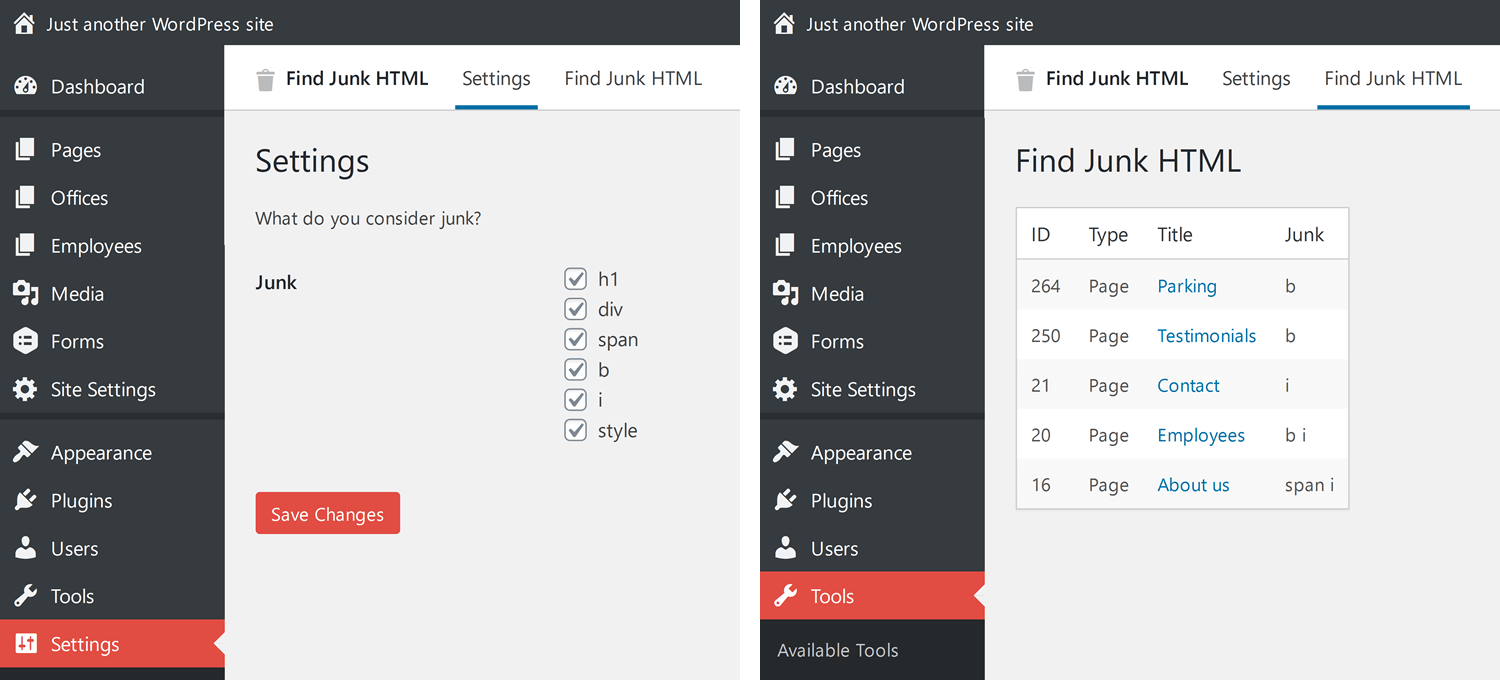
Installation
- Download the ZIP.
- Extract the folder to
/wp-content/plugins/.
or
cd /wp-content/plugins/
git clone https://github.com/Brugman/find-junk-html.git
Update
- Download the new ZIP.
- Replace the old folder in
/wp-content/plugins/.
or
cd /wp-content/plugins/find-junk-html/
git pull
Optional configuration
Add custom types of junk
The code field will be searched for. The tag field is the key used when saving settings, and for display. The desc is displayed on hover, to explain why this tag can be junk.
add_filter( 'fjh_needles', function ( $needles ) {

    $custom_needles = [
        [
            'code' => '<h2',
            'tag'  => 'h2',
            'desc' => 'The reason for why this can be junk.', // optional
        ],
        [
            'code' => '<h3',
            'tag'  => 'h3',
            'desc' => 'The reason for why this can be junk.', // optional
        ],
    ];

    return array_merge( $needles, $custom_needles );
});
Contributing
Found a bug? Anything you would like to ask, add or change? Please open an issue so we can talk about it.
Pull requests are welcome. Please try to match the current code formatting.