Install
This is the repository archive. It installs, but the folder name will carry the branch suffix and updates will not flow.
Install straight from GitHub with WP-CLI:
wp plugin install https://github.com/bronsonquick/sennza-maintenance-helper/archive/refs/heads/master.zipNo built-in updater. New versions won't appear under Dashboard → Updates. Install new releases yourself, or let Git Updater track the repository.
Sennza Maintenance Helper For Mailchimp
Once a month at Sennza we send out maintenance emails to clients in Mailchimp that inform our clients of the core and plugin updates we have completed on their websites as part of their maintenance plan.
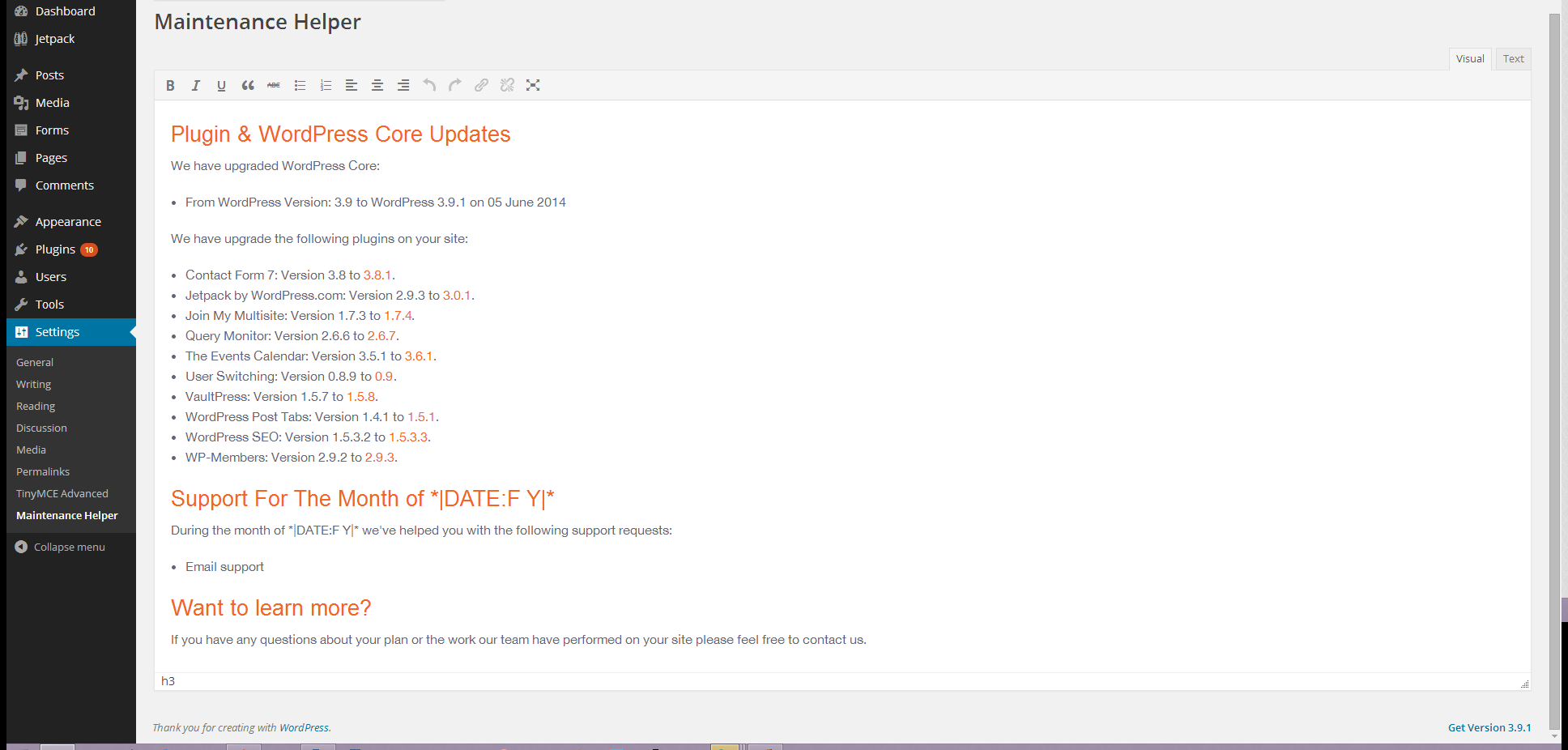
Altering the markup that is generated on the WordPress Updates screen was time consuming so we've created this plugin to generate the markup for us so we can paste it straight into MailChimp.
Installing
- Down the zip from Github.
- Upload the zip.
- Activate the plugin and browse to Settings->Maintenance Helper.
- For plugin updates from Github we recommend you install the following plugin: https://github.com/afragen/github-updater
Usage for Maintenance
- Create a staging site
- Upgrade core, plugins and themes.
- Test the major features of the site to ensure that the plugins were update successfully and nothing was broken.
- If the updates were successful then install and activate this plugin on the live site.
- Browse to Settings->Maintenance Helper.
- Copy and paste the HTML into MailChimp.
- Backup the main site.
- Upgrade the site.
- Send the Mailchimp Maintenance to the clients.
- Rejoice.
Screenshot