Install
This is the repository archive. It installs, but the folder name will carry the branch suffix and updates will not flow.
Install straight from GitHub with WP-CLI:
wp plugin install https://github.com/brianhenryie/bh-wp-kbs-omniform/archive/refs/heads/master.zipAllows using OmniFrom as a form builder for KB Support WordPress ticketing system.
Install
composer install;
# wp plugin install https://omniform.io/wp-content/uploads/2023/06/omniform.zip;
composer create-plugin-archive
Use
Create a new OmniForm at wp-admin/post-new.php?post_type=omniform.
Add:
- Text, title "Name", name "post_title"
- Email, title "Email", name "user_email"
- Select, title "Please choose a topic", name "post_category", add some entries, e.g. damage, postage.
- Textarea, title "How can we improve", name "post_content"
- Checkbox, title "I agree to the privacy policy", name "privacy_accepted"
- Submit, title "Submit"
It's not always obvious where the name is set:
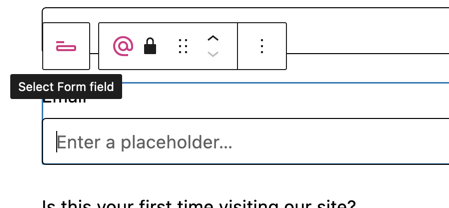
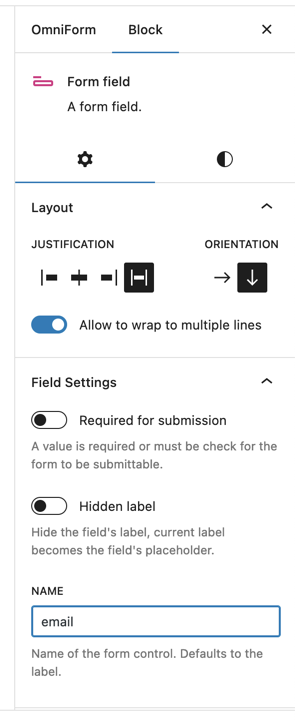
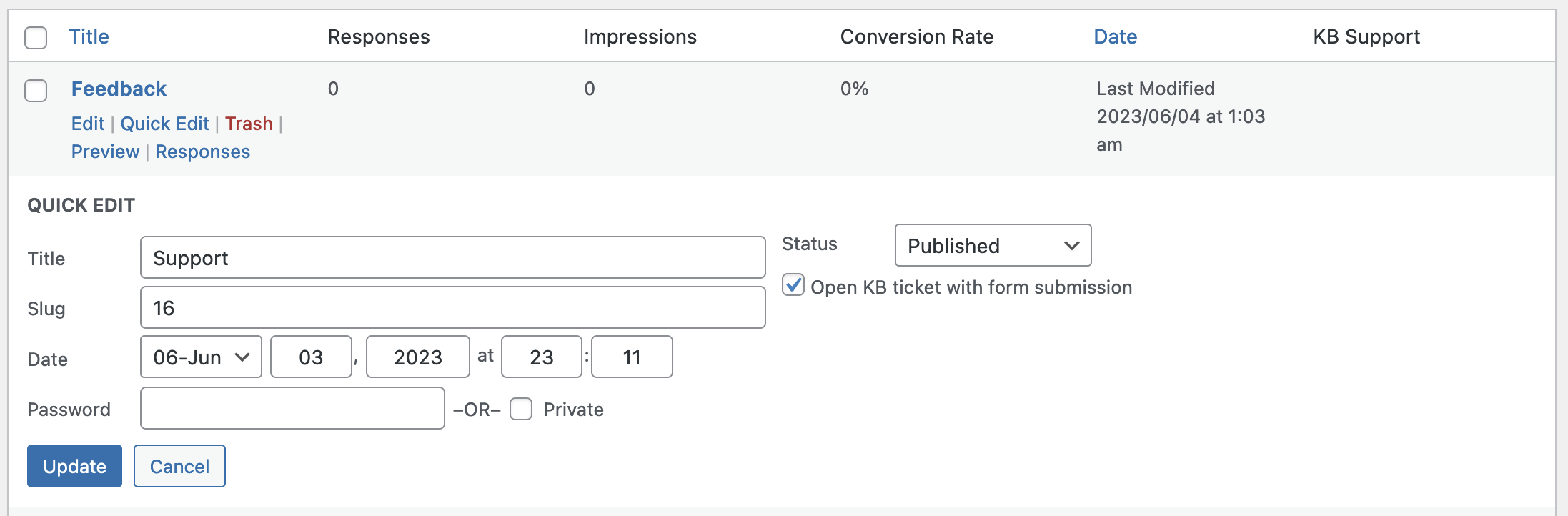
Visit the All Forms list at wp-admin/edit.php?post_type=omniform.
Quick-edit the new form and select "Open KB ticket with form submission", update. Ideally this would be in the block editor.
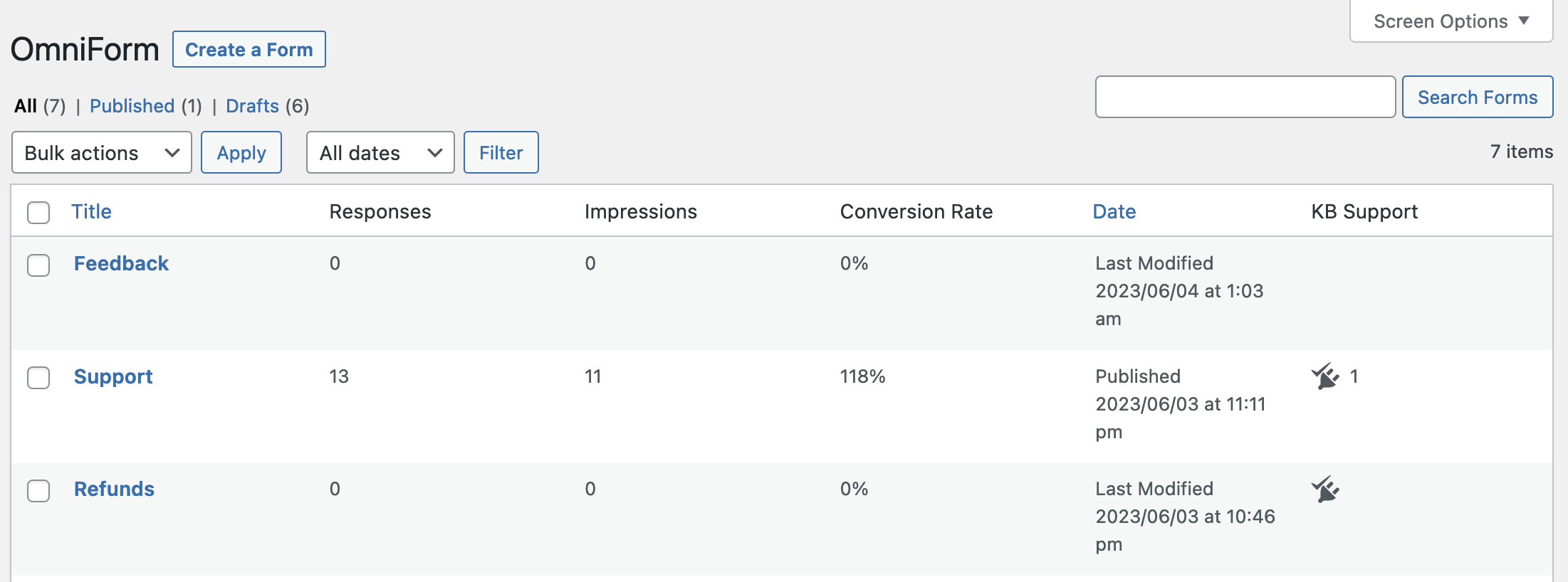
An additional column, hidden by default, will indicate which forms open tickets, and the submission count.
Visit your website and submit a ticket!
See your responses at wp-admin/edit.php?post_type=omniform_response.
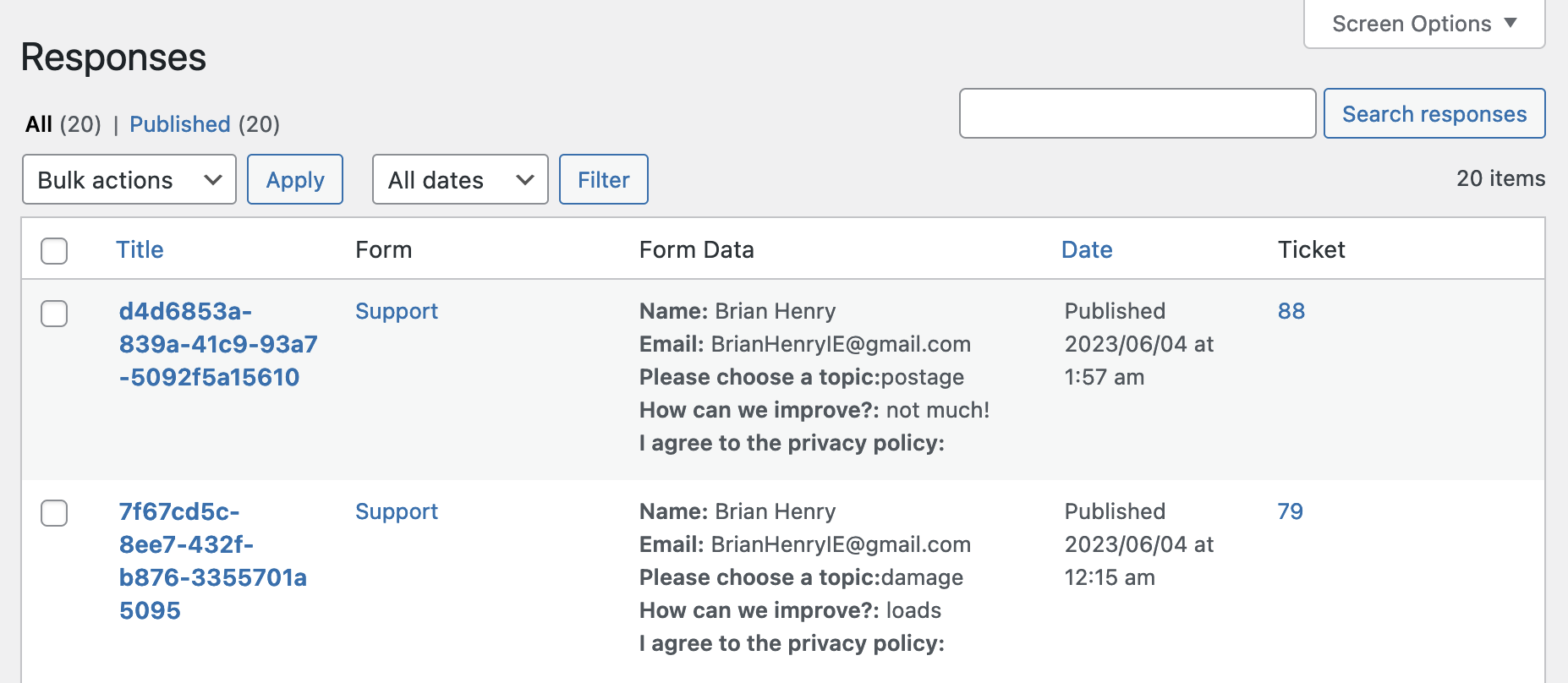
Open KB Tickets at wp-admin/edit.php?post_type=kbs_ticket.
NB: tickets are not visible to admins by default:
Administrators are Agents? If enabled, users with the Administrator role will also be Support Agents.
Visit wp-admin/edit.php?post_type=kbs_ticket&page=kbs-settings&tab=tickets§ion=agents to fix.
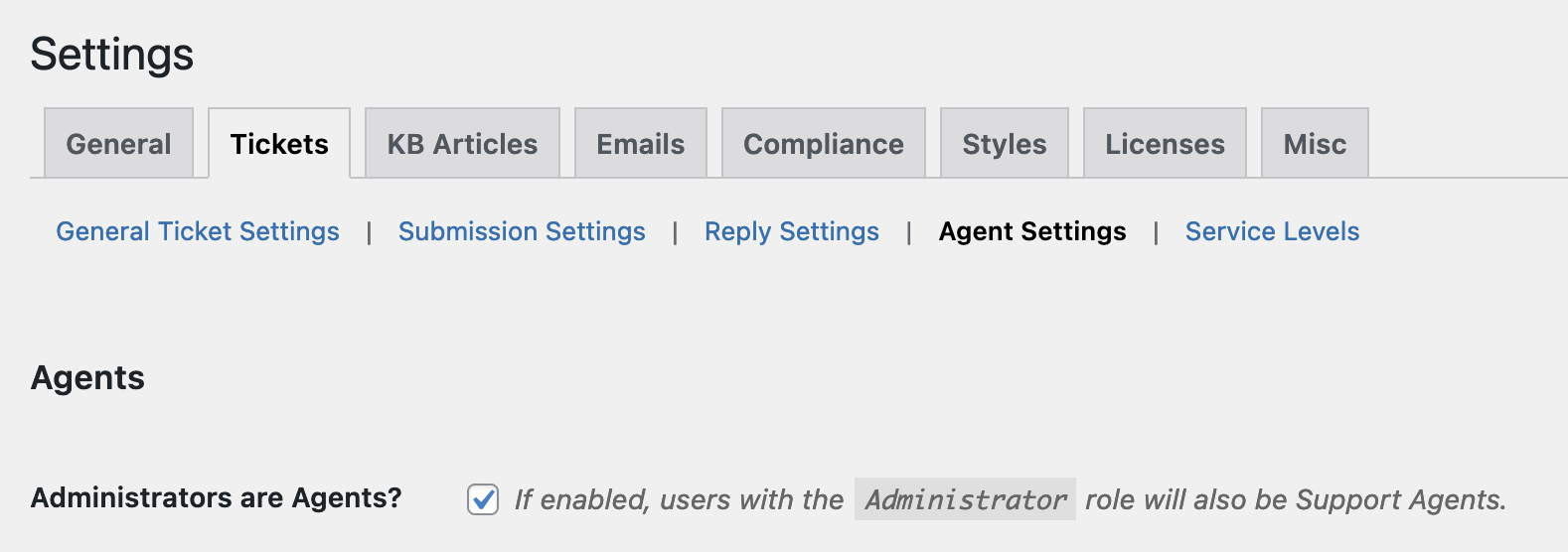
Then view the tickets:
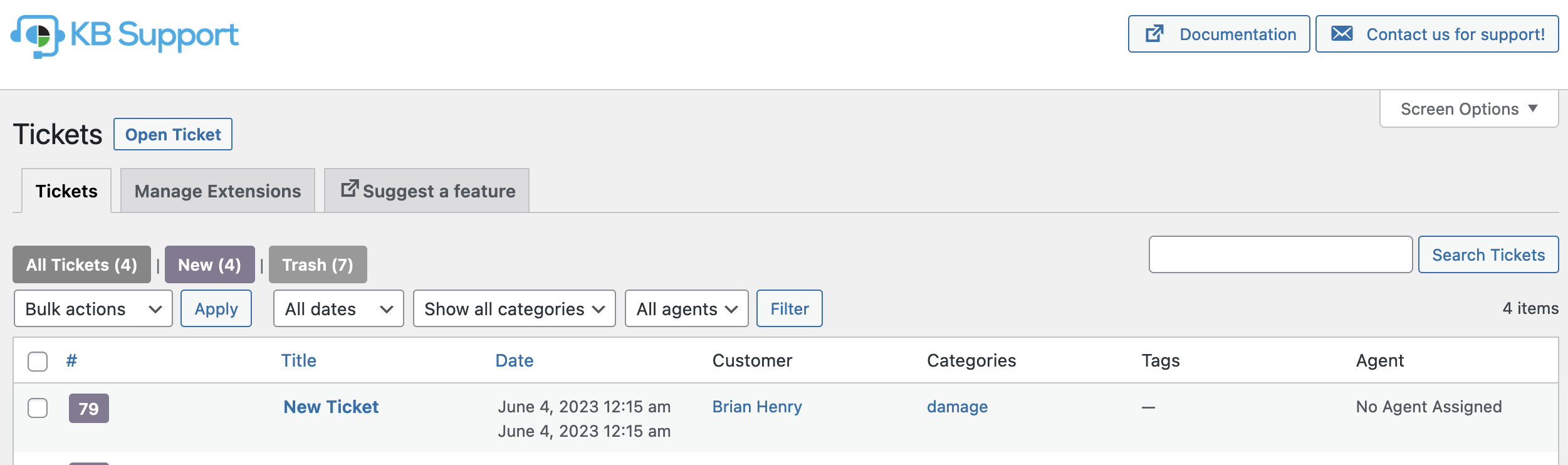
Operation
The kbs_add_ticket() interface is:
/**
 * Adds a new ticket.
 *
 * @param   array{
 *              post_title: string,
 *              post_content: string,
 *              user_email: string,
 *              post_category?: int|array<int>, // Strings in omniform are converted/inserted as kb support ticket_category.
 *              status?: string,                // Default "new".
 *              participants?: array<string>,   // Defaults to the user email.
 *              submission_origin?: string,     // "URL of submission form". Autofilled from OmniForm `_wp_http_referer`.
 *              source?: string,                // "website", "email" etc. Defaults to "omniform_{$id}".
 *              user_info: array{id?:int,first_name?:string,email?:string,last_name?:string},
 *              department?: int,
 *              agent_id?: int,
 *              attachments?: array|mixed,      // Uses `media_handle_upload()` to attach files.
 *              privacy_accepted: false|string, // Date string. Autofilled from form submission date if checked.
 *              terms_agreed: false|string,
 *              post_date?: string
 *              form_data?: array,              // All the form data is duplicated here.
 *      } $ticket_data  Ticket data.
 * @return  int|false   Ticket ID on success, false on failure.
 */
function kbs_add_ticket( $ticket_data ) {
In your form, name your form elements to match the kb_support array parameters.
The source is automatically set to omniform_{$id} and submission_origin is set to the URL the form was submitted from (as determined by OmniForm and set to _wp_http_referer on the response).
The ids for ticket categories are queried and if the category does not exist, it is created.
Checkboxes for privacy_accepted and terms_accepted use the OmniForm respone post's time.
All data is saved to the ticket's form_data.
To further modify the data as it is inserted:
add_filter( 'kbs_add_ticket_data', function( array $ticket_data ) {

    // Modify!

    return $ticket_data;
});
More Information
See github.com/BrianHenryIE/WordPress-Plugin-Boilerplate for initial setup rationale.