IP Address Condition for WooCSP WP Registry grade C-. High-severity findings · 1 findingWP RegistryHigh-severity findings · 1 findingOpen the reportC-
Use customer IP address as input for WooCommerce Conditional Shipping and Payments
Install
Upload it under Plugins → Add New Plugin → Upload Plugin, then activate.
Install straight from GitHub with WP-CLI:
wp plugin install https://github.com/brianhenryie/bh-wc-csp-condition-ip-address/releases/download/1.2.1/bh-wc-csp-condition-ip-address.1.2.1.zipIP Address Condition for WooCommerce Conditional Shipping and Payments
WooCommerce Conditional Shipping and Payments
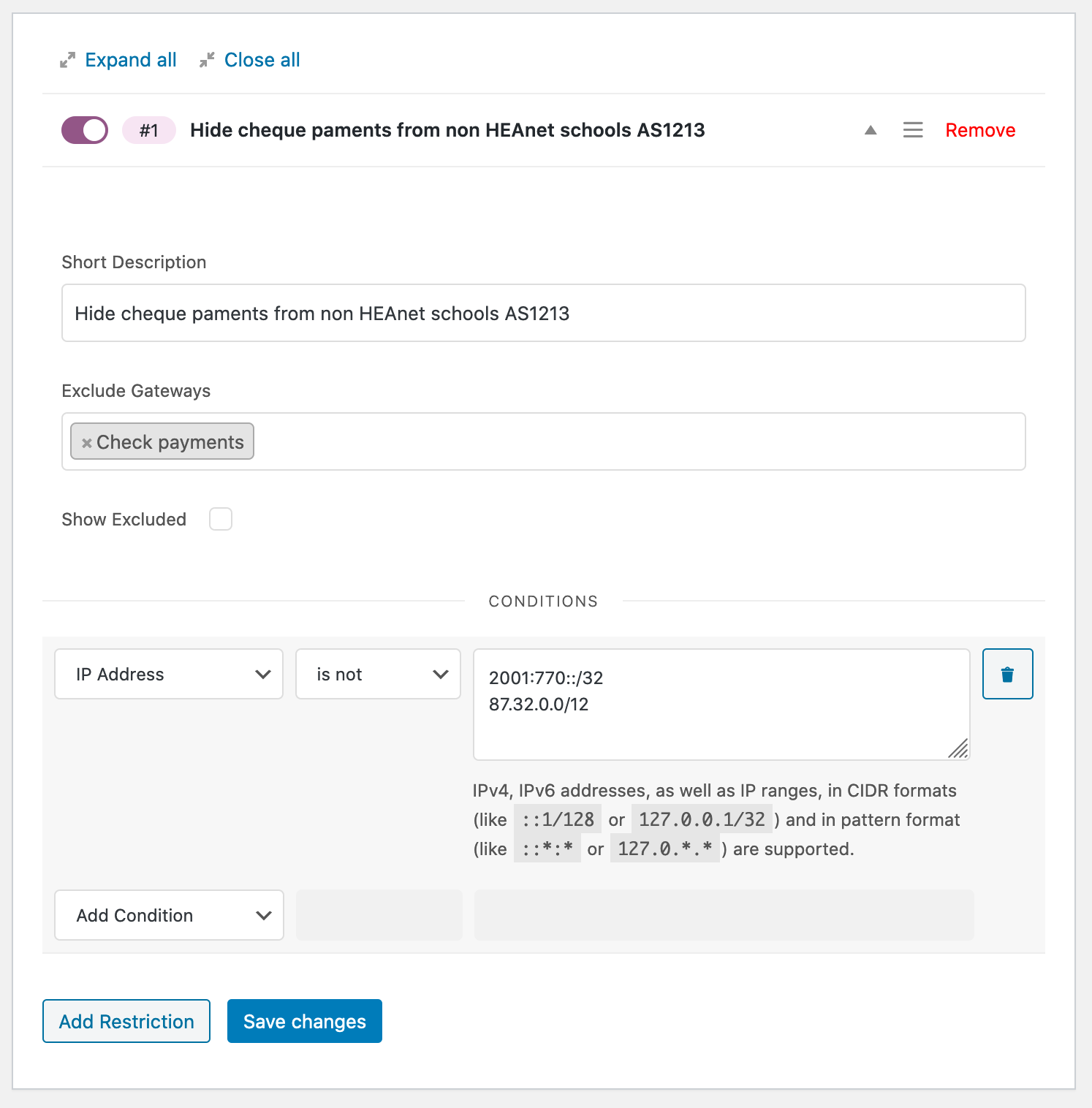
e.g. only show cheque payment option to schools in Ireland:
Development
Clone this repo, open PhpStorm, then run composer install to install the dependencies.
git clone https://github.com/brianhenryie/bh-wc-csp-condition-ip-address.git;
cd bh-wc-csp-condition-ip-address;
open -a PhpStorm ./;
composer install;
For integration and acceptance tests, a local webserver must be running with localhost:8080/bh-wc-csp-condition-ip-address/ pointing at the root of the repo. MySQL must also be running locally – with two databases set up with:
mysql_username="root"
mysql_password="secret"

# export PATH=${PATH}:/usr/local/mysql/bin

# Make .env available
# To bash:
# export $(grep -v '^#' .env.testing | xargs)
# To zsh:
# source .env.testing

# Create the database user:
# MySQL
# mysql -u $mysql_username -p$mysql_password -e "CREATE USER '"$TEST_DB_USER"'@'%' IDENTIFIED WITH mysql_native_password BY '"$TEST_DB_PASSWORD"';";
# or MariaDB
# mysql -u $mysql_username -p$mysql_password -e "CREATE USER '"$TEST_DB_USER"'@'%' IDENTIFIED BY '"$TEST_DB_PASSWORD"';";

# Create the databases:
mysql -u $mysql_username -p$mysql_password -e "CREATE DATABASE "$TEST_SITE_DB_NAME"; USE "$TEST_SITE_DB_NAME"; GRANT ALL PRIVILEGES ON "$TEST_SITE_DB_NAME".* TO '"$TEST_DB_USER"'@'%';";
mysql -u $mysql_username -p$mysql_password -e "CREATE DATABASE "$TEST_DB_NAME"; USE "$TEST_DB_NAME"; GRANT ALL PRIVILEGES ON "$TEST_DB_NAME".* TO '"$TEST_DB_USER"'@'%';";

# Import the acceptance database:
mysql -u $mysql_username -p$mysql_password $TEST_SITE_DB_NAME < tests/_data/dump.sql
WordPress Coding Standards
See documentation on WordPress.org and GitHub.com.
Correct errors where possible and list the remaining with:
vendor/bin/phpcbf; vendor/bin/phpcsTests
Tests use the Codeception add-on WP-Browser and include vanilla PHPUnit tests with WP_Mock.
Run tests with:
vendor/bin/codecept run unit;
vendor/bin/codecept run wpunit;
vendor/bin/codecept run integration;
vendor/bin/codecept run acceptance;
Show code coverage (unit+wpunit):
XDEBUG_MODE=coverage composer run-script coverage-tests Static analysis:
vendor/bin/phpstan analyse --memory-limit 1GTo save changes made to the acceptance database:
export $(grep -v '^#' .env.testing | xargs)
mysqldump -u $TEST_SITE_DB_USER -p$TEST_SITE_DB_PASSWORD $TEST_SITE_DB_NAME > tests/_data/dump.sql
To clear Codeception cache after moving/removing test files:
vendor/bin/codecept cleanReleases
2 releases. Each count is every asset in that release; expand a row for the breakdown.
Active-site estimate ≈10 comes from the median of recent superseded releases. Method.