Install
This is the repository archive. It installs, but the folder name will carry the branch suffix and updates will not flow.
Install straight from GitHub with WP-CLI:
wp plugin install https://github.com/bradvin/block-editor-mode-indicator/archive/refs/heads/main.zipShows a red/green status light in the WordPress admin bar that indicates whether the block editor is running in the iFrame (green) or legacy (red) mode.
Useful when testing your plugin blocks, and you want to quickly know which version of the editor is currently in use.
What the indicator looks like
iFrame editor (green)

Legacy editor (red)

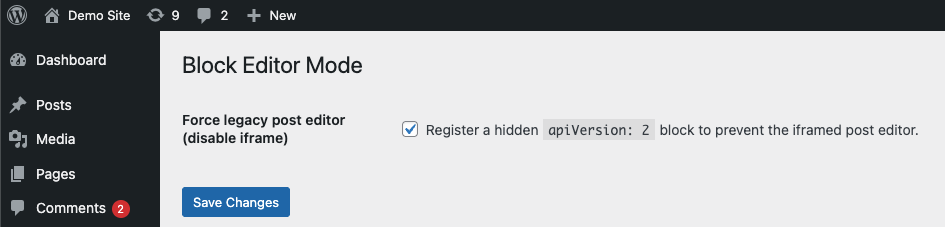
Forcing legacy mode
If needed, you can force the legacy (non-iFrame) post editor by enabling the setting that registers a hidden Block API v2 block. This makes the block editor load without the iFrame.
Releases
1 release.
These releases are tags only. The author does not attach a packaged zip, so there are no download counts to report.