Local Ad
Local Ad is a self-hosted WordPress ad manager by Creative Bay. Run image popups with scroll triggers, animations, scheduling, concurrent campaigns, rotation and page targeting, then track daily impressions, clicks and CTR. No ad network: images and stats stay on your server.
Install
Upload it under Plugins → Add New Plugin → Upload Plugin, then activate.
Install straight from GitHub with WP-CLI:
wp plugin install https://github.com/bernard-ogak/local-ad/releases/download/v1.0.3/local-ads.zip

Local Ad
A self-hosted advertisement manager for WordPress: popups, scheduling, rotation and analytics, with no third-party ad network.





Built by Bernard Ogak · Creative Bay
Local Ads lets you sell and run your own advertisements directly from the WordPress dashboard. Images are stored on your server and statistics in your database. No ad, visitor or statistics data is sent anywhere; the only outside request is a check of GitHub for new versions, so updates appear on the WordPress update screens.
Features
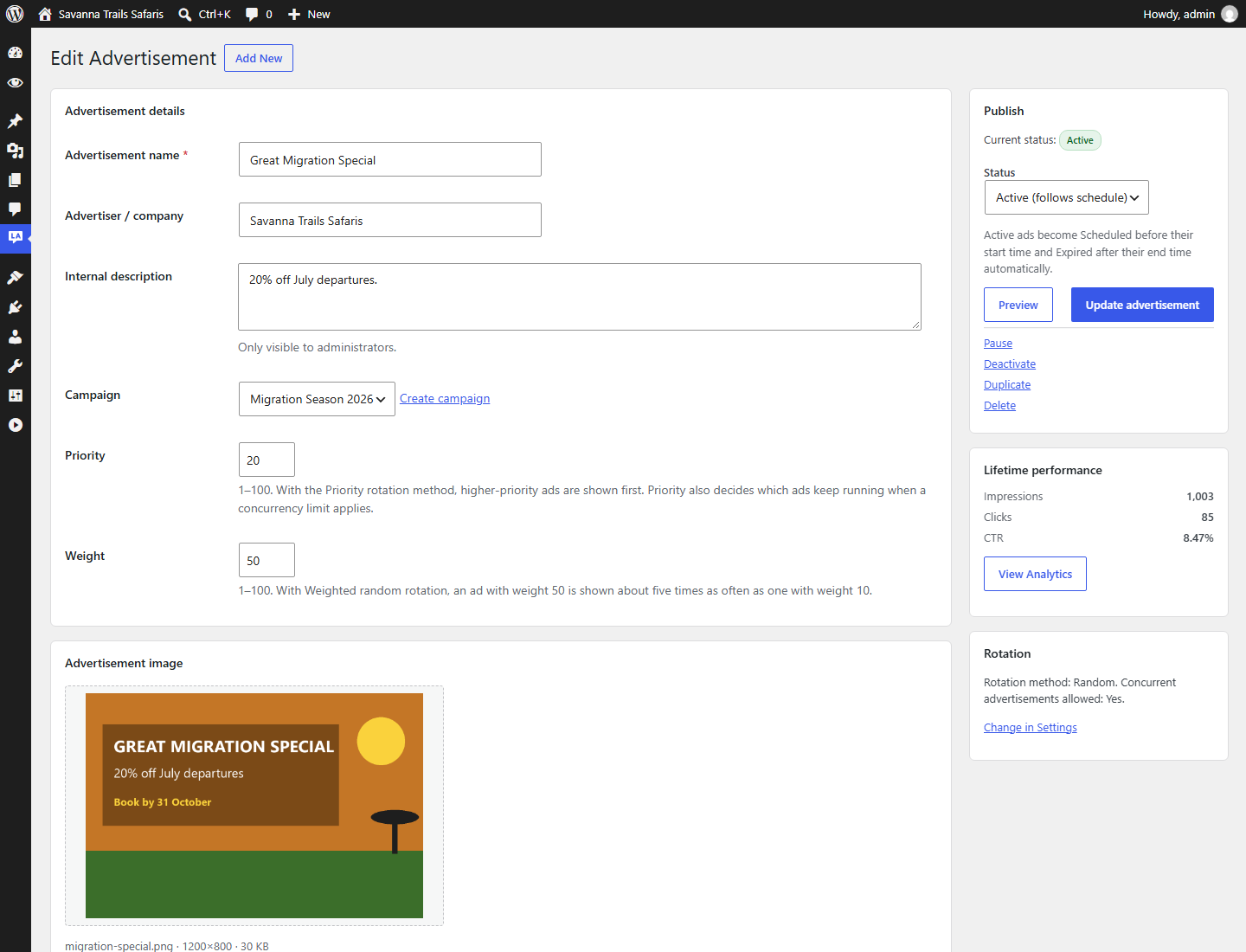
- Advertisement management: create, edit, duplicate, activate, pause, deactivate and delete; search, status filters, sorting and bulk actions.
- Local image storage: images live in
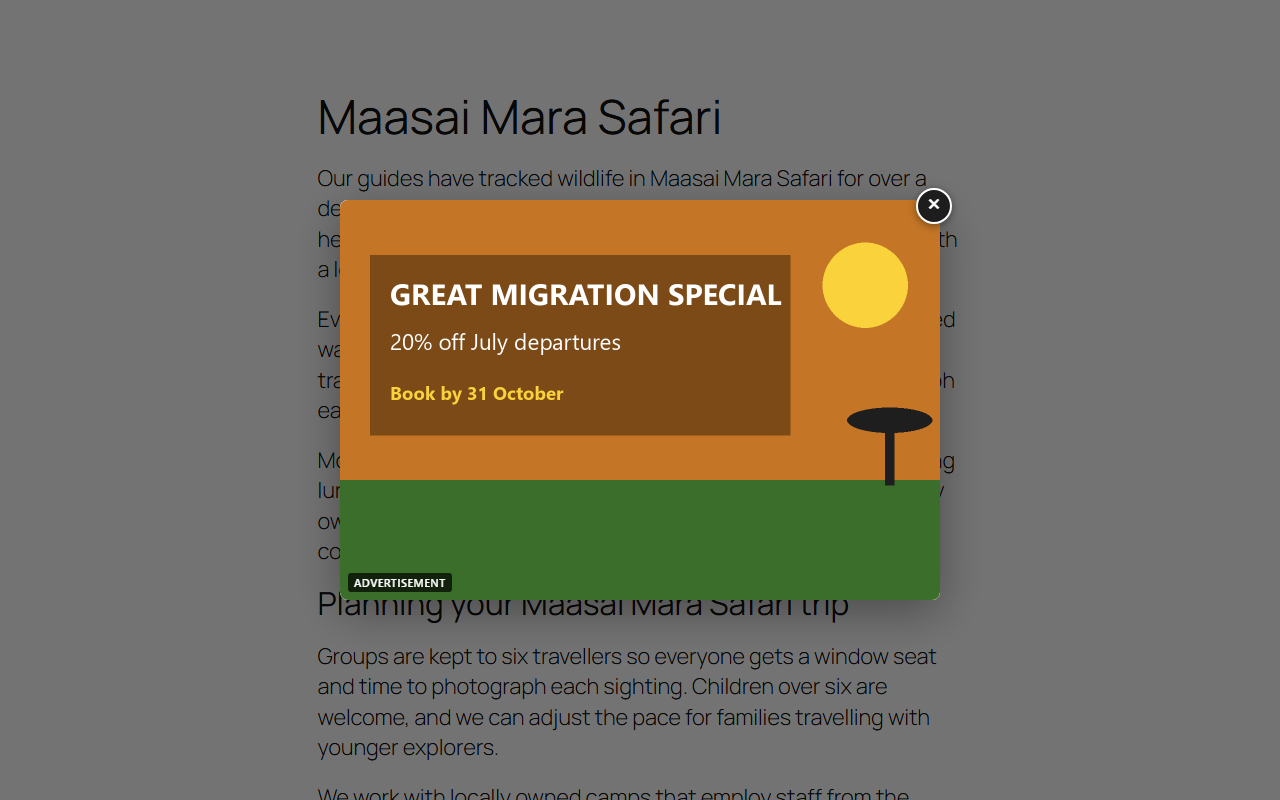
wp-content/uploads/local-ads/(configurable), separate from the Media Library, with content-based validation and script execution blocked in the folder. - Responsive popup: overlay, accessible close button, Escape to close, focus trap, optional "Advertisement" label.
- Triggers: immediately, after X seconds, when the visitor starts scrolling, after X pixels or after X% of the page.
- Animations: fade, slide (up/down/left/right), zoom, bounce and shake entrances, plus a temporary attention shake. Everything is turned off for visitors who prefer reduced motion.
- Visitor frequency: once per session, once per visit, once per day, every X hours or always, tracked per advertisement in the browser.
- Scheduling: start and end in the site timezone. Ads start and stop on time even when WP-Cron does not run.
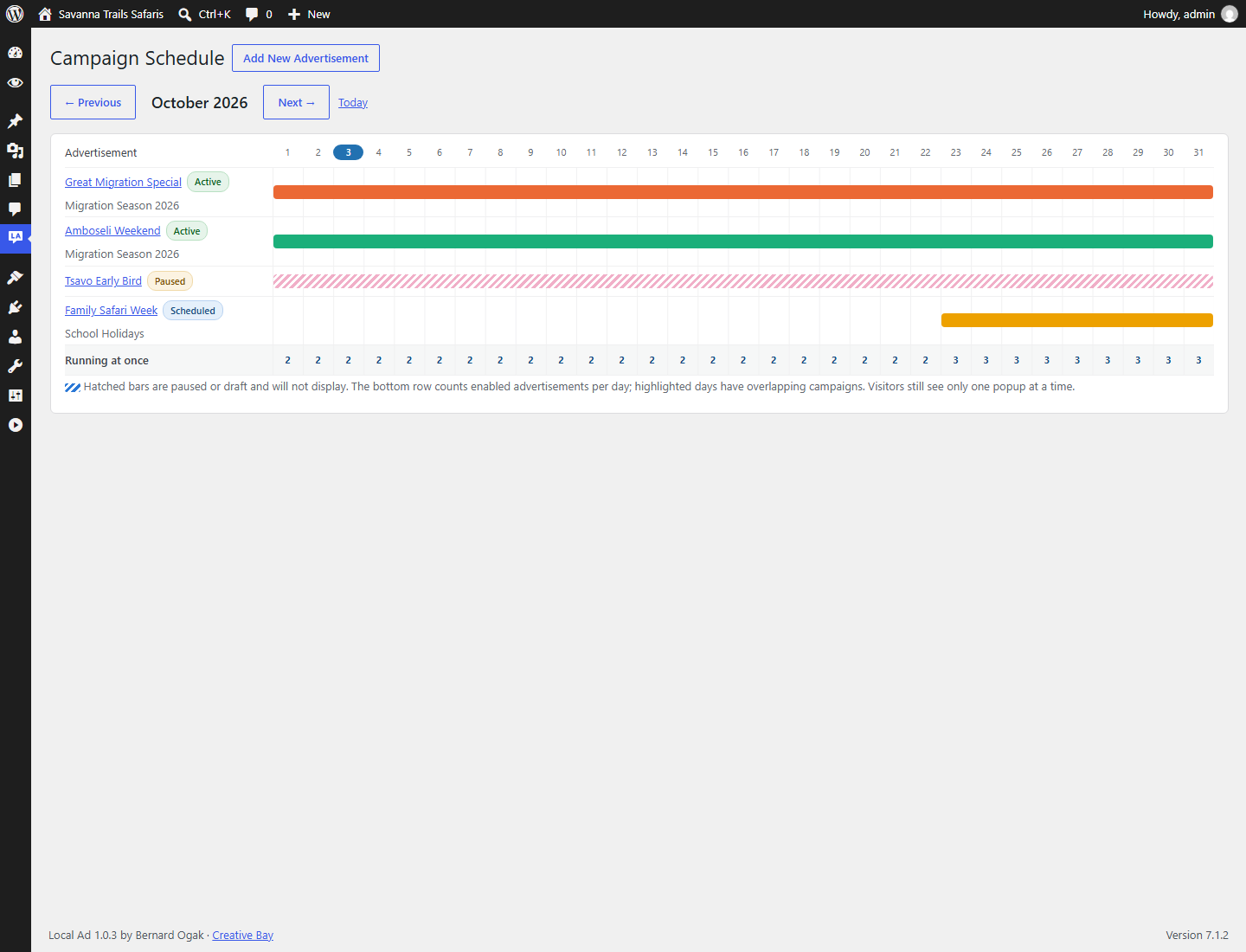
- Concurrent campaigns: overlapping schedules (or not), a cap on how many run at once, conflict warnings and a monthly calendar. A visitor never sees more than one popup per page view.
- Rotation: random, sequential, priority or weighted random.
- Campaigns: group ads, pause them together, bound them with dates and report on them together.
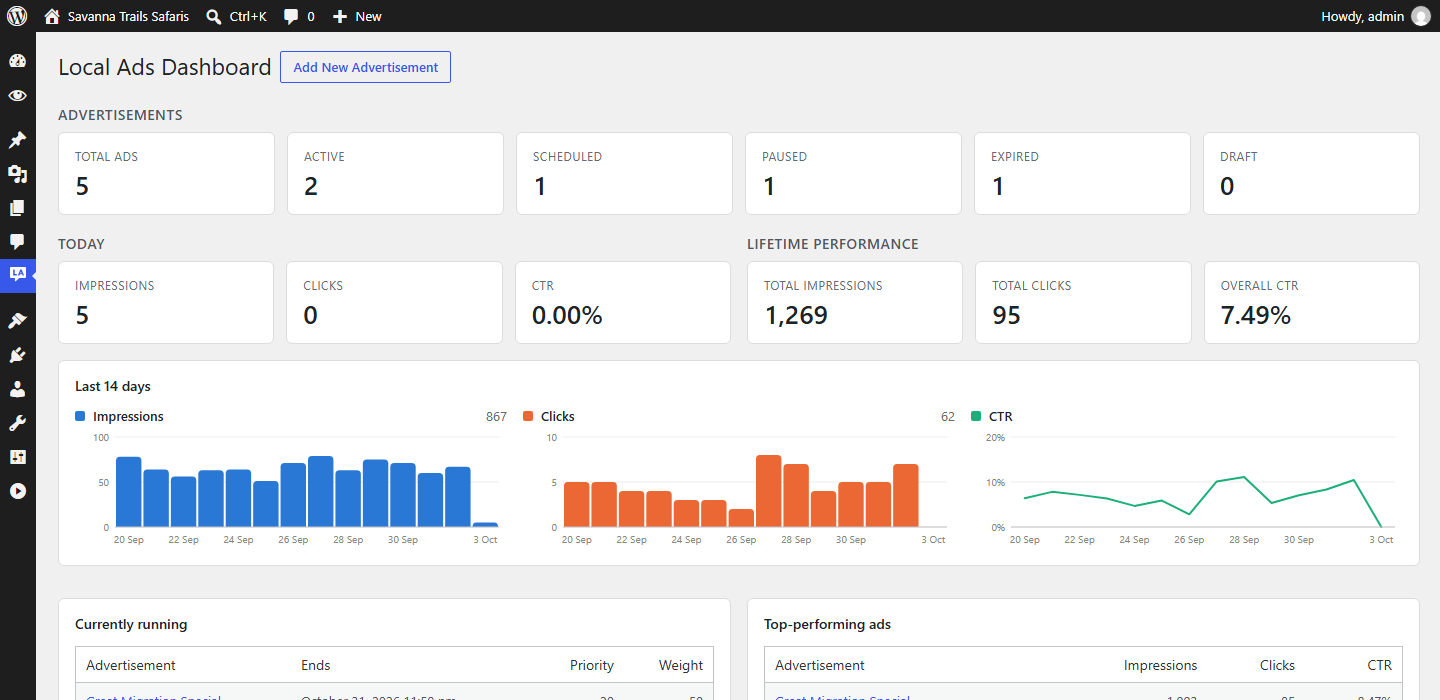
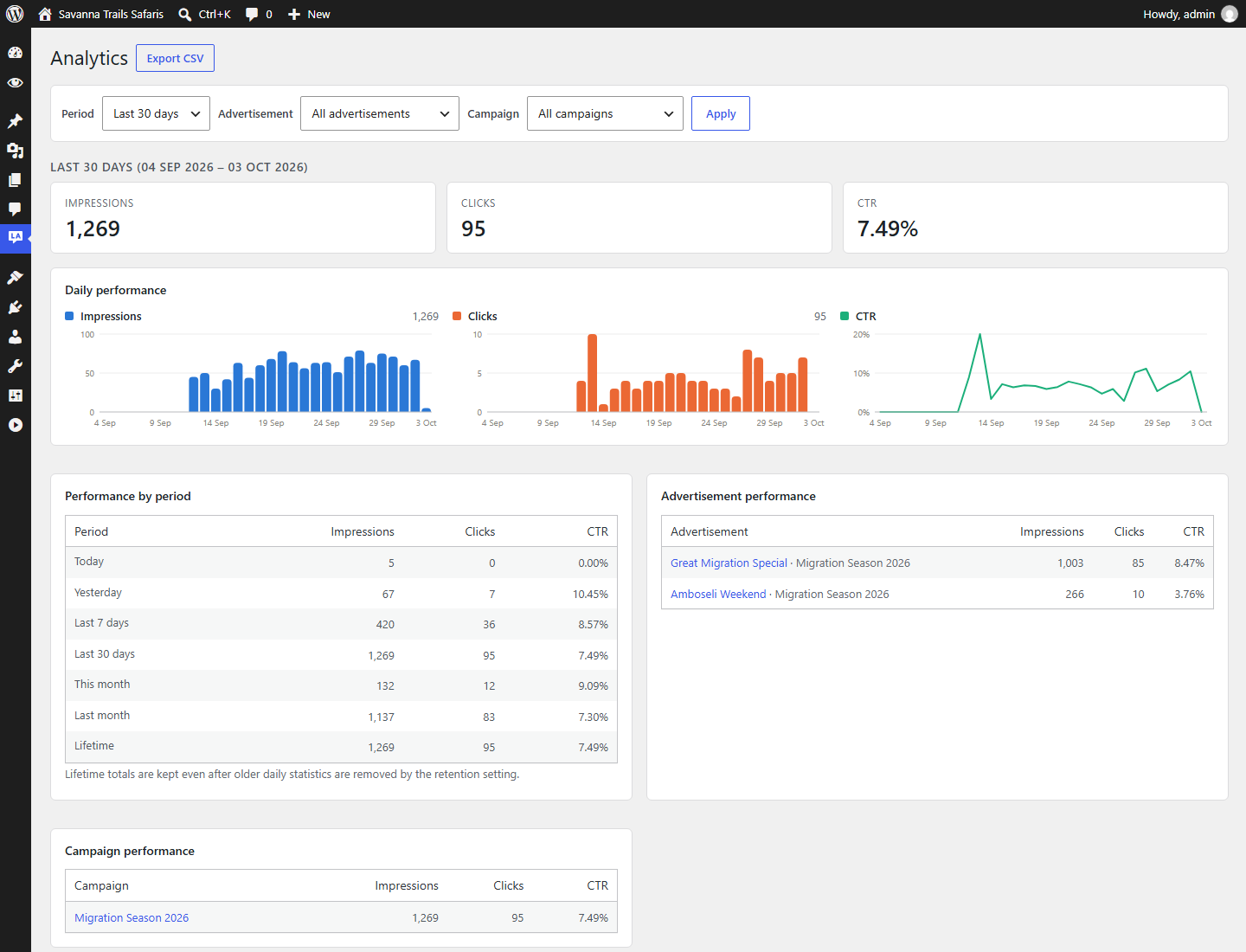
- Analytics: daily impressions and clicks per ad, CTR, lifetime totals, campaign drill-down, date ranges and CSV export. Counters are atomic, so simultaneous clicks are never lost.
- Page targeting: whole site, homepage, posts, pages, WooCommerce products or selected items, with exclusions for checkout, cart, login and URL patterns.
- Lightweight and cache-friendly: one small deferred script with no libraries, styles loaded only when a popup opens, nothing loaded when no ad is running, and ads fetched live so cached pages stay correct.
- Works with Blue Lens Analytics: every shown or clicked ad is announced as a
localads:trackbrowser event. Blue Lens Analytics 0.5+ uses it to link ad clicks to channels, pages and conversions. - Secure and private: capabilities, nonces, prepared SQL and escaping throughout. No IP addresses or personal data are stored.
Screenshots
| Dashboard | Edit advertisement |
|---|---|
 |
 |
| Analytics | Campaign schedule |
|---|---|
 |
 |
Requirements
- WordPress 5.8 or later
- PHP 7.4 or later
- MySQL 5.6+ or MariaDB 10.1+
Installation
From a release ZIP (recommended)
- Download
local-ads.zipfrom the latest release. - In WordPress go to Plugins → Add New → Upload Plugin, choose the ZIP and click Install Now.
- Click Activate. Local Ads appears in the admin menu.
From source
cd wp-content/plugins
git clone https://github.com/Bernard-Ogak/local-ad.git local-ads
The folder must be named local-ads.
Then activate Local Ad on the Plugins screen.
Quick start
- Go to Local Ads → Add New.
- Enter a name, upload an image and add alt text.
- Add a destination URL (for example
https://example.com/offer/). - Choose a trigger (for example After 5% page scroll), a frequency and an animation.
- Set the start and end dates, or leave them empty to run indefinitely.
- Click Preview to check desktop and mobile, then Publish advertisement.
Documentation
- User guide: every screen, setting and workflow.
- Developer guide: architecture, database schema, request flow, security model and building a release.
- Changelog
Building a release ZIP
pwsh ./bin/build-zip.ps1 # Windows PowerShell 5.1 also worksThis writes dist/local-ads.zip with a single local-ads/ folder and forward-slash paths. Repository-only files (docs/, bin/, README.md, Git files) are left out.
Contributing
Issues and pull requests are welcome. Please follow the WordPress coding standards, keep all strings translatable with the local-ads text domain, and describe how you tested your change.
License
Local Ad is free software, released under the GNU General Public License v2.0 or later.
Copyright © 2026 Bernard Ogak, Creative Bay.
Releases
4 releases. Each count is every asset in that release; expand a row for the breakdown.
Active-site estimate ≈10 comes from the v1.0.1 cohort. Method.