Install
This is the repository archive. It installs, but the folder name will carry the branch suffix and updates will not flow.
Install straight from GitHub with WP-CLI:
wp plugin install https://github.com/beltoncreative/wordpress-simple-html-exporter/archive/refs/heads/main.zipA WordPress plugin designed to mass or selectively export posts and pages as raw HTML files inside a ZIP package.
Lore: I used to actively build websites for some of my clients using WordPress, but after a while some of them did not want to use WordPress. So, I would keep using my WordPress workflow locally and then run this plugin when it was time to deploy pages to their server.
Features
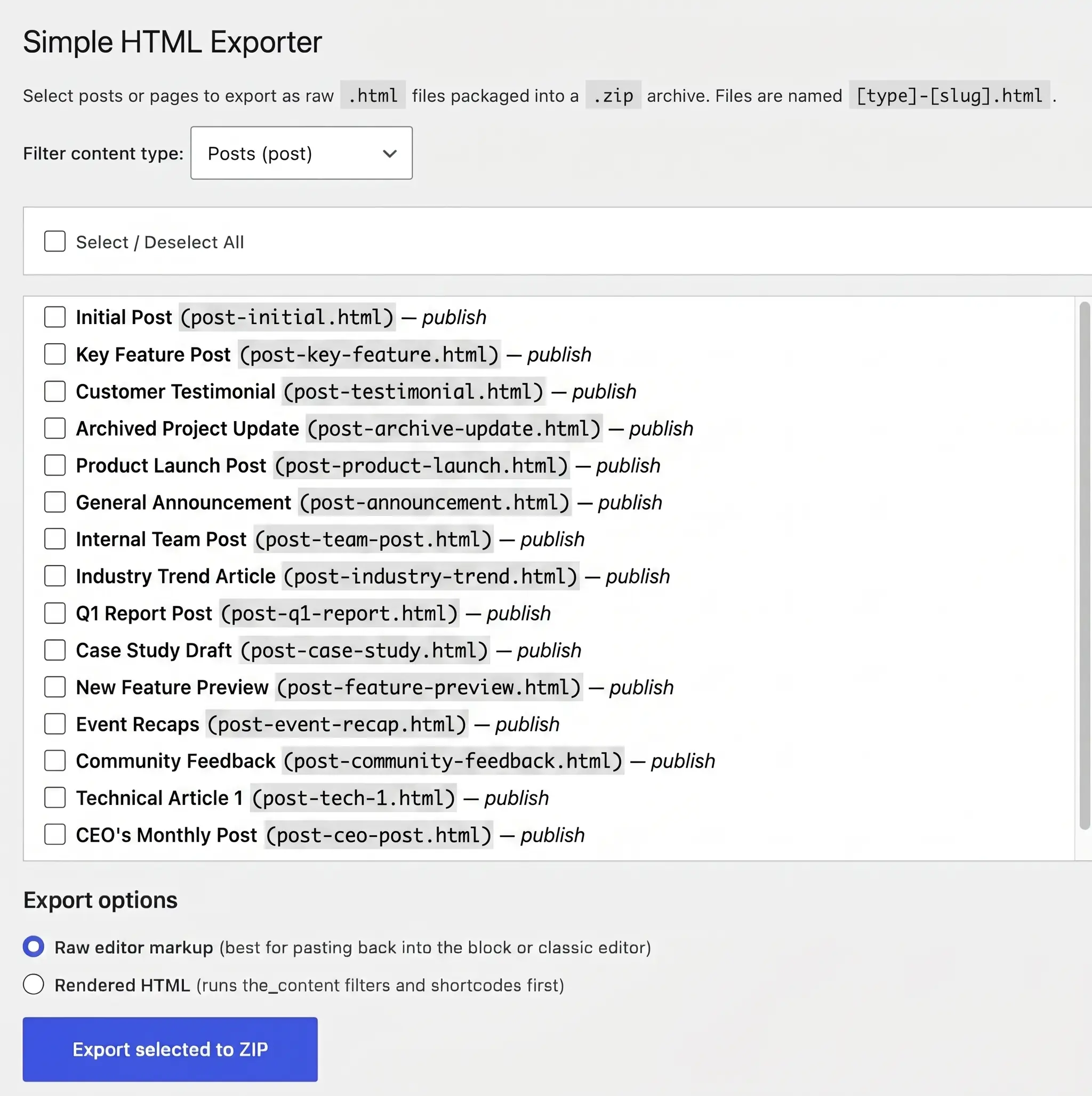
- The plugin allows you to mass or selectively export posts and pages as HTML files packaged into a
.ziparchive. - Content can be filtered by specific post types via a dropdown menu.
- Users can easily select specific posts from a list or use the master checkbox to select/deselect all items at once.
- Exported files are automatically named using the
[type]-[slug].htmlformat. - You can choose to export using "Raw editor markup", which is noted as the best option for pasting content back into the block or classic editor.
- You can choose to export as "Rendered HTML", which processes shortcodes and runs
the_contentfilters before exporting. - Each exported
.htmlfile includes an HTML comment header at the top detailing the post's Title, ID, Slug, and Type.
Server & User Requirements
- Permissions: The user must have
manage_optionscapabilities (typically Administrator level) to access the plugin and trigger the download. - PHP: The web server must have the PHP
ZipArchiveextension enabled to create the.zipfile.
Installation
Since this plugin is hosted on GitHub, you can install it by downloading the release archive:
- Go to the Releases section on the right side of this repository's GitHub page.
- Download the
.zipfile for the latest version (e.g.,simple-html-exporter.zip). - Log in to your WordPress admin dashboard.
- Navigate to Plugins > Add New Plugin.
- Click the Upload Plugin button at the top of the screen.
- Select the
.zipfile you just downloaded and click Install Now. - Once the installation is complete, click Activate to enable the Simple HTML Exporter.
How to Use
- Navigate to the Tools section in your WordPress admin dashboard and click on HTML Exporter.
- Use the dropdown to filter your content type (e.g., page, post, or custom types).
- Check the boxes next to the posts you wish to export, or use the "Select / Deselect All" toggle.
- Choose your desired export mode: Raw editor markup or Rendered HTML.
- Click the Export selected to ZIP button to generate and download your archive.
Releases
1 release.
These releases are tags only. The author does not attach a packaged zip, so there are no download counts to report.