Install
This is the repository archive. It installs, but the folder name will carry the branch suffix and updates will not flow.
Install straight from GitHub with WP-CLI:
wp plugin install https://github.com/beapi/log-wp-redirects/archive/refs/heads/main.zipLog WP Redirects is a powerful WordPress plugin that captures and logs all redirects made through WordPress's built-in wp_redirect() function, providing valuable insights for debugging and monitoring.
Features
- 📊 Log all redirects with detailed information
- 🔢 Track HTTP status codes (301, 302, 307, etc.)
- 🔗 Record referrer URLs and request URIs
- 🖥️ Capture user agent information
- 👤 Track user IDs for authenticated users
- 🌐 IP address logging (configurable)
- 🍪 Cookie tracking (names only, not values)
- 🔍 Full backtrace to identify redirect sources
- 🌍 Multisite/Network compatible
- ⏱️ Configurable log retention period
Screenshots
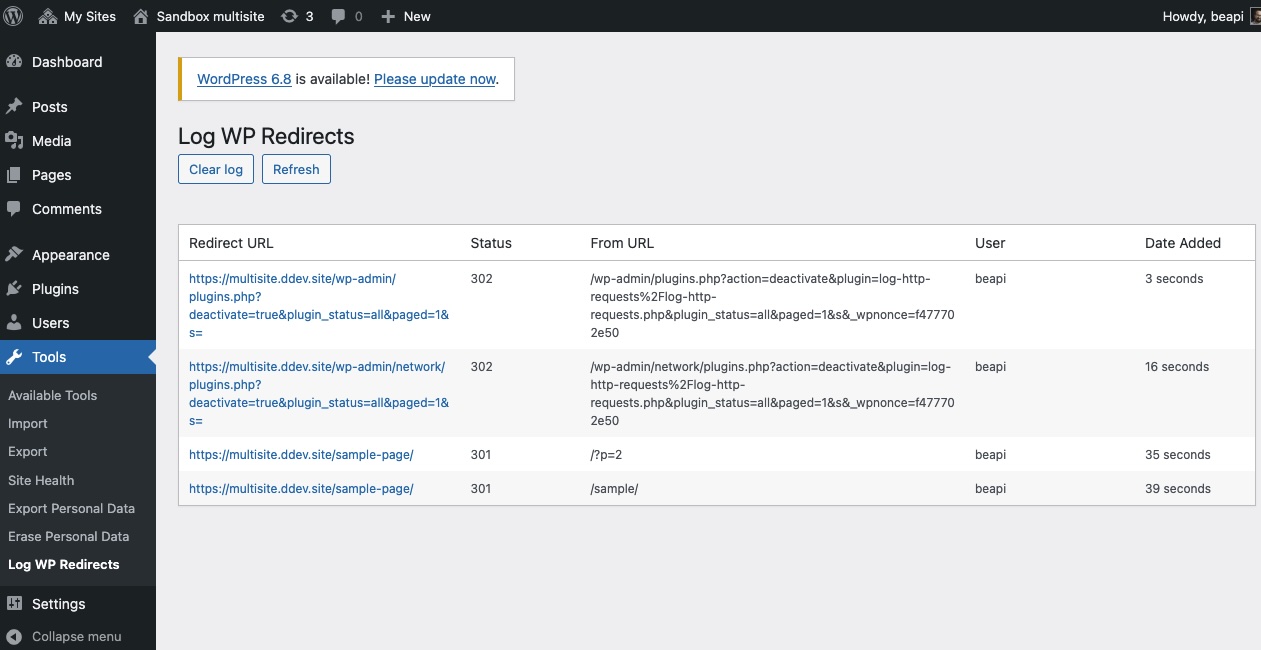 Main settings page showing the redirect log interface.
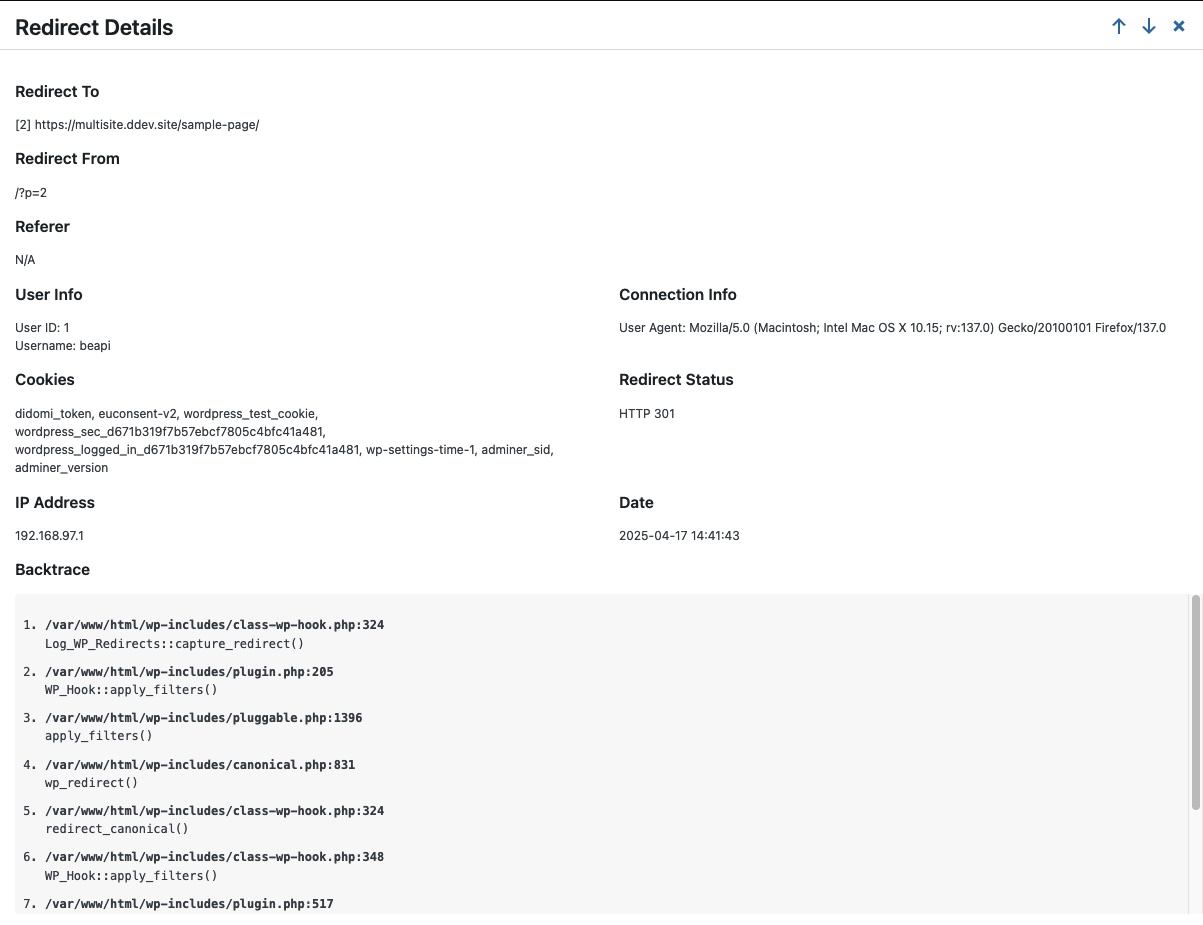 Detailed view of a specific redirect with complete stack trace.
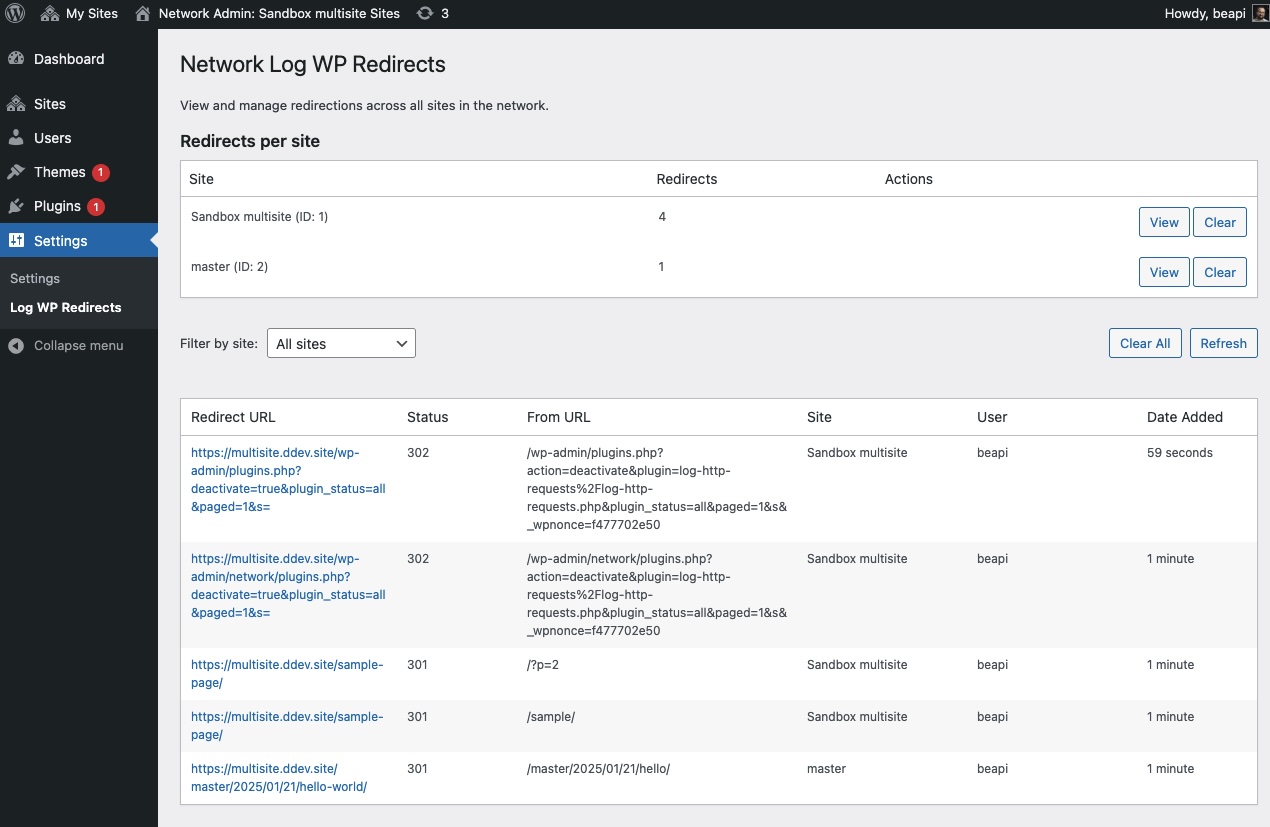 Network admin interface for managing redirects across multiple sites.
Installation
Standard Installation
- Upload the
log-wp-redirectsfolder to your/wp-content/plugins/directory - Activate the plugin through the 'Plugins' menu in WordPress
- For single sites, access logs via Tools > Log WP Redirects
- For multisite, access network-wide logs via Network Admin > Settings > Log WP Redirects
Composer Installation
You can install this plugin via Composer:
composer require beapi/log-wp-redirectsOr add it to your composer.json file:
"require": {
    "beapi/log-wp-redirects": "^1.0"
}
Usage
After installing and activating the plugin, it automatically begins capturing all redirects made using WordPress's wp_redirect() function.
Single Site
- Go to Tools > Log WP Redirects in your WordPress admin
- View the comprehensive list of all redirects
- Click on a redirect to view detailed information including backtrace
Multisite
- Go to Network Admin > Settings > Log WP Redirects
- View redirects across all sites or filter by specific site
- Click on a redirect to view detailed information
Hooks & Filters
lwr_expiration_days
Customize how long logs are kept before being automatically deleted:
add_filter( 'lwr_expiration_days', function( $days ) {
    return 14; // default = 7
});
lwr_should_log_redirect
Filter which redirects should be logged based on status code or other criteria:
// Example: Don't log 302 temporary redirects
add_filter( 'lwr_should_log_redirect', function( $should_log, $status, $location, $redirect_data ) {
    if ( 302 === $status ) {
        return false;
    }
    return $should_log;
}, 10, 4 );
lwr_pre_insert_data
Modify the data before it's inserted into the database:
// Example: Remove all cookies information for privacy
add_filter( 'lwr_pre_insert_data', function( $data, $location, $status ) {
    // Empty the cookies field
    $data['cookies'] = '';

    // Or you could also sanitize/modify other fields
    // $data['user_agent'] = 'Anonymized';

    return $data;
}, 10, 3 );
Privacy Considerations
This plugin logs IP addresses by default. If you need to comply with privacy regulations such as GDPR, you can disable IP logging by defining the following constant in your wp-config.php:
define('LWR_LOG_IP', false);Requirements
- WordPress 5.8 or higher
- PHP 7.0 or higher
License
This project is licensed under the GPLv2 or later license.
Changelog
1.0.3
- Replaced custom time formatting with WordPress native human_time_diff() function
- Added Composer support for easier installation in modern WordPress projects
- Improved WP-Cron implementation using standard WordPress activation/deactivation hooks
- Switched from single events to properly scheduled daily events for log cleanup
- Added optimized database indexes for better performance, especially for cleanup operations
- Added a composite index (blog_id, date_added) to significantly improve cleanup query performance
1.0.2
- Added support for the
$x_redirect_byparameter of wp_redirect() function - The source of redirects is now tracked and displayed in the admin interface
- Enhanced database structure to accommodate the new data
- Improved database schema management using WordPress's dbDelta() function
- Added new filter
lwr_pre_insert_datato modify data before database insertion - Increased field size for x_redirect_by from 100 to 255 characters
1.0.1
- Added new filter
lwr_should_log_redirectto control which redirects are logged - Improved code documentation
1.0.0
- Initial release
Credits
Developed by Be API