Excel Export WP Registry grade A. No security issues foundWP RegistryNo security issues foundOpen the reportA
WordPress Plugin that exports all of your posts, pages, custom post types, and user data to Excel file format (.XLSX)
★ 2stars
32release downloads
1.0.0latest · 7 years ago
Install
Upload it under Plugins → Add New Plugin → Upload Plugin, then activate.
Install straight from GitHub with WP-CLI:
wp plugin install https://github.com/bccampus/excel-export/releases/download/1.0.0/excel-export-1.0.0.zipNo built-in updater. New versions won't appear under Dashboard → Updates. Install new releases yourself, or let Git Updater track the repository.
Export your post, page, custom post type, and user data to Excel file format (.XLSX)
Description
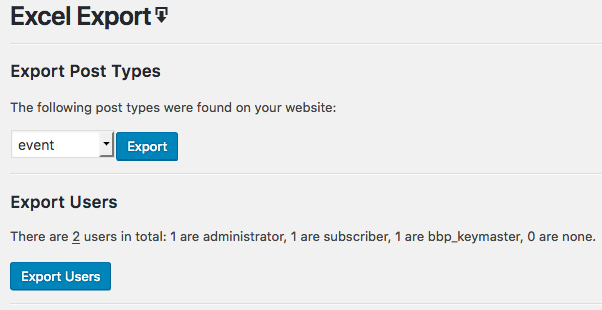
Get all of your WordPress data into Excel (.XLSX file). This plugin allows you to export all of your post data, including custom post types. And all User data, including BuddyPress profile fields.
Features
- Export any Post Type. Finds all available post types on your website for export.
- Export all User Data. Includes custom fields, custom meta, and BuddyPress profile fields.
Installation
- Upload
excel-export.phpto the/wp-content/plugins/directory. - Activate the plugin through the 'Plugins' menu in WordPress.
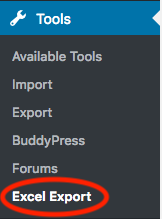
- Click on the "Excel Export" menu item located under the Tools menu.
BuddyPress Extended profile data
By default, extended profile data is not included in your export. To export this data please use add_filter as show below:
add_filter( 'excel_export_user_buddypress', function ( $default_user_buddypress ) {
    $add_buddypress = [
        'YourField'                  => 'YourField',
        'AnotherField'               => 'AnotherField',
    ];
    return array_merge( $default_user_buddypress, $add_buddypress );
} );
Screenshots
Releases
3 releases. Each count is every asset in that release; expand a row for the breakdown.