Install
Upload it under Plugins → Add New Plugin → Upload Plugin, then activate.
Install straight from GitHub with WP-CLI:
wp plugin install https://github.com/automattic/wpvdb-blocks/releases/download/v0.1.0/wpvdb-blocks.zipEditorial WordPress blocks powered by wpvdb-search.
Requirements
| Requirement | Version or notes |
|---|---|
| WordPress | 6.9 or newer |
| PHP | 8.3 or newer |
wpvdb-search |
Installed and configured |
Blocks
| Block | Purpose | Controls |
|---|---|---|
wpvdb-blocks/related-articles |
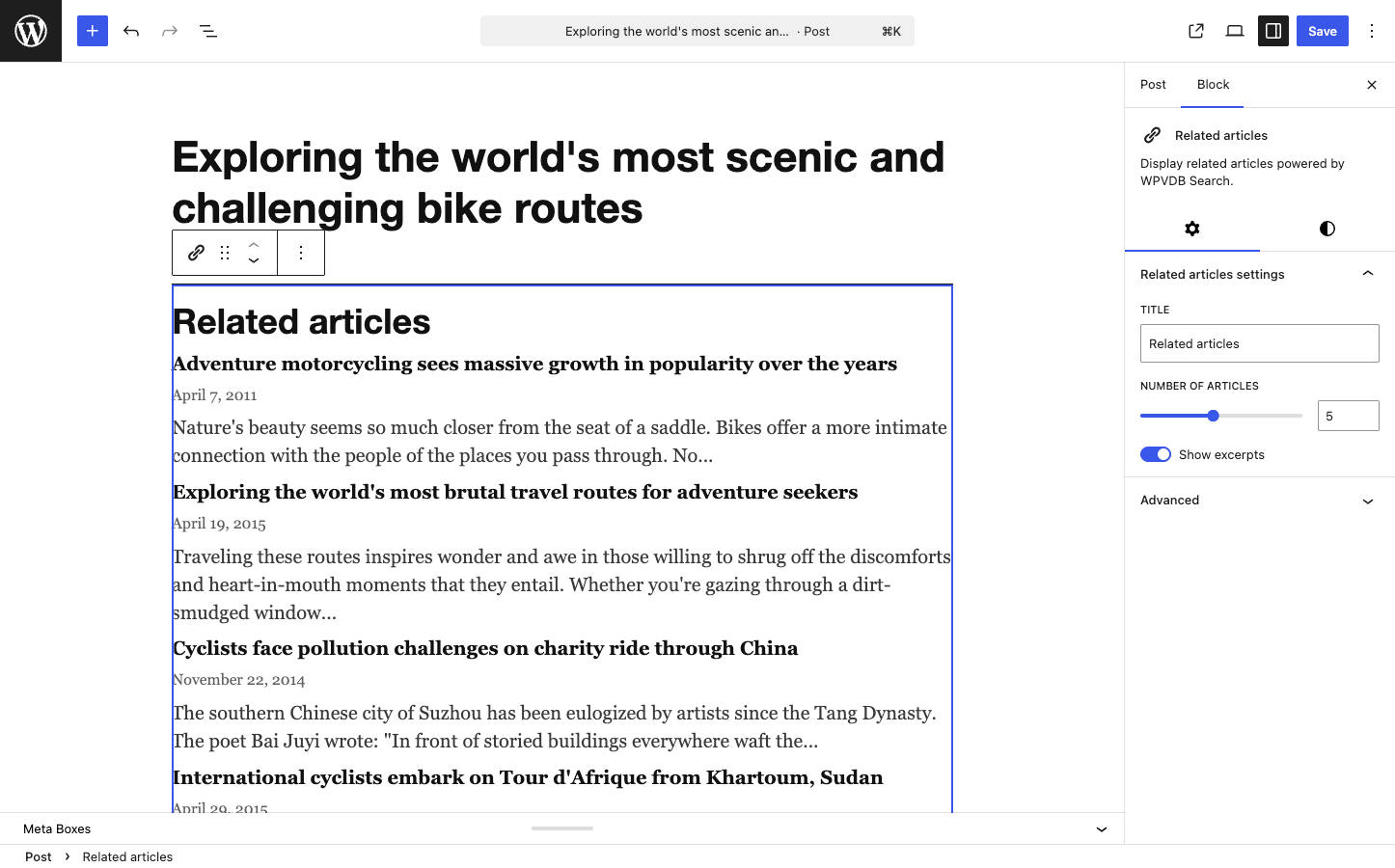
Shows related articles by comparing stored vectors for the current post against the embeddings table. It does not generate a new embedding during render. | Title, number of articles capped at 10, show excerpts. |
Each block is dynamic and registered from block.json metadata. The editor uses React and useBlockProps(). The frontend uses get_block_wrapper_attributes(), so WordPress provides the default wrapper class and block supports.
The plugin loads blocks through WPVDB_Blocks\Block_Registry. It uses the metadata collection APIs when they are available and falls back to per-block registration on older supported WordPress versions.
Development
Install dependencies:
composer install
bun install
Build the block assets:
bun run buildRun the local checks:
bun run lint
bun run analyze
bun run test
The main branch maintenance workflow regenerates translation files and commits them when strings change. This plugin also has block editor JavaScript, so the i18n task rebuilds languages/source-map.json and refreshes the hashed JSON files WordPress uses for script translations. Release workflows regenerate translations before staging the zip and fail if generated files are out of date.
Run the same command locally only when you want to preview language file changes:
bun run i18nLicense
GPL-2.0-or-later. See LICENSE.
Releases
1 release. Each count is every asset in that release; expand a row for the breakdown.