Install
This is the repository archive. It installs, but the folder name will carry the branch suffix and updates will not flow.
Install straight from GitHub with WP-CLI:
wp plugin install https://github.com/automattic/biab-plugin/archive/refs/heads/master.zipBlog In A Box WordPress Plugin
A custom WordPress plugin for Blog In A Box.
Provides an admin interface to the Blog In A Box device handler tool, as well as widgets for SenseHAT readings.
Installation
The plugin is installed as a standard WordPress plugin by copying to wp-content/plugins.
Note: this is done automatically when using Blog In A Box Installer.
Usage
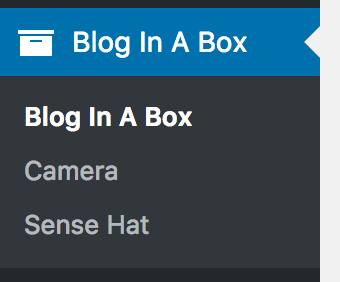
Once installed the plugin appears as a menu in the WordPress admin interface:
The main admin page allows individual device modules to be enable or disabled:
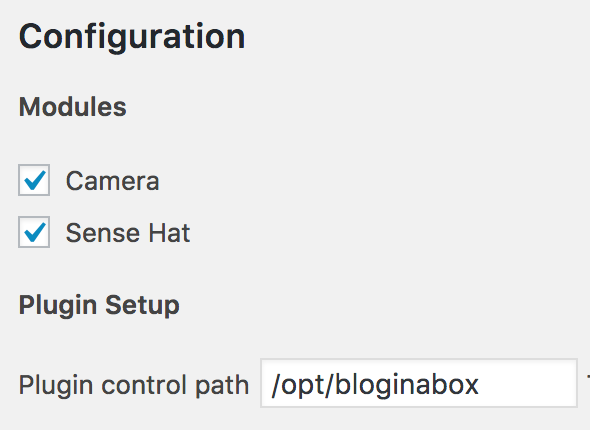
The plugin control path should point to the Blog In A Box CLI tools.
Camera Module
With a Raspberry Pi camera attached you can use the camera module. This allows you to take photos (manually or scheduled) and have them appear as blog posts.
Manual Photo
Press the take photo button to take an immediate photo. A small window appears with the photo.
Scheduled Photo
Set an interval (seconds, minutes, or hours) to have the camera automatically take a photo and add it to a new blog post. This is perfect for taking snapshots of a particular location!
Settings
You can change various camera settings:
- Vertical / horizontal flip - this may be needed depending on the orientation of the camera
- Quality - the JPEG quality of the photos (from 1% to 100%), which determines the file size
- Brightness / saturation / sharpness / contrast
- ISO - adjusts the camera's ISO setting. A higher ISO allows more light onto the sensor, but increases noise.
- White balance - adjust according to the light colour
- Effect - add a special effect to the captured photo
SenseHAT Module
With an attached SenseHAT module you can monitor environment data (temperature, humidity, and air pressure) and have this displayed on your blog either as a live display, or a historical chart. Additionally you can use the SenseHAT display to show readings.
Manual Reading
Press the publish report button to take an immediate reading and publish this as a blog post.
Scheduled Reading
Set an interval (seconds, minutes, or hours) to have readings automatically taken. These will be stored, but not result in a blog post.
Units
Change the temperature units between Celsius and Fahrenheit.
Developing
The plugin is designed to be extended with additional devices, and should match changes in the CLI tool.
Each device module is effectively a WordPress plugin in its own right, and has full access to all WordPress plugin hooks.
To add an additional device:
- Create a device directory
- Create a standard WordPress plugin entry point for the device - see
camera/camera.phpas an example - Include the entry point at the bottom of
blog-in-a-box.php
Your device can now perform whatever WordPress functions are necessary.
Interfacing with Blog In A Box CLI
At some point your WordPress device code will need to talk to the associated CLI device code. This is achieved by extending the BiabControl class:
class BiabOtherDevice extends BiabControl {
    public function do_special_thing( $data ) {
        $this->request( 'my-cli-command', $data );
    }
}
This will call the my-cli-command from the Blog In A Box CLI tool. Effectively:
biab my-cli-command data
If the command returns data you can listen to this with:
$response = $this->request( 'my-cli-command', $data );Where $response will contain:
array(
    'retval' => 0,
    'output' => 'your returned data'
);
The retval is the exit code from the CLI tool. Anything other than 0 is an error.
Contributing
We welcome contributions in any form, and you can help reporting, testing, and detailing bugs.
License
The Blog In A Box theme is licensed under GNU General Public License v2 (or later).