Install
This is the repository archive. It installs, but the folder name will carry the branch suffix and updates will not flow.
Install straight from GitHub with WP-CLI:
wp plugin install https://github.com/asuh/woocommerce-analytics-stripe-fees/archive/refs/heads/main.zipAdds Stripe fee data to WooCommerce Analytics so fees are visible in report tables, charts, dashboard cards, and CSV exports.
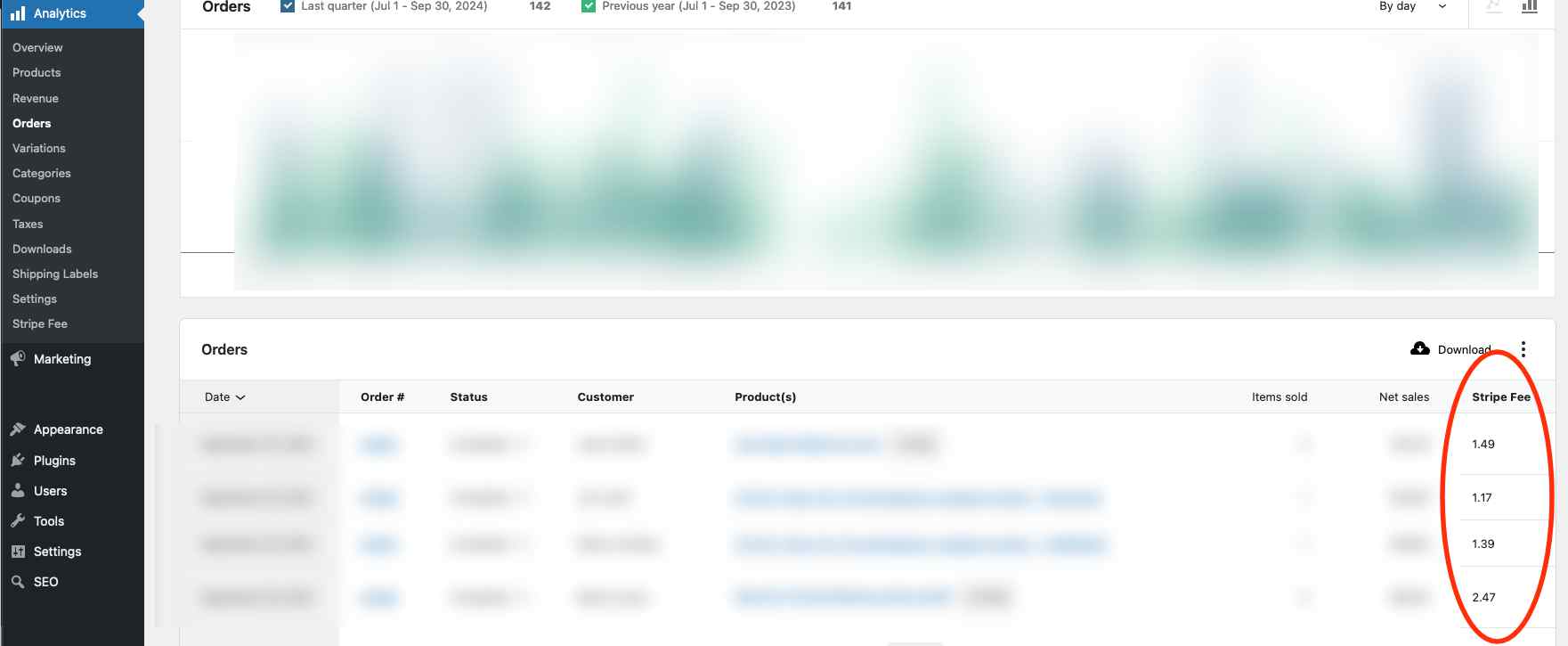
This plugin reads the _stripe_fee order meta value written by WooCommerce Stripe integrations and adds:
Stripe FeeandNet After Feescolumns to Analytics > Orders.Stripe FeesandNet After Feescolumns to Analytics > Revenue.- A
Stripe Feeschart option for the Revenue report and Analytics dashboard. - Stripe fee values in Orders and Revenue CSV exports.
Requirements
- PHP 8.3 or newer.
- WordPress 6.9 or newer.
- WooCommerce 10.4 or newer.
- Node.js 20.11.1 or newer for development builds.
- Composer for PHP dependencies.
Development
Install dependencies:
npm installBuild the admin script:
npm run buildStart the WordPress development environment:
npm startThe postinstall script runs composer install, so PHP dev dependencies are restored automatically after npm install.
Quality Checks
Run the same checks used for release validation:
php -l woocommerce-analytics-stripe-fees.php
php -l includes/Admin/Setup.php
php -l includes/StripeFees.php
composer validate --strict
composer audit
./vendor/bin/phpunit --colors=never
npm run lint:js
npm run lint:css
npm run build
npm audit --audit-level=moderate
Building a Release Zip
Create an installable plugin zip:
npm run plugin-zipThis generates woocommerce-analytics-stripe-fees.zip for upload through WordPress admin at Plugins > Add New > Upload Plugin.
The zip includes built assets, plugin PHP files, translations, the production Composer autoloader, and this README. Development-only files such as src, tests, node_modules, and PHPUnit dependencies are excluded.
The release script runs composer install --no-dev --optimize-autoloader before packaging, then restores development dependencies after the zip is created.
Notes
Revenue report fees are calculated from WooCommerce orders across the report date range and grouped into the report intervals. The order query can be customized with the woocommerce_analytics_stripe_fees_revenue_order_query_args filter.
Currency display in the admin report columns uses WooCommerce's wcSettings.currency values when available.
Changelog
See CHANGELOG.md for release history.
References
- Adding columns to analytics reports and CSV downloads
- How to extend WooCommerce Analytics reports
- Create Woo Extension
License
Woocommerce Analytics Stripe Fees is licensed under the GNU General Public License v3.0 or later. See LICENSE.
Releases
1 release.
These releases are tags only. The author does not attach a packaged zip, so there are no download counts to report.