Install
This is the repository archive. It installs, but the folder name will carry the branch suffix and updates will not flow.
Install straight from GitHub with WP-CLI:
wp plugin install https://github.com/aselwon/wp-funnel-kit/archive/refs/heads/main.zipFunnelKit Lite is a small WordPress 6.x plugin (minimum WordPress 6.6; the Compose demo is tested on 6.8) demonstrating a complete sales-funnel path: PHP shortcode, consented lead capture, React 18 + TypeScript settings, A/B copy, conversion metrics, and offline mock checkout. It is an MVP portfolio project, not a WooCommerce replacement or Elementor add-on.
Public demo
No public demo is currently available. This is a WordPress plugin demonstrated through the local Docker Compose environment below.
Five-minute recruiter demo
Requirements: Docker Desktop (or compatible Docker Compose) and Node.js/npm for source builds. PHP/Composer are optional: run the PHP suite in the documented Composer/PHPUnit container when they are unavailable on the host.
npm ci
npm run build
sh scripts/setup.sh
Open http://localhost:8080, sign in as demo / local-demo-change-me, and open Settings → FunnelKit. Edit the offer, enable/disable the random A/B split, and save. Setup creates the page containing [funnelkit id="1"]; use http://localhost:8080/?pagename=funnel-demo for a plain-permalink-safe URL (a fresh install may also show /?page_id=4).
Submit the public form with consent. The mock checkout records a lead without a card or Stripe account; click Simulate successful payment. Return to the admin page to see leads, paid counts, conversion rate, and per-variant results. The smoke script exercises the same flow automatically.
Stop with docker compose down; add -v only to intentionally remove local WordPress/MySQL volumes.
Local environment
compose.yaml uses WordPress 6.8-php8.2-apache and MySQL 8.0, maps the plugin into /var/www/html/wp-content/plugins/funnelkit-lite, and exposes WordPress on 127.0.0.1:8080. Demo admin: demo / local-demo-change-me. Local webhook secret: local-demo-webhook-secret-change-me; do not reuse these values outside the disposable demo.
scripts/setup.sh starts Compose, waits for WP-CLI, installs WordPress if needed, activates the plugin, and creates the demo page. scripts/smoke.py defaults to http://localhost:8080; override WP_URL, WP_USER, WP_PASSWORD, or FUNNELKIT_WEBHOOK_SECRET for another local instance.
Build, test, smoke, and package commands
npm ci
npm run build
npm run typecheck
npm test
python3 scripts/smoke.py
npm run zip
sh scripts/verify-zip.sh
npm test runs Jest through wp-scripts. The Docker-only PHPUnit path is docker run --rm -v "$PWD:/app" composer:2 install --ignore-platform-reqs, followed by docker compose exec -T wordpress php /var/www/html/wp-content/plugins/funnelkit-lite/vendor/bin/phpunit -c /var/www/html/wp-content/plugins/funnelkit-lite/phpunit.xml. A host with PHP/Composer can use composer install && composer test. scripts/verify-zip.sh verifies ZIP installation/activation and uninstall cleanup against the running demo using the reserved fkziptest_ database prefix; run it after sh scripts/setup.sh. The distributable zip includes built build/ assets and PHP files, so an installing WordPress site needs no Node.js/npm.
Architecture
funnelkit-lite.php is the plugin entry point. includes/class-plugin.php owns hooks, REST controllers, shortcode rendering, form handling, mock checkout, and webhook verification. includes/class-store.php owns funnel options and the $wpdb lead table. src/ contains the React admin UI and metric helper; compiled output is in build/. assets/public.css styles the public shortcode. uninstall.php performs cleanup.
The public surface is a shortcode, not a custom Gutenberg block: add a Shortcode block (or classic editor shortcode) containing [funnelkit id="1"]. The admin bundle uses the React runtime supplied by WordPress; React 18 is a development dependency for the build. A/B selection is random per rendered request. Disable/bypass full-page caching for shortcode pages when measuring variants; page views are not tracked.
price_id is reserved for a future Stripe integration and unused in mock mode. The mock checkout stores only a SHA-256 hash of its unguessable bearer token. Webhook JSON is {"type":"mock.checkout.completed","token":"<64-hex-token>"} and requires X-FunnelKit-Timestamp plus X-FunnelKit-Signature. The signature is HMAC-SHA256(secret, timestamp + "." + exact_request_body); timestamps older than five minutes are rejected. Duplicate delivery is safe.
REST API
Routes are under /wp-json/funnelkit/v1/ (or /?rest_route=/funnelkit/v1/...). CRUD and reporting require a logged-in user with manage_options; the React app uses a WordPress REST nonce.
| Method | Route | Purpose |
|---|---|---|
| GET | /funnels |
List funnel configurations |
| POST | /funnels |
Create a funnel |
| GET | /funnels/{id} |
Read one funnel |
| PUT | /funnels/{id} |
Update one funnel |
| DELETE | /funnels/{id} |
Delete one funnel configuration |
| GET | /leads?page=1 |
List up to 50 recent leads per page |
| GET | /metrics |
Leads and paid totals grouped by funnel and variant |
| POST | /webhook |
Verify signed mock completion and mark a lead paid |
The public form uses WordPress nonces and validates name, email, and consent. Thank-you URLs must be HTTP(S) URLs on the same site.
Installation from a zip
Run npm run build and npm run zip, then upload dist/funnelkit-lite.zip under Plugins → Add New → Upload Plugin (or copy the unzipped funnelkit-lite directory to wp-content/plugins/). Activate it, configure a funnel under Settings → FunnelKit, and place its shortcode on a page. Production Stripe credentials and real charging are outside this MVP.
Privacy and deletion
The plugin stores submitted name, email, funnel/variant, status, timestamps, and a token hash in {prefix}funnelkit_leads. Consent is required. Deleting a funnel leaves existing leads intact. Deactivation preserves data. Uninstall removes the lead table and funnel options on the current site (and every site during multisite uninstall); this is permanent.
Screenshots
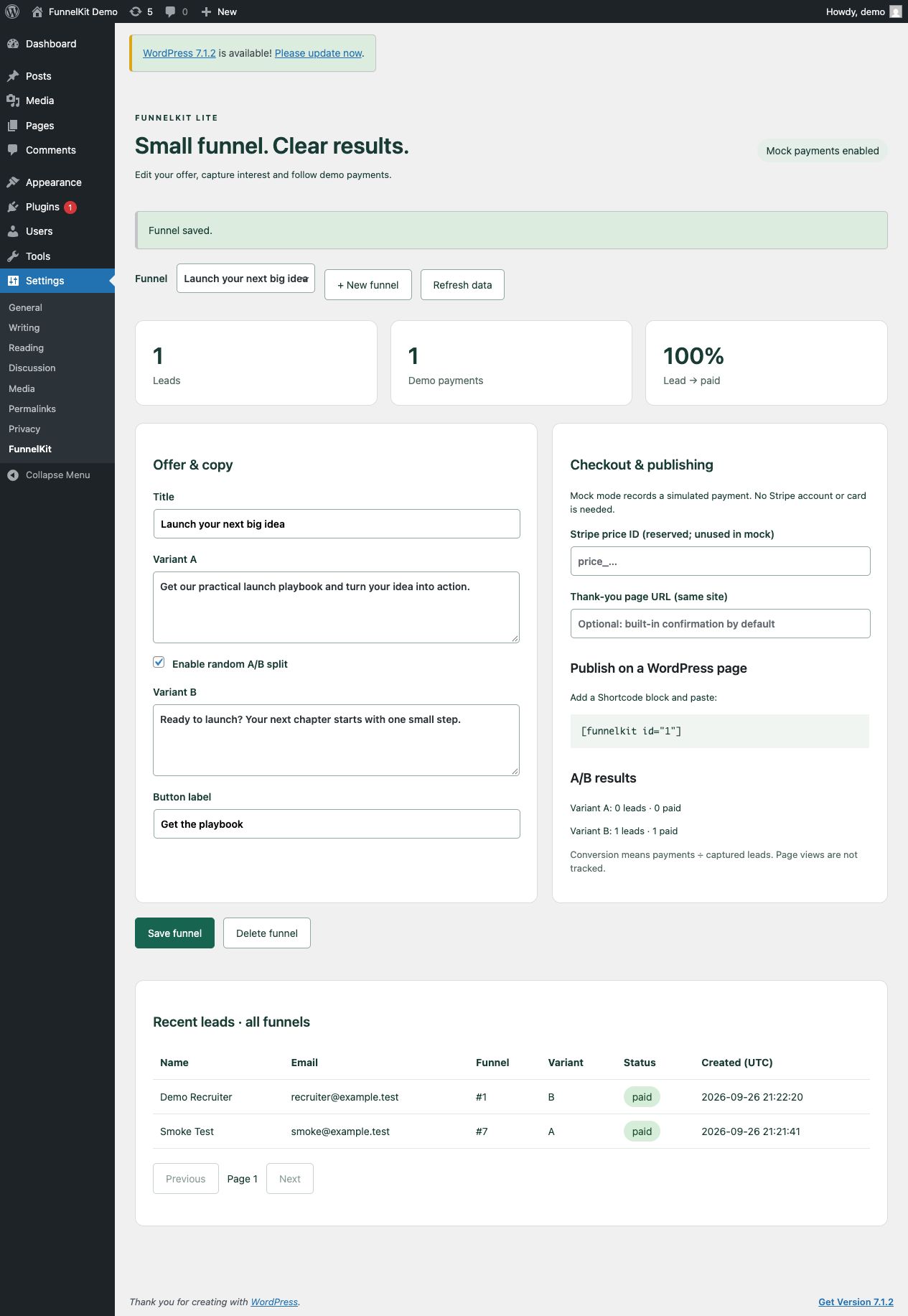
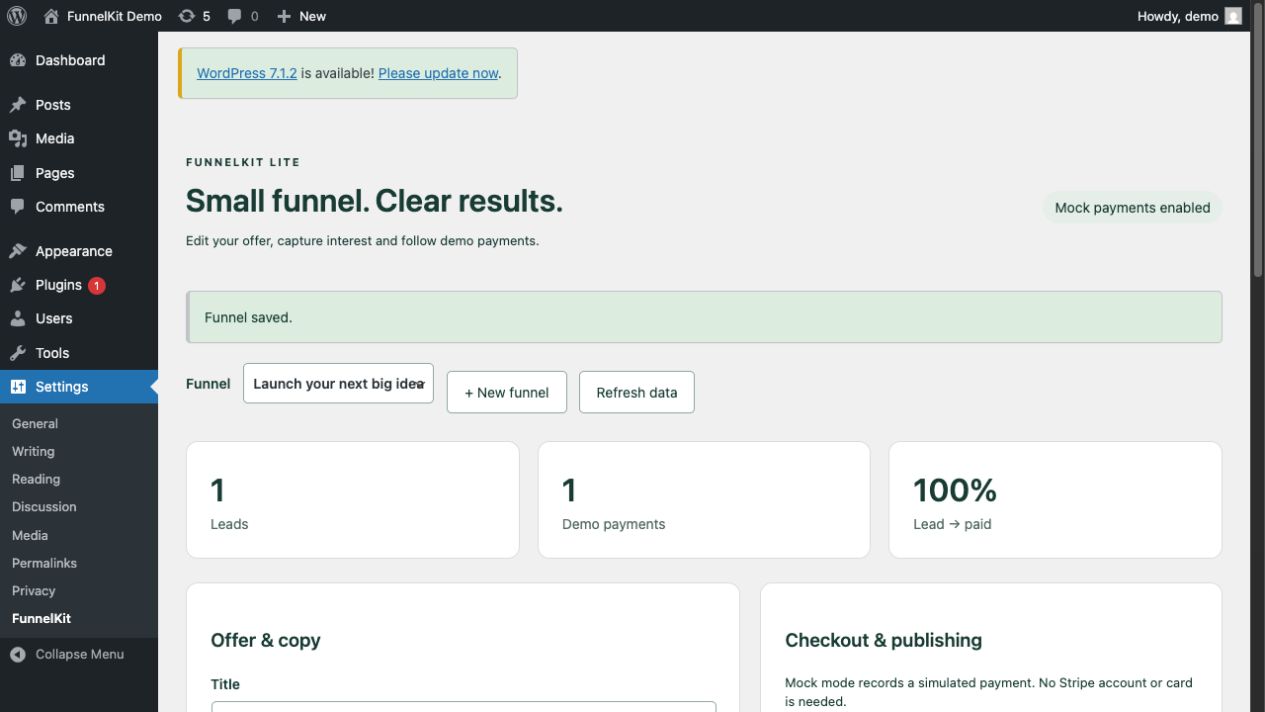
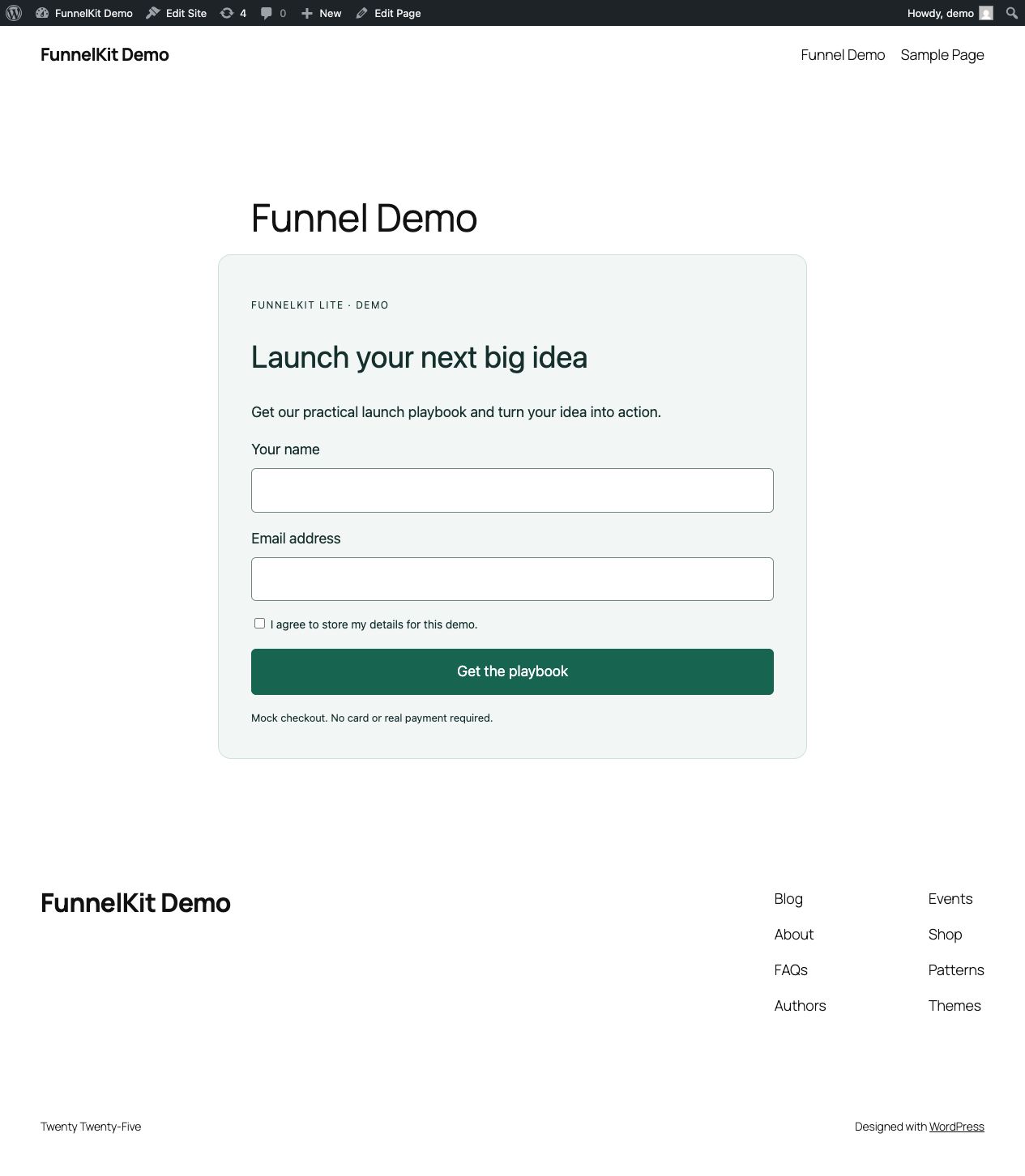
Known local limitations
Compose is for local demonstration only: demo credentials, local webhook secret, mock payments, and a source bind mount. Metrics are lead-to-paid counts by variant; page views and attribution are not collected. Production needs real secrets, HTTPS, a real Stripe integration, cache rules, and a privacy/export/retention policy.