Install
This is the repository archive. It installs, but the folder name will carry the branch suffix and updates will not flow.
Install straight from GitHub with WP-CLI:
wp plugin install https://github.com/aryanjasala/term-trash/archive/refs/heads/main.zipTerm Trash







A trash for WordPress categories, tags and custom terms. Undo a delete in one click, or restore it later with its posts, child terms and menu links.
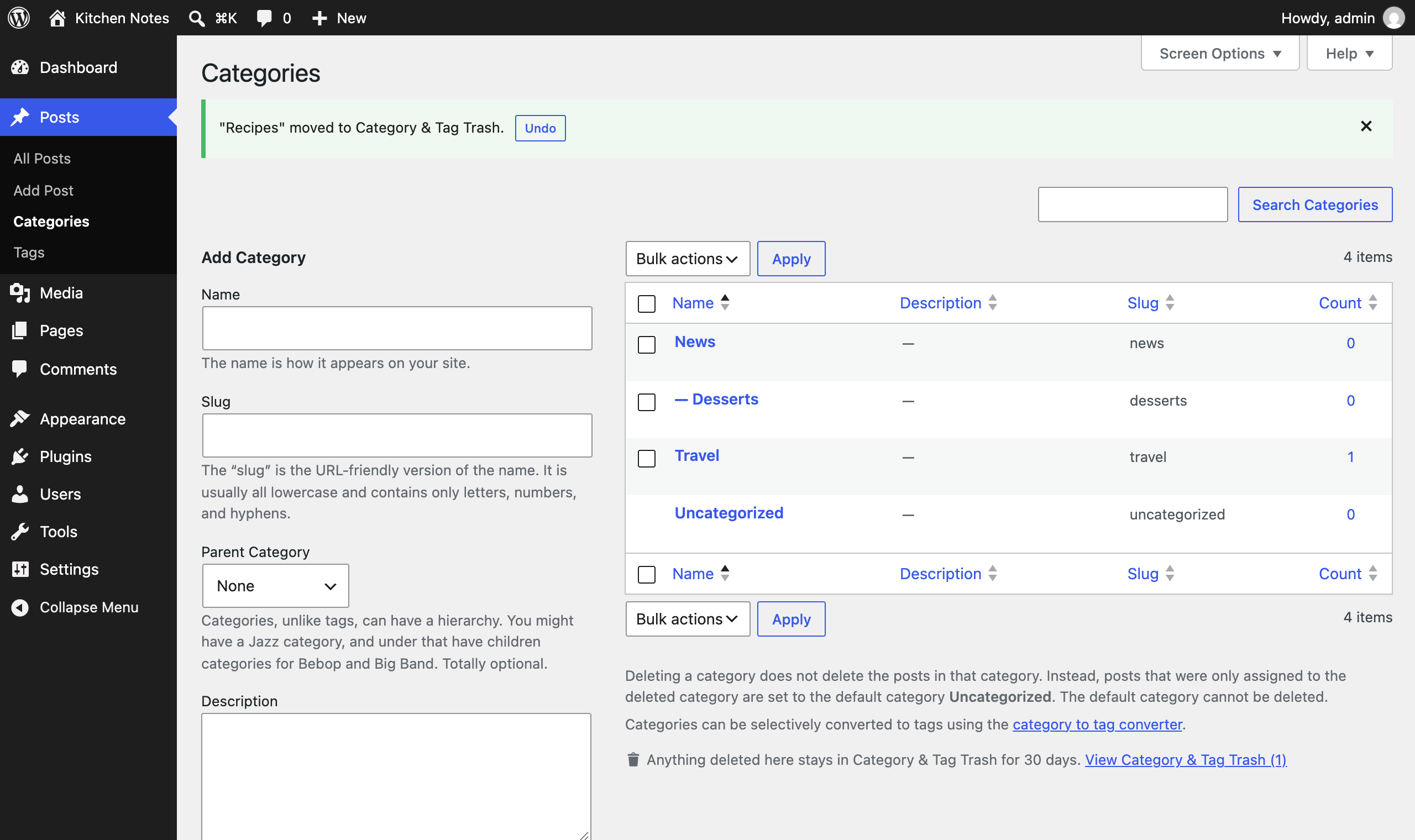
Posts and pages go to the trash when you delete them. Categories and tags don't: one click and the term is gone, its posts move to Uncategorized, its child categories move up a level and its menu links disappear. Term Trash keeps every deleted term for 30 days and puts all of that back on restore, under the same ID.
Features
- Undo right after a delete, on every term screen, for single and bulk deletes
- Same ID on restore, so navigation blocks, widgets and shortcodes that store the ID work again
- Everything comes back: term meta, posts (in the same order), child terms and menu links in their menu position
- Posts that only got Uncategorized because of the delete lose it again
- Tools > Term Trash: taxonomy tabs, search, bulk restore and delete, Empty trash, and what each restore brings back
- Kept for 7, 30, 90 or 365 days, then a daily task deletes them for good
- Categories, tags, WooCommerce product categories and attributes, and any custom taxonomy with an admin screen
Install
- Download
term-trash.zipfrom the latest release. - In WordPress, go to Plugins > Add New Plugin > Upload Plugin, choose the zip and activate it.
Or with WP-CLI:
wp plugin install https://github.com/aryanjasala/term-trash/releases/latest/download/term-trash.zip --activateNeeds WordPress 6.6+ and PHP 7.4+. To try it first, the Try in WordPress Playground badge opens a throwaway WordPress in your browser with the plugin and some demo content.
Quick look
Everything on the screen is also on WP-CLI:
wp term-trash list --taxonomy=category
wp term-trash restore 42
wp term-trash delete --all
Screenshots
Tools > Term Trash |
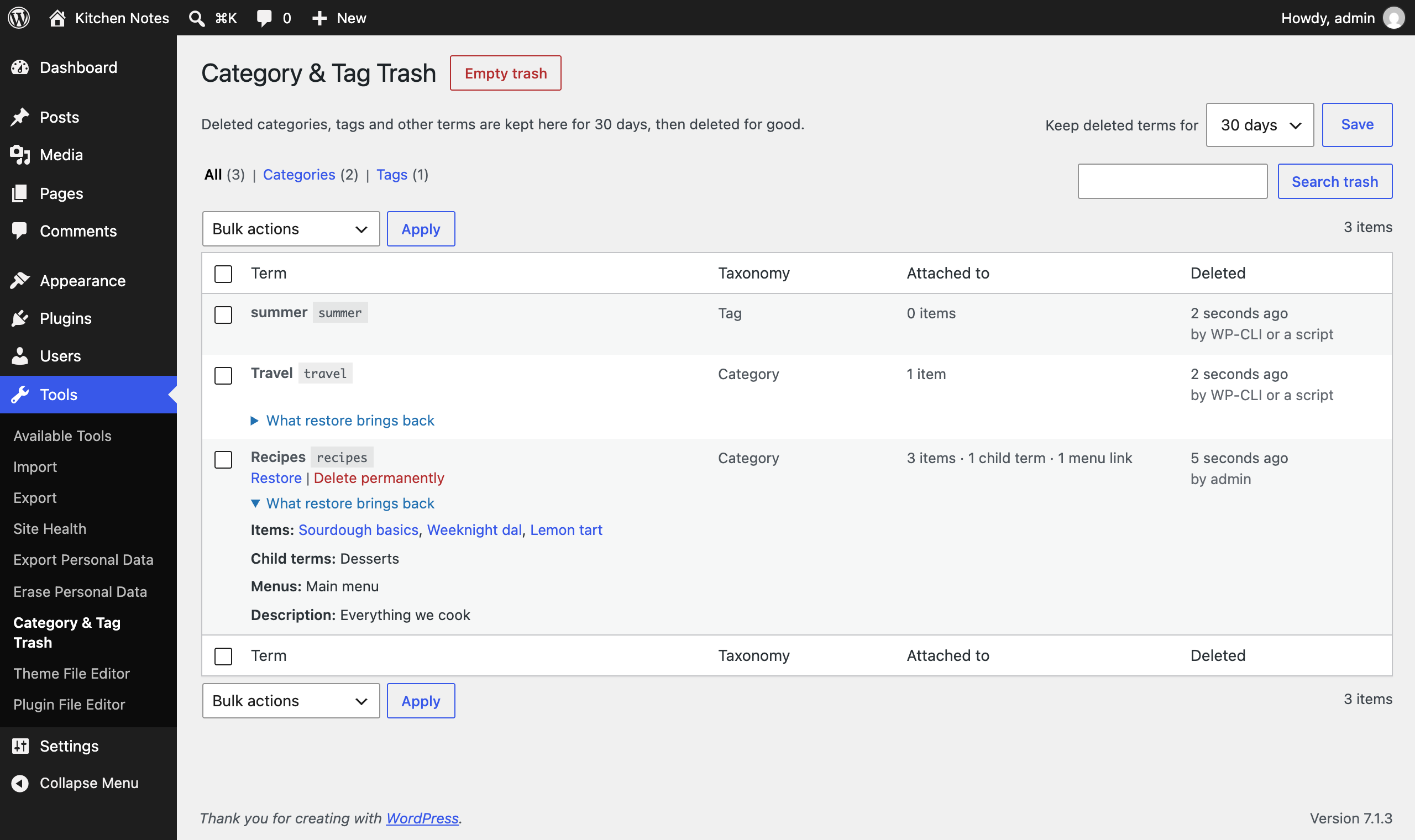 What a restore brings back |
Documentation
| Doc | What it covers |
|---|---|
| Reference | Hooks, WP-CLI, the PHP API and what is stored |
| Development | Local setup, commands and tests |
| Contributing | Pull requests, required checks and PR titles |
| Releasing | How merged pull requests become releases |
| Security | Reporting a vulnerability |
| readme.txt | What WordPress.org shows, with the FAQ and changelog |
Project structure
term-trash.php           plugin header and PSR-4 autoloader
src/
├── Plugin.php           creates the services
├── Snapshot.php         everything about a term at the moment it was deleted
├── Snapshotter.php      captures terms on pre_delete_term, saves on delete_term
├── Restorer.php         puts a term, its posts, children and menu links back
├── Trash.php            storage (a hidden post type) and queries
├── Purger.php           daily cleanup after the retention period
├── Admin/               trash screen, list table, Undo notices
└── Cli/Command.php      wp term-trash
assets/                  term screen script and styles
tests/
├── Unit/                PHPUnit
└── e2e/                 Playwright specs and the Docker site
.wordpress-org/          screenshots
docs/                    reference, development, contributing, releasing
License
GPL-2.0-or-later © Aryan Jasala