Install
This is the repository archive. It installs, but the folder name will carry the branch suffix and updates will not flow.
Install straight from GitHub with WP-CLI:
wp plugin install https://github.com/aryanjasala/axle-config-sync/archive/refs/heads/main.zip
Axle Config Sync







Keep WordPress settings in git as JSON files, see what differs from the live site, and apply a chosen set with a preview and undo.
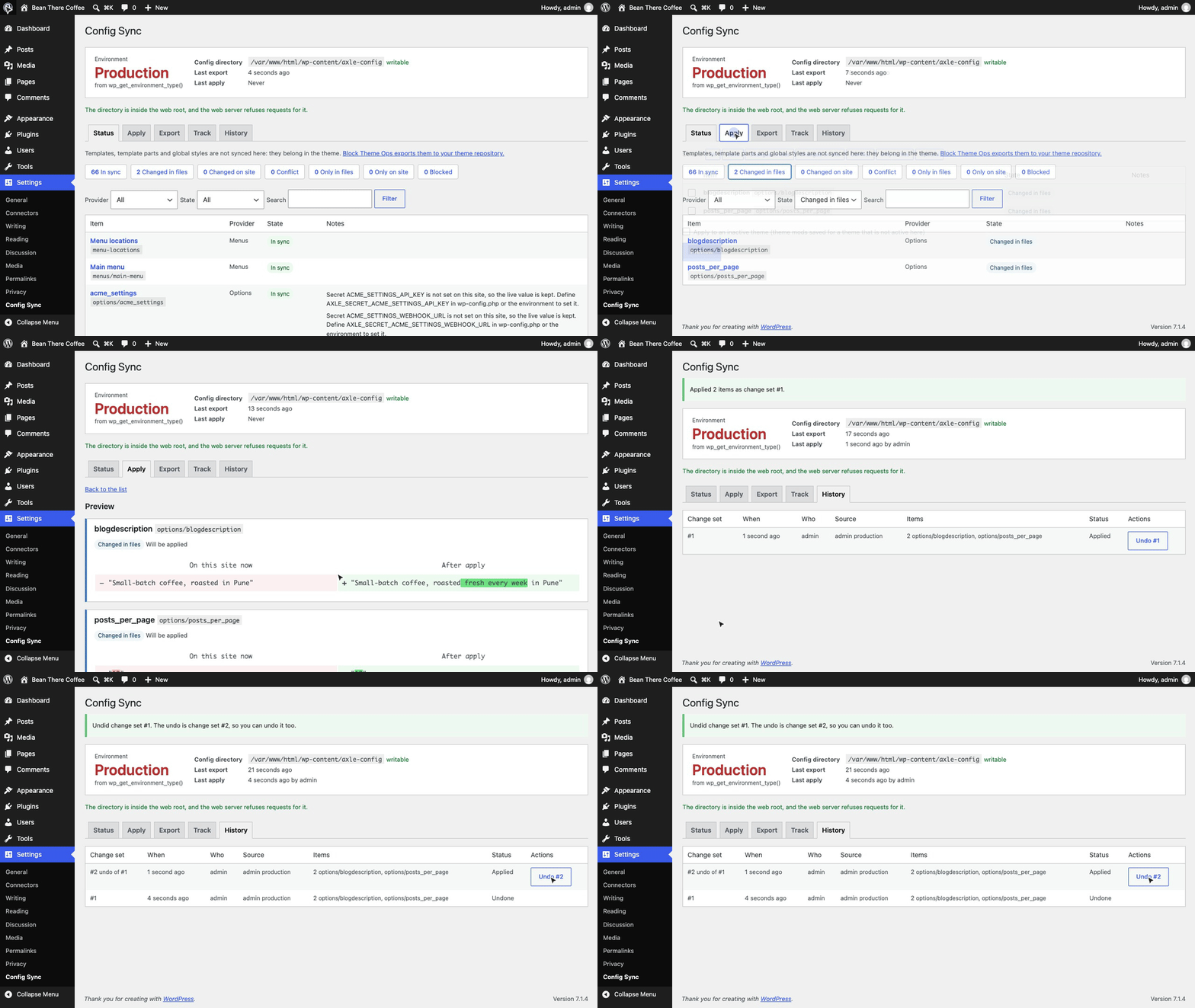
Settings live in the database, not in files. Moving them from staging to production means clicking through every screen again, copying the whole database, or a per-feature export plugin with no diff and no undo. Axle Config Sync writes settings to one JSON file per item in a folder you commit to git, shows what differs on each site with a three-way status, and applies a chosen set with a preview, a change set and undo. IDs, URLs and secrets are made portable on the way.
[!NOTE] Free and open source under the GPL. No pro version, no upsells, no ads in wp-admin, no tracking. And it stays that way.
Part of Axle by AryanX, a family of plugins for running WordPress sites safely.
Features
- Six providers: core settings screens and tracked plugin options, theme mods, widgets per sidebar, classic menus with locations, block navigation, and roles
- Three-way status: in sync, changed in files, changed on site, conflict, only in files, only on site, or blocked, so you know which side moved
- Portable references: pages, terms, media and menus travel as paths and slugs and resolve to the right IDs on the target. A missing page blocks the item with a plain message
- URL placeholders: the site URL becomes
{{home_url}}and expands to the target's URL. Never a find and replace on serialized data - Secrets stay out of git: keys and tokens are written as
{"$secret":"NAME"}and resolve fromAXLE_SECRET_NAME.secrets checkfails CI when one is committed by hand - Per-environment values in
env/<environment>.json, picked byAXLE_CONFIG_SYNC_ENVorwp_get_environment_type() - Preview and consent: before and after for every item; dangerous changes (default role, roles gaining admin capabilities, admin email, permalinks) need an explicit confirmation or
--allow-dangerous - Change sets and undo: every apply is stored, rolled back on failure, and undoable. Undo checks nothing changed since, and is undoable too
- Safe files: nothing from a file is ever unserialized, and the screen and Site Health check the folder is not served over HTTP
- WP-CLI for deploys (
git pull && wp axle-config-sync apply --all --yes), abilities for agents, REST routes, Site Health, privacy export and erase
Install
- Download
axle-config-sync.zipfrom the latest release. - In WordPress, go to Plugins > Add New Plugin > Upload Plugin, choose the zip and activate it.
Or with WP-CLI:
wp plugin install https://github.com/aryanjasala/axle-config-sync/releases/latest/download/axle-config-sync.zip --activateNeeds WordPress 6.6+ and PHP 7.4+. To try it first, the Try in WordPress Playground badge opens a throwaway WordPress in your browser with the plugin and some demo content.
Quick look
Export on staging and commit:
wp axle-config-sync track 'woocommerce_*' --owner=woocommerce
wp axle-config-sync export --all
git add wp-content/axle-config && git commit -m "Update site settings"
On production, see what differs and apply:
git pull
wp axle-config-sync status            # exit 1 when anything differs, 2 on conflicts
wp axle-config-sync apply --all --dry-run
wp axle-config-sync apply --all --yes
wp axle-config-sync undo 12           # if it was wrong
Screenshots
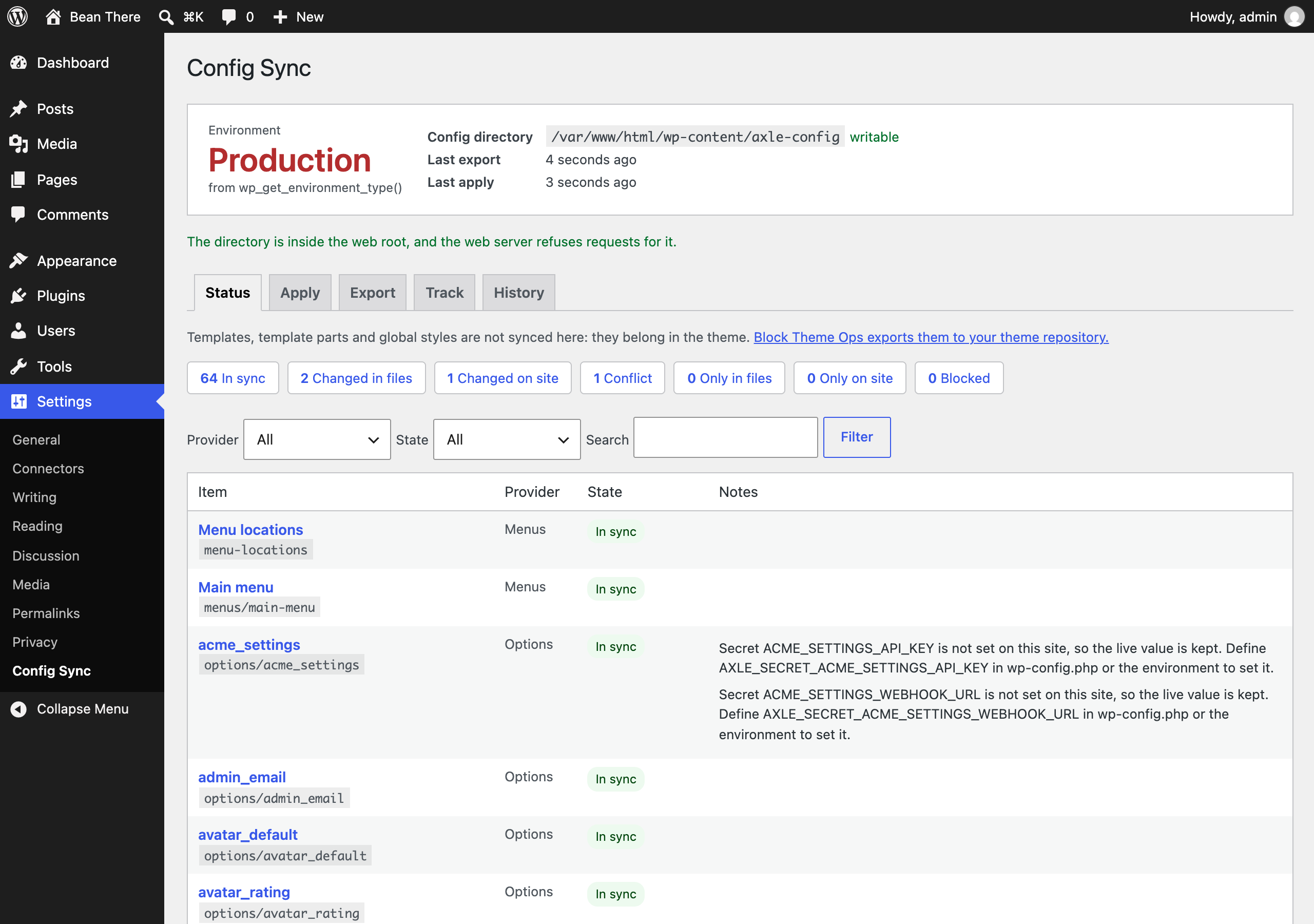 Status: the environment, the config directory and every tracked item with its three-way state |
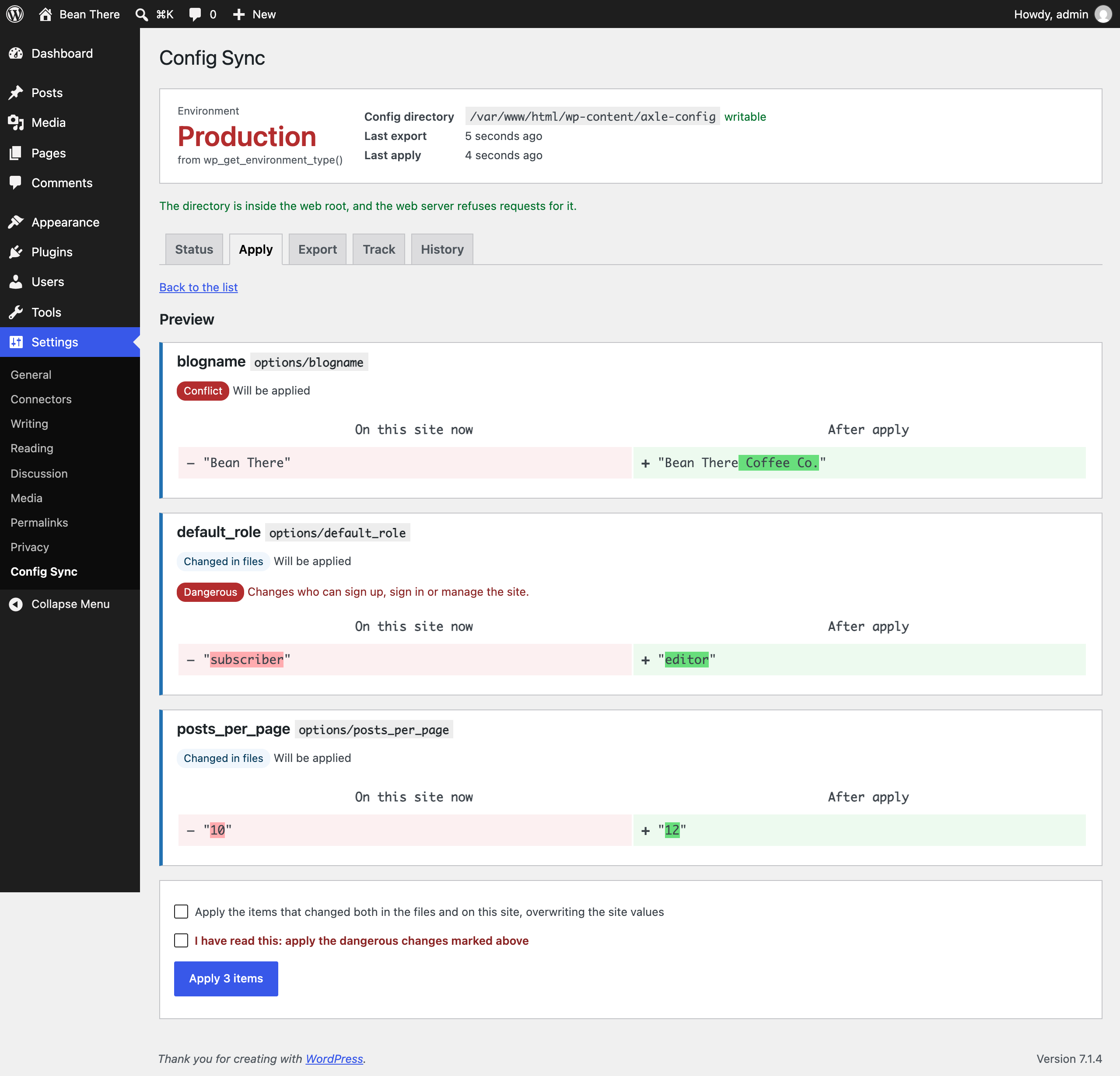 The preview before an apply: each change before and after, a dangerous change, and the confirmation it needs |
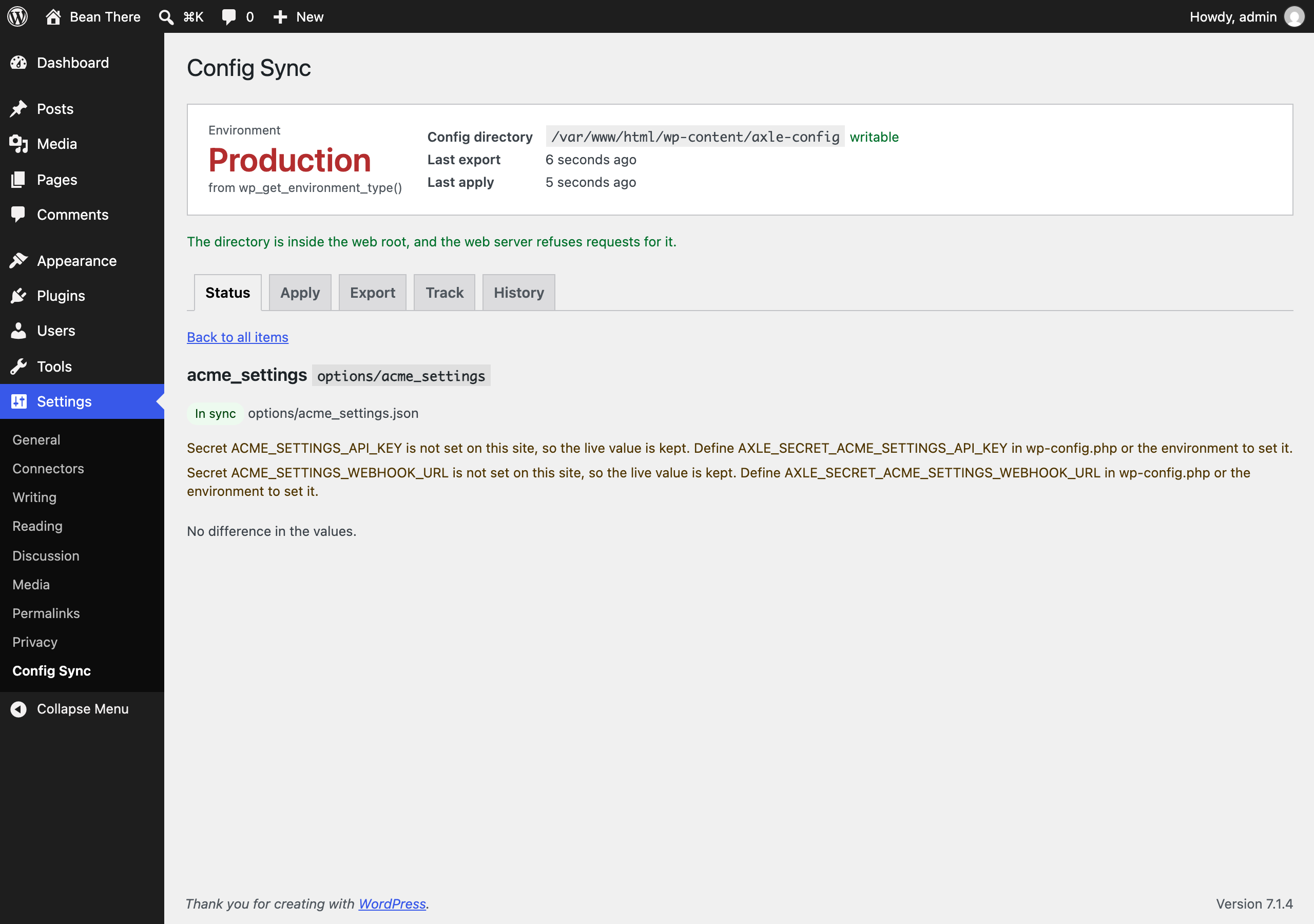 One item's difference between the file and the site |
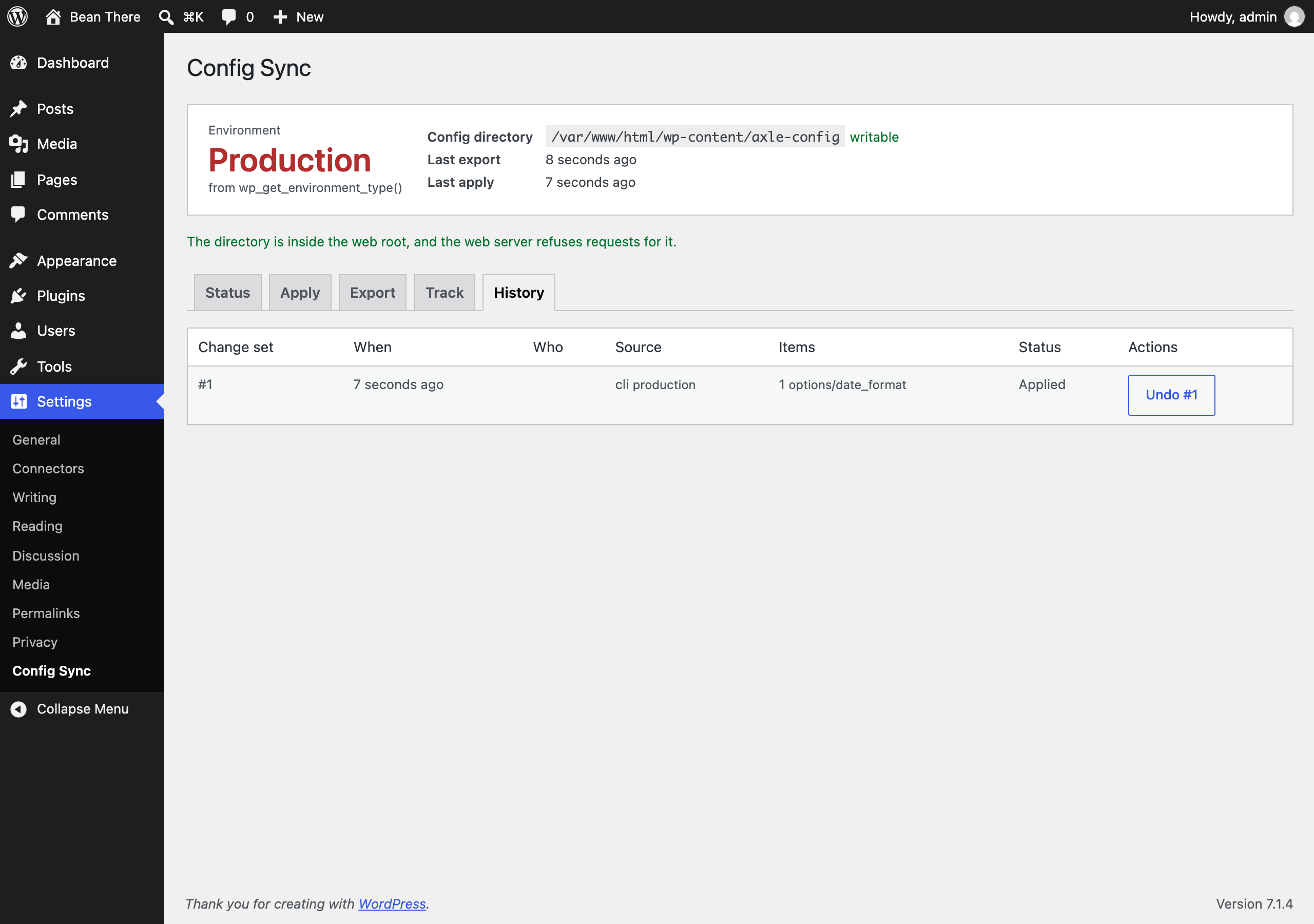 History: past applies with Undo |
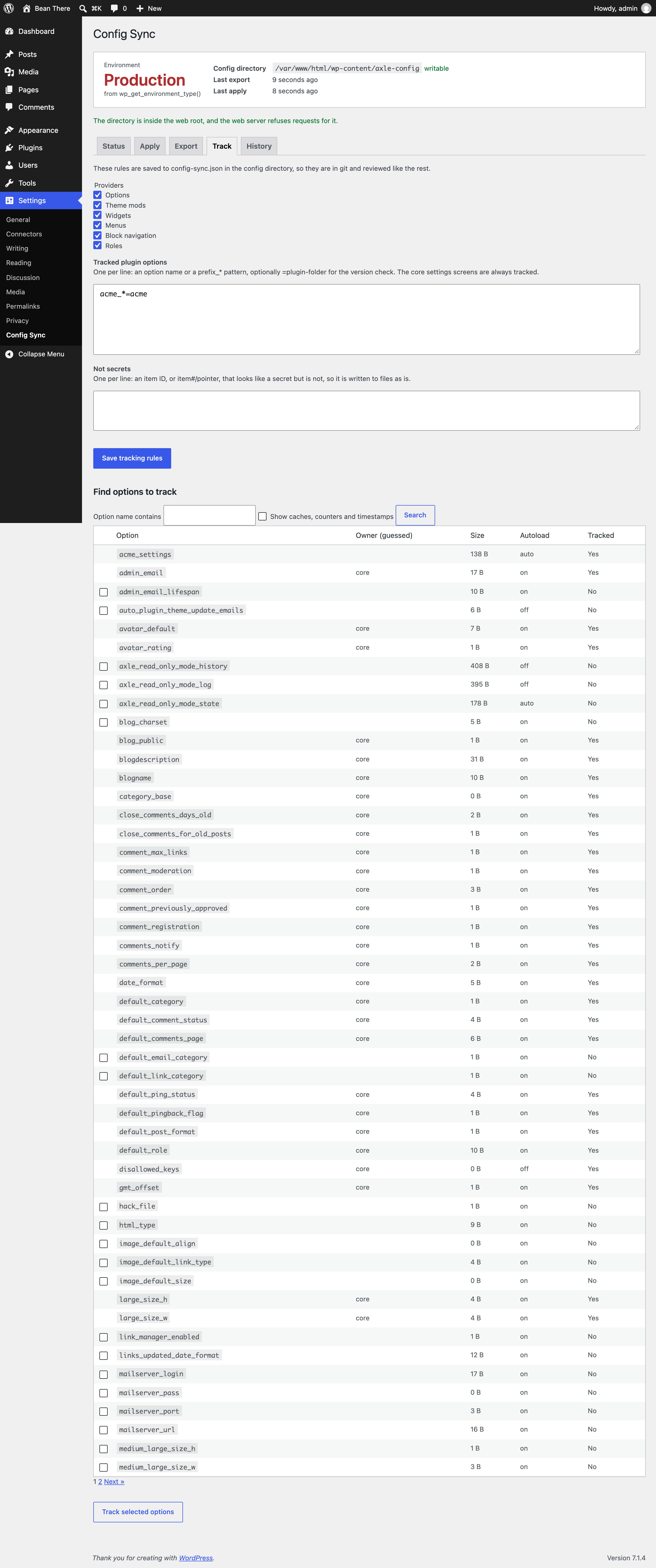 Track: which providers and plugin options are synced, and the option finder |
Documentation
| Doc | What it covers |
|---|---|
| Reference | File format, three-way status, references, placeholders, secrets, environments, dangerous changes, hooks, abilities, WP-CLI, REST, data and privacy |
| Development | Local setup, commands and tests |
| Contributing | Pull requests, required checks and PR titles |
| Releasing | How merged pull requests become releases |
| Security | Reporting a vulnerability |
| readme.txt | What WordPress.org shows, with the FAQ and changelog |
Project structure
axle-config-sync.php      plugin header and PSR-4 autoloader
src/
├── Plugin.php            creates the services
├── Engine.php            status, export, preview, apply, undo
├── Codec.php             exact JSON encoding, no unserialize
├── Marker.php            references and secret placeholders
├── References.php        IDs to paths and slugs, and back
├── Placeholders.php      {{home_url}} and {{site_url}}
├── Secrets.php           detection, masking, resolving
├── Environment.php       the environment and env/<name>.json
├── Directory.php         the config directory and its HTTP check
├── Rules.php             tracking rules in config-sync.json
├── State.php             hashes for three-way status
├── Danger.php            dangerous changes
├── Manifest.php          manifest.json and version checks
├── Changesets.php        change sets for undo
├── Schema.php            the table and the daily purge
├── Registry.php          providers and apply order
├── Providers/            options, theme mods, widgets, menus, navigation, roles
├── Privacy.php           export, erase and policy text
├── Abilities.php         abilities for agents
├── Rest/Controller.php   status, chunked apply, undo
├── Admin/                Settings > Config Sync
├── Health/SiteHealth.php the Site Health tests
└── Cli/                  wp axle-config-sync
assets/                   admin.css, admin.js
tests/
├── Unit/                 PHPUnit
└── e2e/                  Playwright specs, fixture and the Docker site
.wordpress-org/           screenshots
docs/                     reference, development, contributing, releasing
More free plugins
Small plugins that each fill one gap in WordPress, all free with no pro version:
| Plugin | What it does | |
|---|---|---|
 |
Page Template Usage | See which template every page uses, and fix the pages on a missing template |
 |
Staging Guard | Stops staging copies from emailing real people or getting indexed |
 |
Category & Tag Trash | A trash for categories, tags and custom terms, with undo and full restore |
 |
Axle Read-Only Mode | Read-only mode for WordPress during migrations and deploys |
 |
Restore Blocks from Revisions | Restore a single block from an old revision, not the whole post |
 |
Activity Log with Undo | An activity log where every change you can reverse has an Undo button |
 |
Agent Governance | Hold risky AI agent calls for approval, preview what they change, and roll back a session |
 |
Block Doctor | Scan the whole site for invalid and broken blocks and fix them in bulk, with undo |
 |
Block Theme Ops | Find Site Editor changes that override your theme files, see the diff, reset them or send them to Git |
 |
Role Right-Sizer | Recommends the smallest role each user needs, from what they actually do |
 |
Update Rehearsal | Try plugin, theme, core and PHP updates on a disposable copy of your site in WordPress Playground first |
 |
User Session Manager | See every device signed in, sign out one, and limit sessions per role |
License
Copyright Aryan Jasala. Licensed under GPL-2.0-or-later.