AskQuote for WooCommerce WP Registry grade B. Medium-severity findings · 1 findingWP RegistryMedium-severity findings · 1 findingOpen the reportB
Request-a-quote system for WooCommerce. GPL v2. For WordPress.org.
Install
Upload it under Plugins → Add New Plugin → Upload Plugin, then activate.
Install straight from GitHub with WP-CLI:
wp plugin install https://github.com/arunrajiah/askquote-for-woocommerce/releases/download/v1.0.1/askquote-for-woocommerce.zip

AskQuote for WooCommerce
Add a complete Request a Quote workflow to your WooCommerce store — in minutes, not days.
Customers click "Request Quote" on any product, build a quote cart, and submit their request. You review and approve it from your WordPress dashboard — no coding required.
✨ Features
- Quote button on any product page — control which products show it (all, by category, by tag, or per-product)
- Dedicated quote cart — completely separate from the WooCommerce shopping cart
- Quote submission form — captures customer details alongside quoted items
- Admin dashboard — manage all incoming quotes with status tabs, bulk actions, and a detail view
- Custom statuses — Pending → Replied → Approved → Closed
- Email notifications — customer confirmation, admin new-quote alert, and customer approval notice (all using your WooCommerce email template)
- My Account integration — logged-in customers see a "My Quotes" tab
- REST API — full API at
/wp-json/askquote/v1/quotesfor headless and external integrations - HPOS compatible — works with WooCommerce High-Performance Order Storage
- Zero telemetry — no analytics, no remote connections, no data sent anywhere
📸 Screenshots
| Quote button on product | Quote cart | Submission form |
|---|---|---|
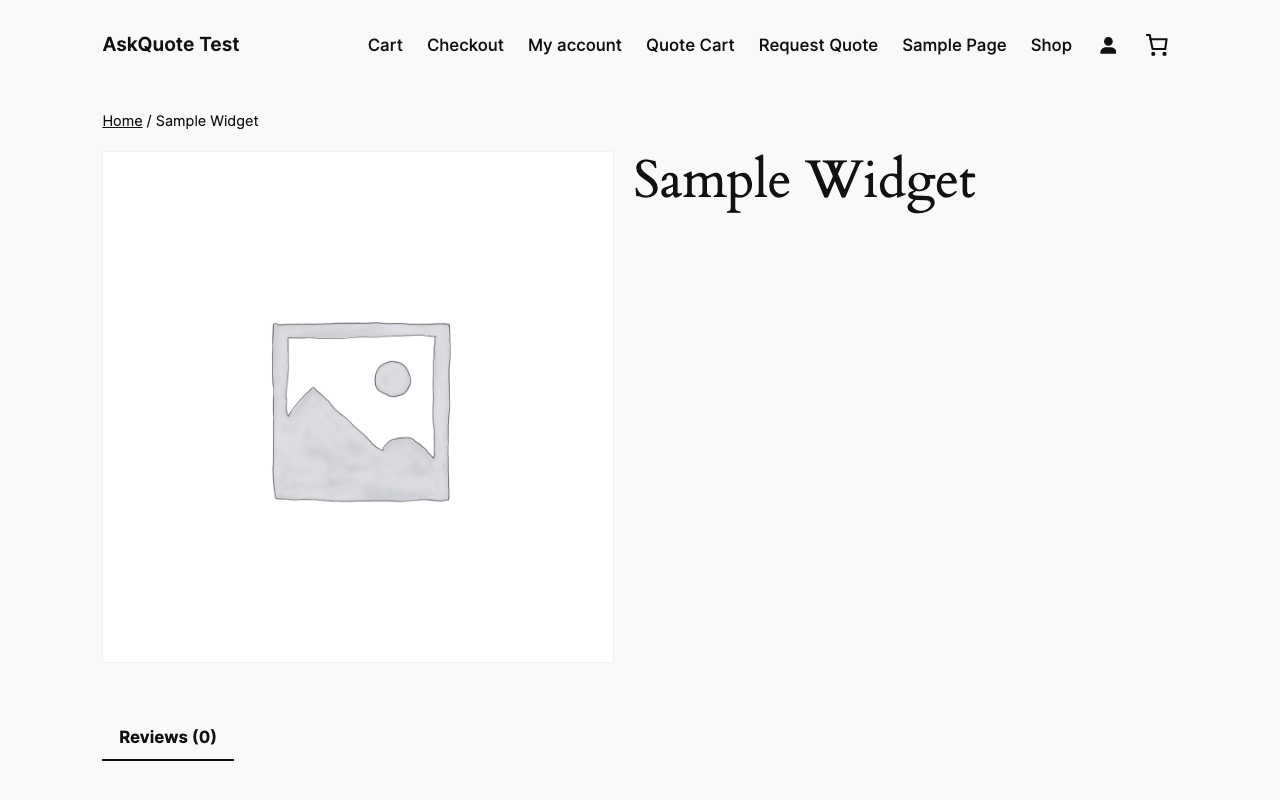 |
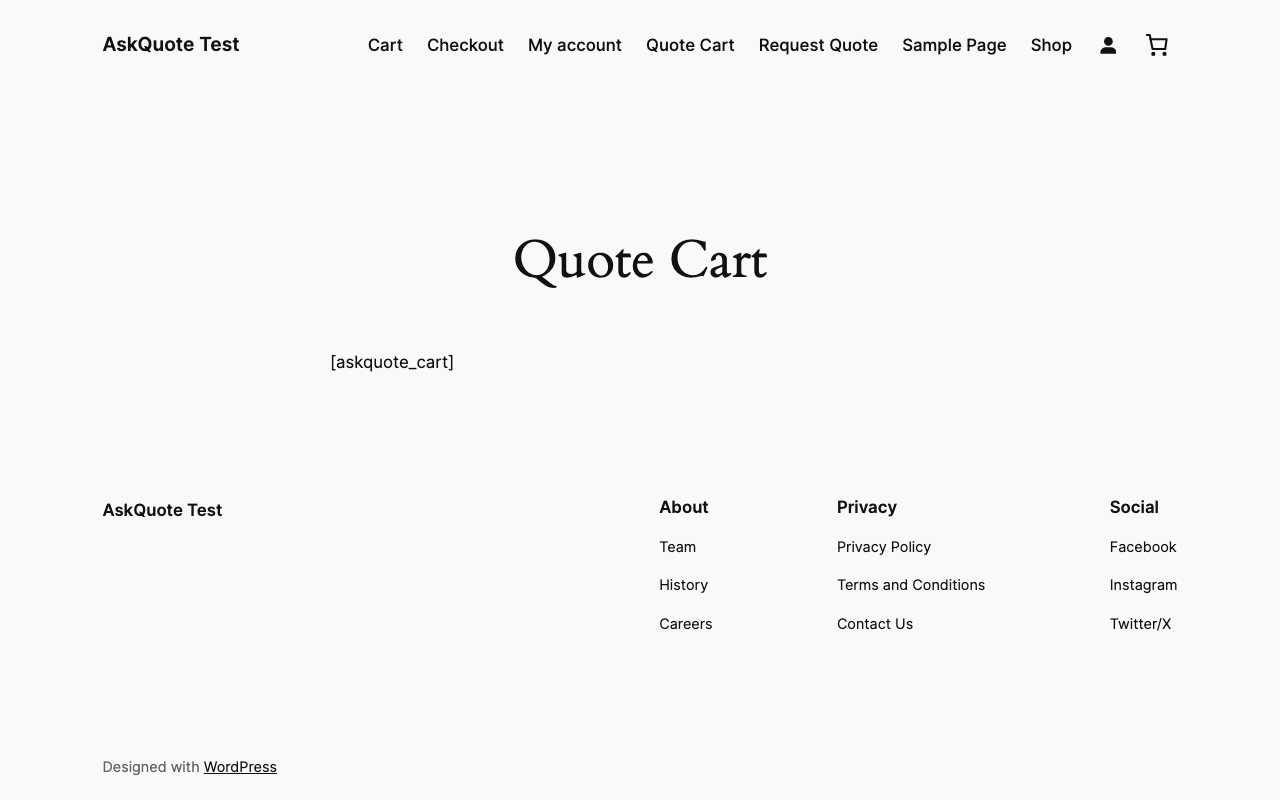 |
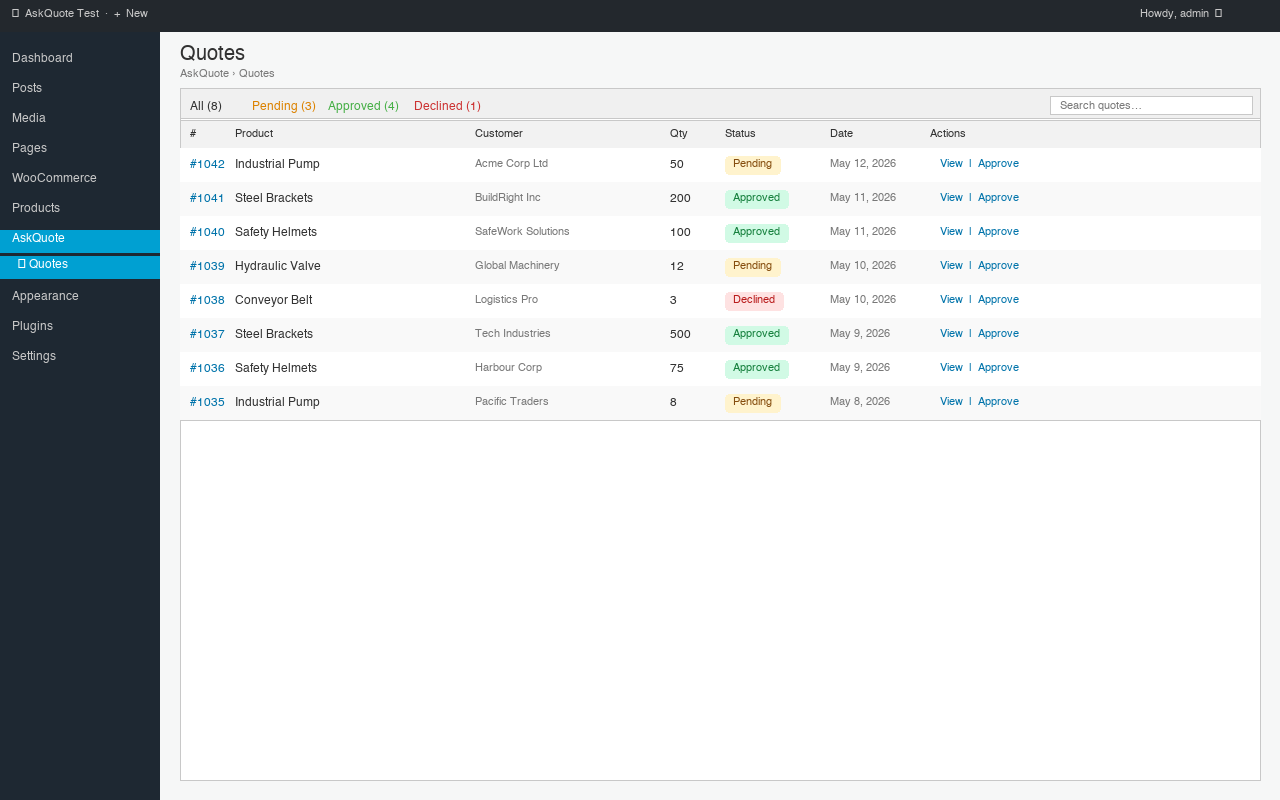 |
| Admin quotes list | Quote detail & approval |
|---|---|
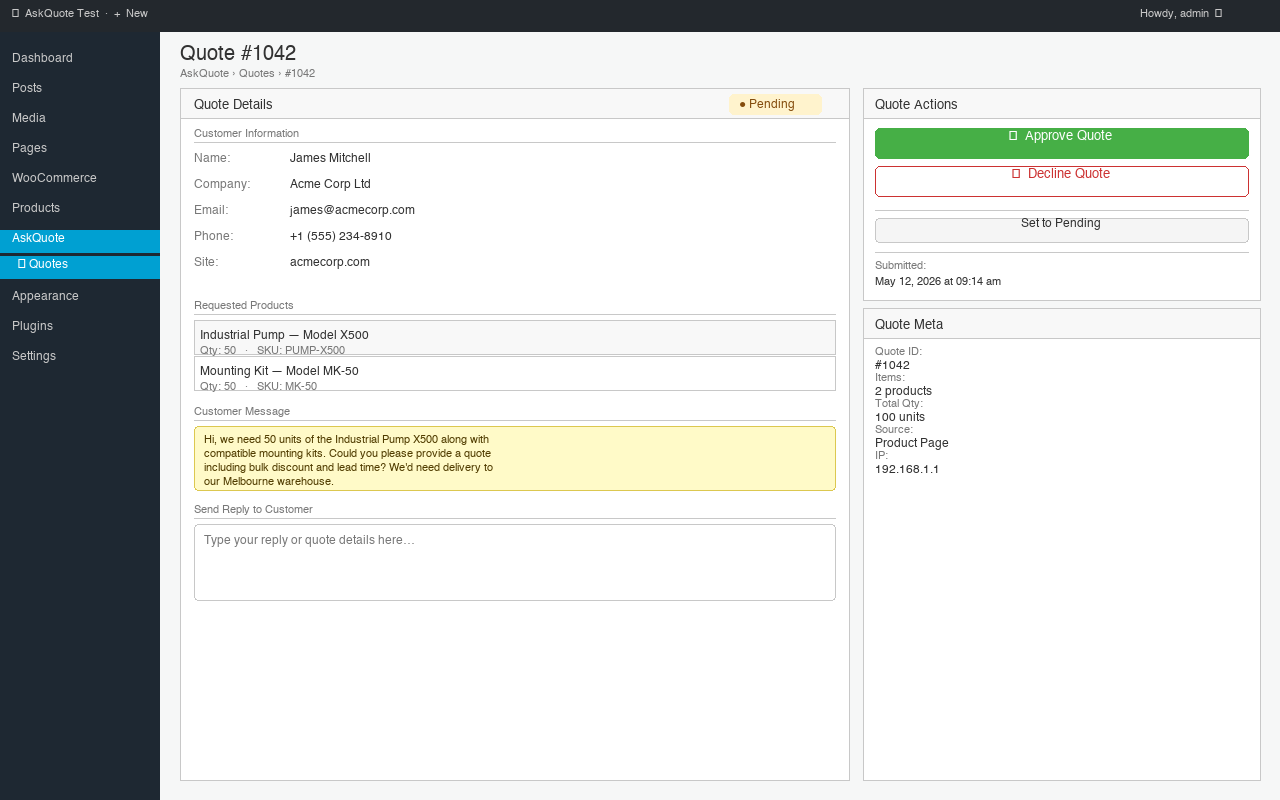 |
 |
🚀 Quick Start
Install
Option A — Download ZIP (recommended)
- Download the latest ZIP from the Releases page
- Go to WordPress Admin → Plugins → Add New → Upload Plugin
- Upload the ZIP and click Activate
Option B — Manual
- Extract the ZIP into
/wp-content/plugins/askquote-for-woocommerce/ - Activate via WordPress Admin → Plugins
Configure
- Go to AskQuote → Settings and choose which products show the quote button
- Create a Quote Cart page, add the
[askquote_cart]shortcode, and save its ID in settings - Create a Quote Form page, add the
[askquote_form]shortcode, and save its ID in settings - Optionally go to WooCommerce → Settings → Emails to customise the AskQuote email subjects
That's it — the quote button will now appear on your products.
📌 Shortcodes
| Shortcode | Description |
|---|---|
[askquote_button product_id="123"] |
Render the quote button for a specific product anywhere on the site |
[askquote_cart] |
Display the current quote cart (use on a dedicated "Quote Cart" page) |
[askquote_form] |
Display the quote submission form |
❓ FAQ
Does this work with variable products?
Yes. Variation IDs are tracked in the quote cart and saved against each quote line item.
Will this break my regular cart or checkout?
No. The quote cart is completely independent — stored separately in the WooCommerce session.
Can I add custom fields to the quote form?
Yes — use the askquote_quote_form_fields filter. See the Hooks reference below.
Can customers see their past quotes?
Yes. Logged-in customers get a "My Quotes" tab in their WooCommerce My Account area.
Can I control which products show the button?
Yes. Go to AskQuote → Settings → General and choose: all products, specific categories, specific tags, or per-product toggle.
Where are advanced features like PDF quotes, price negotiation, and expiry dates?
Those are part of AskQuote Pro — available separately.
⚡ AskQuote Pro
The free plugin handles the core quoting workflow. AskQuote Pro ($49 one-time) adds B2B-grade features:
- Wholesale roles & tiered pricing rules
- Bulk order form with CSV import
- Net-30 checkout & invoice generation
- B2B registration with approval workflow
- Tax exemption management
- Quote templates for fast replies
- Priority email support · 1-year updates
🔧 Hooks for Developers
AskQuote is built to be extended. Key hooks:
| Hook | Type | Description |
|---|---|---|
askquote_loaded |
action | Fires after the plugin has fully initialised |
askquote_quote_submitted |
action | Fires after a new quote is saved |
askquote_quote_status_changed |
action | Fires on every status transition |
askquote_quote_button_visible |
filter | Control per-product button visibility |
askquote_quote_button_html |
filter | Customise the button HTML output |
askquote_quote_form_fields |
filter | Add, remove, or reorder form fields |
askquote_quote_data_before_save |
filter | Modify quote data before it is written to the DB |
askquote_email_recipients |
filter | Customise who receives each email type |
See includes/extensibility/class-hook-registry.php for the complete documented list.
Overriding Templates
Copy any file from templates/ into your theme at the same relative path under askquote-for-woocommerce/:
wp-content/themes/your-theme/
  askquote-for-woocommerce/
    emails/
      customer-quote-submitted.php
    frontend/
      quote-form.php
REST API
Base URL: {site_url}/wp-json/askquote/v1
| Method | Endpoint | Auth |
|---|---|---|
POST |
/quotes |
None (public) |
GET |
/quotes |
manage_woocommerce |
GET |
/quotes/{id} |
Admin or quote owner |
PATCH |
/quotes/{id}/status |
manage_woocommerce |
🛠 Local Development
git clone https://github.com/arunrajiah/askquote-for-woocommerce.git
cd askquote-for-woocommerce

# Install dev tools
composer install

# Install WordPress test suite
bash bin/install-wp-tests.sh wordpress_test root '' localhost latest

# Run tests
composer run test

# Lint (PHPCS)
composer run lint

# Auto-fix lint issues
composer run lint-fix
Project Layout
askquote-for-woocommerce/
├── askquote-for-woocommerce.php   Main plugin file
├── includes/
│   ├── admin/           Admin screens, settings, list table, meta box
│   ├── frontend/        Quote button, cart, form, My Account tab
│   ├── post-types/      CPT registration
│   ├── emails/          WC_Email subclasses + email manager
│   ├── api/             REST API controller
│   ├── helpers/         Global functions, status helper
│   └── extensibility/   Hook documentation class
├── templates/           Overridable templates (emails + frontend)
├── assets/              CSS and JS
├── languages/           .pot translation template
└── tests/               PHPUnit bootstrap and test cases
Release Process
- Update version in
askquote-for-woocommerce.php,class-askquote.php,readme.txt, andCHANGELOG.md - Commit and push to
main - Tag the release:
git tag v1.x.x && git push --tags - GitHub Actions automatically builds and attaches the ZIP to the release
📄 License
GPL v2 or later — see LICENSE.
Copyright © 2026 Arun Rajiah
Releases
2 releases. Each count is every asset in that release; expand a row for the breakdown.