Install
This is the repository archive. It installs, but the folder name will carry the branch suffix and updates will not flow.
Install straight from GitHub with WP-CLI:
wp plugin install https://github.com/artcomventure/wordpress-plugin-openemm/archive/refs/heads/master.zipOpenEMM Newsletter subscription
Installation
- Upload files to the
/wp-content/plugins/directory of your WordPress installation.
- Either download the latest files and extract zip (optionally rename folder)
- ... or clone repository:
$ cd /PATH/TO/WORDPRESS/wp-content/plugins/
$ git clone https://github.com/artcomventure/wordpress-plugin-OpenEMM.git
If you want a different folder name than
wordpress-plugin-OpenEMMextend clone command by'FOLDERNAME'(replace the word'FOLDERNAME'by your chosen one):$ git clone https://github.com/artcomventure/wordpress-plugin-OpenEMM.git 'FOLDERNAME'
- Activate the plugin through the 'Plugins' screen in WordPress.
- Enjoy
Usage
Once activated you'll find the 'OPENEMM' settings page listed in the submenu of 'Settings'.
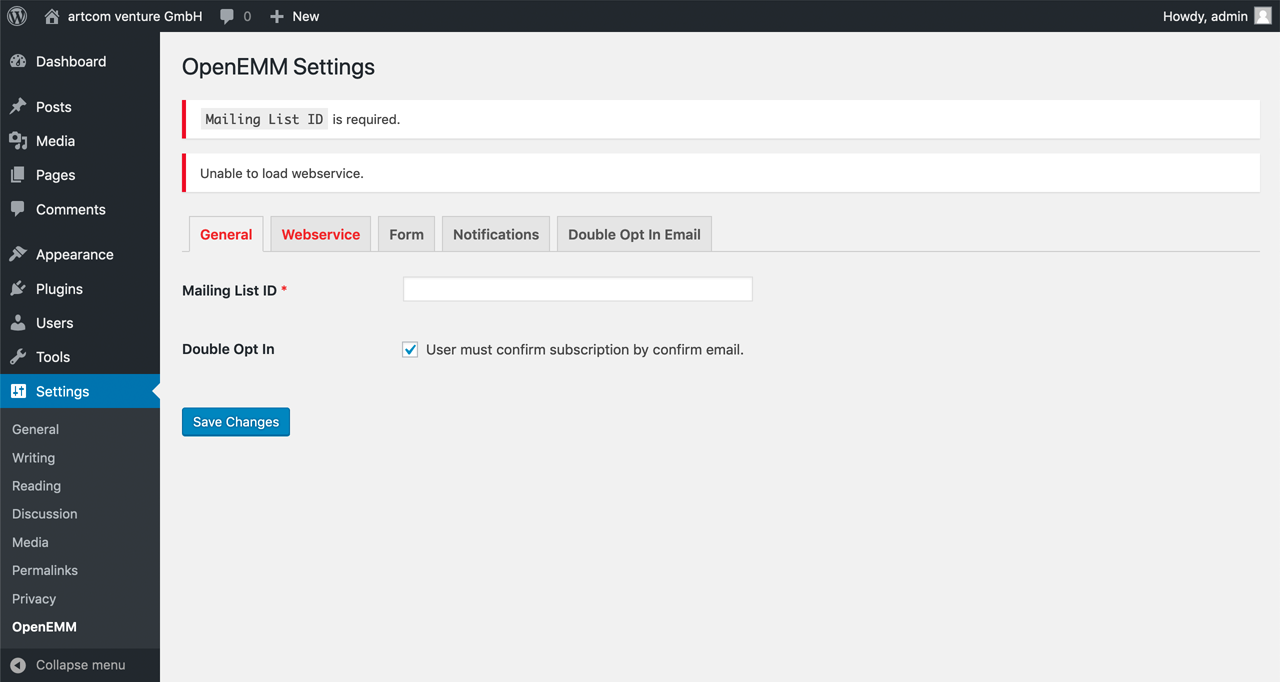
- Enter required values for mailing list ID and path to webservice's file and its credentials.
- Choose optional/required fields for your subscription form.
- Customize the notifications.
- Customize the douple opt in (optional) email.
To display the subscription form insert the shortcode `[openemm] into the editor``
Plugin Updates
Although the plugin is not yet listed on https://wordpress.org/plugins/, you can use WordPress' update functionality to keep it in sync with the files from GitHub.
Please use for this our WordPress Repository Updater with the settings:
- Repository URL: https://github.com/artcomventure/wordpress-plugin-OpenEMM/
- Subfolder (optionally, if you don't want/need the development files in your environment): build
We test our plugin through its paces, but we advise you to take all safety precautions before the update. Just in case of the unexpected.
Questions, concerns, needs, suggestions?
Don't hesitate! Issues welcome.