Install
Upload it under Plugins → Add New Plugin → Upload Plugin, then activate.
Install straight from GitHub with WP-CLI:
wp plugin install https://github.com/arnoldwender/wm-wp-modularscale/releases/download/v1.2.1/wm-modularscale-1.2.1.zip
-blue.svg)


-lightgrey.svg)




Typographic scale calculator, fluid
clamp()token generator and Gutenberg / GeneratePress / GenerateBlocks typography bridge for WordPress
Author & Web Developer: Arnold Wender (ORCID: 0009-0005-1750-818X) · Inhaber, Wender Media (Einzelunternehmen) · Halle (Saale), Germany · 2026
Corporate Portal: https://www.wendermedia.com · Personal Website: https://www.arnoldwender.com · SEO Portal: https://www.seo-halle.de · Cognitive Substrate: https://neurozoa.ai
This README describes what the plugin ships. Until 2026-09-14 it also described WP-CLI commands (
wp modular …), a REST namespace, a[wm_modular_scale_grid]shortcode, GoBD audit exports and an HMAC hash chain; none of those exist in this repository (measured: noWP_CLI::add_command,register_rest_route,add_shortcode,hash_hmacordbDeltacall). The plugin stores ten options and prints CSS.
Showcase
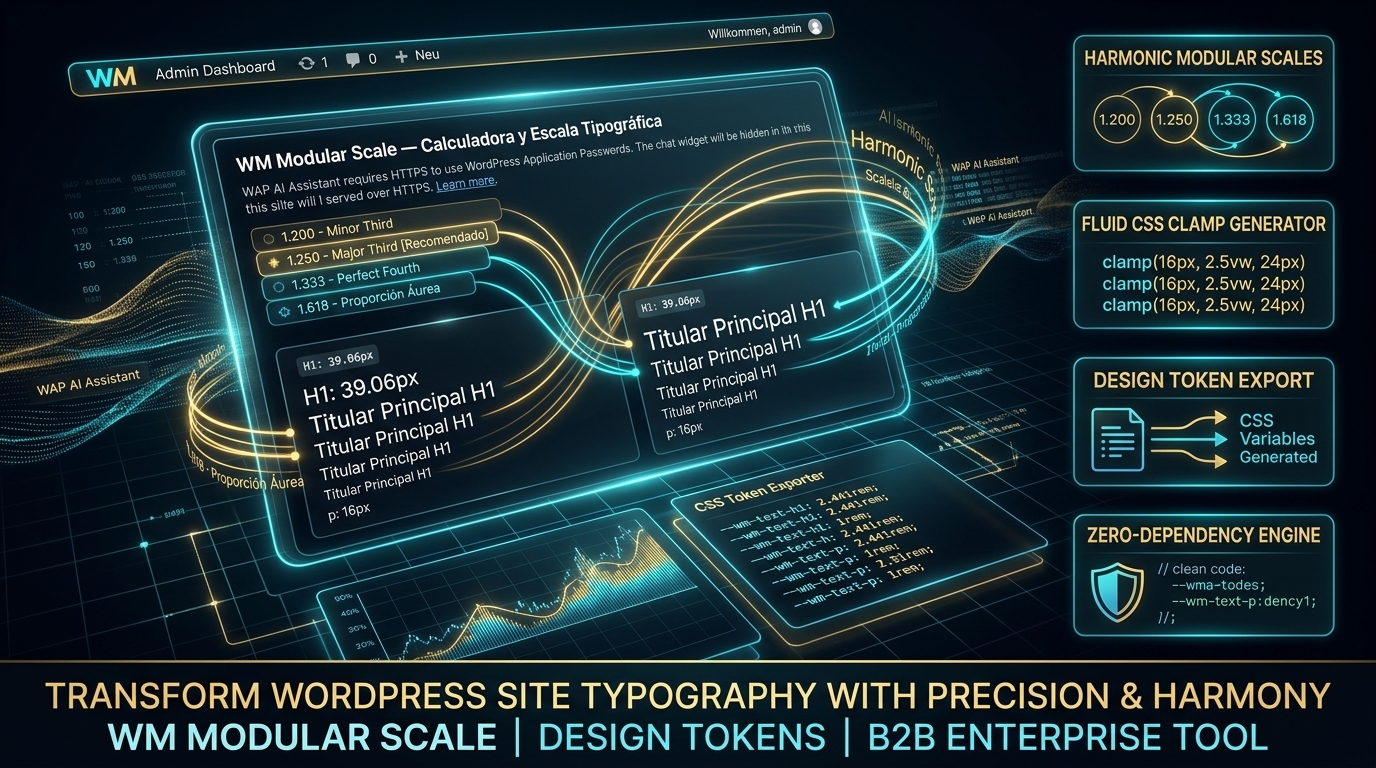
Settings screen and dashboard widget on the Wender Media admin family: docs/screenshots/design-family/.
What the plugin does
- Calculates a modular scale. One base size, one ratio (Major Second 1.125 … Golden Ratio 1.618, or a custom value), nine steps from −2 (micro caption) to +6 (hero) —
WenderMedia\ModularScale\Core\Scale_Engine. - Prints fluid CSS tokens into
<head>when apply to the site is on:@propertydeclarations and a:rootblock with--wm-step-neg-2 … --wm-step-6asclamp(min, preferred, max)between the configured viewports (default 360 px → 1440 px), matching--wm-lh-*line heights, semantic aliases (--wm-font-size-h1 … body) and GeneratePress aliases (--gp-font-size-*), plus the utility classes.has-fluid-h1-font-size … .has-fluid-body-font-sizeand.wm-fluid-container(container queries). Each step is checked against WCAG 1.4.4 zoom safety (max ≤ 2.5 × min). Optional anti-CLS@font-facefallback override (Inter → Arial, Roboto → Arial, Merriweather → Georgia, Playfair → Times). - Optional legacy sheet. The settings page's apply toggle also enqueues
wm-modularscale.css, which sizesbody,h1–h6,p/lists from--wmmsp-*variables computed from base, ratio, unit and precision. No viewport rule shrinks the configured base size (default 16 px); the plugin does not enforce a minimum, the field accepts any value from 1. - Seven Gutenberg blocks in the "WM Modular Scale" category — each one with its slug, attributes and defaults in docs/BLOCKS.md (
wm-scale/*): Fluid Heading, Fluid Lead Text, Fluid Container (@container), Typographic Grid (CSS grid with a scale gap), Ratio Visualizer (the nine steps drawn at their sizes), APCA Contrast Badge (Lc of a colour pair per apca-w3 0.1.9 with the usage hint of APCA's readability criterion; APCA is not part of WCAG), Theme.json Exporter. - theme.json bridge. Filters
wp_theme_json_data_theme:settings.typography.fontSizesbecome the nine fluid steps (wm-step-neg-2 … wm-step-6),defaultFontSizes: false,fluid: true. - GeneratePress bridge. Empties the Google Fonts list and hides it in the Font Manager, dequeues
generate-fonts, appends--gp-font-size-*plush1–h6rules to GeneratePress' dynamic typography CSS, and lists Inter, Outfit, Cinzel, Cabinet Grotesk and a system stack in the font pickers (the plugin ships no font files; those names resolve only if the site provides them). - GenerateBlocks bridge. Global styles
wm-fluid-h1/h2/h3/body, typography presetswm-step-0 … 6, andcontainer-type: inline-sizeon a Container block that carries theuseContainerQueriesattribute. - Admin. Settings page (menu Modular Scale, or under Wender Media when the hub is active; also Settings › Modular Scale) with a live sandbox preview and one-click ratio presets; a dashboard widget with the configured base, ratio and apply state. Both render from the Wender Media admin family sheets.
- WM Suite Hub spoke.
includes/class-modularscale-spoke-adapter.phpregisters throughwm_register_suite_module: SBOM entry with the SHA-256 of the main file, telemetry (base size, ratio, applied, H1–H3 tokens) and theself_test/calculate_scaleactions.
Not shipped
No WP-CLI commands, no REST endpoints, no shortcodes, no custom database tables, no audit log or export, no external requests.
Quick start
- Install and activate the plugin (WordPress 6.4+, PHP 8.1+).
- Open Modular Scale in the admin menu (Wender Media › Modular Scale with the hub).
- Pick a ratio preset or type one, set base size, unit and precision, watch the sandbox, tick Skala auf der Website anwenden (the admin screens are German), save.
- In the editor, use the WM Modular Scale block category or the
.has-fluid-*classes; with GeneratePress / GenerateBlocks the tokens appear in their own controls.
Options
| Option | Default | Written by |
|---|---|---|
wmmsp_base_size |
16 | settings page |
wmmsp_ratio |
1.25 | settings page |
wmmsp_unit |
px | settings page |
wmmsp_precision |
2 | settings page |
wmmsp_apply_typography |
1 for the token output, 0 for the legacy sheet — see Known issues | settings page |
wmmsp_base_size_max |
18 | not exposed in the UI (wp option update) |
wmmsp_min_viewport / wmmsp_max_viewport |
360 / 1440 | not exposed in the UI (wp option update) |
wmmsp_ratio_name |
major-third | not exposed in the UI; read by nothing |
wmmsp_font_override_preset |
inter-to-arial | not exposed in the UI (wp option update) |
A stored value the scale cannot use (0, empty, viewports in the wrong order, a maximum below the base size) falls back to the default above; until 2026-09-15 every save of the settings page wrote 0 into the options without a field.
Developers
Hooks, classes, tokens and the hub adapter: DEVELOPERS.md. Architecture: docs/ARCHITECTURE.md. Deployment: docs/DEPLOYMENT.md.
php tests/test-suite.php        # 98 standalone assertions, no WordPress needed
bash tests/run-mutations.sh     # each correction in tests/mutations.php undone must turn the suite red
php tests/test-ui-family.php    # admin family sheets byte-identical to the hub
php tests/test-pot-freshness.php # every string the code translates has an entry in the .pot (needs wp-cli)
npm test                        # vitest: the settings-page script in jsdom, plus a TypeScript copy of the engine formulas
Known issues
wmmsp_apply_typographyhas two defaults: 1 for the fluid tokens, the settings page, the widget and the hub telemetry, 0 for the legacy sheet. A fresh install that was never saved prints the tokens but not the legacy sheet, although the toggle shows ticked.- The catalogs translate almost nothing, and the old measurement overstated it. Until 2026-09-20, 118 of the 123 translatable strings had no entry in the
.potat all, so no translator could see them in any language. The catalog was regenerated from the code (tests/test-pot-freshness.phpnow keeps it that way) and the honest count is 4 translated entries across the 28 locales. The earlier figure —arat 70 of 70 — was measured against the old catalog: 69 of those 70 translate strings of the Spanish settings page this plugin no longer has (-- Seleccionar proporción o escribir valor --), so they had already stopped appearing anywhere. The 2,007 entries that no longer match a string are kept as obsolete#~entries, not deleted. Every locale shows the German source strings of the admin screens. - The blocks ship no editor script (no
editorScriptin anyblock.json), so their attributes have no controls;showStepsandtheme(Ratio Visualizer),format(Theme.json Exporter),targetContext(APCA badge) andstep(Fluid Heading) change nothing in the render. - Ratio Visualizer, Theme.json Exporter and APCA badge style themselves with inline colours of a fixed dark theme, not with tokens.
Translated documentation
languages/ carries .po / .mo files for the 24 official EU languages (28 locale files); they are not translated yet, see Known issues. Translated READMEs live in docs/translations/README.<lang>.md: their headings are translated and their bodies carry the English text of this file (generated by wp-plugin-fleet-translations-sync.py), so they are a translated table of contents over an English document, not 24 translated manuals. The badge above says so; it read "Translations — 24 EU Languages" in green until 2026-09-20, which a reader takes as the plugin being translated.
| Language (Native) | Locale Code | Language (Native) | Locale Code |
|---|---|---|---|
| Български | bg_BG |
Magyar | hu_HU |
| Čeština | cs_CZ |
Italiano | it_IT |
| Dansk | da_DK |
Lietuvių | lt_LT |
| Deutsch | de_DE |
Latviešu | lv_LV |
| Ελληνικά | el_GR |
Malti | mt_MT |
| English | en_GB |
Nederlands | nl_NL |
| Español | es_ES |
Polski | pl_PL |
| Eesti | et_EE |
Português | pt_PT |
| Suomi | fi_FI |
Română | ro_RO |
| Français | fr_FR |
Slovenčina | sk_SK |
| Gaeilge | ga_IE |
Slovenščina | sl_SI |
| Hrvatski | hr_HR |
Svenska | sv_SE |
Compliance
- Zero external requests: no CDN, no Google Fonts (the GeneratePress bridge removes them), no telemetry to third parties.
- Accessibility: the configured base size (default 16 px) holds on every viewport, every fluid step is checked against WCAG 1.4.4 zoom (max ≤ 2.5 × min), the APCA badge shows the Lc of a colour pair. No conformity with WCAG or the BFSG is claimed.
- Privacy: no personal data is processed; the plugin reads and writes its own options only.
Contribution & Security
License
Distributed under the GNU General Public License v2 or later.
Copyright (C) 2026 Arnold Wender.
Official website: https://www.wendermedia.com · Cognitive Substrate: https://neurozoa.ai
Releases
2 releases. Each count is every asset in that release; expand a row for the breakdown.