Install
This is the repository archive. It installs, but the folder name will carry the branch suffix and updates will not flow.
Install straight from GitHub with WP-CLI:
wp plugin install https://github.com/arisdla/azwp-passkeys/archive/refs/heads/main.zipPasskey sign-in and management for WordPress, with login integration, shortcodes, blocks and multisite support.
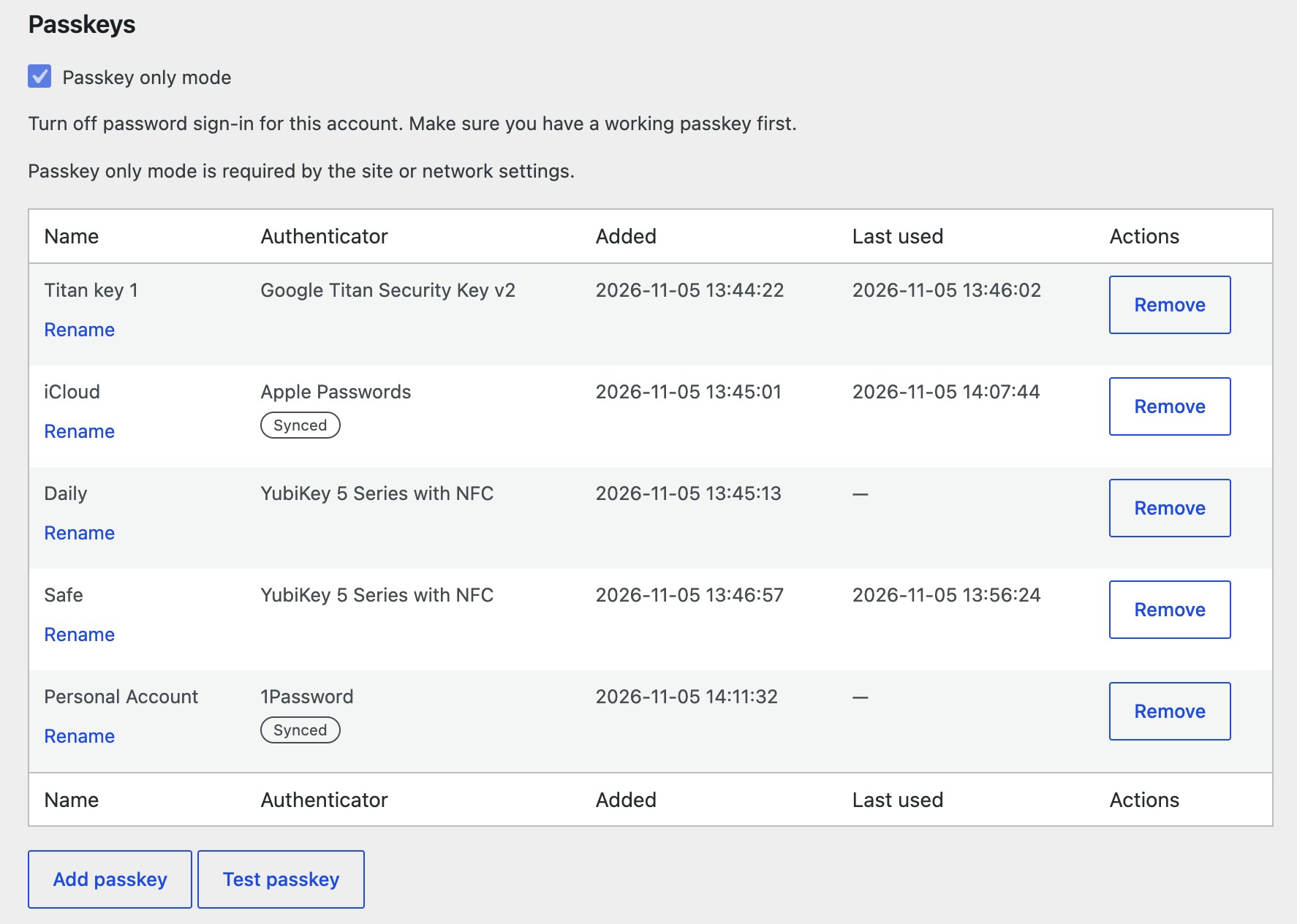
The UX demo is a clickable wireframe of every screen. Its source is wireframes/index.html.
Use
Requires WordPress 6.9, PHP 8.3 with OpenSSL, and HTTPS. Plain HTTP works only on localhost.
Database tables must use InnoDB, not MyISAM, because the plugin saves data in transactions. Otherwise activation fails. To convert a MyISAM table, back up the database and run ALTER TABLE <table> ENGINE=InnoDB.
Download azwp-passkeys.zip from the latest release and upload it under Plugins, Add New, Upload Plugin. On multisite, network-activate it. Updates come from this repository's GitHub releases through plugin-update-checker and appear as normal WordPress plugin updates.
Set Website name and Passkey domain on the AZ's WP Passkeys page under Settings. Users add and test passkeys from their profile. The shortcodes [azwp_pk_login], [azwp_pk_register], [azwp_pk_test] and [azwp_pk_list] are also blocks.
docs/specification.md describes the full behaviour.
Develop
Requires Docker, Node.js and pnpm.
pnpm install
pnpm start
The dev site is http://localhost:8080 (admin / password). The tests use a separate site at http://localhost:8090.
The dev site sends all its email to Mailpit, which pnpm start runs in Docker. Read it at http://localhost:8025. The tests site does not use it.
| Command | Does |
|---|---|
pnpm start / pnpm stop |
Start or stop both sites |
pnpm wp <command> |
Run WP-CLI on the dev site |
pnpm reset |
Wipe both sites |
pnpm test |
Reset the tests site and run every suite |
pnpm test:js, test:php, test:http, test:browser |
Run one suite |
pnpm i18n |
Regenerate translation files |
pnpm dist |
Build the release zip in dist/ |
To release, set Version and AZWP_PASSKEYS_VERSION in azwp-passkeys.php to the new version, commit, and push an annotated tag such as v0.2.1. The tag message becomes the changelog. The release workflow builds the zip and the update metadata.
test:browser uses Google Chrome; set BROWSER_PATH for another browser. concurrency.php and two-factor.php are skipped unless the environment supports them.