PixelPair – Meta Pixel, Conversions API, GA4 & TikTok for WooCommerce
Meta Pixel, Conversions API, Google Analytics and TikTok for WordPress, WooCommerce and EDD.
by Arif Hasnat · github.com/arifhasnat3po/pixelpair-plugin · website
Install
No release zip yet. The repository archive installs, but the folder name will carry the branch suffix and updates will not flow:
wp plugin install https://github.com/arifhasnat3po/pixelpair-plugin/archive/refs/heads/main.zip
PixelPair
Meta Pixel, Conversions API, Google Analytics and TikTok for WordPress and WooCommerce.
Connect your advertising and analytics accounts, choose the events to track, and inspect server delivery from WordPress. PixelPair includes a skippable setup wizard, consent controls, a custom event builder, and WooCommerce and Easy Digital Downloads support.
Download the installable plugin · Illustrated documentation · Release notes
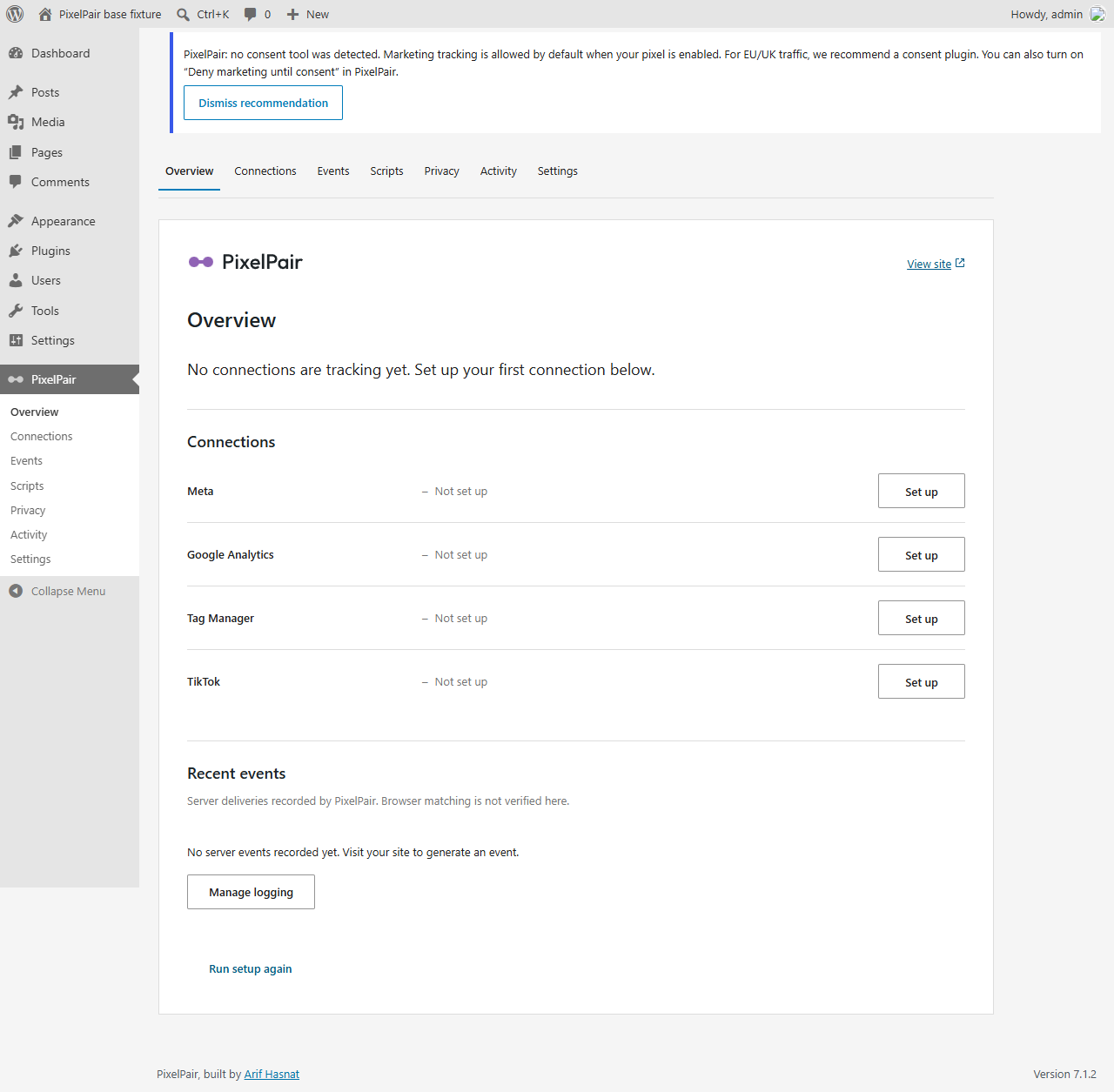
Screenshots use a disposable demonstration site. Example IDs, errors and check results are illustrative, not evidence of delivery to a live advertising account.
Install and connect Meta
- Download pixelpair.zip from Releases. In WordPress, open Plugins → Add New → Upload Plugin, upload the ZIP and activate PixelPair.
- Open PixelPair. Choose Facebook and Instagram ads in setup, then paste your Meta Pixel ID or full base-code snippet. PixelPair extracts the ID for you.
- Select Save and continue, then Check connection. Server delivery is optional and requires your own access token; a real server test also requires a test event code.
- Finish setup, review your consent settings, and open your site to verify browser events using Meta Pixel Helper and Events Manager.
Use the built pixelpair.zip release asset. GitHub's Source code (zip) is a developer checkout without compiled assets. Node and Composer are not required on your WordPress host.
Follow the screenshot walkthrough.
What is included
| Area | Features |
|---|---|
| Connections | Meta Pixel + Conversions API, Google Analytics, Google Tag Manager, TikTok Pixel + Events API |
| Events | Automatic events, sentence-style custom rules, per-platform mappings and payload previews |
| Stores | WooCommerce classic and Blocks flows, HPOS, EDD, product/cart/checkout and paid-purchase events |
| Privacy | Consent integrations, role/IP/bot exclusions, fast and strict cache modes |
| Diagnostics | Connection checks, bounded server retries, optional redacted delivery logs |
| Administration | Privileged scripts, secret-free configuration import/export, per-site multisite settings |
| AI access | Optional authenticated MCP tools for inspecting configuration and managing settings/events |
Tracking starts disabled. With no detected consent tool, marketing is allowed by default once you enable a connection. A detected tool must resolve the visitor's decision before tracking starts. Enable Wait for marketing consent in Privacy when you require an explicit decision. See privacy and settings.
PixelPair uses shared browser/server event IDs. Its server log does not establish that a browser event arrived or that a platform deduplicated it; verify those in the platform's own tools. No PixelPair telemetry, advertising, or model subscription is included.
Requirements
| Component | Requirement |
|---|---|
| Base plugin | WordPress 6.2+, PHP 7.4+, MySQL/MariaDB |
| Tested base matrix | WordPress 6.2, 7.0.6 and 7.1.2 across supported PHP 7.4–8.4 pairings |
| WooCommerce fixture | WooCommerce 11.1.2, WordPress 7.1.2, PHP 8.3 |
| EDD fixture | EDD 3.7.1; requires WordPress 6.7+ and PHP 8.0+ |
| AI access | WordPress 6.9+, official WordPress MCP Adapter, HTTPS and an authorized account |
Optional extensions have their own requirements. See compatibility and delivery limits and the Quality workflow. Live platform dashboards, commercial subscription extensions and your production cache/host still need site-specific verification. This release has not been approved for the WordPress.org plugin directory.
Documentation
- Getting started — install, connect Meta, and verify a visitor event.
- Connections — Meta, Google Analytics, Tag Manager and TikTok.
- Events — automatic tracking and a button-click example.
- Store tracking — WooCommerce and EDD settings.
- Privacy and settings — consent, exclusions, caching and backups.
- Activity and scripts — inspect delivery and manage privileged code.
- AI access — connect an authenticated external MCP client.
- Troubleshooting — installation, missing events and connection errors.
- Screenshot gallery — all current screens, including the narrower layout.
Develop from source
Clone into a folder named pixelpair so WordPress and the test fixtures use the canonical plugin path:
git clone https://github.com/arifhasnat3po/pixelpair-plugin.git pixelpair
cd pixelpair
composer install
npm ci
npm run build
npx wp-env start
Use Composer 2, Node 24.21+, npm 11.16+ and Docker for wp-env. Run tests only on disposable sites. See development, contributing and release packaging.
Support, security and license
Report reproducible bugs through GitHub Issues. Follow SECURITY.md for vulnerabilities; never post access tokens or customer data in an issue.
Built by Arif Hasnat. Licensed under GPL-2.0-or-later. The repository's brand font has its own OFL license; it is not shipped in the plugin or loaded in WordPress administration.