Bible for Wordpress WP Registry grade D+. High-severity findings · 2 findingsWP RegistryHigh-severity findings · 2 findingsOpen the reportD+
Plugin to retrive bible word or print out reference link built for Wordpress
Install
Upload it under Plugins → Add New Plugin → Upload Plugin, then activate.
Install straight from GitHub with WP-CLI:
wp plugin install https://github.com/ansidev/bible-for-wordpress-plugin/releases/download/3.1/bible-for-wordpress_3.1.zipThis plugin was forked from YouVersion Wordpress Plugin.
Plugin will retrive bible word from Bible.com or print out reference link to original site.
Copyright 2010, 2012 by Dan Frist and Jesse Lang | License: GPL v3
Copyright 2016-2018 by ansidev | License: MIT
1. Plugin Name
Contributors: Dan Frist, Jesse Lang, ansidev
Tags:
bible,youversion
Requires at least:
2.0
Tested up to:
4.7.3
2. Installation
Step 1: Download latest release version from https://github.com/ansidev/bible-for-wordpress-plugin/releases.
Step 2: Install plugin via Plugins > Add New > Upload Plugin.
Step 3: Activate the plugin through the Plugins menu in WordPress.
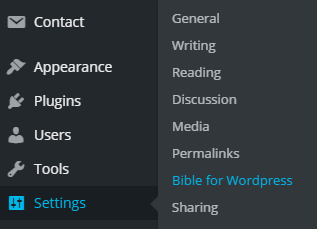
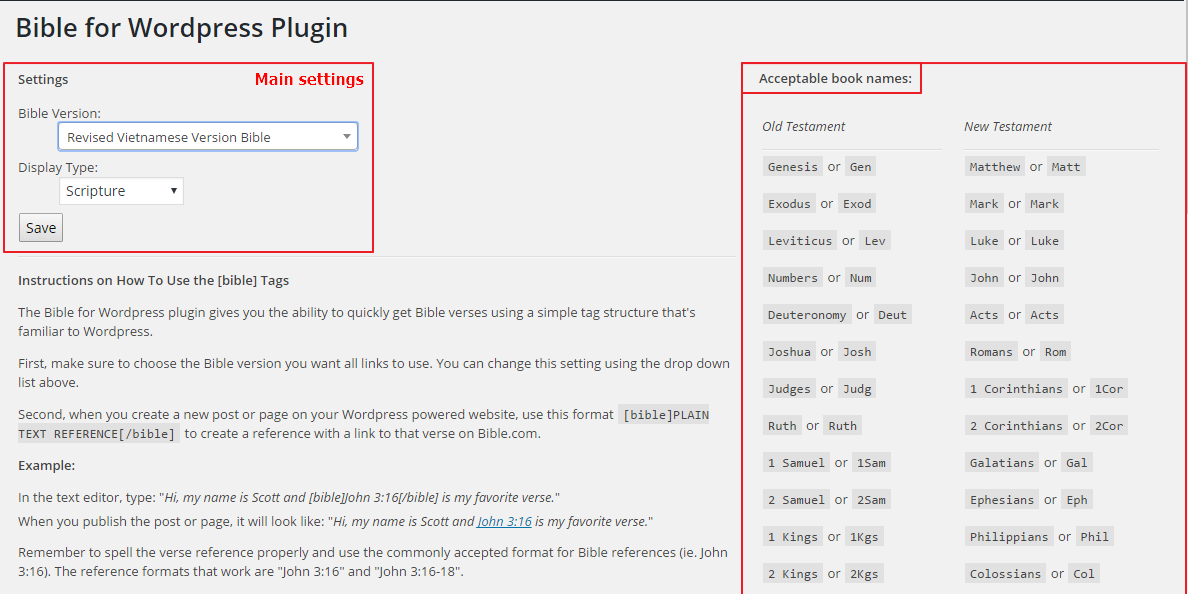
Step 4: Go to Settings > Bible for Wordpress to setting for plugin.
[ ]()
]()
[ ]()
]()
3. Upgrade from version 2.1
You should remove old version before upgrading to version 3.1 to avoid errors.
4. Instruction
4.1 Instructions on How To Use the plugin
-
Type the Bible Address. E.g: John 3:16. Then select them.
-
Click Bible for Wordpress Button on the WP Editor Toolbar. You should see [bible]John 3:16[/bible]
4.2 Example:
In the text editor, type: Hi, my name is Scott and [bible]John 3:16[/bible] is my favorite verse.
When you publish the post or page, it will look like: Hi, my name is Scott and John 3:16 is my favorite verse.
Remember to spell the verse reference properly and use the commonly accepted format for Bible references (ie. John 3:16). The reference formats that work are "John 3:16" and "John 3:16-18".
References that use commas (ie. John 3:16,18) or multi-chapter spans (ie. John 3:16-4:5) will not work and will result in a link that leads to a dead page on Bible.com.
4.3 More information:
You can also use abbreviation name for book name. Ex: Gen ~ Genesis. Please view all supported name in Plugin Settings Page.
Because of many bible versions, plugins support quick search bible version you want using Select2.
If you use only specific versions, you can customize plugin for your site.
Releases
2 releases. Each count is every asset in that release; expand a row for the breakdown.
Active-site estimate ≈10 comes from the median of recent superseded releases. Method.