Install
This is the repository archive. It installs, but the folder name will carry the branch suffix and updates will not flow.
Install straight from GitHub with WP-CLI:
wp plugin install https://github.com/anpsthemes-wp-themes/refract-for-wordpress/archive/refs/heads/main.zip
Refract for WordPress
Refract for WordPress is a WordPress plugin that turns each blog post into a post for every social media network, in your voice. You approve every version, then Refract schedules them. This repository holds the plugin's source code. To use it, you need a Refract account: refract.social.
What it does
You already write on your blog. With Refract, you don't have to write the same thing again for every network.
When you publish a post, Refract gets it as a note. It writes a version for each account you chose, in your workspace's voice, and crops the post's images for each network. Every version waits for your approval. You preview and approve the versions in the post editor, or in Refract. Nothing goes out until you approve it. Each version links back to your post, and the post editor shows the link to it and the clicks so far.
From WordPress to Refract
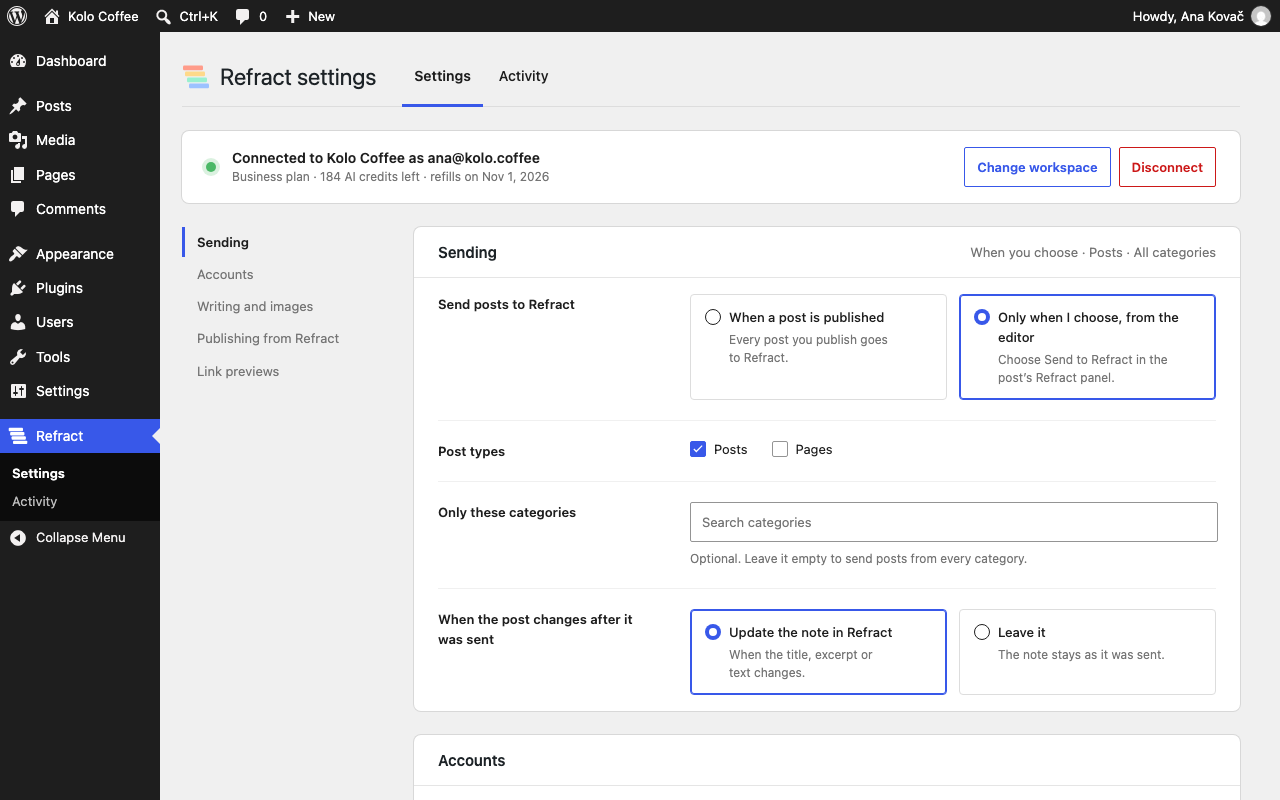
- Auto-post to Refract when a post is published, or send it only when you choose, from the editor.
- Choose the post types, the categories and the social media accounts.
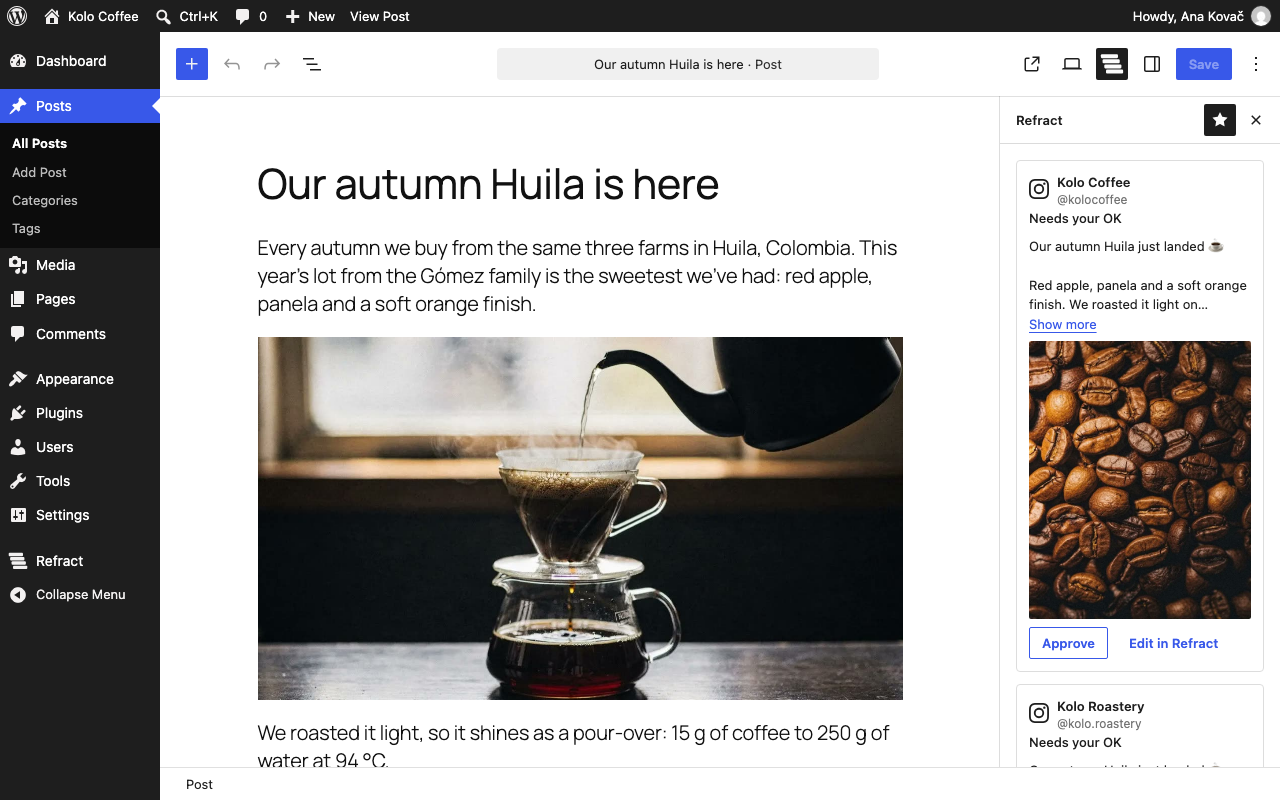
- See each version in the post sidebar: its text, its image in the network's shape and its status.
- Approve each version, or approve all and add them to the queue to schedule them. Or open one in Refract to edit it.
- Works with the block editor and the Classic Editor plugin.
From Refract to WordPress
Your site becomes an account in Refract. From Refract you can publish or schedule blog posts to it, or send them as drafts. You choose which user the posts are published as, the default category, and whether Refract can publish or only send drafts. You can turn this off at any time.
Link previews
The plugin can add social preview tags (Open Graph and X card), so your links show a title and an image on every network. If another plugin already adds these tags, the plugin leaves them to it.
Networks
The networks you can connect today are listed at refract.social/platforms.
What you need
- A Refract account. You can start with a free trial at refract.social, no card needed.
- WordPress 6.8 or later and PHP 8.1 or later.
- Multisite works: each site connects separately.
Screenshots
The setup after connecting: the accounts that get a version of each post, grouped by network, and when to send posts.
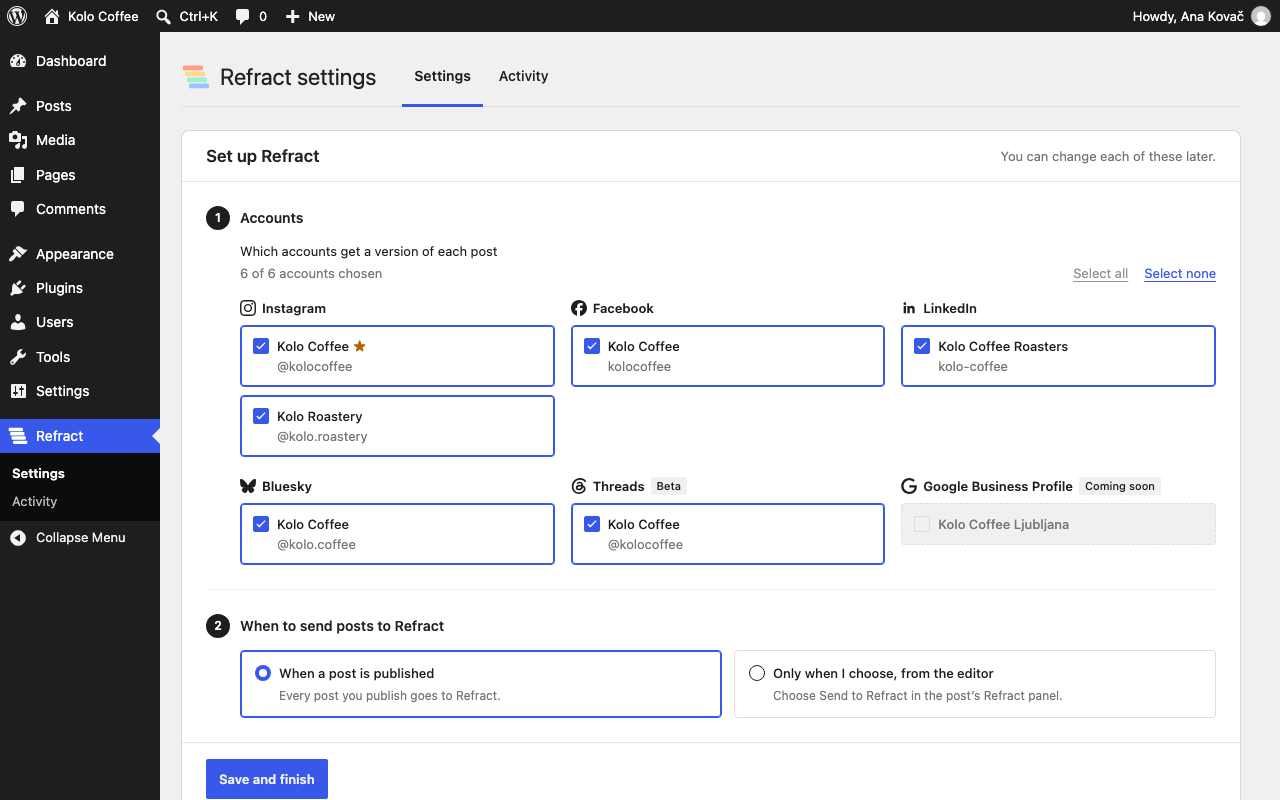
The settings page.
The Refract panel in the post editor, with a version for each account.
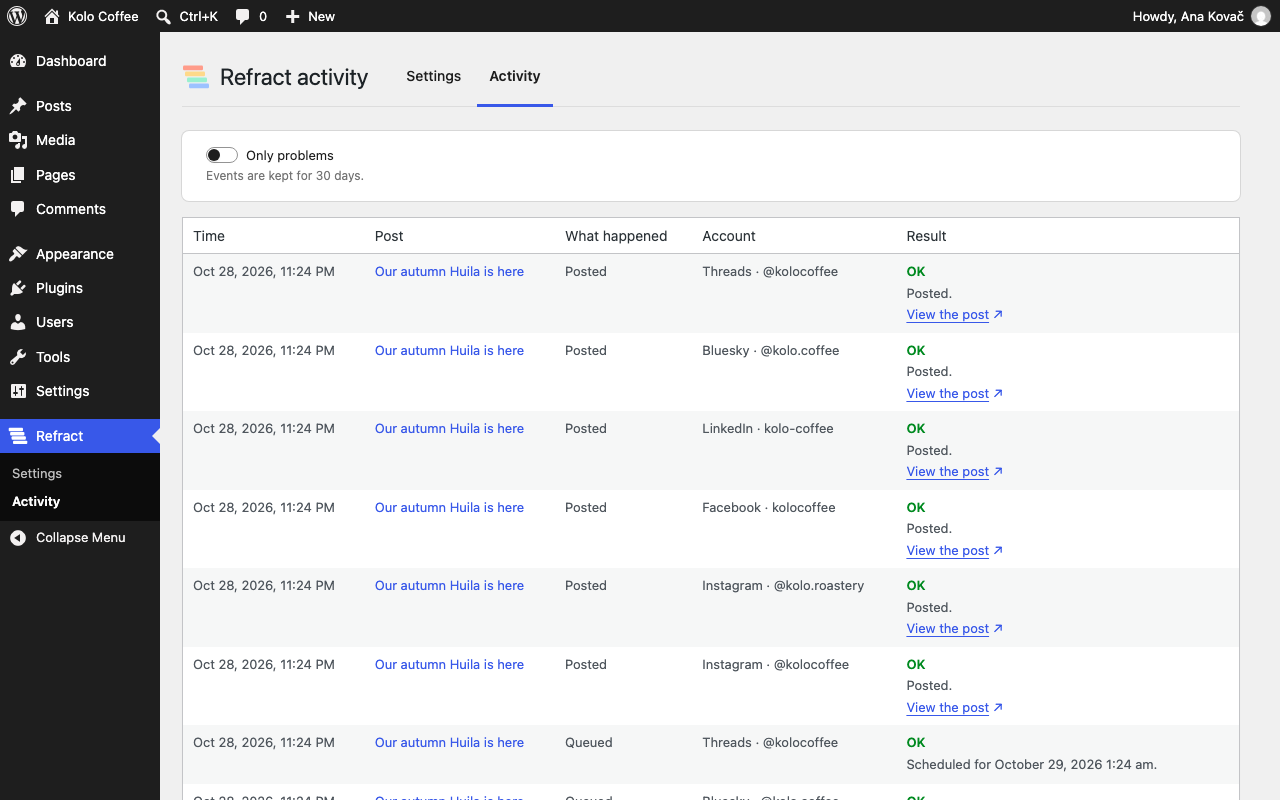
The Activity page.
Install
- Download
refract.zipfrom the latest release. - In WordPress, go to Plugins › Add New Plugin › Upload Plugin, choose the file, then select Install Now and Activate.
- Go to Refract › Settings and click "Connect to Refract". Sign in to Refract, or start a free trial, and allow the connection.
Don't install the source code from GitHub's green "Code › Download ZIP" button. That zip has no build/ folder (the built
editor scripts), and its folder isn't named refract.
To update, download the new refract.zip and upload it the same way. WordPress offers "Replace current with uploaded".
What's sent to Refract
Nothing is sent to Refract until you click "Connect to Refract". After that, the plugin sends your site's details when you connect, and a post's title, text, link and images when you send the post. The "External services" section of readme.txt lists everything that's sent, and when.
Development
You need Node.js 24, PHP 8.4, Composer and Docker (for @wordpress/env).
npm ci
npm run build
composer install

composer lint
composer phpstan

npx wp-env start
npx wp-env run tests-cli --env-cwd=wp-content/plugins/refract vendor/bin/phpunit
npx wp-env run tests-cli --env-cwd=wp-content/plugins/refract vendor/bin/phpunit -c phpunit-multisite.xml.dist

npx playwright install chromium
npm run test:e2e
npm run build writes the editor scripts to build/ from the source in src/. npm run lint:js and
npm run lint:css check the JavaScript and the styles.
Issues and pull requests
This repository is a read-only copy of the plugin. We build it elsewhere and copy each version here, so pull requests are turned off. If something doesn't work, or you'd like the plugin to do more, open an issue.
Security
Don't report security issues in public issues. See SECURITY.md.
License
GPL-2.0-or-later. See LICENSE.