Install
This is the repository archive. It installs, but the folder name will carry the branch suffix and updates will not flow.
Install straight from GitHub with WP-CLI:
wp plugin install https://github.com/annishlitisha09/campus-event-manager/archive/refs/heads/main.zipNo built-in updater. New versions won't appear under Dashboard → Updates. Install new releases yourself, or let Git Updater track the repository.
A WordPress plugin to manage campus events and registrations.
Designed for IT students and colleges to organize events with event details, frontend registration forms, and admin dashboard tracking.
Features
- ✅ Custom Post Type:
Events - ✅ Event meta fields: Date, Location, Max Participants
- ✅ Frontend registration form with max participants validation
- ✅ Shortcodes:
[cem_event_list]→ Display all events[cem_register id="EVENT_ID"]→ Event registration form
- ✅ Custom database table for registrations
- ✅ Admin dashboard to view all registrations
- ✅ Fully styled frontend with responsive design
- ✅ Supports multiple events on a single page
Installation
- Clone or download this repository.
- Copy the folder
campus-event-managerinto: wp-content/plugins/ - Activate the plugin via WordPress Admin → Plugins → Campus Event Manager → Activate
- Add new events under Campus Events:
- Fill title, date, location, and max participants
- Create a page and use shortcode
[cem_event_list]to display events and registration forms.
Usage
Add New Event
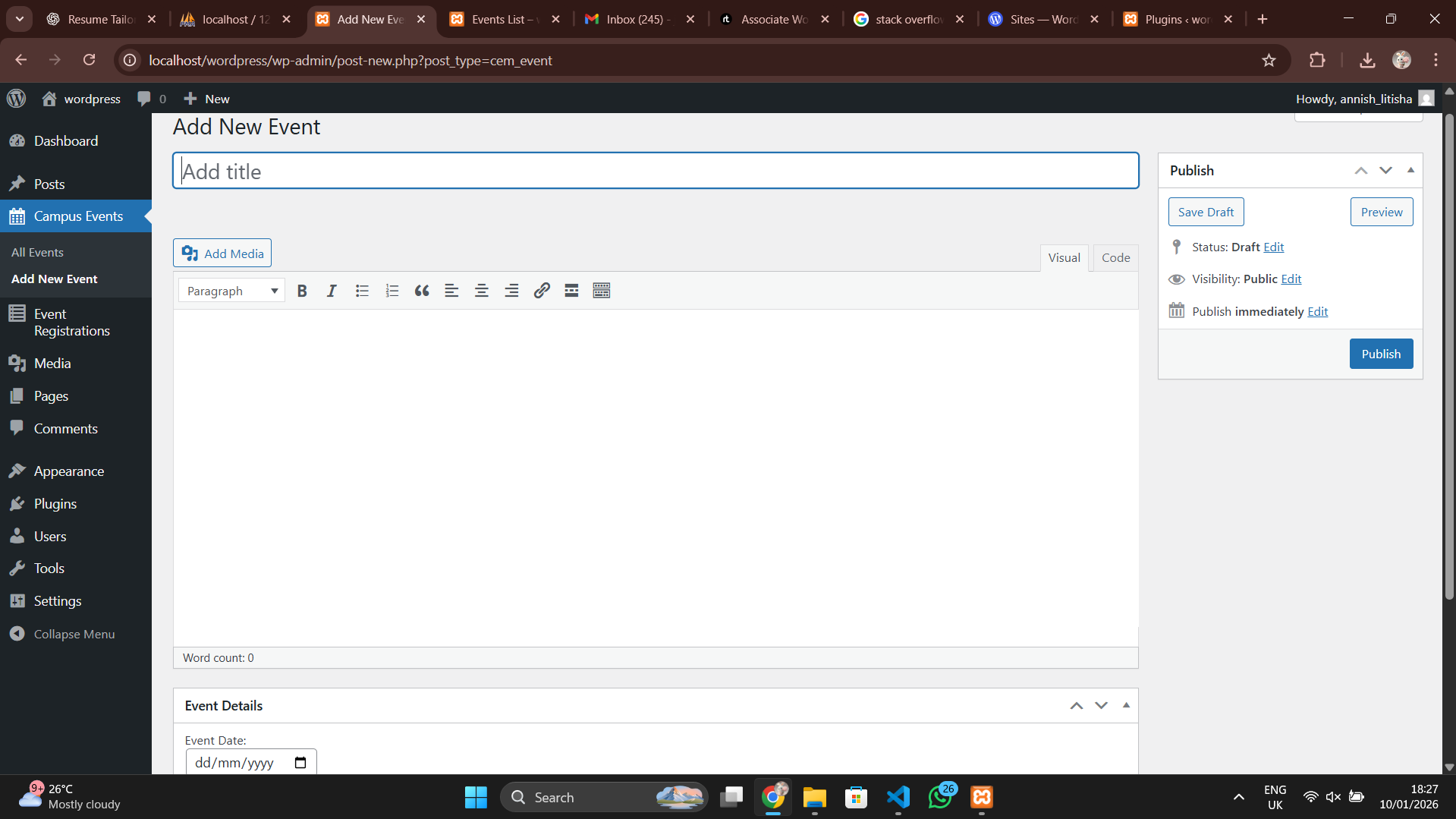
- Go to Campus Events → Add New
- Fill in:
- Title: Event name
- Content: Optional description
- Event Details Meta Box: Date, Location, Max Participants
- Publish the event
Display Event List
-
Create a page called Events List
-
Insert the shortcode: [cem_event_list]
-
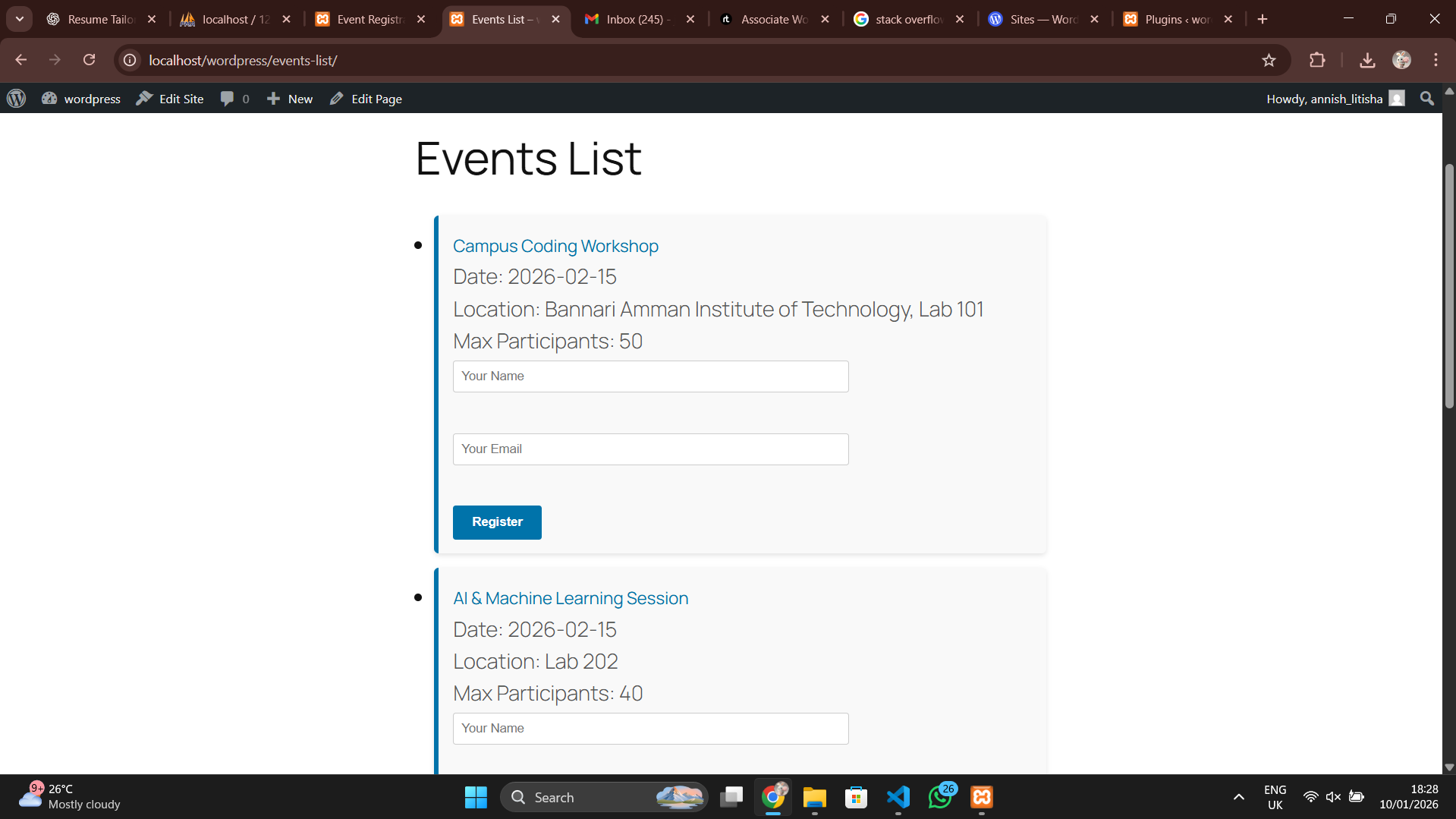
This will display:
- All events
- Event date, location, max participants
- Registration form for each event
Register for an Event
- Enter Name and Email
- Click Register
- Registration is limited by Max Participants
Admin Dashboard
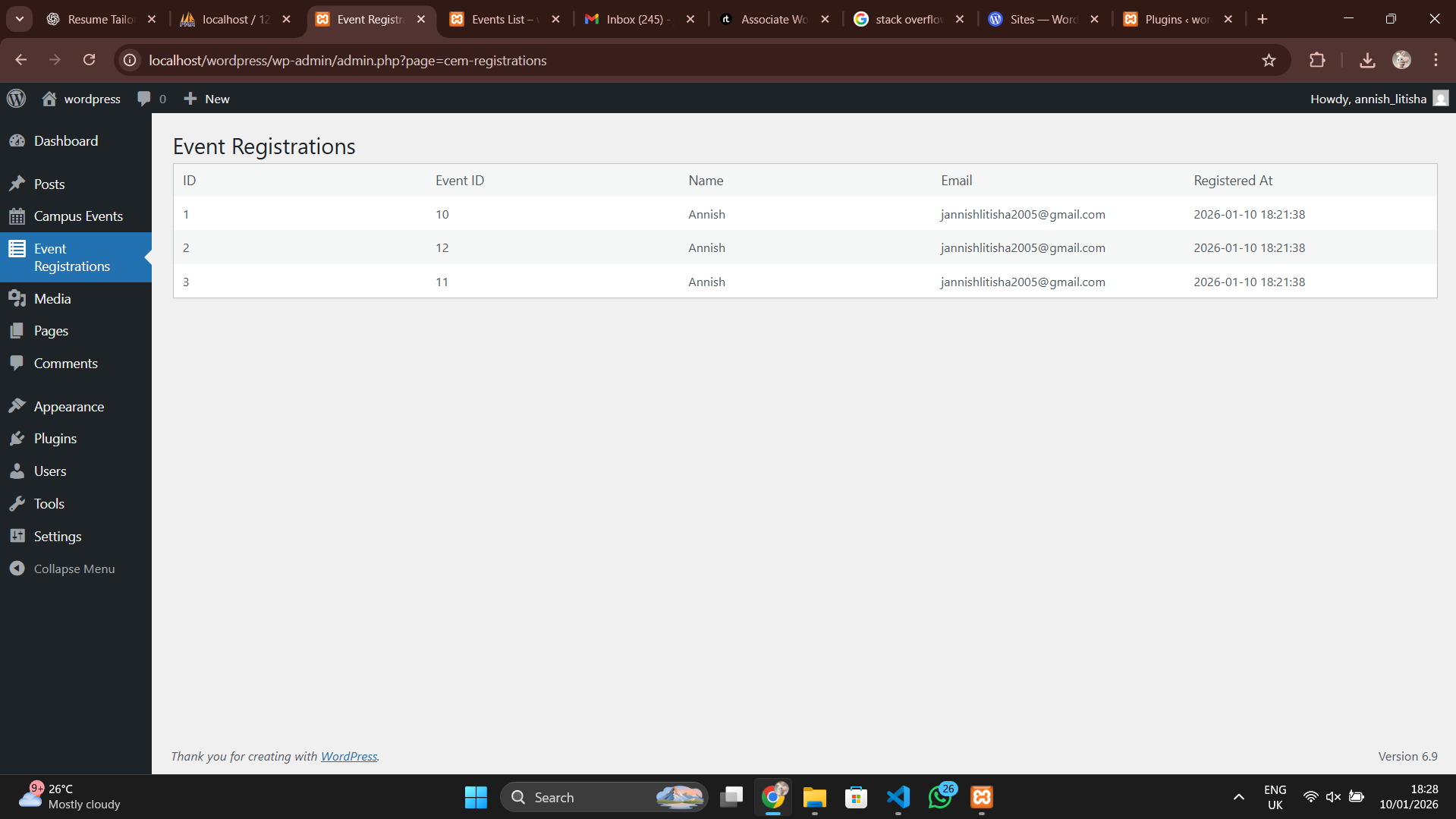
- Go to WordPress Admin → Event Registrations
- View all registrations with:
- Event ID
- Name
- Registration Date
Styling
- CSS is included in
assets/style.css - Frontend includes:
- Responsive registration forms
- Styled event blocks
- Hover effects for professional look
Shortcodes
| Shortcode | Description |
|---|---|
[cem_event_list] |
Display all events with registration forms |
[cem_register id="EVENT_ID"] |
Display registration form for a single event |
Demo / Screenshots
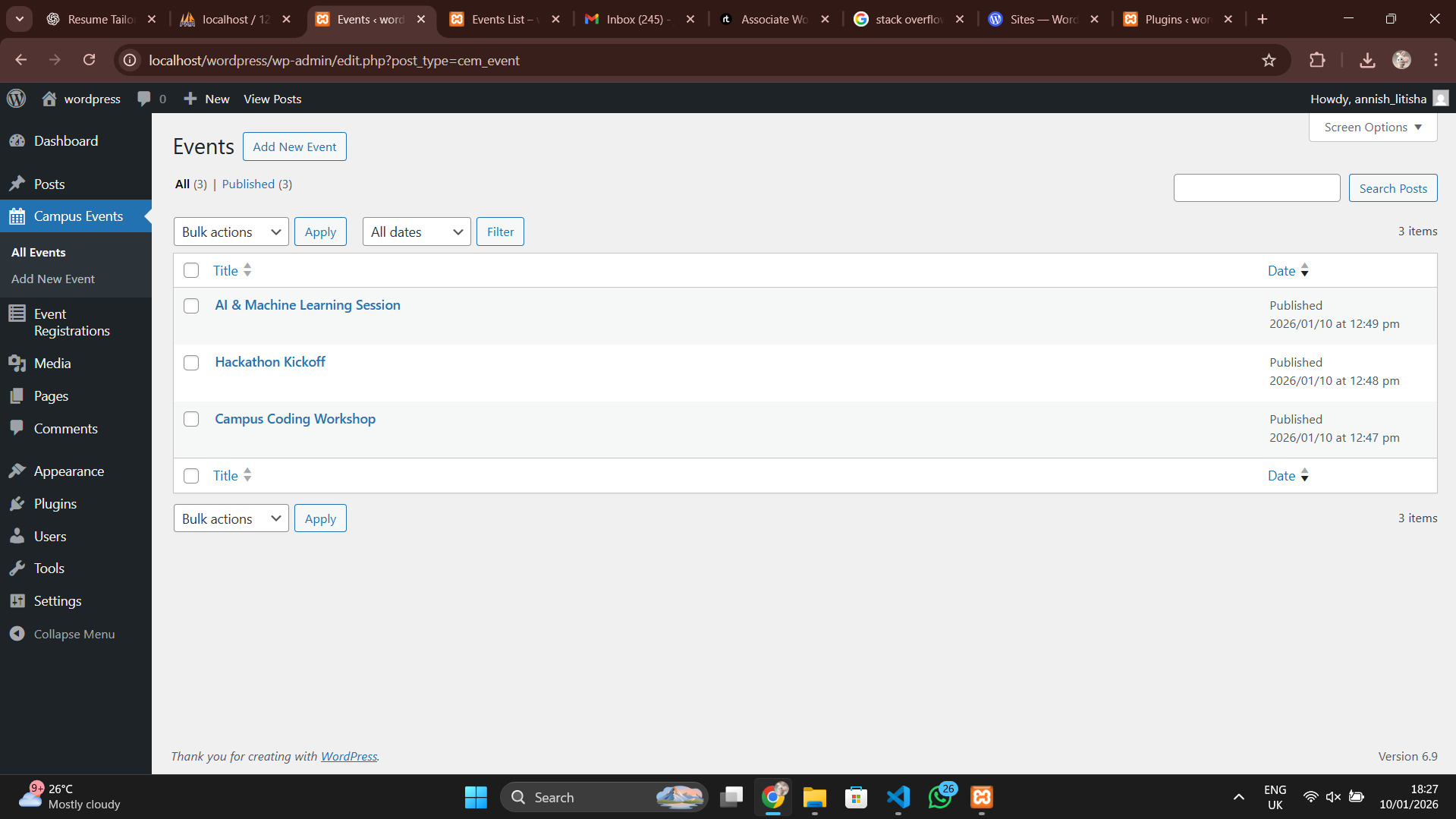
You can test this plugin locally on your WordPress setup, or see screenshots below showing functionality
Event List Page
Registration Form
Admin Dashboard - Registrations
Add New Event
Live Demo (Optional): Campus Event Manager Demo
Future Improvements
- Email notifications to admin & user
- Dynamic “Seats Left” display
- Past event hiding / upcoming events filter
- Enhanced frontend UI with tabs or filters
Requirements
- WordPress 5.0+
- PHP 7.2+
- MySQL 5.6+
- Active theme (any)
Author
Annish Litisha Jebastin
Email: jannishlitisha2005@gmail.com