Install
This is the repository archive. It installs, but the folder name will carry the branch suffix and updates will not flow.
Install straight from GitHub with WP-CLI:
wp plugin install https://github.com/anitape/article-grid-block/archive/refs/heads/main.zipNo built-in updater. New versions won't appear under Dashboard → Updates. Install new releases yourself, or let Git Updater track the repository.
Overview
The Article Grid Block is a custom Gutenberg block for WordPress designed to display a selection of posts in a responsive grid layout.
It allows content creators to select specific posts and works with the standard WordPress post type.
The block respects post visibility and status (only published posts are shown).
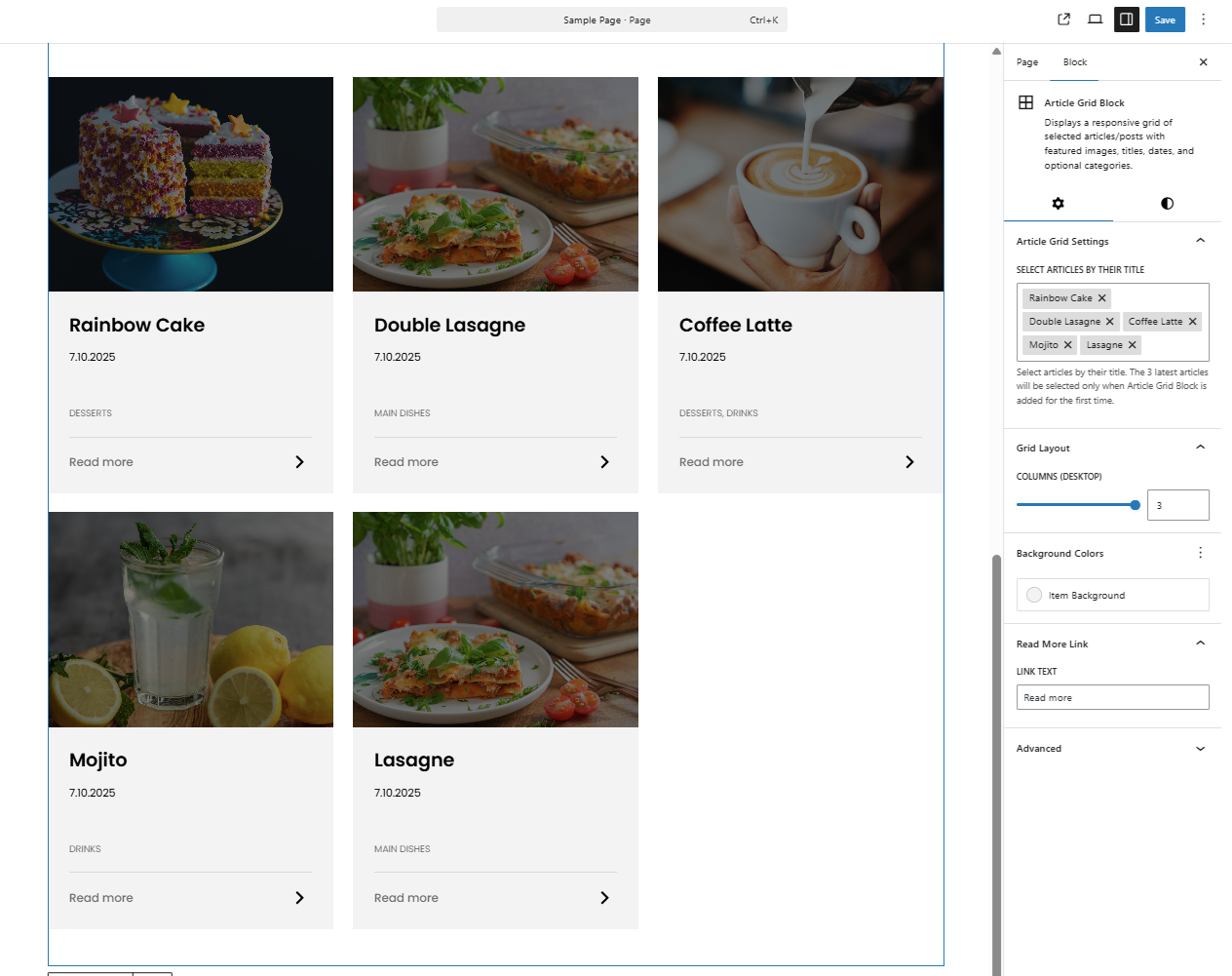
Each post is displayed as a card containing:
- Featured image (thumbnail)
- Post title
- Publication date
- Categories (excluding "Uncategorized")
- A customizable “Read more” link
Key Features
1. Post Selection
- Choose specific posts to display using a searchable token field.
- When the block is added for the first time, the 3 latest posts are automatically preselected.
- Posts are displayed in the order they were selected.
2. State Handling in the Editor
- Displays a message when posts are loading.
- Displays a message if no posts are found.
- Displays a message when no posts are selected.
3. Responsive Grid Layout
- Configurable number of columns (1–3) for desktop view.
- Flexible grid adapts automatically to the container size.
4. Thumbnail, Categories and Date
- Displays the post’s featured image if available.
- Shows post categories separated by commas, excluding "Uncategorized".
- Displays the post date in format
d.m.Y.
5. "Read More" Link
- The link text is customizable (default: “Read more”).
6. Background and Styling
- Supports a background color for the entire block.
- Supports margins and paddings via editor settings.
- A customizable background color for post items
Compatibility
- WordPress Version: Requires WordPress 6.7 or higher.
- PHP Version: Requires PHP 7.4 or higher.
- Block Editor: Compatible with all themes supporting the Gutenberg editor.
- Dynamic Block: Uses PHP rendering (
render.php) for frontend output. - Metadata-based registration: Built using the Create Block tool and the
block.jsonspecification. - WordPress post type: Displays content from the default WordPress
posttype.
Editor Preview
The following screenshot shows the Article Grid Block inside the block editor, with selected posts and customizable settings visible in the sidebar.