Install
This is the repository archive. It installs, but the folder name will carry the branch suffix and updates will not flow.
Install straight from GitHub with WP-CLI:
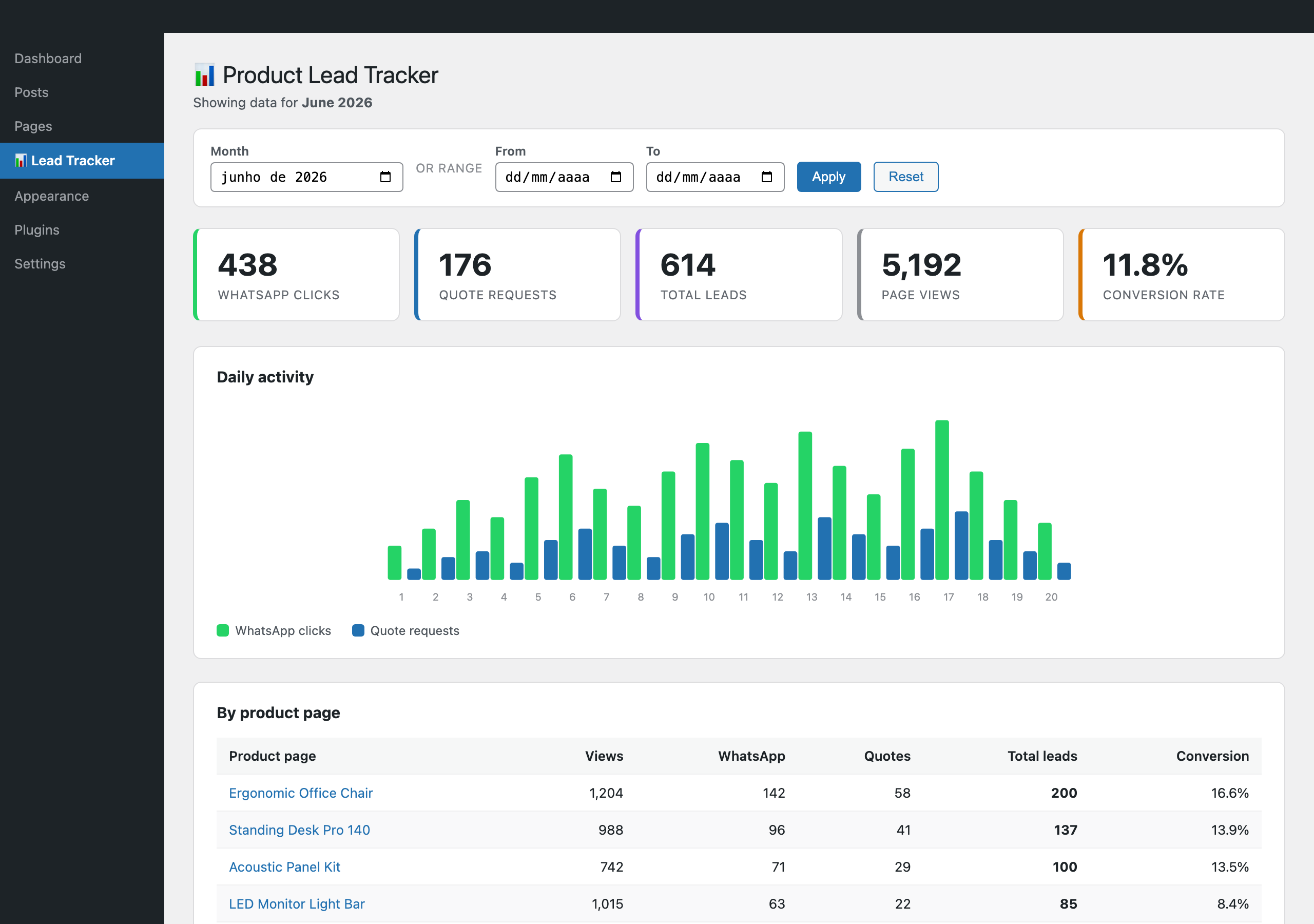
wp plugin install https://github.com/anadecastrob/product-lead-tracker/archive/refs/heads/main.zipA lightweight WordPress plugin that measures how many people actually try to contact you from your product pages. It counts WhatsApp button clicks and quote requests, then shows everything in a clean analytics dashboard inside wp-admin — no external service, no Google Analytics setup, no cookies.
Drop a
data-plt-actionattribute on the buttons you already have and the plugin does the rest.
Why
Store owners often add a "Chat on WhatsApp" button and a "Request a quote" button to their product pages, but have no idea which products actually drive those clicks. Product Lead Tracker answers that question directly:
- Which products generate the most leads?
- How many page views turn into a WhatsApp click or a quote request (conversion rate)?
- How does activity trend day by day?
Features
- Two lead events tracked — WhatsApp clicks and quote requests.
- Automatic page views — recorded on any page that has a tracked button, so you get a real conversion rate for free.
- Per-product breakdown — a sortable table of views, clicks, quotes, total leads and conversion for every product page.
- Daily activity chart — a dependency-free inline SVG (no Chart.js, no CDN).
- Date filtering — pick a month or a custom
from → torange. - Self-contained — one custom table, a single REST endpoint, one small frontend script. No third parties, no personal data stored.
How it works
Visitor clicks a button ──▶ tracker.js sends a beacon
                              (POST /wp-json/product-lead-tracker/v1/track)
                                        │
                                        ▼
                          wp_plt_events table (page_id, event_type, created_at)
                                        │
                                        ▼
                        wp-admin ▸ Lead Tracker dashboard (cards, chart, table)
The frontend script listens for elements with a data-plt-action attribute.
When one is clicked it fires a small fetch() beacon (with keepalive, so it
never blocks navigation) to a custom REST route, which validates the event and
stores one row. The dashboard runs a handful of grouped SQL queries to build the
report.
Installation
- Copy the
product-lead-trackerfolder intowp-content/plugins/. - Activate Product Lead Tracker in Plugins. The events table
(
wp_plt_events) is created on activation. - Add the data attributes below to your buttons.
Usage
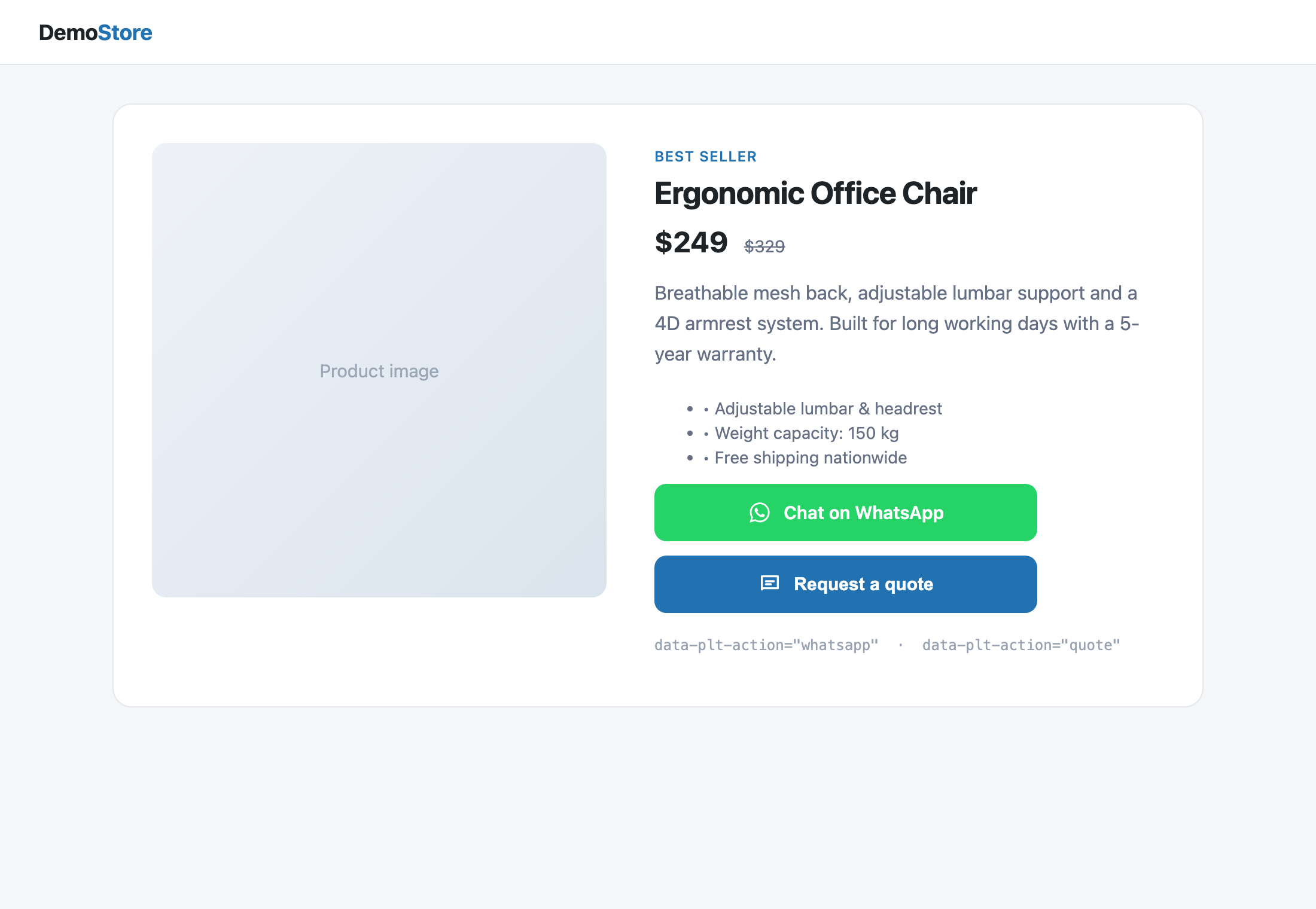
Add data-plt-action to the buttons you already have on your product pages:
<!-- WhatsApp button -->
<a href="https://wa.me/5511999999999" data-plt-action="whatsapp">
  Chat on WhatsApp
</a>

<!-- Quote request button -->
<button data-plt-action="quote">Request a quote</button>
That's it. Page views are counted automatically on any page that contains at least one tracked button.
Popups and custom JavaScript
If your quote form opens from a popup (not a plain button), fire the event manually:
pltTrack('quote'); // or pltTrack('whatsapp')Viewing the report
Go to wp-admin ▸ Lead Tracker. Filter by month or by a custom date range and read the summary cards, the daily chart and the per-product table.
Project structure
product-lead-tracker/
├── product-lead-tracker.php        # Bootstrap: constants, hooks, loader
├── includes/
│   ├── class-plt-installer.php     # Creates the events table on activation
│   ├── class-plt-query.php         # All data access (insert + grouped reads)
│   ├── class-plt-rest.php          # POST /track REST endpoint + validation
│   ├── class-plt-frontend.php      # Enqueues and localizes tracker.js
│   └── class-plt-admin.php         # Dashboard: menu, filter, cards, chart, table
├── assets/
│   ├── tracker.js                  # Frontend beacon
│   ├── admin.css                   # Dashboard styles
│   └── screenshots/                # Images used in this README
├── demo/                           # Static HTML mockups (for the screenshots)
├── readme.txt                      # WordPress-plugin-style readme
└── README.md
Data model
A single table, wp_plt_events:
| Column | Type | Notes |
|---|---|---|
id |
BIGINT (PK) | Auto-increment |
page_id |
BIGINT | Post/page ID (0 when unknown) |
page_url |
VARCHAR(255) | Page path, as a fallback label |
event_type |
VARCHAR(20) | view, whatsapp or quote |
created_at |
DATETIME | Server time of the event |
No IPs, names or cookies are stored — only anonymous, aggregate counts.
Requirements
- WordPress 5.8+
- PHP 7.4+
License
Built by Ana de Castro.