Klik Files
Nested folders and media organization for the WordPress Media Library.
by Aminudin Murad · github.com/aminudinmurad/klik-files · website
Install
The author publishes release zips, so WP-CLI can install straight from GitHub:
wp plugin install https://github.com/aminudinmurad/klik-files/releases/download/v1.0.0/klik-files-1.0.0.zipReadme
Klik Files
Klik Files is an open-source WordPress media-library folder plugin. It organizes attachments into nested folders using a private hierarchical taxonomy, then adds folder filtering, assignment, bulk moves, import/export, and role-aware controls inside the WordPress admin.
Klik Files is free and open source under the GNU GPL v3.0 or later. If it helps you organize your media library, please consider supporting continued development and WordPress compatibility testing:
Overview
The stock WordPress Media Library is a single flat list. Klik Files adds a folder sidebar right where you upload and pick media, so you can organise attachments into a nested hierarchy without moving a single file on disk — folders are a private taxonomy, not physical directories, so nothing about your existing URLs or files changes.
Highlights
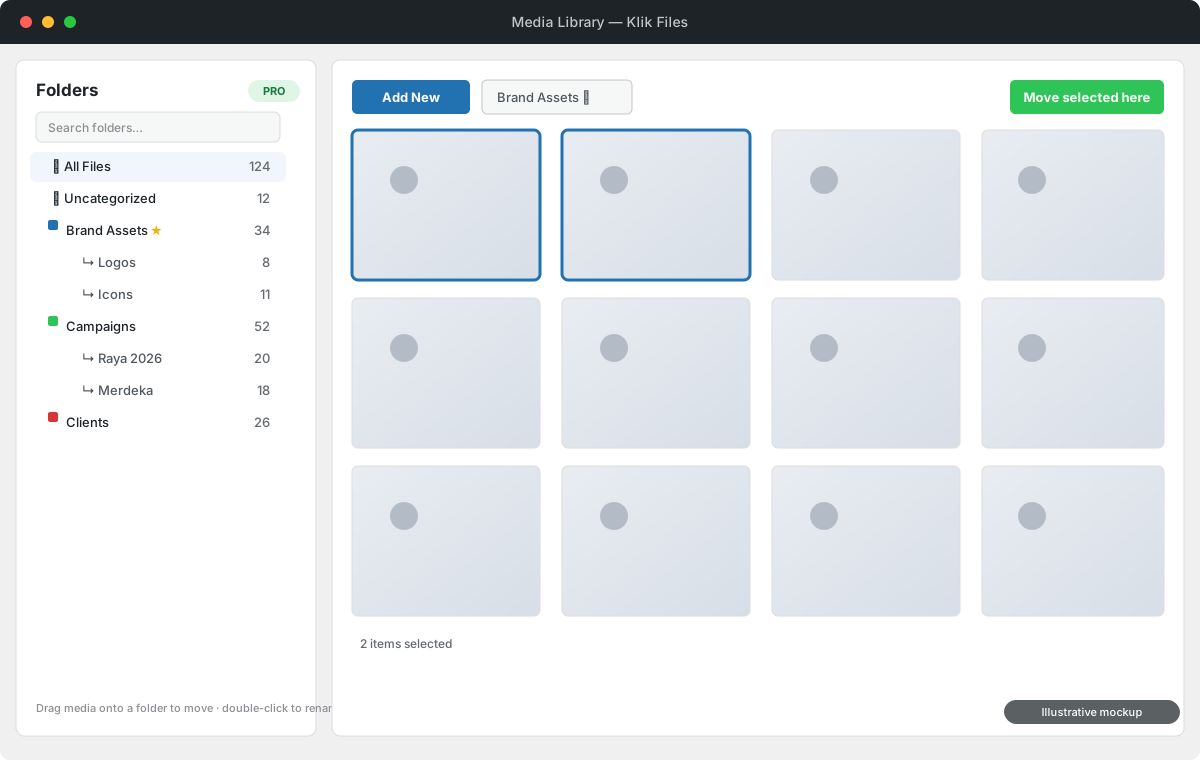
- Folder sidebar in the Media Library grid, list view, and the media picker modal.
- Nested folders — create, rename (double-click), delete, duplicate, drag to reorder or re-nest, and collapse/expand branches.
- Favourites and colour labels to keep frequently used folders findable.
- Move media fast — drag thumbnails onto a folder, or select many and Move selected here. Quick Move Mode skips the preview modal entirely.
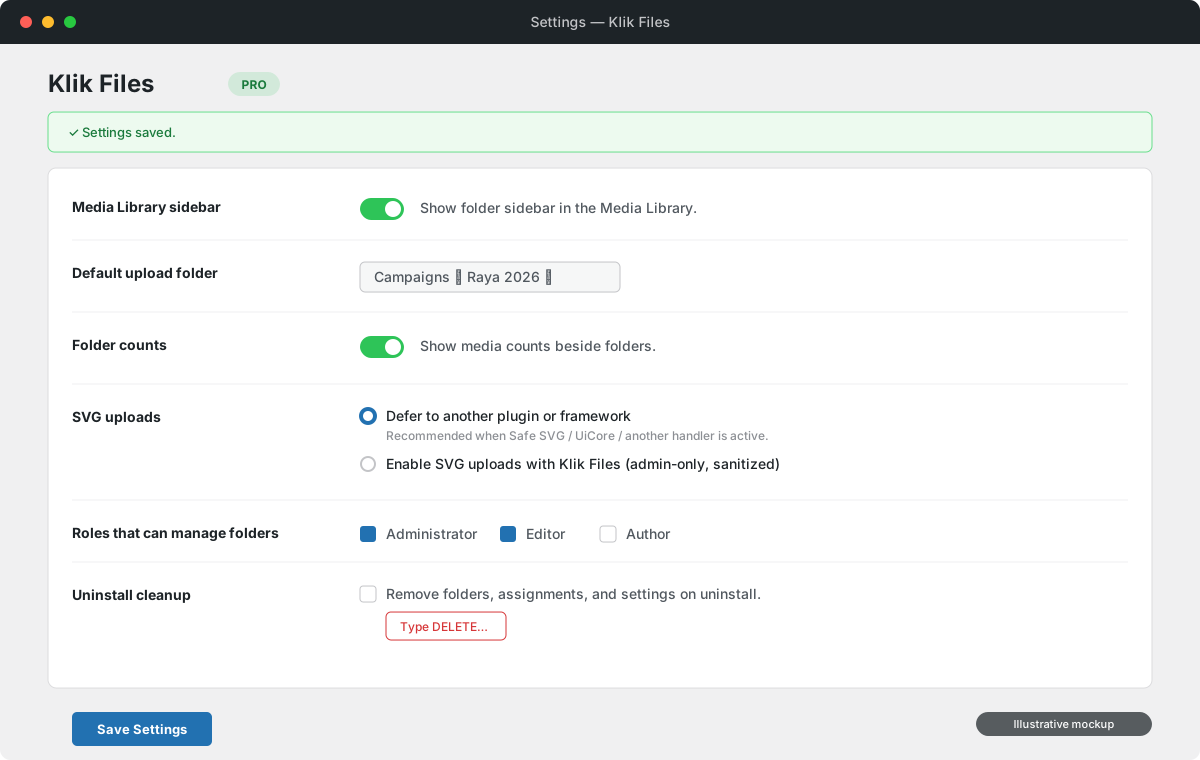
- Upload straight into the selected folder, with a configurable default upload folder.
- All Files and Uncategorized views, plus optional media counts beside each folder.
- Import / export folders and assignments as JSON, with compatible CSV import.
- Role-aware access — choose which roles may manage folders (Administrator + Editor by default).
- Optional, admin-only SVG uploads with a conflict-safe mode that defers to Safe SVG / UiCore / other handlers when present.
- Security-first — REST endpoints gated by nonces and capability checks, per-attachment
edit_postchecks, validated imports, and opt-in uninstall cleanup.
Built on WordPress-native APIs (a hierarchical taxonomy, the REST API, and the media modal) — no custom database tables, no third-party runtime dependencies.
Screenshots
Folder sidebar in the Media Library
Settings
Screenshots are illustrative mockups of the plugin interface.
Requirements
- WordPress 7.0 or newer
- PHP 7.4 or newer
- A user role with
upload_filesfor media access - A user role with
manage_optionsfor plugin settings
Installation
- Download
klik-files-<version>.zipfrom the latest release. - In WordPress admin, go to Plugins → Add New → Upload Plugin and upload the ZIP.
- Activate Klik Files.
- Open Settings → Klik Files to configure the sidebar, default upload folder, counts, SVG mode, roles, and uninstall cleanup.
Using the plugin
- Open the Media Library — the folder sidebar appears alongside the grid.
- Create top-level or nested folders; rename with a double-click, and drag to reorder or re-nest.
- Select a folder to filter the library to its media (or choose All Files / Uncategorized).
- Move media by dragging thumbnails onto a folder, or select several and use Move selected here. Enable Quick Move Mode to select without opening the preview modal.
- Upload while a folder is selected to place new files straight into it (subject to permissions and the default upload folder setting).
- Export folders and assignments to JSON for backup or migration, and import JSON or a compatible CSV to restore them.
Architecture
The plugin uses a custom hierarchical taxonomy (klikfiles_folder) rather than a
custom database table. Taxonomy storage is the WordPress-native choice: it gives
attachment relationships, hierarchy, counts, term metadata, sanitization paths,
and query integration without maintaining custom SQL.
Main files:
klik-files.php— bootstraps the plugin (constants, autoloader, hooks).src/Autoloader.php— first-party PSR-4-style autoloader for theKlikFiles\namespace.src/Plugin.php— plugin coordinator and lifecycle.src/Folders.php— taxonomy registration, folder CRUD, ordering, assignment, import, export.src/Media.php— folder filtering for Media Library queries and uploads.src/RestApi.php— folder and attachment actions for the admin UI.src/Settings.php— renders and saves plugin settings.src/SvgUploads.php— opt-in SVG upload support, only when the managed SVG setting is enabled.src/ImportExport.php— JSON admin import/export and compatible CSV imports.src/Assets.php— loads admin CSS/JS only where needed.src/Admin.php— admin helpers and a list-view filter fallback.src/Uninstall.php— removes data only when uninstall cleanup is enabled.assets/js/admin.js,assets/css/admin.css— the Media Library folder interface.
REST endpoints
Namespace: /wp-json/klik-files/v1
GET /foldersPOST /foldersPOST|PUT|PATCH /folders/{id}DELETE /folders/{id}POST /folders/{id}/duplicatePOST /folders/orderPOST /attachments/moveGET /settingsPOST /settings
Security
- Folder management requires
upload_filesplus an allowed role from settings (default non-admin manager role: Editor); settings and import/export requiremanage_options. - REST requests use the WordPress REST nonce; inputs are validated and sanitized; admin output is escaped.
- Attachment moves check
edit_postper attachment; folder deletion stops on media the current user cannot edit. - Requested upload destinations require folder-manager permission; non-managers only receive the configured default upload folder.
- JSON and CSV imports are bounded by file size, folder count, and assignment count.
- SVG uploads default to "Defer to another plugin or framework" (no hooks registered); the optional managed mode is administrator-only and sanitizes SVG files before WordPress accepts them.
- Uninstall cleanup is opt-in and requires typing
DELETEto enable.
See SECURITY.md for the reporting policy.
Local development
git clone https://github.com/AminudinMurad/klik-files.git
cd klik-files
Symlink or copy the project into wp-content/plugins/klik-files, then activate
Klik Files in WordPress.
Run the dependency-free source checks and behavior tests before publishing a change:
bash tools/check.shThis runs the PHP 7.4 compatibility guard, PHP/JS syntax checks, version-metadata
coherence, and the tests/ behavior suite.
Repository layout
klik-files.php,index.php,uninstall.php— plugin bootstrap and guardssrc/— PHP classes (KlikFiles\namespace)assets/— first-party, screen-scoped admin CSS/JavaScriptreadme.txt— WordPress-style readme + changelog (Stable tag)tests/— dependency-free WordPress stubs and behavior teststools/check.sh— source, compatibility, and behavior checkstools/check-php74-compat.php— PHP 7.4 syntax/API compatibility guarddocs/screenshots/— illustrative README mockups (excluded from the package)LICENSE,README.md,CONTRIBUTING.md,SECURITY.md— project docs
Releases
Releases are built and verified locally. Run bash tools/check.sh, build only the
files allowed by .distignore into a klik-files/-rooted archive
(releases/klik-files-<version>.zip), verify the archive root and contents, then
create the Git tag and GitHub Release with the verified ZIP. The local releases/
folder is ignored by Git and excluded from package inputs.
Version references must agree in:
klik-files.php(headerVersion+KLIK_FILES_VERSION)readme.txt(Stable tag)- the Git tag
Support development
Klik Files is free to use. Optional tips and other support help fund continued development, WordPress and PHP compatibility testing, and new features:
- GitHub Sponsors — recurring support
- Ko-fi — quick one-time support
- PayPal — direct support
Thank you for helping keep Klik Files improving and freely available.
License
Klik Files is free software released under the GNU General Public License v3.0 or later. See LICENSE.
You are free to use, study, modify, and redistribute the software, subject to
the terms of that license.
Read the full README on GitHub →
Releases
| Tag | Published | Asset | Downloads |
|---|---|---|---|
| v1.0.0 | Aug 10, 2026 | klik-files-1.0.0.zip | 2 |