Install
This is the repository archive. It installs, but the folder name will carry the branch suffix and updates will not flow.
Install straight from GitHub with WP-CLI:
wp plugin install https://github.com/amanullahykhan/advanced-kinetic-slider/archive/refs/heads/main.zip
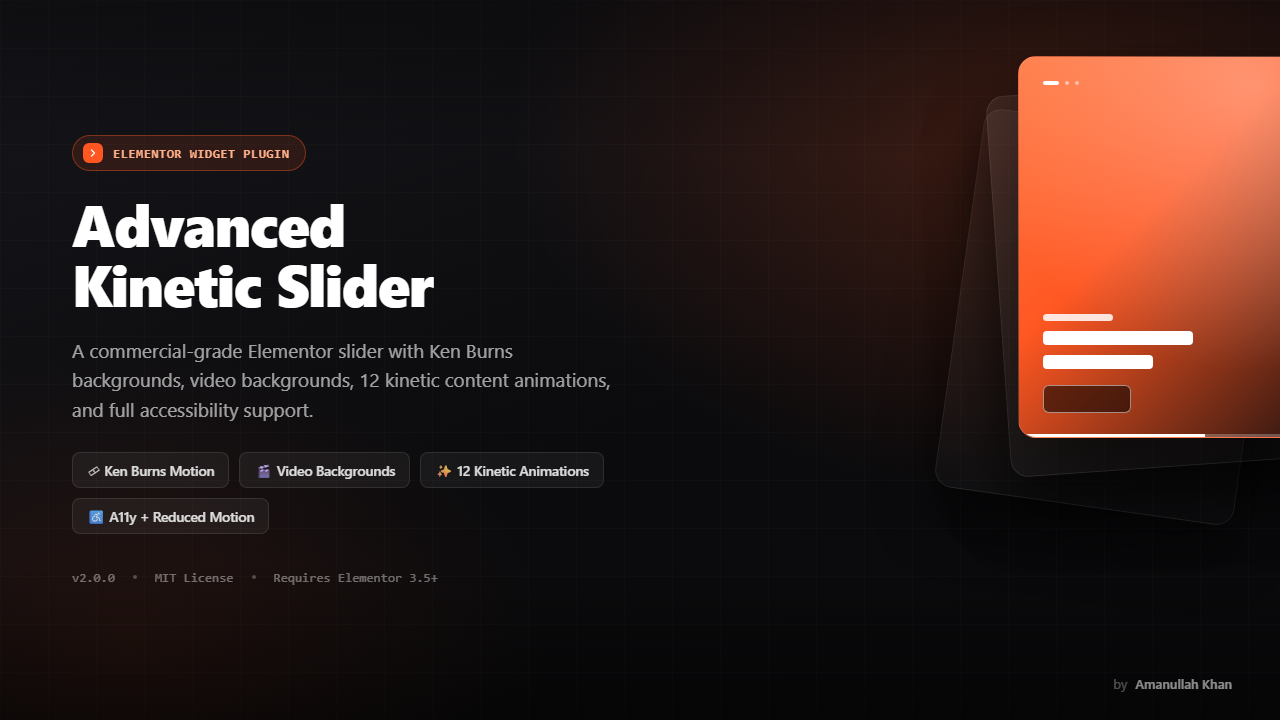
Advanced Kinetic Slider for Elementor
Commercial-grade Elementor slider widget with Ken Burns background motion, video backgrounds, 12 configurable "kinetic" content animations, an autoplay progress bar, and full accessibility support.
Table of Contents
- Features
- Requirements
- Installation
- Getting Started
- Widget Controls Reference
- Kinetic Animation Presets
- Ken Burns Background Motion
- Accessibility
- Performance Notes
- File Structure
- Frontend Architecture
- Styling / CSS Customization
- Custom Events
- Browser Support
- Troubleshooting
- Changelog
- License
Features
- Elementor-native widget — built on
\Elementor\Widget_Base, fully editable via the Elementor editor with live preview (no separate shortcode/block to manage). - Image or video slide backgrounds, per slide, with a poster-image fallback for video.
- Ken Burns motion on image backgrounds — Zoom In, Zoom Out, Pan Left→Right, Pan Right→Left, or none — driven entirely by CSS transitions.
- 12 kinetic content animations (Fade Up/Down/Left/Right, Zoom In/Out, Blur In, Rotate In, Flip Up/Down 3D, Elastic Up, Slide Reveal) assignable independently per element (sub‑heading, heading, description, buttons, overlay image).
- Automatic staggering between elements (sub‑heading → heading → description → buttons → overlay image) with a configurable delay.
- Two call-to-action buttons per slide, each with its own link, icon, and independent Normal/Hover style controls.
- Overlay image per slide (e.g. a product shot or badge) with its own animation and independent positioning from the text content.
- Per-slide layout overrides — content position, text alignment, button alignment, and overlay image position can each be set globally and overridden per slide.
- Transition effects — Slide, Cross-Fade, Coverflow (powered by Swiper).
- Autoplay with pause-on-hover, a visible progress bar, a slide counter, and an optional play/pause toggle button.
- Keyboard navigation (←/→ arrow keys) once the slider is focused.
prefers-reduced-motionsupport — autoplay and all entrance/Ken Burns animations are disabled/instant for users who request reduced motion at the OS level.- LCP-optimized background rendering — the first slide's background is a real
<img>withfetchpriority="high"andloading="eager"; subsequent slides lazy-load. - Responsive — layout automatically collapses to a stacked, centered, touch-friendly layout on mobile, and horizontal entrance animations are swapped for vertical ones to avoid overflow.
- Elementor editor safe — the Swiper instance is destroyed and cleanly re-initialized on every settings change in the editor, preventing duplicate instances/listeners.
Requirements
| Requirement | Version |
|---|---|
| WordPress | 5.8+ recommended |
| PHP | 7.4 or higher |
| Elementor (free or Pro) | 3.5.0 or higher |
| Browser | Any modern evergreen browser (Chrome, Firefox, Safari, Edge) |
The plugin registers itself as inert (with an admin notice) if Elementor is missing, outdated, or PHP is below the minimum version — it will not fatal-error your site.
Swiper (swiper handle) is expected to be available — Elementor bundles and registers Swiper itself, so no separate Swiper installation is required when Elementor is active.
Installation
- Download/zip the
advanced-kinetic-sliderplugin folder. - In WordPress admin, go to Plugins → Add New → Upload Plugin and upload the zip (or drop the folder into
wp-content/plugins/via FTP/SFTP). - Activate Advanced Kinetic Slider for Elementor from the Plugins screen.
- Make sure Elementor is installed and activated first — the plugin will show an admin notice and stay inactive otherwise.
- Edit any page with Elementor and search the widget panel for "Advanced Kinetic Slider" (category: General).
Getting Started
- Drag the Advanced Kinetic Slider widget onto your page.
- Open the Slides section and add one entry per slide using the repeater. Each slide has four tabs:
- Background — image or video, Ken Burns motion, overlay tint.
- Content — sub-heading, heading (+ HTML tag), description, two buttons with icons, and an animation preset for each.
- Overlay Image — an optional secondary image (e.g. product cutout) with its own animation.
- Layout — per-slide overrides for content position, text alignment, button alignment, overlay image position, and a custom CSS class.
- Configure global defaults in Layout & Alignment, transition/autoplay behavior in Transition & Autoplay, and visible UI chrome in Navigation & UI.
- Switch to the Style tab to set typography/colors for text, button normal/hover states, and the color of arrows, pagination dots, and the progress bar.
Widget Controls Reference
Content Tab
Slides (repeater) — one entry per slide:
| Field | Description |
|---|---|
| Background Type | Image or Video |
| Background Image / Fit / Position / Repeat | Image background + CSS object-fit/object-position equivalents |
| Ken Burns Motion | None, Zoom In, Zoom Out, Pan Left→Right, Pan Right→Left (image backgrounds only) |
| Video File (MP4) / Video Poster | Video background + fallback/poster image |
| Overlay Tint | Color (incl. alpha) applied over the background, below the content |
| Sub Heading + Animation | Short eyebrow text above the heading |
| Heading + HTML Tag + Animation | Main headline; tag selectable (H1/H2/H3/div) for SEO/semantic control |
| Description + Animation | Supporting paragraph (HTML allowed via wp_kses_post) |
| Button 1 / Button 2 (text, link, icon) + Buttons Animation | Up to two CTAs per slide |
| Overlay Image + Alt Text + Animation | Secondary image, independently positioned from text content |
| Content Block Position / Text Alignment / Buttons Alignment | Per-slide override of layout defaults |
| Overlay Image Position / Vertical Position | Per-slide override of overlay image placement |
| Custom CSS Class | Added to the slide's root element for custom targeting |
Layout & Alignment (global defaults, responsive): content block position, text alignment, buttons alignment, overlay image position (horizontal/vertical), slider height (px/vh), content padding, and global background fit/position/repeat defaults.
Transition & Autoplay: slide transition effect (Slide / Cross-Fade / Coverflow), transition speed, infinite loop, autoplay on/off, autoplay speed, pause-on-hover, kinetic element animation duration, stagger delay between elements, and Ken Burns duration.
Navigation & UI: show/hide arrows, pagination dots, autoplay progress bar, slide counter, and play/pause toggle button.
Style Tab
- Typography & Colors — color + full typography group controls for sub-heading, heading, and description.
- Buttons Styling — typography, and Normal/Hover tabs (text color, background, border color) for each of the two buttons, plus shared border radius and padding.
- Navigation & UI Styling — arrow color, pagination dot color (default + active), and progress bar color.
Kinetic Animation Presets
Assignable independently to the sub-heading, heading, description, buttons, and overlay image:
| Key | Effect |
|---|---|
anim-none |
No animation, element simply appears |
anim-fade-up |
Fades in while translating up from +50px |
anim-fade-down |
Fades in while translating down from -50px |
anim-fade-left |
Fades in while translating in from the right (+50px) |
anim-fade-right |
Fades in while translating in from the left (-50px) |
anim-zoom-in |
Scales up from 0.8 → 1 while fading in |
anim-zoom-out |
Scales down from 1.25 → 1 while fading in |
anim-blur-in |
Blurs out (12px) and scales slightly while fading in |
anim-rotate-in |
Rotates in from -8° with a slight vertical offset |
anim-flip-up |
3D flip on the X-axis, hinged from the bottom |
anim-flip-down |
3D flip on the X-axis, hinged from the top |
anim-elastic-up |
Fades/translates up with an elastic overshoot easing |
anim-slide-reveal |
Reveals via a clip-path wipe (left → right) |
Animations run on the element the first time its slide becomes .swiper-slide-active, staggered by the Stagger Between Elements setting (sub-heading → heading → description → buttons → overlay image, in that order). All of the above are automatically disabled (reduced to a 1ms, no-delay transition) when the visitor's OS requests prefers-reduced-motion: reduce.
Ken Burns Background Motion
Applied to the background image layer only (not video):
| Key | Effect |
|---|---|
none |
Static background, no motion |
zoom-in |
Scales from 1 → 1.15 over the Ken Burns Duration while the slide is active |
zoom-out |
Scales from 1.15 → 1 while the slide is active |
pan-left |
Pans from right to left while slightly zoomed |
pan-right |
Pans from left to right while slightly zoomed |
Duration is controlled globally via Transition & Autoplay → Ken Burns Duration (ms). Like kinetic animations, Ken Burns motion is disabled under prefers-reduced-motion: reduce.
Accessibility
- Slider root has
role="region"+aria-roledescription="carousel"; each slide hasrole="group"+aria-roledescription="slide"with a localized"n / total"label. - Swiper's built-in
a11ymodule is enabled (announces slide changes, labels prev/next controls). - Arrow buttons and the play/pause toggle carry explicit
aria-labels. - The slider wrapper is keyboard-focusable (
tabindex="0") and responds to Left/Right arrow keys once focused. prefers-reduced-motion: reducedisables autoplay entirely and collapses all kinetic/Ken Burns transitions to effectively instant.- Images use meaningful
alttext — the overlay image alt falls back to the slide heading (tags stripped) if no explicit alt text is set.
Performance Notes
- The first slide's background image renders as
fetchpriority="high"+loading="eager"(a strong hint to the browser this is the Largest Contentful Paint candidate); every subsequent slide isloading="lazy"withfetchpriority="low". - Background videos use
preload="metadata"and are only played while their slide is.swiper-slide-active— inactive slides' videos are paused. - CSS/JS assets are registered (not unconditionally enqueued) and only loaded on pages where Elementor calls for them via the widget's
get_style_depends()/get_script_depends().
File Structure
advanced-kinetic-slider/
├── advanced-kinetic-slider.php       # Plugin bootstrap: compatibility checks, asset registration, widget registration
├── assets/
│   ├── css/
│   │   └── advanced-slider.css       # All frontend styles (structure, Ken Burns, kinetic animations, nav/UI, responsive, reduced-motion)
│   └── js/
│       └── advanced-slider.js        # Elementor frontend handler (Swiper init, progress bar, counter, toggle, keyboard, video sync)
└── widgets/
    └── widget-advanced-slider.php    # Elementor widget class: controls (Content + Style tabs) and render()
Frontend Architecture
advanced-kinetic-slider.php— Singleton bootstrap class (Advanced_Kinetic_Slider_Plugin). Hooks intoplugins_loaded, verifies Elementor is active and meets the minimum version, and that PHP meets the minimum version, before registering anything. Registers theadvanced-slider-css/advanced-slider-jshandles on both the frontend and the Elementor editor's enqueue hooks, and registers the widget class onelementor/widgets/register.widgets/widget-advanced-slider.php—Elementor_Advanced_Slider_Widget extends \Elementor\Widget_Base. All Content/Style controls are defined inregister_controls(); markup is emitted byrender(), which also computes per-slide inline styles (e.g. theobject-fit/object-positionfallback chain between per-slide and global settings) and passes the resolved Swiper configuration to the frontend via adata-swiper-settingsJSON attribute on the wrapper.assets/js/advanced-slider.js—AdvancedSliderHandler extends elementorModules.frontend.handlers.Base, registered againstfrontend/element_ready/advanced_slider.default. Responsibilities:- Reads
data-swiper-settingsand initializeselementorFrontend.utils.swiper(Swiper 8/9, as bundled by Elementor). - Destroys and recreates the Swiper instance on every
onElementChange(i.e., every edit in the Elementor editor) to avoid leaking instances/listeners. - Drives the autoplay progress bar via a CSS width transition synced to the autoplay delay.
- Updates the slide counter and wires the play/pause toggle to
swiper.autoplay.start()/stop(). - Binds arrow-key navigation and syncs background
<video>playback to the active slide. - Respects
prefers-reduced-motionby disabling autoplay at init time.
- Reads
assets/css/advanced-slider.css— Pure CSS/transition-driven animation (no animation JS library). Kinetic animations are expressed as paired "rest state" (.anim-*) and "active state" (.swiper-slide-active .kinetic-elem) rules so any element with classkinetic-elem anim-*animates in automatically whenever its parent.swiper-slidebecomes active.
Styling / CSS Customization
Most visual properties are exposed as Elementor Style controls and apply via the {{WRAPPER}} scoping Elementor generates automatically — no custom CSS should be necessary for typography, colors, button states, or nav/UI colors.
For deeper customization, every slide root also accepts a Custom CSS Class (Slides → Layout tab) that you can target in Elementor's "Custom CSS" panel or your theme's stylesheet, e.g.:
.my-special-slide .adv-slide-heading {
    text-transform: uppercase;
    letter-spacing: 2px;
}
Useful CSS custom properties set by the widget on .adv-swiper (overridable via custom CSS if needed):
| Property | Set by | Purpose |
|---|---|---|
--adv-elem-duration |
Element Animation Duration | Kinetic transition duration |
--adv-kb-duration |
Ken Burns Duration | Background pan/zoom transition duration |
--adv-stagger-1 … --adv-stagger-6 |
Stagger Between Elements | Per-element transition delay |
Custom Events
The handler triggers a namespaced jQuery event on the slider wrapper every time Swiper's slideChangeTransitionStart fires (and once on init):
jQuery(document).on('adv-slider:slideChange', '.adv-slider-wrapper', function (event, swiperInstance) {
    console.log('Active slide index:', swiperInstance.realIndex);
});
Use this hook point for analytics tracking or any custom behavior that needs to run on slide change, without modifying the plugin's own JS file.
Browser Support
Any evergreen browser with support for CSS Grid, CSS custom properties, IntersectionObserver-free lazy loading via native loading="lazy", and prefers-reduced-motion. Equivalent to Swiper's own browser support matrix (modern Chrome, Firefox, Safari, Edge; current and previous major versions). No IE11 support.
Troubleshooting
Widget doesn't appear in the Elementor panel Confirm Elementor (free or Pro) is active and meets the 3.5.0 minimum — check Plugins for an admin notice from this plugin explaining what's missing.
Styles/animations look broken only in the Elementor editor
The editor iframe re-fires element_ready on every settings change; the handler destroys and reinitializes Swiper each time by design. If you see stacked/duplicate controls, hard-refresh the editor tab.
Video background doesn't autoplay
Browsers require background/autoplaying <video> to be muted — this is already set by the plugin. If a video still doesn't play, check that the MP4 file itself is a supported codec (H.264/AAC is safest) and that the slide is actually the active one (inactive slides' videos are intentionally paused).
Animations don't run / autoplay doesn't start
Check the visitor's OS-level "reduce motion" accessibility setting — the plugin intentionally disables autoplay and collapses animations when prefers-reduced-motion: reduce is set.
Changelog
2.0.0
- Rebuilt as a commercial-grade widget: Ken Burns backgrounds, video backgrounds, 12 kinetic content animations, autoplay progress bar, slide counter, play/pause toggle, full keyboard + reduced-motion accessibility support.
- v2.1 LCP fix — background image layer switched from CSS
background-imageto a real<img>so the first slide can carryfetchpriority="high"for better Largest Contentful Paint scores. - Fixed:
loopsetting previously evaluated as always-truthy (dataSettings.loop || true); now respects the actual configured boolean. - Fixed: Swiper instance is now properly destroyed before re-init in the Elementor editor, preventing leaked instances/listeners on repeated settings changes.
- Autoplay pause/resume now drives a visible progress bar instead of running silently.
- Background videos now play/pause in sync with slide activation.
Author
Amanullah Khan
Developer & Maintainer — Web Development, Front-End Engineering & Social Media Management 📍 Pakistan




License
Released under the MIT License. © Amanullah Khan.
Note: this plugin requires Elementor to function. Elementor itself is licensed separately (GPLv3) by its authors; this plugin's MIT license covers only the code in this repository.