Install
Upload it under Plugins → Add New Plugin → Upload Plugin, then activate.
Install straight from GitHub with WP-CLI:
wp plugin install https://github.com/alvindcaesar/fpx-gateway-smartpay/releases/download/v0.0.1-beta1/fpx-smartpay.zipFPX Payment Integration for WPSmartPay (Beta Version)
Accept payment by using Financial Process Exchange (FPX) gateway.
Description:
WPSmartPay is a WordPress plugin that simplifies the way to sell digital downloads and accept payments to run your business online.
FPX Payment Integration for WPSmartPay plugin adds support for Malaysia's local payment gateway so that you can sell your product or set up payment forms with Billplz, ToyyibPay, QlicknPay and among others. (Currently this plugin only support Billplz).
Current status:
THIS PLUGIN IS CURRENTLY IN BETA. Not suitable for live use cases just yet. Use Sandbox account to test. Please report any bugs in the GitHub issues so that I can sort it out. Any feedbacks is highly appreciated.
Setup process:
- Install and activate WPSmartPay.
- Install and activate FPX Payment Integration for WPSmartPay plugin.
- In WordPress admin, go to
SmartPay > Settings > Payment Gatewaysand tick the Billplz checkbox and clickSave Changes. Proceed to Billplz tab and enter your payment gateway API key details. (For now only Billplz is available).
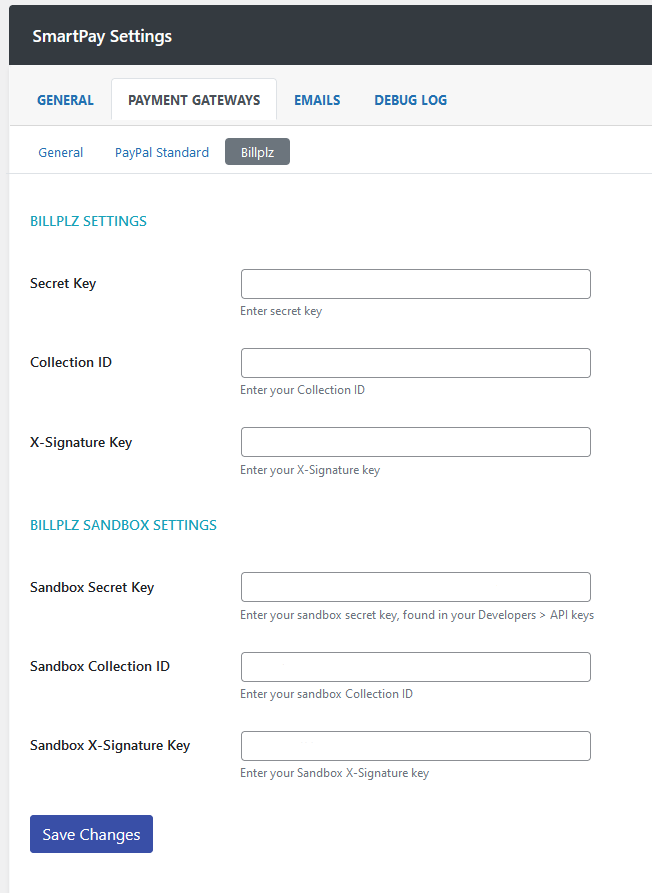
- Go to
Pagemenu and edit thePayment Confirmationpage, which is the default WPSmartPay's payment confirmation page. Add this shortcode:[fpx_payment_confirmation]above the existing shortcode in the page.
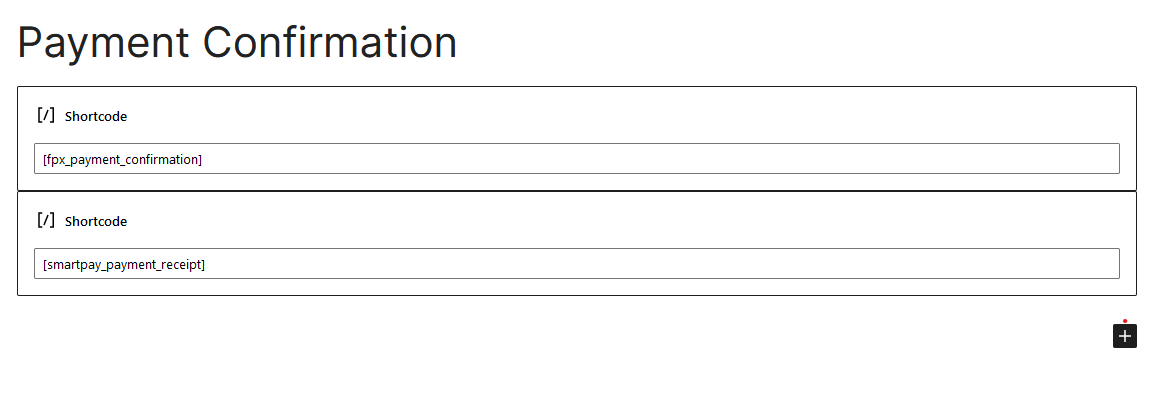
Changelog:
0.0.1-beta1 [ April 19, 2022]
- Initial beta release
Releases
1 release. Each count is every asset in that release; expand a row for the breakdown.