Install
This is the repository archive. It installs, but the folder name will carry the branch suffix and updates will not flow.
Install straight from GitHub with WP-CLI:
wp plugin install https://github.com/alsayeedar/sponsored-social-share-image/archive/refs/heads/main.zipSponsored Social Share Image (SSSI) is a WordPress plugin that allows you to easily add a banner to the featured image of your posts. This banner will be displayed in the Facebook Open Graph and Twitter Card when your posts are shared on social media platforms. With SSSI, you have full control over the banner settings, including the ability to set a unique banner for each post, define default banner settings, choose the banner position (top or bottom), and preview how the banner will appear on social media.
Recommendation
- Recommended Featured Image size: 1200 by 630 pixels
- Recommended Banner Image size: 1200 by 80 pixels
Features
- Add a banner to the featured image for Facebook Open Graph and Twitter Card.
- Set a unique banner for each post or define default banner settings for all posts.
- Choose the position of the banner: top or bottom of the featured image.
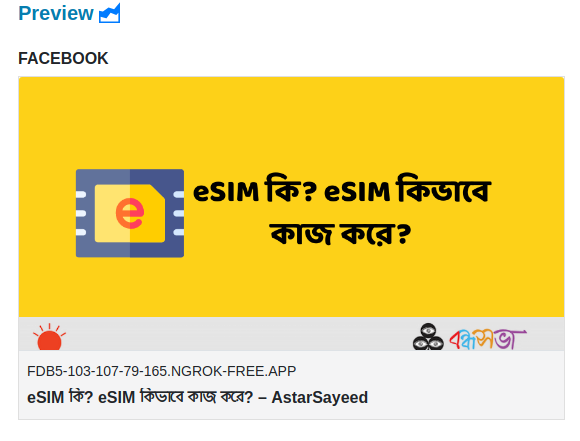
- Preview how the banner will appear on social media platforms.
- Seamless integration with popular SEO plugins such as Yoast SEO, Rank Math, AIOSEO, and more.
Installation
- Download the SSSI plugin from this GitHub repository.
- Log in to your WordPress dashboard.
- Navigate to "Plugins" > "Add New."
- Click on the "Upload Plugin" button.
- Choose the downloaded SSSI plugin file and click "Install Now."
- Once the installation is complete, click "Activate" to enable the plugin.
Usage
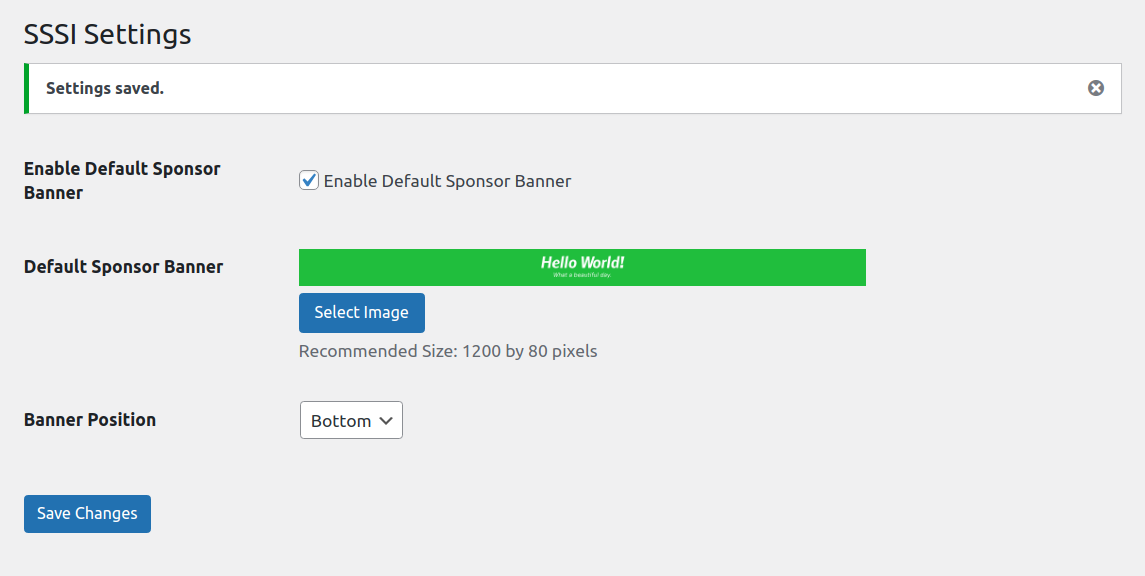
- After activating the plugin, you will find the SSSI settings under "Settings" > "SSSI" in your WordPress dashboard.
- Configure the default banner settings according to your preferences. These settings will be used for posts without a specific banner assigned.
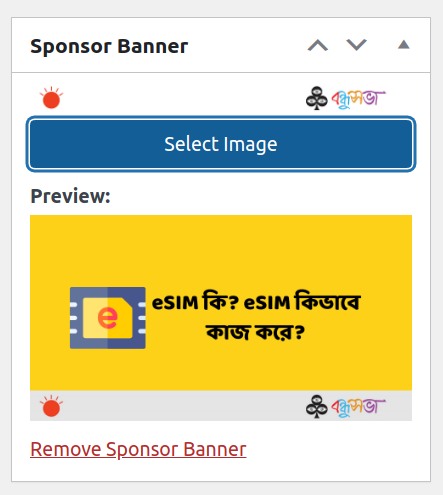
- To set a unique banner for a post, edit the post and scroll down to the SSSI meta box.
- Upload an image for the banner and choose the banner position (top or bottom).
- Save the post to apply the changes.
- To preview how the banner will appear on social media, use the preview functionality provided by SSSI.
- The plugin works seamlessly with popular SEO plugins, ensuring compatibility and a smooth user experience.
Screenshots
Support
If you need any assistance or have any questions regarding the Sponsored Social Share Image (SSSI) plugin, please reach out to me at alsayeedpro@gmail.com.
Credits
Developer Contact




Contributing
We welcome contributions from the community to enhance the functionality and features of the Sponsored Social Share Image (SSSI) plugin. If you would like to contribute, please follow these guidelines:
- Fork the SSSI repository on GitHub.
- Create a new branch for your feature or bug fix.
- Make the necessary changes and commit them.
- Submit a pull request detailing your changes.
License
The Sponsored Social Share Image (SSSI) plugin is released under the GNU General Public License v3.0. Please review the license file for more information.
If you have any questions or need further clarification regarding the license, feel free to reach out to us.
Changelog
- 1.1: Release date: 2023-06-17
- Image size improved.
- 1.0: Release date: 2023-06-16
- Initial release.
We hope you find the Sponsored Social Share Image (SSSI) plugin useful for enhancing the social media visibility of your WordPress posts. If you have any feedback or suggestions, please let us know. Happy sharing!