Install
Upload it under Plugins → Add New Plugin → Upload Plugin, then activate.
Install straight from GitHub with WP-CLI:
wp plugin install https://github.com/allterraindeveloper/maia-media-asset-interface-administration/releases/download/v0.1.4/allterrain-maia.zip
AllTerrain MAIA
Media Asset Interface & Administration
A home for every image. Built for WordPress and OpenStation.
Find it. File it. Make it ready for your next post.
Get started · Screenshots · Developers · Releasing
AllTerrain MAIA brings folders, a dedicated image viewer and practical media tools to the OpenStation desktop. Your existing WordPress library is already there: organize it, inspect it, convert an image or restore a previous version without leaving your workspace.
Made by AllTerrainDeveloper, alongside AllTerrain Forms and AllTerrain Photo Editor. Free software, with no license keys or author-operated cloud service.
A look around
A library you can put in order
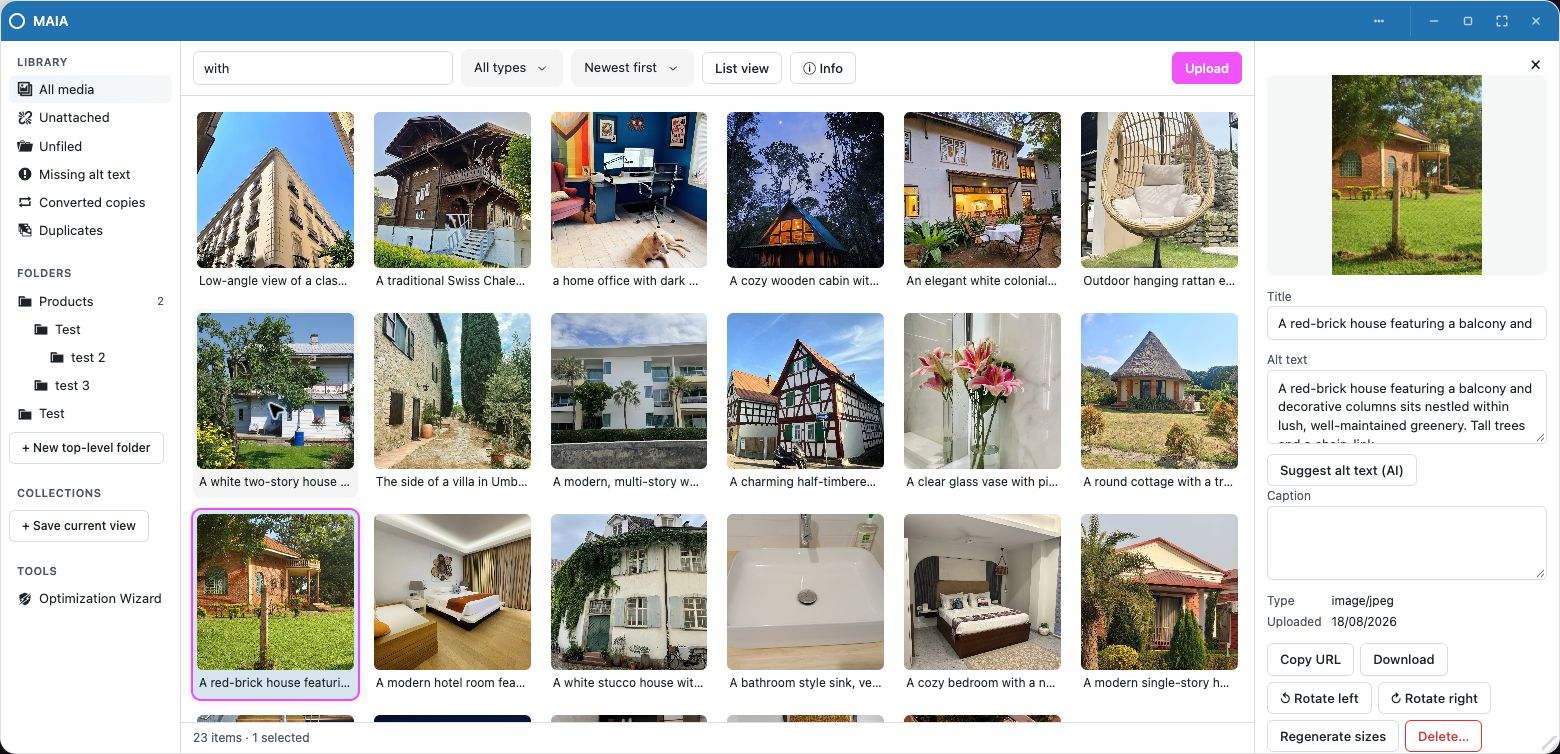
Drag images into folders and see when they finish saving. Build a folder tree, keep searches as live collections, or jump to unfiled media, missing alt text, converted copies and duplicates. The inspector keeps metadata and image tools close to the selected file.
Give the image some room
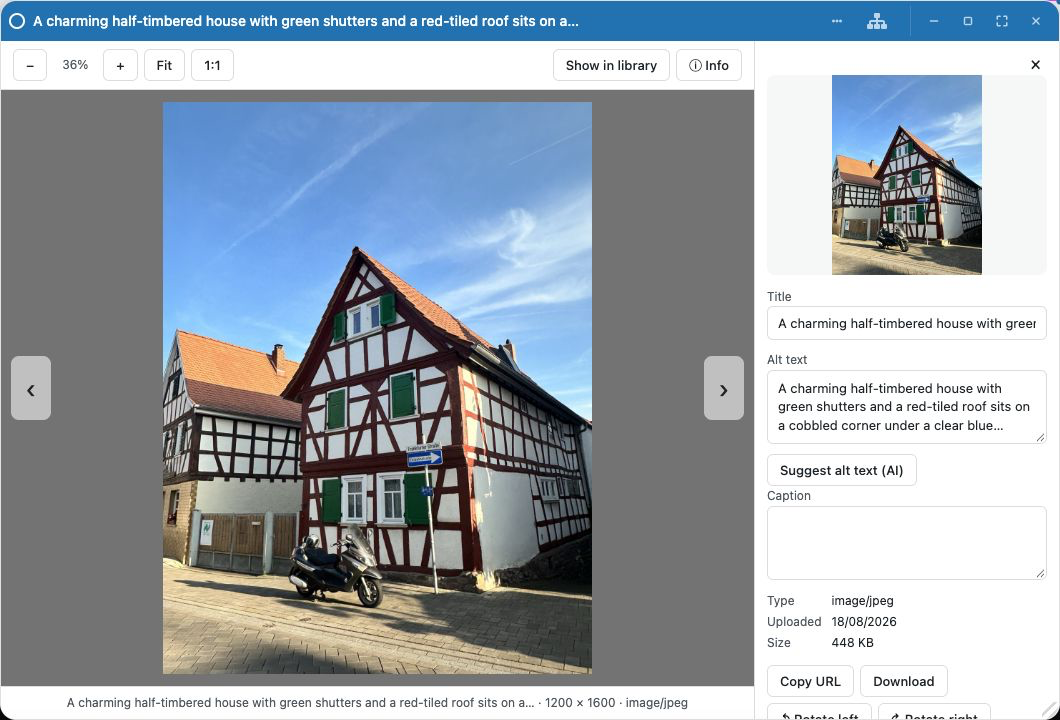
Double-click a photo to open the viewer. Zoom, pan, switch between fit and 1:1, and move through the library with the arrow keys. Open the info drawer for metadata, conversion and version tools.
Folders with a clear destination
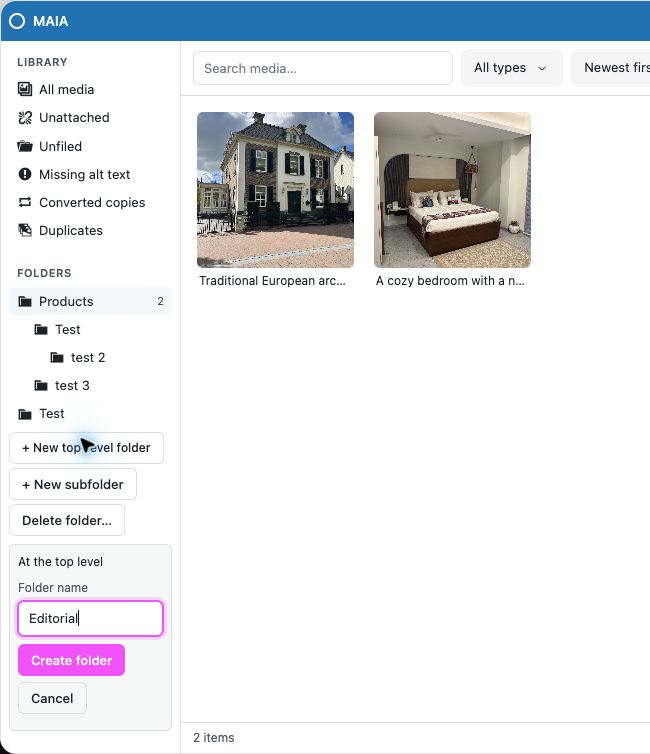
New top-level folder creates a sibling of Products or any other root, even while a folder is selected. New subfolder goes inside the selected folder. Names are entered inline using OpenStation controls, with validation and saving feedback. Deleting a folder preserves its media and moves child folders up one level.
A thoughtful library tidy-up
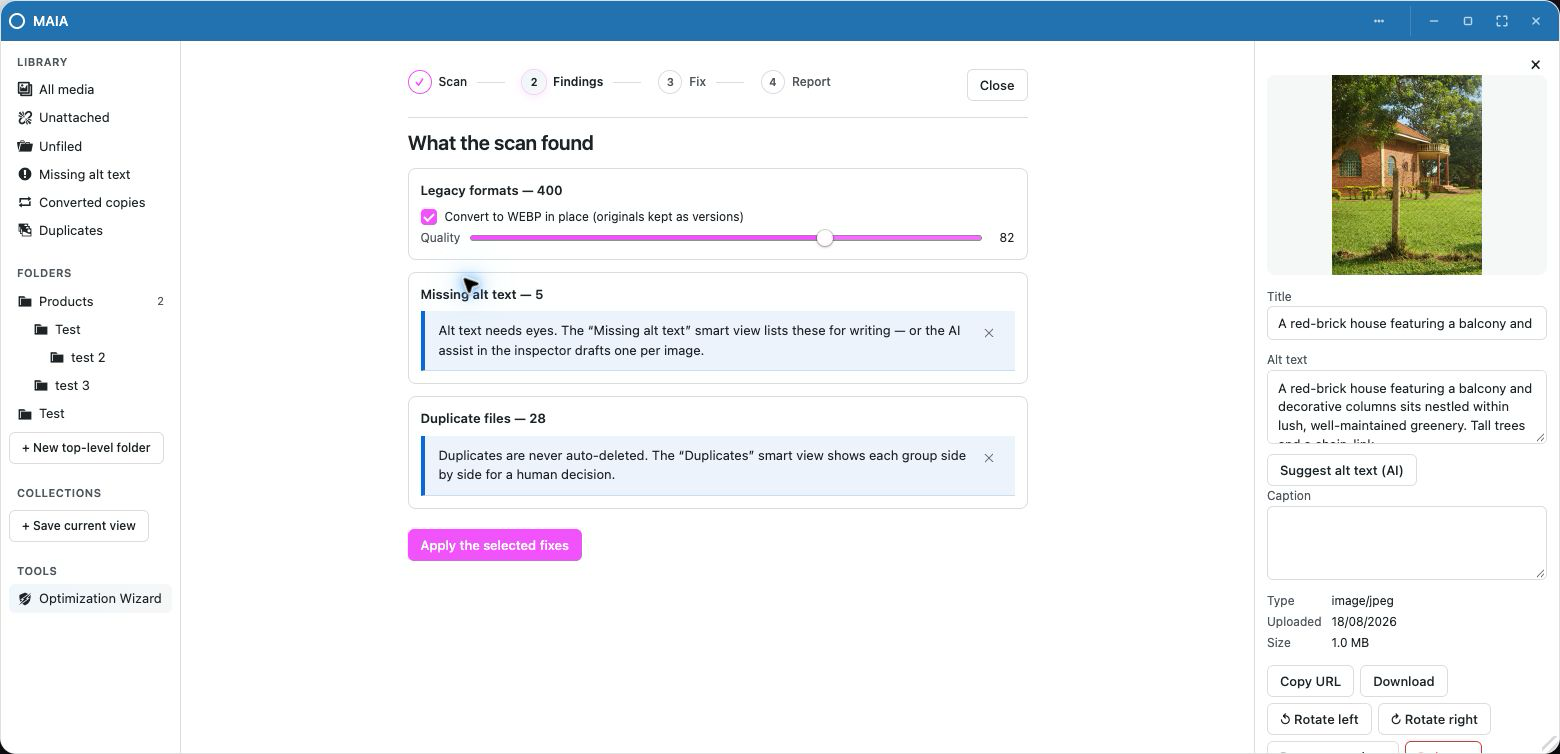
The Optimization Wizard scans for oversized originals, legacy formats, missing alt text and duplicate files. Review its findings and choose what to fix. Batches can resume, and converted originals are kept as versions. Duplicates are left for a human decision; AI alt-text drafting requires a separate confirmation.
More in the toolbox
- Format conversion: JPEG, PNG, WebP, AVIF and GIF where supported. Use your host's Imagick/GD or supported browser fallbacks, including bundled AVIF WASM.
- HEIC intake: convert iPhone photos to JPEG when the host's Imagick can read HEIC.
- Restorable versions: replace an image while retaining its previous original. Same-format replacements keep the URL. Changing format changes the URL; existing embedded links may need updating.
- Usage information: see detected references in posts and settings before deleting an image. Plugins can report additional usage through hooks.
- Desktop drag and drop: move media into compatible OpenStation targets, including Gutenberg and other AllTerrain apps.
- Optional AI alt text: explicitly send one image's URL, title and caption to the AI provider configured in OpenStation, then review the draft. See the external-services disclosure.
Get started
- Install and activate OpenStation.
- Upload
allterrain-maia.zipthrough Plugins → Add New → Upload Plugin and activate AllTerrain MAIA. - Enable OpenStation from the admin bar and open AllTerrain MAIA from its dock or shortcut.
Requires WordPress 6.0+ and PHP 7.4+. The classic Media Library remains available. Folder membership does not move files or change their URLs. Deactivation preserves data; uninstall removes AllTerrain MAIA's folders, collections, settings and saved version files, while retaining current media attachments.
The WordPress.org release ZIP is built locally using the commands below. Directory approval and the final SVN slug must be confirmed before enabling WordPress.org deployment.
Development
npm ci
npm run build:bundles    # build explorer, shell and codec, readable + minified
npm run deploy          # mirror to the sibling Docker QA checkout on port 8889
npm run dev             # watch/rebuild the explorer bundle
npm run typecheck
npm test
npm run test:php         # PHPUnit in the QA container or wp-env
npm run plugin:package  # checks/builds and creates dist/allterrain-maia.zip
npm run build combines the bundle build and local deployment. Sources are
TypeScript with a plugin-local Vite build. WordPress supplies the PHP APIs; there
is no production Composer dependency. Bundled JavaScript includes exifr (MIT)
and jSquash's AVIF encoder (Apache-2.0); notices ship in assets/licenses/.
Testing, release commands and artwork maintenance are documented in the developer guide, release guide and artwork sources.
Plugin integration
AllTerrain MAIA uses OpenStation's App Framework, with native registration fallback on
older shells. The approved WordPress.org package slug and text domain are
allterrain-maia. The atme_ prefixes, REST namespace and existing
window identifiers remain stable.
Start with architecture, PHP hooks, JavaScript, OpenStation integration and examples. The migration and review records the review fixes and known limits.
License
GPL-2.0-or-later. Font licenses and artwork provenance are documented in docs/artwork.
Releases
5 releases. Each count is every asset in that release; expand a row for the breakdown.