Install
Upload it under Plugins → Add New Plugin → Upload Plugin, then activate.
Install straight from GitHub with WP-CLI:
wp plugin install https://github.com/alex9001/cybermaps/releases/download/v8.0.3/cybermaps_8.0.3.zip

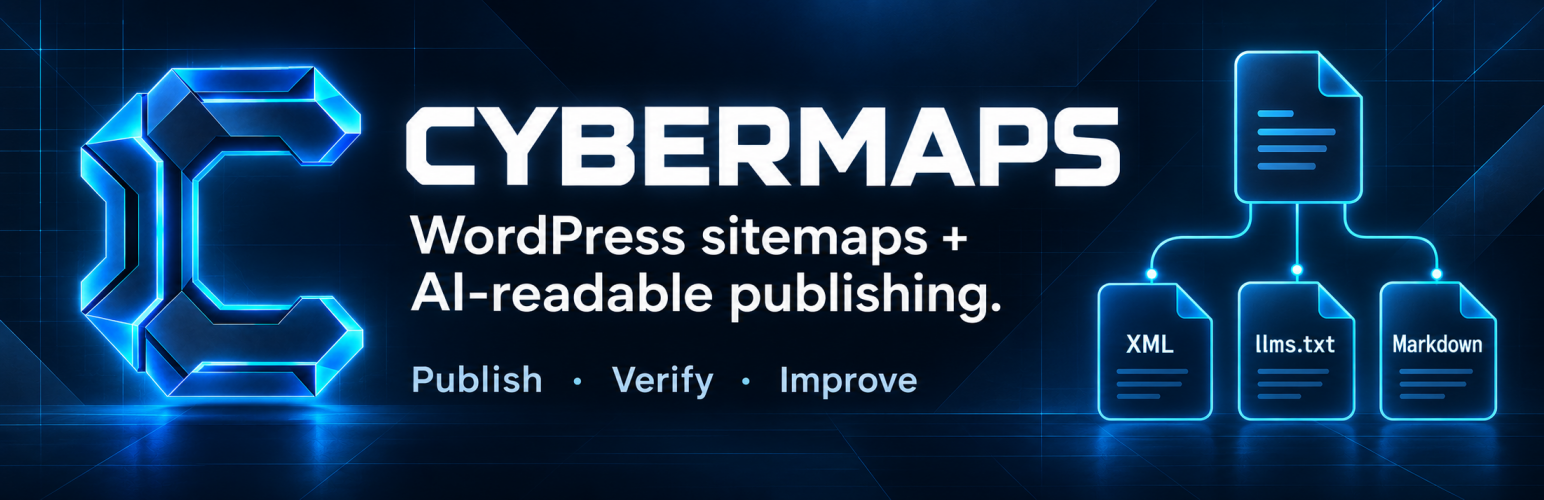
CYBERMAPS
WordPress sitemaps + AI-readable publishing.
Publish your content. Verify its delivery. See what crawlers request.






Homepage · Download beta · Install · Documentation · Issues
One complete plugin. Search engines, AI clients, and people.
| Publish | Verify | Improve |
|---|---|---|
| XML sitemaps, Markdown pages, and machine-readable discovery from your WordPress content. | Public delivery checks, response headers, static-file ownership, and routing diagnostics. | Local crawler observations, saved content reports, comparisons, and exportable findings. |
Cybermaps is a standalone WordPress plugin with a dedicated sitemap engine and an AI publishing layer. Every capability below is included in Core, with no license key or paid feature unlocks. Crawler analytics is opt-in and stays in WordPress; Cybermaps sends no analytics or telemetry to CYBER BRAND.
Your content, ready to be read
| What you want to publish | What Cybermaps provides |
|---|---|
| A map for search engines | XML sitemap index and child sitemaps for public post types and taxonomies, plus news, media, author, archive, RSS, and multisite output |
| A map for people | The [cybermap] HTML sitemap shortcode with filters, hierarchy, bounded queries, and three layouts |
| A concise guide for AI clients | llms.txt with 20–500 selected links, explicit coverage, and Markdown page alternates |
| Full text for retrieval | Opt-in llms-full.txt, literal per-page Markdown, and bounded retrieval chunks |
| Machine-readable discovery | AI manifest, JSON Feed, Schema.org knowledge graph, AI sitemap, usage preferences, action inventory, API Catalog, OpenAPI, and REST search |
| A guide for compatible agents | An Agent Skills-compatible read-only site guide and discovery index |
For an eligible page such as /guides/setup/, Cybermaps can publish
/guides/setup/index.md. The HTML response advertises the Markdown alternate
and its describing llms.txt file. Markdown comes from stored visible text,
without executing shortcodes or dynamic blocks.
                        WordPress content
                               │
                           CYBERMAPS
                               │
             ┌─────────────────┼─────────────────┐
             │                 │                 │
        SEARCH & PEOPLE    AI READING        DISCOVERY
        XML · RSS · HTML   llms.txt          JSON · XML
                           page/index.md     agent guide
Built for the work after publishing
- Own the delivery path. Use dynamic WordPress responses or optional static publication with ownership hashes, request-triggered repair, and public delivery checks. Multisite stays dynamic-only.
- Inspect the evidence. Check response status, media type, headers, and routing from Sitemap Status and AI Discovery Status.
- Observe crawler traffic locally. Opt into bounded request analytics with retention, export, and clearing controls.
- Turn findings into reports. Save content reports and export printable, CSV, or JSON results.
- Choose how it fits. Use Cybermaps as your sitemap and discovery engine, or alongside Yoast SEO, Rank Math, All in One SEO, Genesis, or Mai. It honors the supported noindex, canonical, and redirect signals documented for those integrations.
Explore the features · Compare capabilities · Read the technical reference
Install
Open beta is available on GitHub Releases.
The open beta is ready for use on live WordPress sites. Feedback and bug reports are welcome.
- Download the versioned
cybermaps_<version>.ziprelease asset. GitHub's automatic “Source code” archives are development copies. - In WordPress, open Plugins → Add New Plugin → Upload Plugin.
- Select the ZIP, install it, and activate Cybermaps.
| Requirement | Minimum | Recommended |
|---|---|---|
| WordPress | 7.1 | 7.1+ |
| PHP | 8.2 | 8.3+ |
Each release includes a .sha256 checksum for the installable ZIP.
Quick start
- Open Cybermaps → XML Sitemaps and choose the content to include.
- Open Cybermaps → AI Publishing to configure AI publications. The AI Publication Hub is opt-in.
- Review Sitemap Status and AI Discovery Status to inspect delivery.
- Enable local crawler analytics separately if you want request observations.
WordPress readme · Setup and technical documentation
Help shape the beta
Found a problem? Open a bug report with reproduction steps and the diagnostic support bundle from Cybermaps → Debugging → Copy GitHub support bundle. Review the JSON before posting it. Use Download support bundle if copying is unavailable.
Suggest an improvement · Browse existing issues · Support guide · Report a vulnerability privately
Publication boundaries and protocol details- Publishing an endpoint does not guarantee discovery, training, citation, ranking, or use by an AI provider.
- Complete
llms-full.txtoutput is opt-in and fails explicitly at its 4 MiB safety boundary instead of silently presenting partial content as complete. /ai.jsonimplements Cybermaps AI Discovery Manifest 1.0, a vendor extension.- The AI Discovery Protocol 3.0 Level 3 surface includes the manifest, bounded
seven-day updates, and four
/news/*context, speakable, changelog, and JSONL archive publications. Cybermaps does not expose an MCP server. - The Agent Skills guide includes a digest-bound 0.2.0 draft discovery index
and the retained
/skill.mdcompatibility URL. - Dynamic publications include CORS, ETag, and Content-Digest headers. For physical static copies, the web server or CDN must supply equivalent headers because those requests do not reach PHP.
Development
Builds, validation, and release packaging run locally. GitHub does not build or test the plugin, deploy to WordPress.org, or attach release ZIPs automatically. Publish locally prepared artifacts with the command below.
composer install
composer test
composer run lint:phpcs
composer run release:check
composer run release:build
composer run release:build produces the exact standalone WordPress.org
artifact under clean/; development dependencies, tests, and internal docs are
not copied into that package.
See CONTRIBUTING.md before changing code. The public surface
is inventoried in docs/dev/manifest.json; changes to endpoints, settings,
classes, routes, or contracts require regenerating the documented artifacts.
Publish a GitHub release
Install and authenticate the GitHub CLI
(gh auth login --hostname github.com), and install Composer dependencies. Run
from a clean main checkout whose HEAD matches pushed main in
Alex9001/cybermaps. Git credentials must also permit pushing tags to that
repository. Python 3 and the existing local packaging tools are required.
composer run release:github             # Publish an open beta prerelease
composer run release:github -- --stable # Publish a stable release
Running either command authorizes immediate publication after verification.
The command runs PHPUnit, release standards/generated-input checks, the complexity
gate, and the local builder. It reads the plugin version automatically: 7.4.0
becomes v7.4.0, with clean/cybermaps_7.4.0.zip and its .sha256 file.
Release notes use the matching changelog.txt section, requirements, installation
instructions, and the diagnostic support bundle reporting instructions.
The command pushes the version tag at the verified commit, creates a temporary draft, uploads both local assets, downloads and compares them byte for byte, then publishes. Beta releases are marked prerelease and do not become Latest; stable releases become Latest. GitHub hosts the downloads and notes; Actions remains disabled.
Uncommitted or unpushed changes stop the command; it never commits or pushes
main for you. Review, commit, and push pending work before publication. Keep release metadata synchronized before committing a new
version, as described in CONTRIBUTING.md.
After an interruption, rerun the same command to resume a matching draft. Tags
and drafts are retained on failure. Conflicting tags, metadata, unexpected assets,
and mismatched downloads stop publication and require inspection. Existing assets
and published releases are never overwritten. Every changed published package
needs a new version/tag; --stable does not promote an already published beta
using the same tag.
To test publication without contacting GitHub:
composer run test:release-githubThese tests use temporary Git repositories and mocked GitHub/build commands.
Created and maintained by Aleksandr Oreshkin
Published by CYBER BRAND
Releases
12 releases. Each count is every asset in that release; expand a row for the breakdown.